CVS Vaccine COVID Appointment: Complete Booking and Eligibility Guide for 2026
Securing a CVS vaccine COVID appointment requires navigating updated 2026 scheduling portals, verifying insurance or payment requirements, and confirming age-based dosage eligibility. Appointments can be booked efficiently online throu...
Securing a CVS vaccine COVID appointment requires navigating updated 2026 scheduling portals, verifying insurance or payment requirements, and confirming age-based dosage eligibility. Appointments can be booked efficiently online through the CVS digital scheduler or the CVS Pharmacy app, with same-day slots often available depending on regional supply and local store participation.
Contents
Understanding Current COVID-19 Vaccine Guidelines and Eligibility
The landscape of immunization has evolved significantly, shifting toward an annual update model similar to seasonal influenza shots. Staying protected requires understanding who qualifies for updated doses, timing intervals between previous infections or inoculations, and the specific formulations available at retail pharmacy locations.
Target Audiences and Recommended Intervals
Current public health standards emphasize annual protection for nearly all demographic groups, with specialized dosing schedules for immunocompromised individuals and young children. The interval between your last COVID-19 dose and a new updated booster generally requires a minimum waiting period of two to three months, though clinical evaluations may vary based on specific health status and exposure risks.
- Adults Aged 18 and Older: Eligible for the current seasonal formulation following the standard minimum interval from any prior dose.
- Children and Adolescents: Pediatric formulations are available at select CVS and MinuteClinic locations, subject to minimum age requirements enforced by state regulations and pharmacist licensing.
- Immunocompromised Patients: May qualify for additional doses under physician guidance, adhering to personalized clinical intervals.
Clinical Timing Note: If you have recently recovered from a confirmed COVID-19 infection, health authorities generally permit delaying your next vaccination by up to three months from symptom onset or a positive test result, as natural immunity provides temporary protection.
Preparing Requirements Before Scheduling Your CVS Appointment
Before accessing the online scheduling tool, gathering the necessary documentation ensures a streamlined check-in process at the pharmacy counter. Being prepared prevents delays and reduces the likelihood of appointment rescheduling or billing complications.
Essential Information Needed at Booking
- Personal Identification: A government-issued photo ID (driver's license, passport, or state identification card).
- Insurance Documentation: Your primary health insurance card, prescription benefit card, or Medicare/Medicaid card.
- Medical History Details: Knowledge of past vaccine reactions, known allergies to vaccine components (such as polyethylene glycol or polysorbate), and current medications.
- Consent Forms: Completed digital or paper screening questionnaires regarding your current health status and acute illness symptoms.
Step-by-Step Guide to Booking Your Appointment Online
The CVS digital ecosystem provides multiple pathways to reserve your immunization time slot. Utilizing the official website or mobile application ensures your information securely syncs with the pharmacy's scheduling queue.
Navigating the CVS Scheduler
- Access the Portal: Navigate to the official CVS vaccine scheduling page or open the CVS Pharmacy mobile application on your smartphone.
- Enter Location Data: Input your ZIP code or city to locate nearby CVS Pharmacy or MinuteClinic locations carrying the specific vaccine brand or formulation you require.
- Complete the Screening Questionnaire: Answer a series of health and demographic questions to determine your eligibility, recommended dosage, and insurance coverage parameters.
- Select Date and Time: Choose an available open slot from the interactive calendar view. Peak hours tend to book quickly, so morning or mid-week slots often offer greater availability.
- Provide Contact and Insurance Details: Enter your legal name, date of birth, contact information, and insurance policy numbers. If you are uninsured, look for federally funded program options if applicable.
- Confirm and Save Details: Review your appointment summary and save the confirmation code or barcode sent to your email or mobile device.
Financial Considerations, Insurance, and Out-of-Pocket Costs
Navigating the financial aspects of immunization involves understanding how commercial health plans, Medicare, and uninsured programs cover preventive services under current federal and state mandates.
Insurance Coverage Comparison
| Coverage Type | Acceptance Status at CVS | Typical Out-of-Pocket Cost | Action Required |
|---|---|---|---|
| Commercial PPO / HMO Plans | Accepted (Most Major Carriers) | $0 (Fully Covered Preventive Benefit) | Bring active insurance and prescription cards. |
| Original Medicare (Part B) | Accepted | $0 (Zero Copay for Preventive Care) | Present your red, white, and blue Medicare card. |
| Medicare Advantage (MA) | Accepted (If in Network) | $0 to Varies by Plan Contract | Verify specific carrier network participation before booking. |
| Medicaid / State Plans | Accepted (State-Dependent) | $0 (Subject to State Program Rules) | Confirm state-specific pharmacy network inclusion. |
| Uninsured / Self-Pay | Accepted | Full retail immunization fee | Inquire about available bridge access programs or discount options. |
What to Expect During Your Pharmacy Visit
Arriving prepared for your scheduled time slot minimizes waiting room congestion and ensures a smooth interaction with the immunizing pharmacist.
- Arrival and Check-In: Arrive approximately 10 to 15 minutes prior to your scheduled time. Check in at the pharmacy drop-off window or designated kiosk using your confirmation code and ID.
- Health Screening Review: A pharmacy team member will briefly review your questionnaire responses to confirm no acute contraindications have arisen since booking.
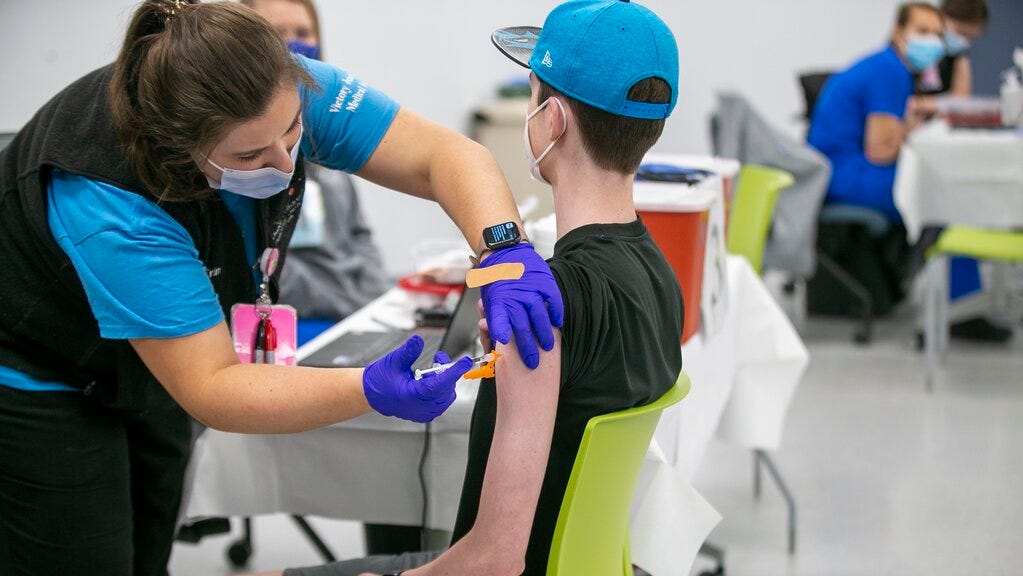
- Administration: The injection is administered intramuscularly, typically in the deltoid muscle of the upper arm.
- Post-Vaccination Observation: Pharmacists generally recommend remaining near the pharmacy seating area for 15 minutes to monitor for rare acute hypersensitivity reactions.
Troubleshooting Common Booking and Scheduling Errors
Technical hurdles or capacity constraints can occasionally interrupt the scheduling process. Knowing how to resolve these issues saves time and reduces frustration.
- No Available Appointments Nearby: If local stores show fully booked schedules, expand your search radius by entering adjacent ZIP codes, or check back early in the morning when system slots frequently refresh with newly released inventory.
- Insurance Rejection or Error Messages: Verify that your subscriber ID, group number, and date of birth match your insurance card exactly. If errors persist, contact your insurance provider's customer service number listed on the back of the card to confirm active pharmacy benefits.
- Age Restriction Prompts: Ensure you select the correct patient age category during the initial screening phase, as pediatric and adult formulations route through distinct scheduling queues.
Frequently Asked Questions
How do I schedule a COVID-19 vaccine appointment at CVS?
You can schedule an appointment online through the CVS website or the CVS Pharmacy mobile app by entering your ZIP code, completing the health questionnaire, and selecting an available time slot. Same-day appointments are frequently available depending on local store supply.
What should I bring to my CVS vaccine appointment?
Bring a government-issued photo ID, your primary health insurance or Medicare card, and your appointment confirmation code. If you have any specific allergies or medical conditions, having that information ready will help streamline the check-in process.
Does CVS accept Medicare for COVID-19 vaccines?
Yes, CVS accepts Original Medicare Part B and participating Medicare Advantage plans for COVID-19 immunizations, resulting in zero out-of-pocket costs for eligible beneficiaries. It is always recommended to verify that your specific Medicare Advantage plan includes the pharmacy in its active network.
Can I walk in without an appointment for a COVID vaccine at CVS?
While walk-ins are sometimes accepted depending on daily store vaccine supply and pharmacist availability, scheduling an appointment online is strongly recommended to guarantee your spot and minimize wait times.
How much does the COVID-19 vaccine cost if I am uninsured?
For uninsured individuals, standard retail pricing applies unless participating public health bridge access programs or local health department vouchers are active in your area. You can speak directly with the CVS pharmacy team prior to administration to discuss available payment options.
Practical Recommendation
To secure your preferred date and time without unnecessary delays, complete your scheduling via the CVS mobile application and verify your insurance network status ahead of time. Arriving with your printed or digital confirmation code, photo ID, and active insurance card ensures a seamless vaccination experience from check-in to completion.
Image Gallery