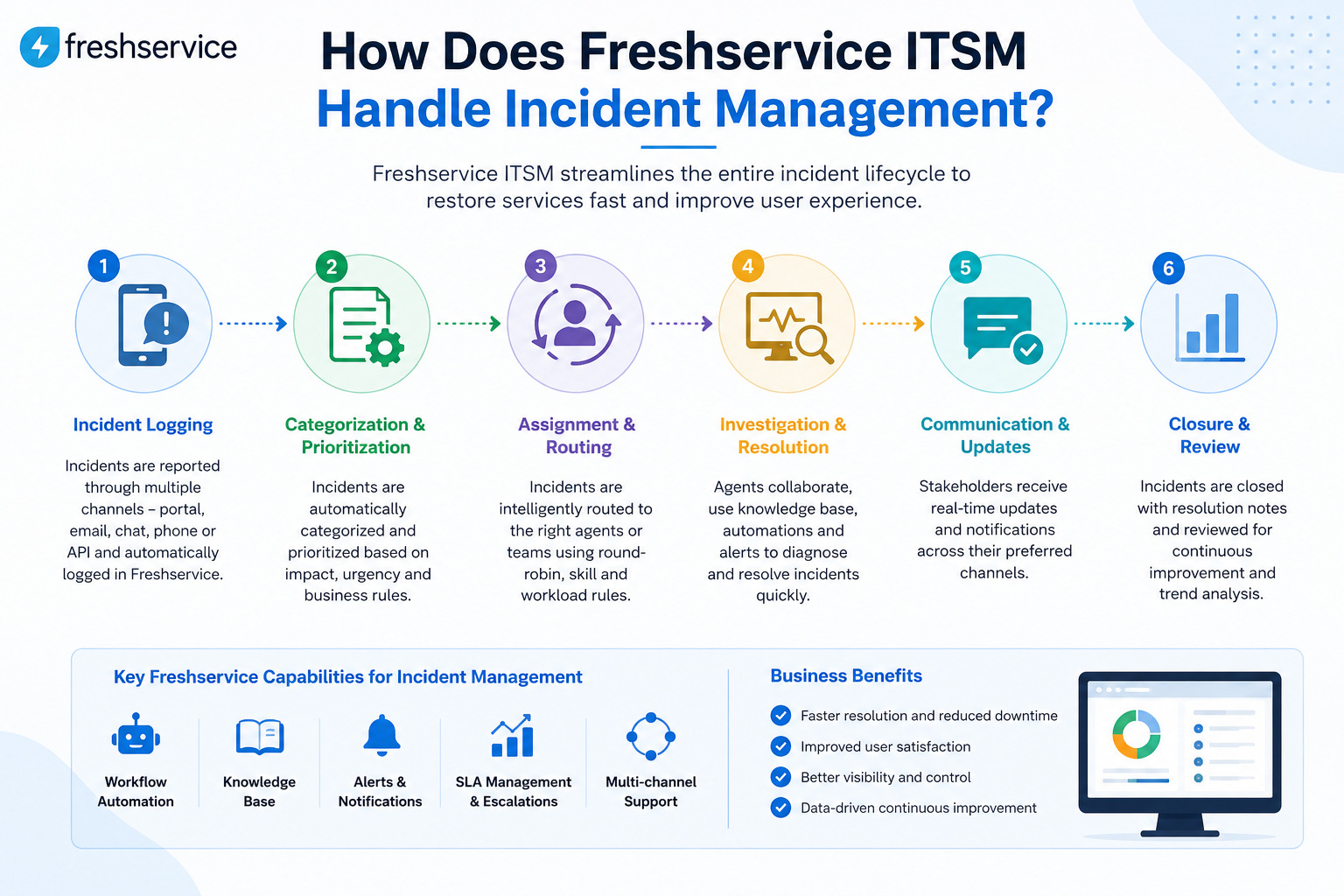
How Freshservice Handles a Major Incident
Freshservice handles a major incident by isolating critical, high-impact disruptions through specialized workflows, automated stakeholder communication channels, dedicated war rooms, and post-incident reviews designed to restore normal...
Freshservice handles a major incident by isolating critical, high-impact disruptions through specialized workflows, automated stakeholder communication channels, dedicated war rooms, and post-incident reviews designed to restore normal business operations rapidly while minimizing service downtime.
Contents
Organizations relying on modern IT service management (ITSM) frequently confront catastrophic system failures that dwarf routine support tickets. Whether a core database crashes, an enterprise-wide cloud environment suffers an outage, or a critical security vulnerability compromises operations, standard ticketing queues are completely inadequate. Resolving these high-stakes events requires an orchestrated response that bypasses normal bureaucracy, mobilizes the right technical experts instantly, and keeps executive leadership fully informed. Freshservice, Freshworks’ cloud-based ITSM platform, approaches major incident management through a structured framework combining automated detection, expedited routing, cross-functional collaboration, and stringent post-mortem analysis.
Understanding the Anatomy of a Major Incident in Freshservice
Before examining the mechanics of resolution, it is essential to define what differentiates a major incident from a standard IT request or standard incident in Freshservice. Standard incidents typically affect an individual user or a small group, and their resolution follows predictable, routine service level agreements (SLAs). In contrast, a major incident is categorized by its overwhelming business impact, high urgency, and extensive reach. It disrupts entire departments, revenue-generating pipelines, or customer-facing applications.
Freshservice provides administrators with the capability to define custom priority matrices. When an event is flagged as a major incident—either manually by a service desk agent or automatically via integrated monitoring tools—the platform shifts gears. It triggers an isolated workflow that separates high-priority chaos from day-to-day IT support. This separation ensures that the engineers assigned to mitigate the critical failure are not distracted by password resets or minor hardware requests.
Automated Detection and Categorization
Modern IT infrastructure rarely fails silently; it emits logs, alerts, and metrics continuously. Freshservice integrates directly with application performance monitoring (APM) and IT infrastructure monitoring (ITIM) tools such as Datadog, PagerDuty, New Relic, and Microsoft System Center Operations Manager.
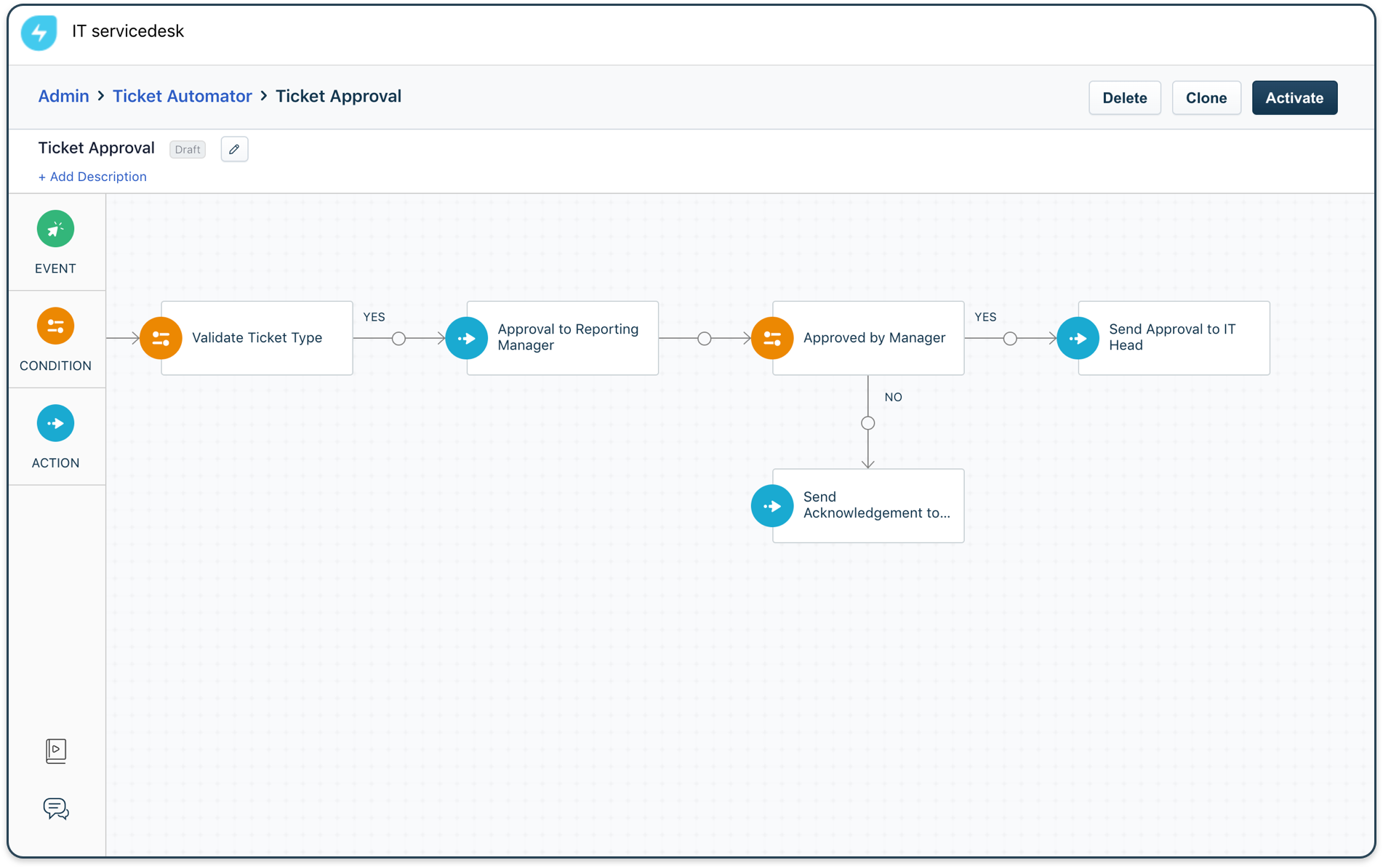
When an external monitoring tool detects an anomalous metric—such as a sudden spike in server error rates or complete API unresponsiveness—it sends a webhook or API payload to Freshservice. The platform processes this incoming data through predefined event rules.
- Event Ingestion: Raw alerts flow into Freshservice from monitoring solutions.
- Rule Evaluation: Event management rules assess the frequency, source, and severity of the incoming alert.
- Automatic Ticket Generation: If the alert matches major incident criteria, Freshservice automatically generates an incident ticket and assigns the highest priority level (e.g., Priority 1 or P1).
- Tagging and Classification: The ticket is automatically tagged with the affected service from the service catalog, linking the incident directly to underlying business assets within the configuration management database (CMDB).
This automated pipeline reduces Mean Time to Detection (MTTD), eliminating the delay inherent in waiting for users to manually report a widespread outage to the service desk.
Mobilizing the Incident Response Team and War Rooms
Once a major incident is recognized, speed of mobilization dictates the ultimate cost of the downtime. Freshservice automates the assembly of the Major Incident Response Team (MIRT).
Through integration with enterprise communication tools like Slack and Microsoft Teams, Freshservice can instantly provision a dedicated digital war room or incident channel the moment a P1 ticket is created. Critical stakeholders—including incident commanders, Tier 3 network engineers, database administrators, and product managers—are pulled into the channel automatically.
| Feature / Mechanism | Purpose in Freshservice | Primary Benefit |
|---|---|---|
| Automated P1 Tagging | Immediately flags tickets exceeding predefined business impact thresholds. | Eliminates manual triage delays for critical failures. |
| Integrations (APMs) | Ingests real-time alerts from tools like Datadog, New Relic, and PagerDuty. | Reduces Mean Time to Detection (MTTD) via automated alerts. |
| Collaborative War Rooms | Automatically spins up Slack or Microsoft Teams channels for P1 events. | Centralizes technical communication and accelerates troubleshooting. |
| Stakeholder Broadcasts | Dispatches automated email or SMS status updates to business leaders. | Keeps executive leadership informed without flooding engineers with inquiries. |
| Service Catalog Linking | Connects the incident to CMDB assets to trace downstream impacts. | Identifies exact business dependencies and affected customer segments. |
Furthermore, Freshservice supports escalation rules that bypass standard assignment matrices. If the primary on-call engineer does not acknowledge the major incident ticket within a strict window—such as five minutes—the platform automatically escalates the notification to secondary responders or departmental managers via SMS, voice call, or push notification.
Managing Stakeholder Communication and Transparency
During a major outage, technical teams require absolute focus, meaning they cannot field constant status inquiries from department heads, customer support representatives, and external clients. Freshservice addresses this operational friction through structured stakeholder management features.
The platform allows administrators to set up specialized communication templates for major incidents. As the incident progresses through distinct lifecycle stages—such as Identified, Investigating, Mitigated, and Resolved—designated communications officers can broadcast updates to pre-defined distribution lists or internal stakeholder groups with a single click.
By maintaining a centralized flow of verified updates within Freshservice, organizations prevent panic and ensure that customer-facing teams have accurate information to relay to clients, preventing conflicting narratives and protecting brand reputation.
Resolution, Service Restoration, and Ticket Splitting
The primary objective during a major incident is restoring service functionality as quickly as possible, even if it requires a temporary workaround rather than a permanent root-cause fix.
Within Freshservice, the incident commander manages the active timeline of the event. Once services are operational again, the major incident ticket is marked as Resolved. However, ITIL (Information Technology Infrastructure Library) best practices dictate that the underlying systemic failure must be addressed to prevent recurrence.
Freshservice simplifies this transition by allowing agents to split or spin off a Problem Management record directly from the major incident ticket. While the incident ticket is closed to reflect restored service, the newly created problem ticket remains open for deeper root-cause analysis (RCA). This decoupling ensures that immediate operational recovery is never delayed by long-term diagnostic investigations.
Post-Incident Review (PIR) and Continuous Improvement
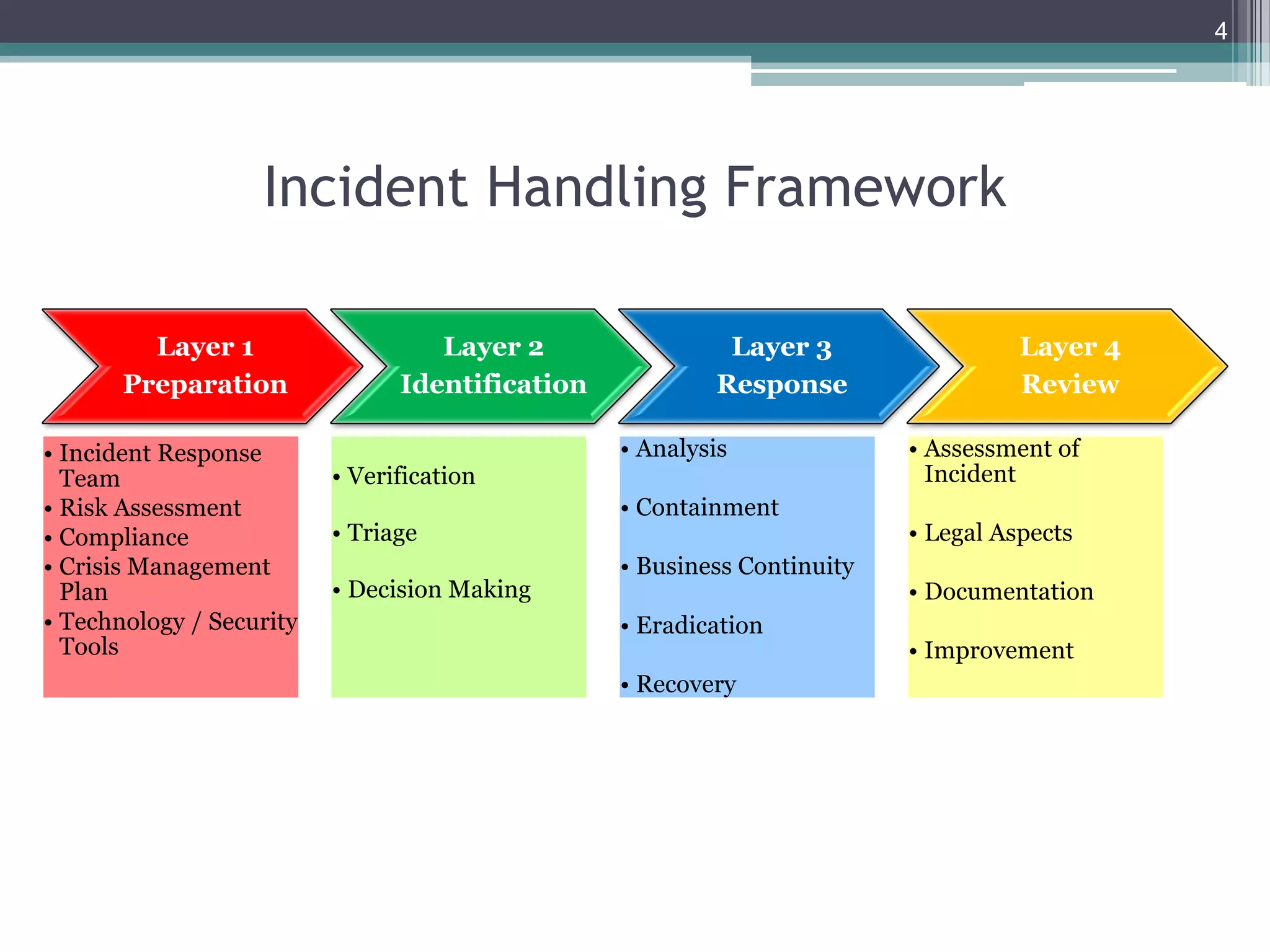
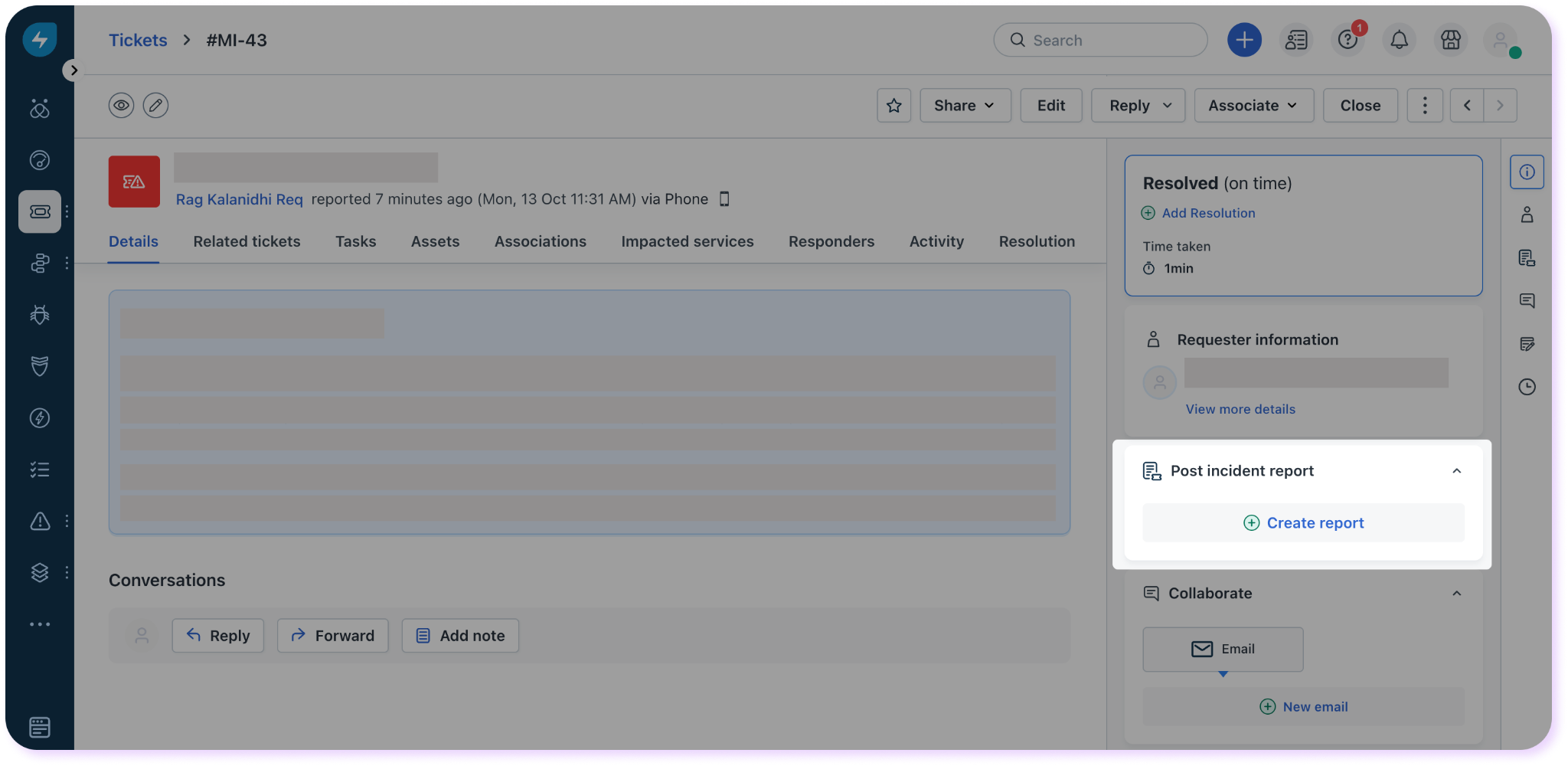
A major incident is never truly closed when service is restored; the final, critical phase in Freshservice is the Post-Incident Review (PIR). A failure to analyze what went wrong guarantees that similar disruptions will occur in the future.
Freshservice facilitates structured PIR workflows by prompting the incident response team to document key metrics and qualitative findings:
- Timeline Reconstruction: Logging exact timestamps for detection, triage, mobilization, mitigation, and complete resolution.
- Impact Quantification: Calculating total downtime, affected user counts, and estimated financial or productivity losses.
- Root Cause Analysis (RCA): Documenting the underlying trigger of the failure, whether code defect, hardware degradation, or human error.
- Action Item Generation: Creating linked task tickets within Freshservice to assign preventive measures, patch implementations, or redundancy upgrades.
These PIR reports are archived within the platform, building an institutional knowledge base that helps IT teams refine their runbooks and monitoring thresholds over time.
Frequently Asked Questions
What triggers a major incident in Freshservice automatically?
Major incidents are triggered automatically when incoming webhook alerts from external monitoring tools (such as Datadog or New Relic) match predefined event rules configured by system administrators to indicate severe business impact.
How does Freshservice notify off-hours response teams?
Freshservice uses configurable escalation matrices and on-call schedules to dispatch automated alerts via SMS, phone calls, mobile push notifications, and integrated messaging apps like Slack or Microsoft Teams.
Can a standard incident be upgraded to a major incident?
Yes. If service desk agents or technicians discover during routine triage that an issue impacts a vast number of users or core business revenue, they can manually update the priority and classification to a major incident.
What is the difference between a major incident and problem management in Freshservice?
A major incident focuses strictly on immediate service restoration and workaround deployment. Problem management, which can be spawned directly from the incident ticket, focuses on investigating the underlying root cause to prevent future occurrences.
Are stakeholder updates automated during a major incident?
While communication templates and broadcast triggers are managed within the platform, designated communication officers typically review and dispatch status updates to internal or external stakeholders at defined intervals.
How do configuration items (CIs) in the CMDB assist during a major incident?
By linking major incidents to specific assets in the Configuration Management Database (CMDB), Freshservice allows technical teams to instantly visualize downstream service dependencies and understand which business units are compromised.
Conclusion and Next Actions
Effectively handling a major incident requires moving away from ad-hoc troubleshooting toward a repeatable, automated framework. Freshservice achieves this by unifying real-time monitoring ingestion, rapid stakeholder communication, structured war rooms, and rigorous post-incident reviews into a single ITSM interface. To optimize your organization's major incident response, audit your current monitoring integrations, define clear P1 threshold criteria within your service desk, and establish mandatory post-incident review templates to turn every critical outage into an opportunity for operational resilience.
Image Gallery