How to Choose a Standalone Photo Scanner
To choose the right standalone photo scanner, you must evaluate the volume of your collection, the physical condition of your originals, and your desired output quality. High-volume projects require sheet-fed scanners, while fragile or...
To choose the right standalone photo scanner, you must evaluate the volume of your collection, the physical condition of your originals, and your desired output quality. High-volume projects require sheet-fed scanners, while fragile or high-resolution archival work necessitates a flatbed with a Charge-Coupled Device (CCD) sensor and high bit depth.
Contents
Understanding the Need for Standalone Hardware
In 2026, the temptation to use high-resolution smartphone cameras or all-in-one (AIO) printer-scanners is significant. However, dedicated standalone photo scanners remain the gold standard for preservation. Unlike AIO units, which often use Contact Image Sensors (CIS) to save space and cost, high-end standalone scanners utilize optical components specifically tuned for color accuracy, dynamic range, and the physical nuances of photographic paper and film.
A standalone scanner provides a controlled environment, eliminating the glare and geometric distortion inherent in smartphone photography. For those managing family archives or professional portfolios, the decision hinges on whether the goal is a quick digital "snapshot" or a true digital master file that can be reprinted or professionally restored.
Evaluating Scanner Types: Flatbed vs. Sheet-fed
The most critical decision in your selection process is the mechanism used to move the photo across the sensor.
Flatbed Scanners
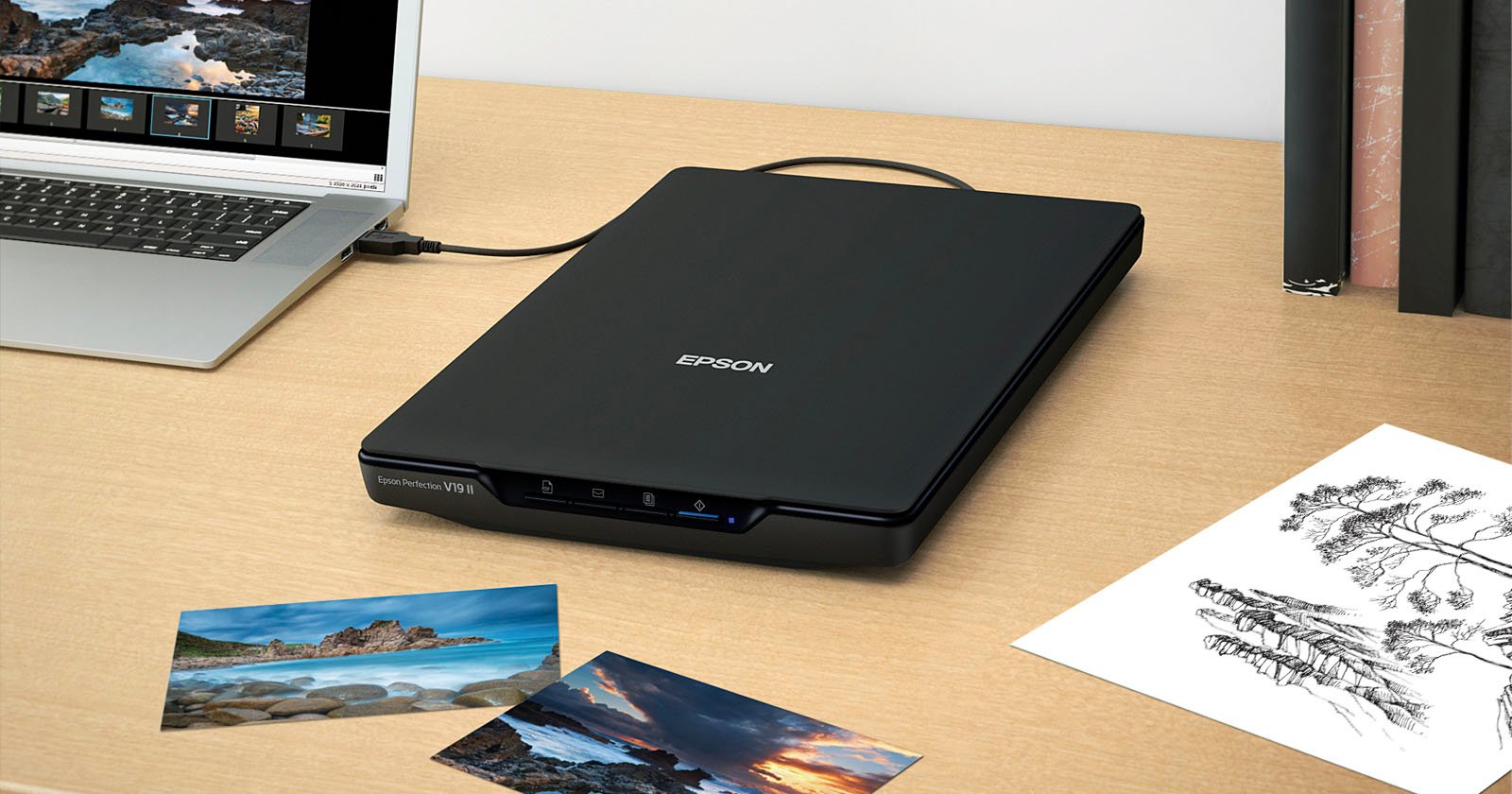
Flatbed scanners are the most versatile option. The photo remains stationary on a glass plate while the sensor moves beneath it. This is the only safe method for scanning fragile, torn, or antique photos, such as Tintypes or heavily curled prints. Because the media does not move, there is no risk of physical jams or surface scratches.
Most high-end flatbeds also include transparency adapters in the lid, allowing you to scan 35mm slides, negatives, and medium-format film. Models like the Epson Perfection series or Canon Canoscan line continue to be the benchmarks for this category in 2026 due to their high optical density.
Sheet-fed (Batch) Scanners
If you are facing a "shoebox" of thousands of modern 4x6 or 5x7 prints in good condition, a sheet-fed scanner is essential. Devices like the Epson FastFoto series can process one photo per second at 300 DPI. These scanners use rollers to pull photos across a stationary sensor.
Caution: Sheet-fed scanners should never be used for historical photos (pre-1950s), photos with adhesive on the back, or fragile Polaroids. The friction of the rollers can cause delamination or mechanical damage to irreplaceable originals.
Essential Technical Specifications
When comparing models, avoid marketing "fluff" and focus on these four technical pillars.
1. Optical Resolution vs. Interpolated Resolution
Resolution is measured in Dots Per Inch (DPI). Optical resolution is the actual physical detail the sensor can capture. Interpolated (or digital) resolution is a software trick that fills in gaps between pixels to create a larger file without adding detail.
- For standard prints: An optical resolution of 600 DPI is sufficient.
- For film and negatives: You need at least 2400 to 4800 optical DPI to capture the detail in the much smaller original frame.
2. Sensor Type: CCD vs. CIS
- CCD (Charge-Coupled Device): These sensors use a lens system to focus the image onto the sensor. They have a greater depth of field, which is vital if your photos are not perfectly flat. CCDs generally offer superior color depth and lower noise.
- CIS (Contact Image Sensor): These are found in thinner, portable, or cheaper scanners. The sensor is almost in contact with the glass. While energy-efficient, they struggle with any part of the photo that isn't perfectly flat, resulting in blurred areas in the "troughs" of curled photos.
3. Bit Depth (Color Depth)
Bit depth refers to the amount of color information the scanner can record. Most modern scanners are 48-bit internally. This means they capture 16 bits each for Red, Green, and Blue. Even if you ultimately save the file as a 24-bit JPEG, starting with a 48-bit scan allows for much more aggressive color correction and shadow recovery without "banding" (posterization).
4. Dynamic Range (Dmax)
Dmax measures the scanner's ability to record detail in very dark shadows and bright highlights. This is particularly important for slides and negatives, which have a much higher contrast range than paper prints. A Dmax of 3.0 is acceptable for prints, but for high-quality film scanning, look for a Dmax of 4.0 or higher.
Software and Image Enhancement Features
Hardware is only half of the equation. The software bundled with a standalone scanner dictates the efficiency of your workflow. In 2026, AI-driven restoration has become a standard feature in many driver packages.
- Digital ICE Technology: This is a hardware-based solution (using infrared light) found in many flatbeds to detect and automatically remove dust and scratches from film scans. It does not work on paper prints, but it is a lifesaver for old negatives.
- Color Restoration: Look for software that can automatically reverse "fading"—the chemical breakdown of dyes in color photos from the 1970s and 80s that often results in a heavy orange or blue tint.
- Multi-Crop Functionality: A key time-saver for flatbed users. This allows you to place four or five photos on the glass at once; the software then recognizes the individual borders and saves them as separate files.
Standalone Scanner Comparison Matrix
| Scanner Category | Best Use Case | Primary Advantage | Primary Limitation |
|---|---|---|---|
| High-End Flatbed | Archival preservation, film/slides, fragile prints. | Maximum image quality and versatility. | Slow; scan times are per-image. |
| Rapid Sheet-fed | Large volumes of modern 4x6/5x7 prints. | Extreme speed (batch processing). | Risk of damage to fragile/old media. |
| Film-Specific | Dedicated 35mm or 120mm film digitization. | Highest Dmax and resolution for small media. | Cannot scan paper prints at all. |
| Portable/Wand | On-site scanning (libraries, relatives' homes). | Portability and "headless" operation. | Lowest image quality; prone to "hand-shake" distortion. |
Connectivity and Workflow Considerations
As of 2026, connectivity has shifted primarily toward USB-C (USB 3.2) and high-speed Wi-Fi (Wi-Fi 6E/7). If you plan to scan directly to a cloud service or a NAS (Network Attached Storage), ensure the scanner supports standalone network connectivity without requiring a host PC to be powered on.
Many professional workflows now utilize "headless" scanning, where the device scans directly to an SD card or SSD. This is ideal for minimizing distractions and desk clutter. However, for serious archival work, connecting to a computer with a calibrated monitor is still recommended to verify color accuracy in real-time.
Common Mistakes to Avoid
- Prioritizing Speed Over Safety: Never run a 19th-century cabinet card or a fragile Polaroid through an auto-feeder. The physical risk to the original is never worth the time saved.
- Over-scanning: Scanning a standard 4x6 print at 1200 DPI creates a massive file but rarely captures more detail than a 600 DPI scan, as the grain of the original paper becomes the limiting factor.
- Ignoring Maintenance: Dust is the enemy of digitization. Even the best scanner will produce poor results if the glass (platen) is not cleaned with a microfiber cloth and specialized cleaner. For sheet-fed scanners, the rollers must be cleaned periodically to prevent streaks.
- Relying on "Auto-Fix": While AI restoration is impressive in 2026, always save a "Raw" or "Uncorrected" version of your scan. Software algorithms can sometimes misinterpret textures or skin tones, and you cannot undo these changes if they are baked into the file.
FAQ
Is a standalone scanner significantly better than a high-end smartphone?
Yes. While smartphones have high megapixel counts, they suffer from lens distortion, uneven lighting, and sensor noise in shadow areas. A standalone scanner provides uniform lighting and a fixed focal distance, resulting in superior geometric accuracy and color consistency that a handheld device cannot match.
Can I scan old "sticky" photo album pages?
You should never pull photos off "magnetic" or sticky album pages if they are stuck, as this will tear the backing. Instead, use a flatbed scanner. Many modern flatbed scanners have a removable lid, allowing you to place the entire album face-down on the glass to scan the photos through the plastic overlay.
What is the difference between 24-bit and 48-bit color?
A 24-bit scan can represent 16.7 million colors. A 48-bit scan can represent billions. While the human eye cannot distinguish all these colors, the extra data in a 48-bit file allows you to brighten dark photos or adjust the white balance in post-production without losing detail or creating digital artifacts.
Does the operating system matter for scanner choice?
Yes. Before purchasing, verify that the manufacturer provides 2026-compliant drivers for your specific OS (macOS, Windows 11/12, or Linux). Some older, high-end "legacy" scanners may require third-party software like VueScan or SilverFast to operate on modern systems if the original manufacturer has ceased driver updates.
Final Recommendation
For the average user with a mix of historical family photos and modern prints, a high-resolution flatbed scanner with a transparency unit remains the most secure investment. It offers the best balance of safety for fragile originals and the technical depth required for high-quality film scanning. If you have a specific, massive task of digitizing thousands of standard prints, consider a sheet-fed photo scanner as a secondary device to handle the bulk of the labor, reserving the flatbed for the "crown jewels" of your collection.
Image Gallery