Navigating the DoorDash Promo First Order: Discounts, Eligibility, and Troubleshooting
Securing a doordash promo first order discount typically involves using an introductory code or activation link during your initial checkout, which can yield percentage-off savings, reduced delivery fees, or flat-rate dollar reductions...
Securing a doordash promo first order discount typically involves using an introductory code or activation link during your initial checkout, which can yield percentage-off savings, reduced delivery fees, or flat-rate dollar reductions depending on active regional promotions.
Contents
Ordering food, groceries, and retail goods through on-demand delivery platforms has become an everyday convenience for millions of consumers. For first-time users, platforms like DoorDash frequently deploy introductory incentives designed to lower the barrier to entry. Understanding how these promotions work, what restrictions apply, and how to maximize your savings requires looking past basic marketing slogans into the mechanics of digital coupon redemption. This guide details everything you need to know about navigating your first-time user discount on DoorDash, from eligibility prerequisites to troubleshooting failed codes.
Understanding DoorDash First-Order Promotions
Introductory discounts on DoorDash are marketing incentives targeted at new accounts that have never completed a transaction on the platform. These promotions usually take the form of a specific promo code entered at checkout or an automatically applied discount link sent via email, text, or a partner website.
Unlike ongoing loyalty programs like DashPass, which require a recurring monthly or annual subscription fee, first-order promotions are one-time-use benefits. They are designed to offset the friction of initial service fees, delivery charges, and tip expectations, making the first transaction more cost-competitive with dining in or picking up food yourself.
Types of First-Time User Offers
Promotional offers for new accounts generally fall into three distinct categories. The exact structure can change based on current marketing campaigns, geographical location, and seasonal partnerships:
- Flat Dollar-Off Discounts: A direct reduction of your subtotal, such as $10 off an order of $20 or more.
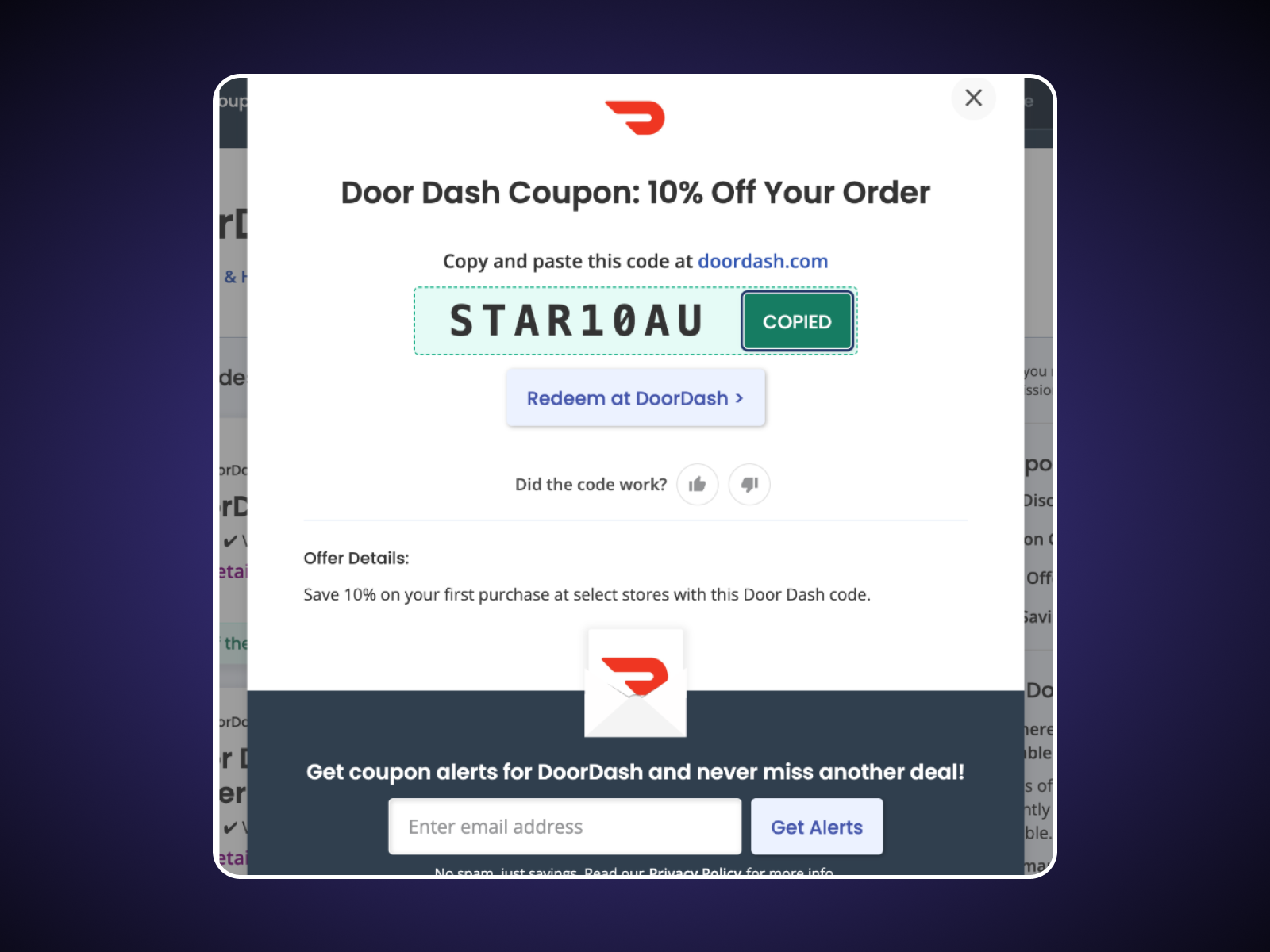
- Percentage-Off Discounts: A proportional reduction, such as 20% or 50% off your order up to a specified maximum savings limit (e.g., up to $15 off).
- Zero Delivery Fee Incentives: Waivers of the standard delivery fee for your first week or first transaction, often paired with reduced service fees.
Eligibility Requirements and Restrictions
Not every new account automatically qualifies for every promotional code circulating online. DoorDash enforces strict eligibility rules to prevent promotional abuse and ensure discounts reach genuinely new customers.
What Constitutes a "New" Account?
To qualify as a first-time user, the account must satisfy several criteria simultaneously:
- No Prior Orders: The account profile must have zero completed transactions in its order history.
- Unique Payment Method: Credit cards, debit cards, or digital wallets (such as Apple Pay, Google Pay, or PayPal) that have already been linked to an existing DoorDash account are often flagged or rejected when applied to a new account.
- Device and IP Verification: DoorDash employs fraud-detection mechanisms that analyze device identifiers, phone numbers, and IP addresses. Creating multiple accounts from the same smartphone or residential network to harvest introductory codes violates terms of service and typically results in order cancellation or account suspension.
- Phone Number Verification: A unique, unlinked mobile phone number is required to register a legitimate account. Voice-over-IP (VoIP) numbers or burner numbers are frequently blocked by the platform's security filters.
Step-by-Step Guide to Redeeming Your First-Order Promo
Applying an introductory promotion requires careful attention to the checkout sequence. Missing a step or entering a code after the order has been submitted means you will lose the discount, as customer support rarely applies retroactive promotional adjustments.
| Step | Action Required | Key Consideration |
|---|---|---|
| 1. Account Creation | Download the DoorDash app or visit the website to create a fresh profile using a verified email and mobile number. | Avoid using previously registered payment credentials. |
| 2. Cart Assembly | Add eligible items from a participating restaurant or merchant to your cart. | Check if the restaurant has minimum subtotal requirements for promotions. |
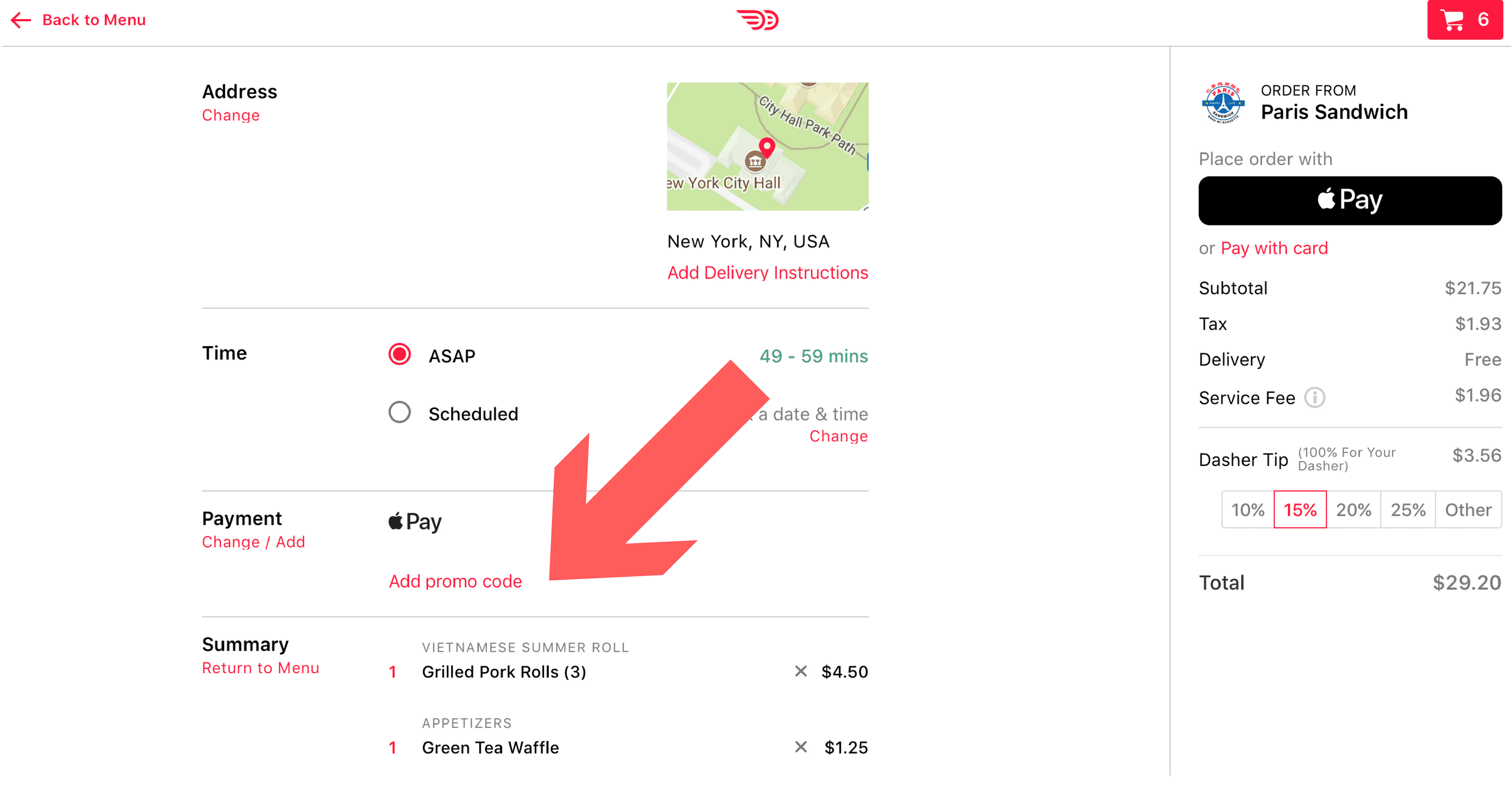
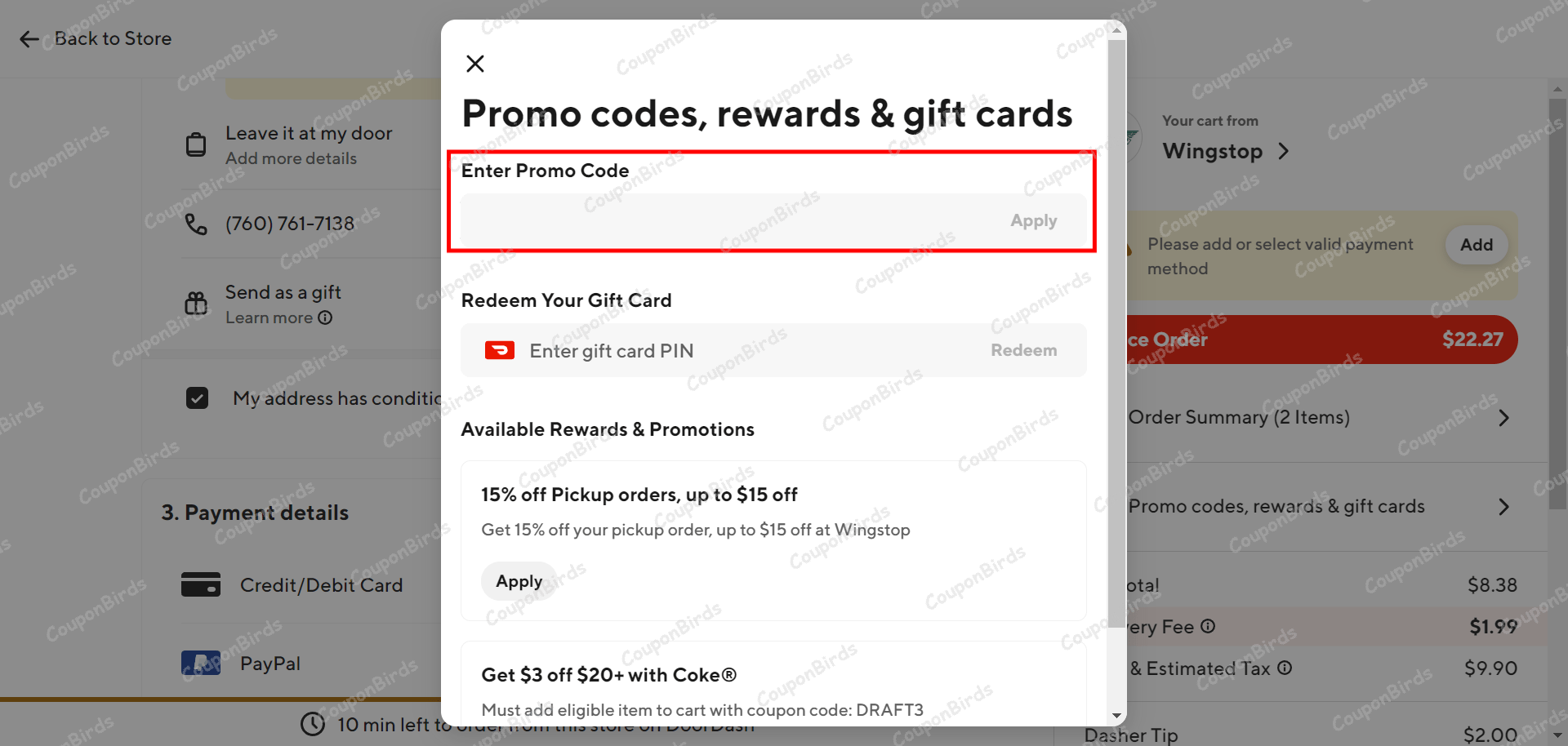
| 3. Promo Code Entry | Navigate to the checkout screen and locate the "Promos & Gift Cards" or "Enter Promo Code" field. | Type or paste the code accurately; codes are case-sensitive. |
| 4. Verification | Confirm that the discount is reflected in the final payment summary before submitting the order. | Ensure the subtotal meets the promotion's minimum spend threshold after taxes. |
| 5. Final Placement | Complete the transaction using an authorized payment method. | Retroactive application is not supported once the order is placed. |
Cost Considerations and Hidden Fees
While a doordash promo first order discount significantly lowers your out-of-pocket expense, it is important to analyze the complete pricing structure of on-demand delivery. Introductory codes typically apply only to the food subtotal or delivery fees; they do not automatically cover taxes, regulatory response fees, or the driver tip.
Furthermore, menu prices on delivery apps are frequently higher than dine-in prices at the same establishment. Merchants often mark up items by 10% to 20% to offset the commission fees charged by delivery platforms. When calculating the value of your first-order discount, balance the promotional savings against these underlying markups and service fees to determine the true economic value of the transaction.
Common Mistakes and Troubleshooting
When a first-order promotion fails to apply, it is usually due to one of several common pitfalls. Reviewing these issues can save you time and prevent unnecessary frustration at checkout.
Invalid or Expired Codes
Many promotional codes found on third-party coupon aggregators are expired, regional, or fabricated. Always source codes directly from official DoorDash marketing communications, authorized brand partners, or verified credit card benefit portals.
Minimum Subtotal Failures
If a promotion requires a $25 minimum spend, taxes, tips, and delivery fees do not count toward that threshold. Your base food subtotal must meet or exceed the required amount before the promo code field will accept the discount.
Account Flagging and Fraud Prevention
If you receive an error message stating that the promotion is invalid for your account, your profile or device may have triggered DoorDash's anti-fraud systems. This occurs frequently if multiple accounts are detected on a single hardware device. Customer support agents have limited ability to override automated security flags on newly created accounts.
Frequently Asked Questions
Can I use multiple promo codes on my first DoorDash order?
No. DoorDash permits only one promotional code or discount per transaction. You cannot stack a percentage-off code with a flat dollar-off code or a store-specific discount.
Why is my promo code saying "Not Eligible"?
This error usually indicates that your account is not recognized as a new user, your payment method is linked to an older account, your order subtotal is below the required minimum, or the specific restaurant does not participate in promotional campaigns.
Do DoorDash first-order promos apply to grocery and retail orders?
It depends on the specific terms of the promotion. Some introductory codes are restricted strictly to restaurant delivery, while others apply universally across convenience, grocery, and retail verticals on the app. Check the terms attached to your specific offer.
Can I use a promo code as a guest without creating an account?
No. DoorDash requires a fully registered and verified user account to apply promotional discounts and complete transactions.
What should I do if my promo code didn't apply and I already placed the order?
Contact DoorDash customer support immediately via the in-app chat function. While policy dictates that promotions cannot be applied retroactively, support agents occasionally issue account credits for future use if an application error occurred due to a verifiable technical glitch.
Practical Next Actions
To secure the best value on your initial transaction, verify that your account profile is entirely new and that your payment method has not been used on the platform before. Compare active promotional offers from official DoorDash communications or verified partner links, assemble your cart to meet any minimum spend requirements, and double-check the final payment summary before confirming your order.
Image Gallery