How to Get a Slippi Setup Running: A Complete Guide
Getting a Slippi setup running allows you to play Super Smash Bros. Melee online with rollback netcode, providing a near-lagless experience that has revitalized the competitive community. To get started, you will need a legal copy of a...
Getting a Slippi setup running allows you to play Super Smash Bros. Melee online with rollback netcode, providing a near-lagless experience that has revitalized the competitive community. To get started, you will need a legal copy of a Melee NTSC 1.02 ISO, a PC capable of running the Dolphin emulator, a verified controller setup, and the official Slippi desktop application. This process bridges the gap between classic console hardware and modern high-performance online play.
Contents
Understanding the Slippi Ecosystem
Slippi is not a game itself, but a specialized software suite built upon the Dolphin emulator. Its primary innovation is the integration of "rollback netcode," a technology that masks latency by predicting player inputs and correcting the game state if a prediction is inaccurate. This eliminates the "input delay" common in traditional delay-based netcode, making online matches feel identical to playing on a CRT television.
Beyond matchmaking, the Slippi ecosystem includes advanced replay analysis tools. Every match played on the Slippi client is automatically saved as a small, data-efficient file. These files store input data rather than video, allowing players to open their replays in Dolphin to view frame-by-frame data, hitboxes, and DI (Directional Influence) inputs.
Prerequisites and Hardware Requirements
Before you begin, ensure your system meets the minimum requirements. While Melee is a title from 2001, the emulation process requires consistent CPU performance to maintain 60 frames per second (FPS).
Hardware Requirements
- Processor: A modern multi-core processor is recommended. While older CPUs can run the game, performance drops lead to "stuttering," which is detrimental to competitive play.
- Controller: You will need a standard GameCube controller. To connect this to your PC, you must have a supported GameCube controller adapter (such as the official Nintendo adapter or a Mayflash four-port adapter).
- Operating System: Slippi supports Windows 10/11, macOS, and Linux. Most of the competitive community utilizes Windows for its plug-and-play driver support.
Software Prerequisites
- The ISO: You must have a legal, NTSC 1.02 ROM image of Super Smash Bros. Melee. The Slippi software specifically validates this version to ensure consistency across the player base.
- DirectX/VCRedist: Ensure your system has the latest Visual C++ Redistributables installed, as the Dolphin emulator relies heavily on these libraries.
The Step-by-Step Installation Process
Follow these steps carefully to ensure your configuration is compatible with the Slippi matchmaking servers.
- Download the Slippi Launcher: Navigate to the official Slippi website. Download the installer for your respective operating system. This launcher is the "all-in-one" solution that manages the Dolphin emulator, the game configuration, and your account credentials.
- Account Creation: Create a Slippi account on the website. You will use these credentials within the launcher to link your profile, which allows for statistics tracking and friend management.
- Configuring the ISO: Once the launcher is installed, open it and navigate to the settings. You will be prompted to point the application toward your Melee ISO file.
- Driver Installation: If you are using a GameCube adapter, ensure you have the Zadig drivers installed if you are on Windows. The Slippi launcher often includes a tool to "Install/Update Adapter Driver," which is the most reliable way to ensure your PC recognizes the hardware.
- Controller Mapping: In the Slippi-Dolphin menu, go to the "Controllers" tab. Select "Standard Controller" for Port 1, click "Configure," and ensure your adapter is selected. You should see your button presses register here.
Comparison of Controller Connectivity Methods
| Connection Type | Reliability | Complexity | Hardware Needed |
|---|---|---|---|
| Official GC Adapter | High | Low | GameCube Adapter + Controller |
| Mayflash Adapter | High | Low | Mayflash 4-port Adapter |
| Third-Party USB Controller | Medium | Very Low | USB Controller |
| Keyboard/Box-style | High | Moderate | Custom PCB / Firmware |
Verifying Your Setup
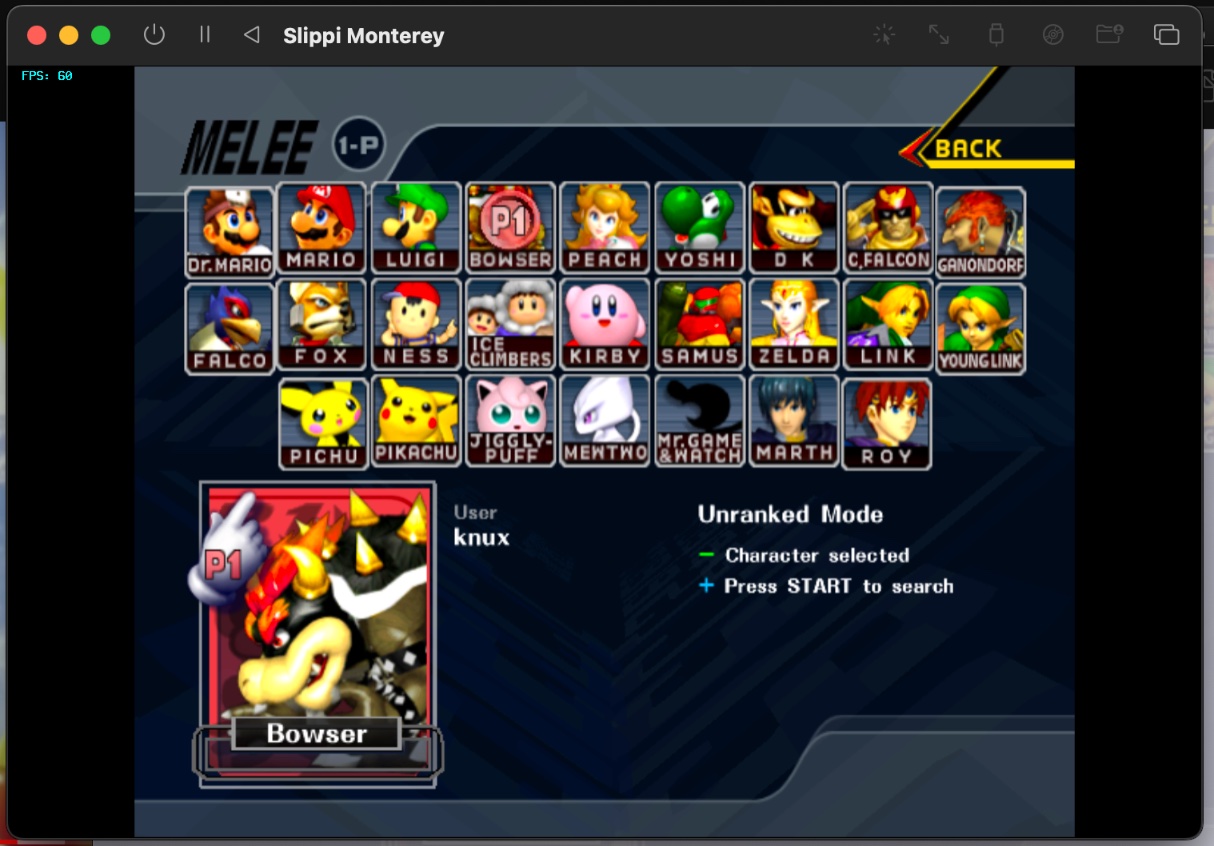
After installation, the most common error users encounter is a "Game Mismatch" or "Adapter Not Found." To verify your setup is ready for netplay, attempt to enter the "Unranked" matchmaking queue. If the game launches and you can navigate the menus with your controller, your basic setup is functional.
If you encounter "Desyncs" during a match, this usually indicates that your version of the ISO is incorrect or that you have modified the game files (such as adding custom skins or music packs) that conflict with the standard Slippi build. For the best experience, keep your game folder "vanilla" until you are comfortable with the software.
Troubleshooting Common Issues
- Low Frame Rate: If the game is running slowly, check your "Video Backend" settings in the Dolphin configuration. Changing between Direct3D and Vulkan can often resolve performance bottlenecks depending on your graphics card.
- Dropped Inputs: If your controller feels unresponsive, check your USB power supply. Some GameCube adapters require both USB cables to be plugged in to ensure enough power for polling, especially if you are using an older motherboard.
- Audio Stutter: Ensure that your "Audio Latency" is set to a standard value. In the Dolphin settings, disabling audio stretching can sometimes reduce processing load on weaker machines.
Frequently Asked Questions
Do I need a high-end gaming PC to run Slippi?
No. Because the game is over two decades old, almost any modern laptop or desktop from the last several years can run it at full speed. Focus on ensuring your CPU has a high single-core clock speed, as Dolphin is primarily single-threaded.
Is it legal to play Melee through Slippi?
Slippi does not distribute the game itself; it provides a platform to run a file you already own. Users are expected to acquire their ROM images legally. The software itself is open-source and widely accepted as the standard for the competitive community.
Can I use a controller other than a GameCube controller?
Yes, but you will need to map the buttons manually in the controller settings. Many players use "Box" style controllers (like the Smash Box or Frame1) which are fully compatible with the Slippi client once properly configured in the HID settings.
What happens if I disconnect during a match?
Slippi uses a peer-to-peer connection system. If you disconnect, the game will simply close the session. There are no automated "bans" for temporary connection issues, but consistently leaving matches early is discouraged by the community.
How do I view my replays?
Your replays are saved in a sub-folder within your Slippi installation directory. You can drag and drop these .slp files onto the Slippi launcher window to watch them, or use the "Replays" tab in the launcher to browse your recent games chronologically.
Next Actions and Getting Started
Now that your setup is functional, your next step is to head to the "Unranked" matchmaking menu. Do not be intimidated by the skill level of other players; the community is vast, and you will eventually be matched with players of a similar ability level. As you improve, consider joining local or regional Slippi Discords to find practice partners. Consistency is key in Melee, and with your new Slippi setup, you have the exact same tools as the professionals.
Image Gallery