Understanding Hootsuite Pro and Team Plans for Social Media Teams in 2026
Hootsuite Professional (formerly often referred to as "Pro") and the Hootsuite Team plan are designed to centralize social media management, allowing groups to schedule content, monitor engagement, and analyze performance from a single...
Hootsuite Professional (formerly often referred to as "Pro") and the Hootsuite Team plan are designed to centralize social media management, allowing groups to schedule content, monitor engagement, and analyze performance from a single dashboard. While the Professional tier supports a single user, the Team plan is the essential starting point for collaborative environments, offering multi-user access and shared workflows for up to 20 social profiles.
Contents
The Evolution of Hootsuite Pro into Modern Team Workflows
As we navigate the social media landscape of 2026, the terminology surrounding Hootsuite has solidified. The legacy "Pro" nomenclature has largely been replaced by the Professional and Team tiers. For a social media team, understanding the distinction between these two is critical. The Professional plan is a "power user" solo tier, whereas the Team plan is built specifically for small groups—typically a manager and two specialists—who need to coordinate efforts without sharing login credentials or stepping on each other's toes.
In 2026, social media management is no longer just about "posting updates." It involves complex interactions across platforms like Instagram, LinkedIn, X (formerly Twitter), TikTok, and Threads. Hootsuite serves as the operational hub that bridges these gaps. For teams, the "Pro" experience is defined by the ability to move from reactive posting to proactive brand management through automated scheduling and AI-assisted content creation.
The primary hurdle for many organizations is determining when to move from a Professional individual account to a Team-based structure. This transition usually occurs when the volume of incoming messages exceeds one person's capacity or when brand security requires that multiple employees have distinct access levels. By 2026, Hootsuite has integrated advanced security protocols into these tiers, ensuring that team transitions are seamless and that historical data is preserved during the upgrade process.
Core Features for Collaborative Social Media Management
When evaluating Hootsuite for a team environment, four core pillars define its utility: unified scheduling, the integrated inbox, OwlyWriter AI integration, and team-based assignments. These features are designed to reduce the "tab-switching fatigue" that often plagues digital marketing departments.
Unified Scheduling and the Planner
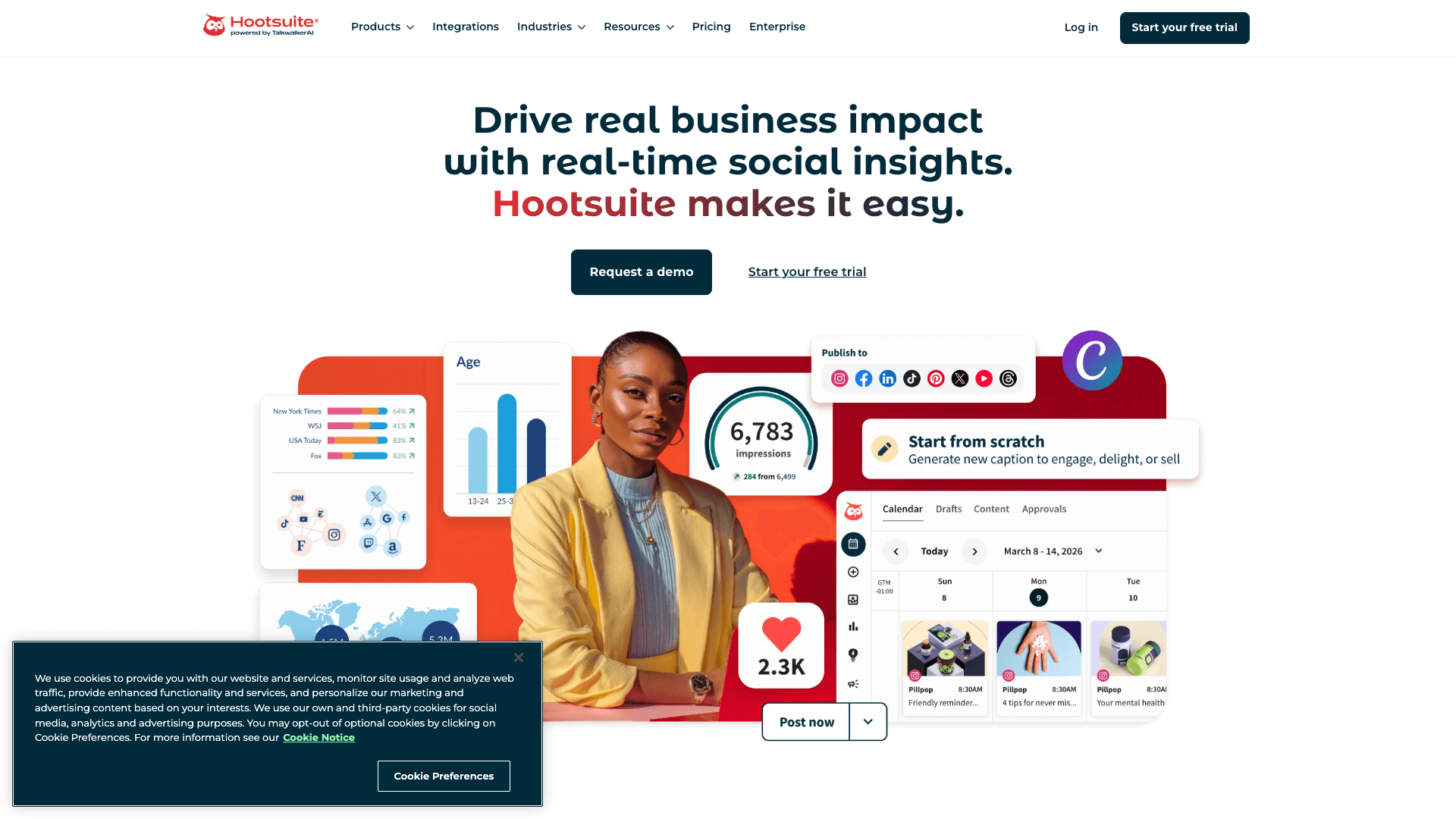
The Hootsuite Planner is the visual heartbeat of a social media team. It allows members to see the entire content calendar across all connected platforms in a single view. In 2026, this includes sophisticated "Best Time to Publish" algorithms that analyze your specific audience's behavior rather than relying on generic industry benchmarks.
For teams, the Planner facilitates a "draft-and-review" cycle. A junior content creator can draft ten posts for the upcoming week, and a senior manager can review, edit, and approve them within the same interface. This eliminates the need for external spreadsheets or messy email chains. The ability to bulk-schedule—uploading up to 350 posts via a CSV file—remains a foundational feature for teams managing high-volume accounts or seasonal campaigns.
The Universal Inbox and Engagement
Engagement is where teams often struggle without a centralized tool. The Hootsuite Inbox aggregates private messages, comments, and mentions from various platforms into one stream. In a team setting, this allows for Message Assignment. If a customer asks a technical support question on X, a social media manager can assign that specific message to a support specialist on the team. This ensures no query goes unanswered and prevents "double-responses" where two team members inadvertently reply to the same comment.
OwlyWriter AI: Content Generation in 2026
By 2026, AI integration is no longer a luxury but a standard component of the Hootsuite experience. OwlyWriter AI helps teams overcome creative blocks by generating captions, suggesting hashtags, and even repurposing high-performing historical content into new formats. For teams, this means more time can be spent on high-level strategy and less on the repetitive task of drafting minor variations of the same announcement for five different social networks.
Comparing Hootsuite Tiers for Team Use
Choosing the right plan depends on the size of your staff and the number of social profiles you need to manage. While the Professional plan is the most affordable, it lacks the collaborative tools essential for true team synergy.
| Feature | Professional Plan | Team Plan | Business Plan |
|---|---|---|---|
| Number of Users | 1 User | 3 Users | 5+ Users |
| Social Profiles | 10 Profiles | 20 Profiles | 35+ Profiles |
| Post Scheduling | Unlimited | Unlimited | Unlimited |
| Inbox & Messaging | Basic Access | Team Assignments | Advanced Workflows |
| Reporting | Standard Templates | Custom Reports | Competitive Benchmarking |
| Team Approvals | No | Yes | Advanced Multi-level |
| AI Content Tools | Included | Included | Enhanced AI Features |
Workflow Efficiency: Approvals and Permissions
One of the most significant risks for a social media team is a "rogue post" or a simple typo that reaches thousands of followers. Hootsuite's Team and Business plans mitigate this through Approval Workflows.
In 2026, these workflows are highly customizable. A social media manager can set permissions so that interns or new hires have "Draft Only" access. Their posts are saved in a queue and cannot go live until a designated administrator hits the "Approve" button. This hierarchy protects the brand's voice and ensures compliance with legal or regulatory requirements, which is particularly vital for teams in the financial or healthcare sectors.
Furthermore, the Organization and Team structure within Hootsuite allows for granular control. You can group social profiles by department (e.g., "Customer Service Accounts" vs. "Marketing Accounts") and grant specific team members access only to the groups relevant to their job description. This reduces clutter in the dashboard and enhances security by following the principle of least privilege.
Analytics and Performance Reporting
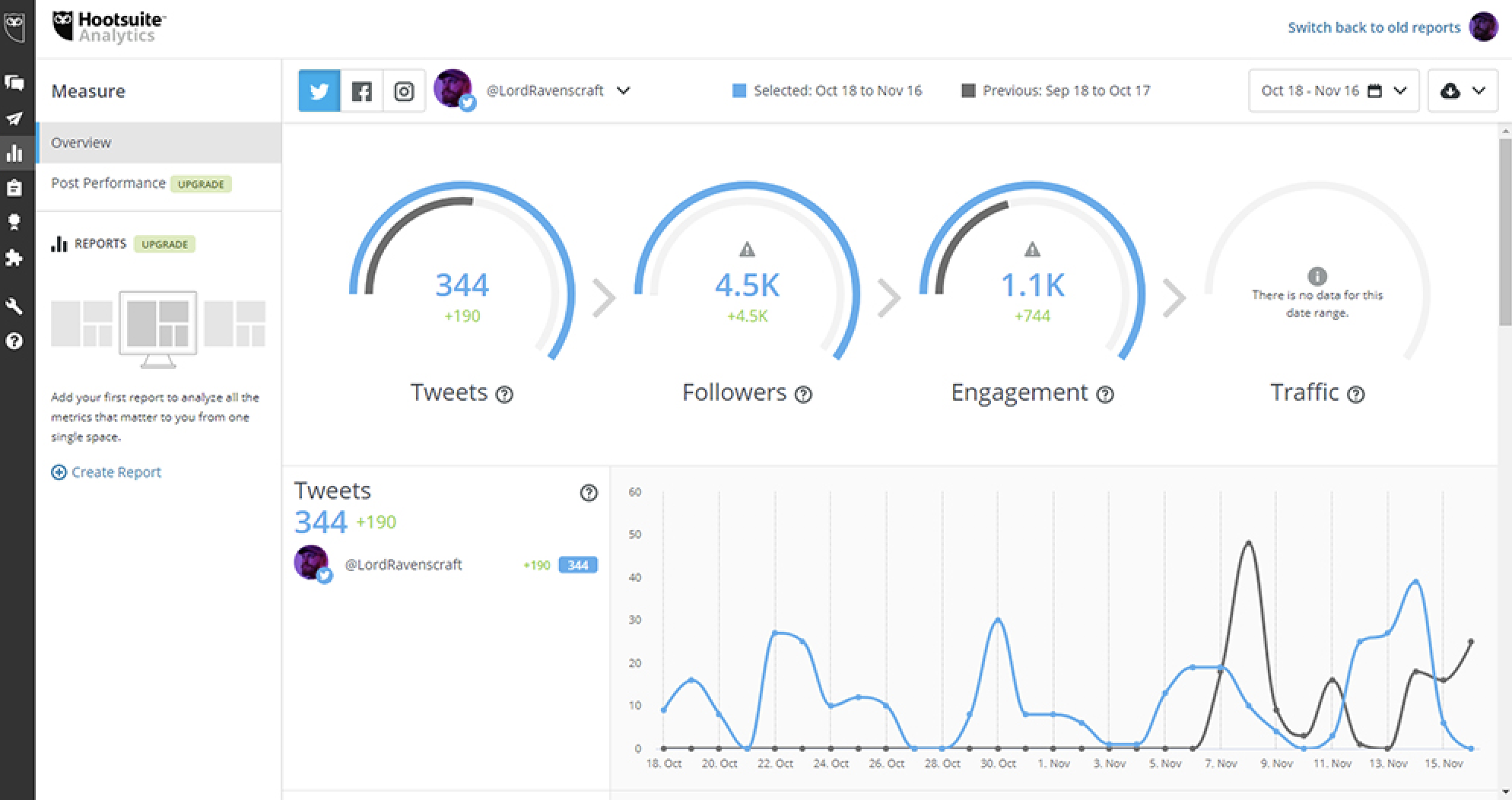
Data-driven decision-making is the hallmark of a successful social media team. Hootsuite Professional provides basic reporting, but the Team plan expands this into the realm of actionable business intelligence.
Customizing Reports for Stakeholders
Teams often need to report upwards to executives or outward to clients. Hootsuite’s reporting engine allows teams to build custom dashboards using "tiles" that represent different metrics, such as follower growth, engagement rates, or link clicks via integrated Bitly tracking. By 2026, these reports also include Post Performance Analysis, which automatically categorizes content into "Top Performing" or "Underperforming," helping the team adjust their strategy in real-time.
Competitive Benchmarking
While primarily found in the higher Business and Enterprise tiers, the 2026 Team plan offers improved competitive monitoring. Teams can track the performance of competitors’ public profiles to see how their engagement stacks up. This external context is vital for teams tasked with gaining market share or staying ahead of industry trends.
Cost Considerations and ROI in 2026
Hootsuite is positioned as a premium enterprise-grade tool, and its pricing reflects that. In 2026, the Professional plan typically starts around $99 per month (billed annually), while the Team plan moves closer to $249 per month.
While the cost may seem high for small teams, the Return on Investment (ROI) is found in time saved. Without a centralized tool, a team of three might spend an aggregate of 15-20 hours a week simply logging in and out of platforms, manually tracking mentions, and coordinating via third-party messaging apps. Hootsuite reduces this overhead significantly. When calculating the cost, teams should factor in the price of "missed opportunities"—unanswered customer leads or slow responses to PR crises—that are far more likely to occur without a unified dashboard.
Common Pitfalls and How to Avoid Them
Even with a powerful tool like Hootsuite, teams can run into operational hurdles. One common mistake is failing to audit connected social accounts regularly. If an API token expires—a common security measure for platforms like Facebook and LinkedIn—posts may fail to publish. Teams should designate one "Platform Lead" responsible for checking the status of account connections every Monday morning.
Another pitfall is the "Set It and Forget It" mentality with automation. While Hootsuite allows for massive scheduling, a team must remain agile. If a major news event or local crisis occurs, a team needs a clear protocol for "pausing" the Hootsuite queue immediately. In 2026, Hootsuite has a "Suspend All Posts" button for this exact purpose, but the team must know who is authorized to press it.
Frequently Asked Questions
Can I use the Professional plan with two people if we share the password?
While technically possible to share a login, it is strongly discouraged and may violate Hootsuite's terms of service. More importantly, sharing a login prevents you from using the "Assignments" feature, meaning you won't know which person replied to which message. It also creates a security risk; if one person leaves the company, you must change the password for everyone. The Team plan is designed specifically to provide each user with their own unique, secure login.
Does Hootsuite Professional support TikTok and Instagram Reels?
Yes, as of 2026, Hootsuite Professional and higher tiers fully support direct publishing and scheduling for TikTok and Instagram Reels. This includes the ability to select cover images and add trending audio suggestions through the Hootsuite interface, though some advanced editing features still require the native mobile apps.
How does the "Team" plan handle customer service?
The Team plan is excellent for light-to-moderate customer service. It allows you to assign incoming messages to specific team members and mark them as "Resolved" once handled. However, for large-scale call centers or high-volume support teams, the Hootsuite Enterprise tier or an integration with a dedicated CRM (like Salesforce or Zendesk) is usually recommended.
Is there a limit to how many posts I can schedule on the Team plan?
No, the Hootsuite Team plan offers unlimited scheduling. This allows your team to plan out months of evergreen content in advance while still leaving room for daily manual updates and reactive engagement.
Can I upgrade from Professional to Team without losing my data?
Yes. Upgrading is a straightforward process within the billing dashboard. All your connected social profiles, scheduled posts, and historical analytics data will carry over to the Team plan. You will then be able to invite your additional two team members to join the organization and set their specific permission levels.
Final Recommendations for Social Media Teams
To get the most out of Hootsuite in 2026, teams should start by standardizing their tagging system. Using internal tags for every post—such as "Product Launch," "Customer Education," or "Holiday Promo"—allows the analytics engine to provide much deeper insights into which types of content resonate best with your audience.
Furthermore, prioritize the mobile app. Social media doesn't stop when you leave your desk. The Hootsuite mobile app allows team members to approve drafts and respond to urgent inbox messages on the go, ensuring that the team remains responsive regardless of their physical location. For teams serious about scaling their social presence, moving from the individual Professional plan to the collaborative Team plan is the most significant step toward operational maturity.
Image Gallery