How to Choose the Best Perpetual License CRM Software
Choosing the best perpetual license CRM software requires evaluating upfront licensing fees, infrastructure costs, internal IT resources, and long-term data sovereignty needs. Unlike subscription-based SaaS platforms, perpetual CRMs gr...
Choosing the best perpetual license CRM software requires evaluating upfront licensing fees, infrastructure costs, internal IT resources, and long-term data sovereignty needs. Unlike subscription-based SaaS platforms, perpetual CRMs grant ongoing software usage rights through a single upfront purchase, making them ideal for organizations seeking strict data control, offline access, and predictable long-term costs.
Contents
Understanding Perpetual CRM Licensing vs. Subscription Models
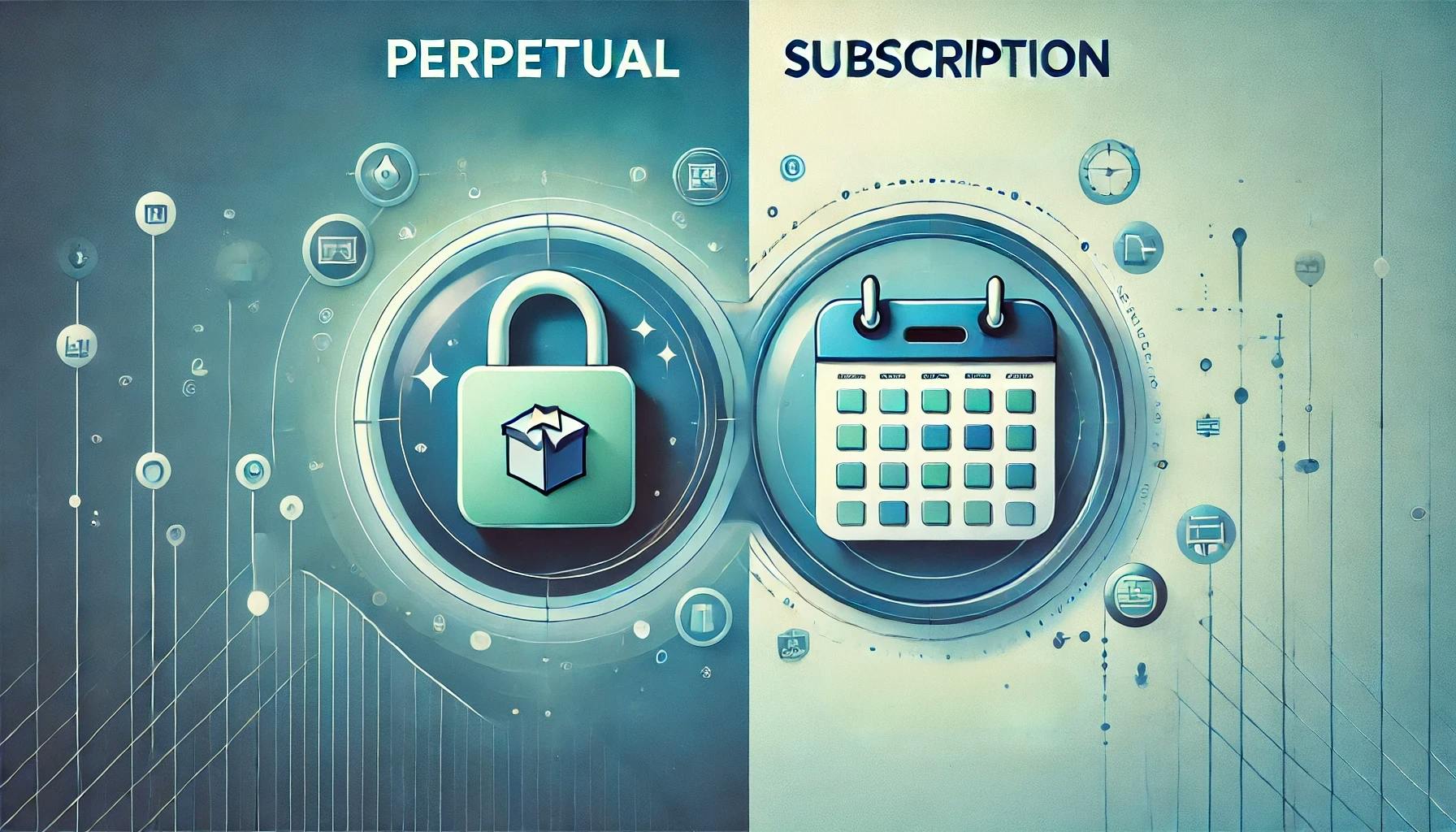
The software industry has shifted predominantly to Software-as-a-Service (SaaS) subscription models. However, perpetual licensing remains a critical architecture for enterprises, government bodies, defense contractors, healthcare organizations, and financial institutions. A perpetual license allows an organization to purchase the right to use a specific version of customer relationship management (CRM) software indefinitely for a single upfront fee.
While the core license does not expire, perpetual deployment models typically involve secondary ongoing operational expenses. Most vendors offer an optional or mandatory annual Software Maintenance Agreement (SMA)—typically costing between 15% and 25% of the original license price—to provide software patches, minor updates, security updates, and technical support.
| Model Feature | Perpetual License Model | SaaS Subscription Model |
|---|---|---|
| Upfront Cost | License Purchase (One-Time) | Low setup fee |
| Ongoing Cost | Software Maintenance Agreement (SMA) + Hosting | Recurring Per-User Monthly/Annual Subscriptions |
| Data Control | Self-Hosted / On-Premise / Private Cloud | Vendor-Managed Multi-Tenant Cloud |
| Access Rights | Indefinite use of purchased version | Access revokes immediately upon cancellation |
Understanding the practical distinction between owning a software license and subscribing to a cloud service is essential when evaluating vendor options. With subscription platforms, access to the software and vendor-hosted data terminates if payments cease. With a perpetual license, your business retains access to the software and underlying database regardless of future vendor relationships or budget adjustments.
Key Evaluation Criteria for Perpetual License CRMs
Selecting an on-premise or self-hosted perpetual CRM requires looking beyond surface-level lead management features. You must evaluate the technical environment, operational governance, and financial structure supporting the application.
1. Total Cost of Ownership (TCO) and Financial Breakdown
While subscription CRMs carry predictable per-user monthly costs, perpetual CRMs require significant capital expenditure (CapEx) upfront, followed by lower operational expenditure (OpEx). To calculate the true 5-year TCO, evaluate:
- Initial Licensing Fees: Per-seat or server-level licensing costs.
- Hardware & Infrastructure: Database servers, web servers, backup units, and uninterruptible power supplies (UPS) for local hosting.
- Implementation & Configuration: System integration, data migration, and custom field development.
- Annual Software Maintenance Agreements (SMA): Vendor updates, security patches, and support desk access.
- Internal IT Allocation: Server administration, database maintenance (DBA), security auditing, and backup verification.
2. Infrastructure & Technical Overhead
A perpetual CRM must be deployed on hardware controlled by your organization—either physically on-premise in a local server room or within a private cloud environment (such as AWS EC2, Microsoft Azure, or a dedicated private data center). Consider whether your IT staff has sufficient capacity to manage database performance (MySQL, PostgreSQL, Microsoft SQL Server, or Oracle), application servers (Apache, Nginx, IIS), and operating system patch management.
3. Data Governance, Sovereignty, and Regulatory Compliance
Organizations subject to strict regulatory regimes often rely on perpetual, self-hosted CRMs to guarantee compliance. When data cannot leave a specific geographic boundary or reside on shared public infrastructure, on-premise perpetual deployment provides full compliance control for:
- HIPAA/HITECH: Protecting electronic Protected Health Information (ePHI).
- GDPR & CCPA: Maintaining complete control over customer data storage, encryption keys, and deletion capabilities.
- Defense & Government Standards: Meeting CMMC, ITAR, or air-gapped system isolation requirements where public cloud access is prohibited.
4. Customization Capabilities and Source Code Access
Perpetual licensing frequently aligns with direct database access or source code availability. Unlike multi-tenant cloud CRMs, which enforce strict API call limits and constrained database customization, self-hosted solutions allow deep schema adjustments, direct SQL queries, custom trigger routines, and native integration with legacy enterprise resource planning (ERP) systems.
Notable Perpetual and Self-Hosted CRM Solutions
Although many vendors have discontinued perpetual licensing in favor of cloud subscriptions, several established platforms continue to offer self-hosted, perpetual, or open-source downloadable options.
SuiteCRM
Derived from SugarCRM Community Edition, SuiteCRM is an enterprise-grade, open-source CRM platform distributed under the AGPLv3 license. Because the core platform is open source, it provides functional perpetual usage rights with zero licensing fees per user. Organizations can host it on local servers or private clouds, with optional paid support and add-on modules available through third-party vendors or the SuiteCRM project directly.
Vtiger CRM (Community Edition)
Vtiger offers an open-source, downloadable edition that functions as a perpetual self-hosted CRM. It includes sales force automation, inventory management, ticketing, and reporting capabilities. The self-hosted edition allows businesses to maintain absolute data control without recurring user fees, provided their internal team can manage PHP and MySQL server environments.
Odoo (Community and On-Premise Enterprise)
Odoo provides a modular enterprise platform containing sales, pipeline, marketing, and inventory modules. The Odoo Community Edition is fully free and open source for self-hosting. For advanced features, Odoo Enterprise offers self-hosted deployment licenses, providing deep customization potential for companies looking to unify CRM and ERP workflows under one system.
Act! Premium (Desktop / On-Premise)
Act! has long been a staple in small and mid-sized business operations. While the company emphasizes subscription access, desktop and on-premise versions maintain traditional local data storage and desktop-centric database features for organizations seeking local network deployment rather than cloud-only setups.
GoldMine
GoldMine remains one of the established legacy desktop and server-based CRMs offering on-premise deployment. It provides Windows-native sales and contact management with direct SQL database structures, catering to organizations that prioritize stable, local infrastructure without continuous platform shifts.
Perpetual License CRM Selection Framework
Use the following comparison matrix to evaluate how deployment models impact capabilities, costs, and operational requirements.
| Selection Factor | Open-Source Self-Hosted (e.g., SuiteCRM) | Commercial On-Premise (e.g., Act!, GoldMine) | Standard SaaS Subscription (e.g., Salesforce, HubSpot) |
|---|---|---|---|
| Licensing Structure | Free/Open Source (AGPL / Public License) | One-time per user seat + optional SMA | Recurring monthly/annual fee per user seat |
| Data Storage Location | Local server or private cloud | Local server or network host | Public multi-tenant vendor cloud |
| Offline Capability | High (via network/local host configurations) | High (native desktop client access) | Low to Medium (requires cached web app) |
| Vendor Lock-in Risk | Minimal (full database and source access) | Low to Medium (restricted by proprietary software updates) | High (data export required upon termination) |
| Database Access | Direct access to underlying SQL/MySQL schemas | Direct access to local SQL database | Restricted API endpoints; no direct SQL access |
| Patch Management | Internal IT responsibility | Internal IT via vendor update releases | Automatic background vendor updates |
| 5-Year Cost Profile | Upfront deployment + internal IT overhead | High initial purchase + lower annual SMA | Cumulative linear or escalating annual fees |
Technical Implementation & Risk Mitigation Strategy
Deploying a perpetual license CRM requires structural planning to avoid performance bottlenecks and operational risks.
- Phase 1: Architecture Planning
- Database Server Sizing & Security Hardening
- Network Isolation & VPN Configuration
- Phase 2: Deployment & Data Migration
- Core Application Installation
- Historical Data Cleaning & SQL Ingestion
- Phase 3: Security & Operational Governance
- Automated Encryption & Air-Gapped Offsite Backups
- Software Maintenance Agreement (SMA) & Patch Management Setup
1. Database Architecture and Sizing
Because on-premise hosting transfers performance management to your organization, host servers must be sized appropriately for target concurrency. Database indexing, memory allocation for web servers (such as PHP-FPM or IIS worker processes), and connection pooling must be configured based on user volume to prevent slowdowns during heavy daily use.
2. Security Hardening and Air-Gapping
If your enterprise deploys a perpetual CRM to maintain strict privacy, the underlying server environment must reflect those standards:
- Network Isolation: Restrict application access behind an enterprise Virtual Private Network (VPN) or Zero Trust Network Access (ZTNA) gateway rather than exposing administrative portals directly to the open internet.
- Storage Encryption: Enforce database-level encryption at rest (such as AES-256) and TLS 1.3 encryption in transit for web clients.
- Role-Based Access Control (RBAC): Restrict table-level database access so end users can interact only with necessary modules.
3. Backup and Disaster Recovery (DR)
With cloud CRMs, the service provider handles database redundancy. For perpetual, self-hosted deployments, your internal IT team must build a robust Disaster Recovery plan featuring:
- Automated daily full backups combined with hourly transaction log backups.
- Offsite, immutable back-up storage to protect against ransomware targeting the local network.
- Regular test restores to confirm database integrity and measure Recovery Time Objectives (RTO) and Recovery Point Objectives (RPO).
4. Managing Software Maintenance Agreements (SMAs)
Never let an SMA lapse without assessing the operational impact. Running unsupported perpetual software saves short-term maintenance fees, but it exposes systems to unpatched security vulnerabilities and database incompatibility over time. Budget for continuous annual SMA renewals or retain an external vendor specialized in supporting self-hosted open-source deployments.
Frequently Asked Questions
Can perpetual license CRM software run in the cloud?
Yes. A perpetual license governs usage rights, not hardware placement. You can install a perpetual or self-hosted CRM on private cloud infrastructure such as AWS EC2, Google Cloud, or Microsoft Azure instances, retaining software ownership while offloading hardware maintenance.
What happens if a perpetual CRM vendor stops releasing updates?
Because you own the license rights and host the software locally, the application continues to run normally even if the vendor ceases operations. If you use an open-source platform, internal developers or third-party agencies can continue modifying and patching the code independently.
How do annual Software Maintenance Agreements (SMAs) work?
An SMA is an optional or required supplemental contract offered by commercial perpetual CRM vendors. It typically costs 15% to 25% of the initial software purchase price per year. Paying the SMA grants access to product upgrades, critical security patches, version releases, and direct vendor support desk assistance.
Is perpetual CRM software cheaper than SaaS over five years?
For larger organizations or high user counts, perpetual CRMs often deliver a lower total cost of ownership over a 3- to 5-year timeline. While initial software and server costs are higher, the annual cost of maintenance and hosting is generally far lower than paying escalating monthly per-user SaaS subscription rates indefinitely.
Final Decision Framework
Choosing the right perpetual license CRM comes down to your organization's technical capability and governance needs:
- Select an Open-Source Self-Hosted CRM (e.g., SuiteCRM, Vtiger Community) if you have an active IT department, require deep custom integration with SQL access, and want to eliminate ongoing per-user license costs entirely.
- Select a Commercial Perpetual CRM (e.g., Act!, GoldMine, Odoo On-Premise) if you prefer predictable desktop deployment, vendor-supported patch cycles, and standardized system architecture without relying on third-party cloud hosting.
- Opt for SaaS instead if your organization lacks internal system administrators, requires instant web access without VPN configurations, and prefers shifting infrastructure responsibility entirely to an outside vendor.
To move forward, conduct an audit of your current user counts, calculate your 5-year projected spend under both licensing models, and verify whether your internal IT team can manage server updates, security hardening, and disaster recovery backups.
Image Gallery