How to Scrub Email Lists for Better Deliverability
Scrubbing your email list involves systematically identifying and removing invalid, inactive, or unengaged addresses to protect your sender reputation. By eliminating hard bounces, spam traps, and disinterested subscribers, you ensure...
Scrubbing your email list involves systematically identifying and removing invalid, inactive, or unengaged addresses to protect your sender reputation. By eliminating hard bounces, spam traps, and disinterested subscribers, you ensure your legitimate messages reach primary inboxes, minimize bounce rates, and maintain high engagement metrics across major email service providers.
Contents
Understanding the Necessity of List Hygiene
Email deliverability is not merely about pressing "send." It is a complex ecosystem governed by the algorithms of Internet Service Providers (ISPs) like Google, Microsoft, and Yahoo. When you send email, these providers evaluate your sender reputation based on engagement signals, complaint rates, and bounce rates.
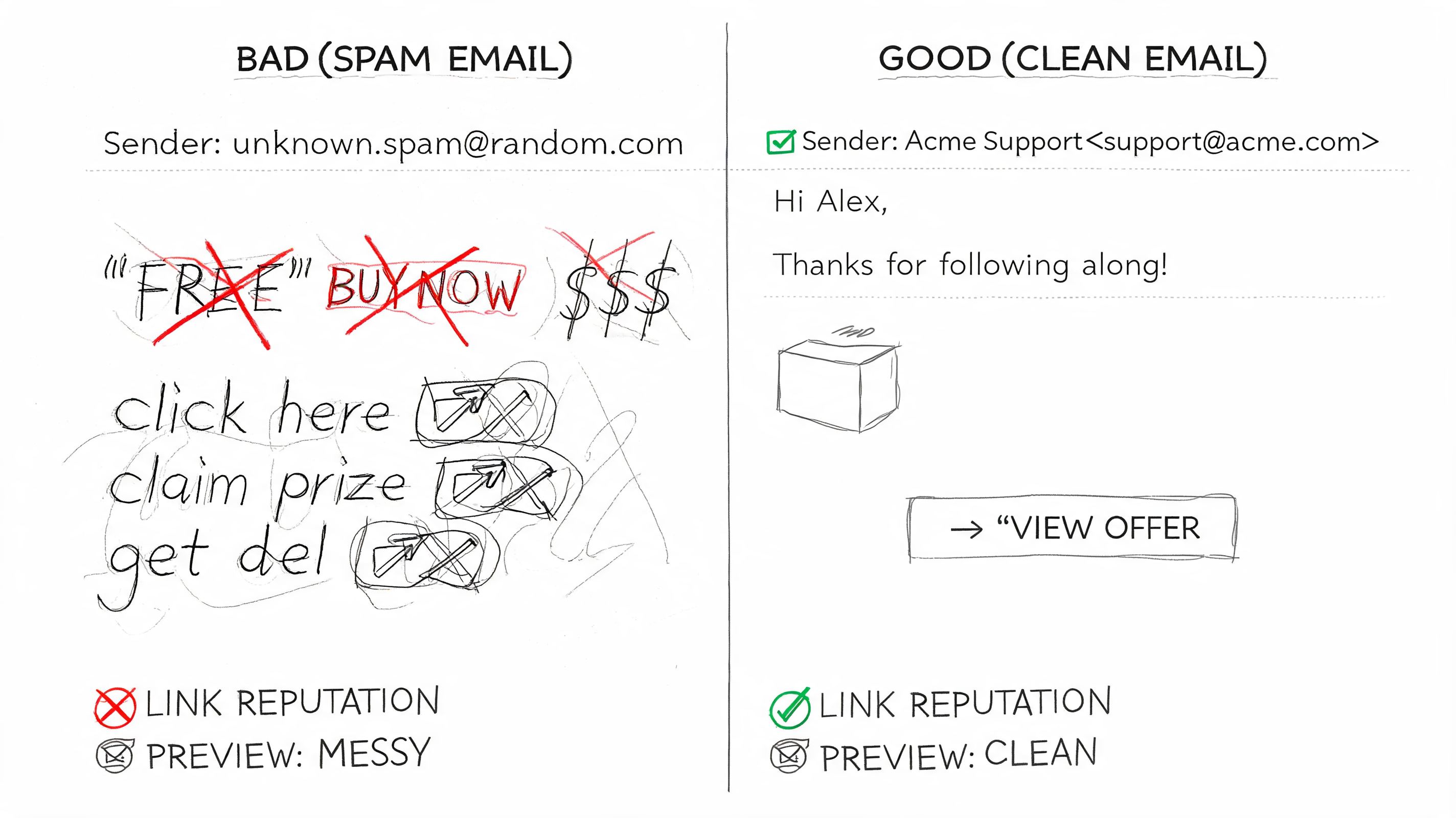
A list that has not been scrubbed often contains "dead weight." This includes addresses that no longer exist (causing hard bounces), abandoned accounts that may have been repurposed as spam traps by ISPs to catch unsolicited mail, and contacts who have simply stopped interacting with your content. Continuing to mail these addresses signals to ISPs that your sending practices are negligent, leading them to throttle your delivery speed or route your emails directly to the junk folder.
Prerequisites for Effective Scrubbing
Before initiating a cleanup, ensure you have access to the following components:
- Export Capability: You must be able to export your current list as a CSV or text file from your Email Service Provider (ESP).
- Verification Service Access: While manual cleaning is possible for very small lists, commercial verification services (such as ZeroBounce, NeverBounce, or Hunter.io) are the industry standard for identifying syntax errors, domain validity, and temporary addresses.
- Engagement Data: Gather your analytics from the past 6 to 12 months. Identifying "cold" subscribers—those who haven't opened or clicked an email in that timeframe—is just as important as removing invalid syntax.
- Baseline Metrics: Note your current bounce rate and open rate. This serves as your benchmark to measure the success of your cleaning efforts.
Step-by-Step Execution of Email List Scrubbing
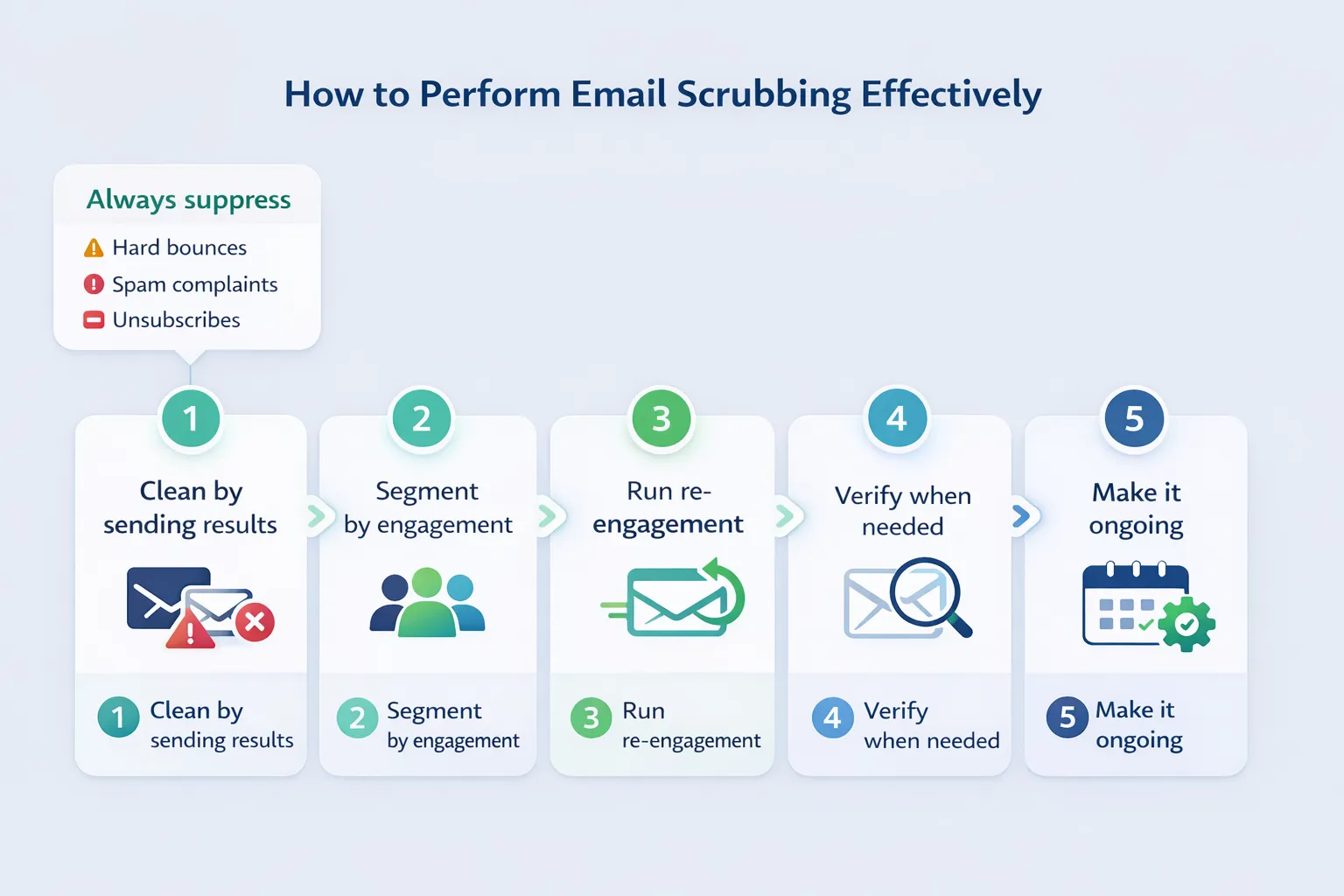
The process of sanitizing your list is a multi-stage workflow. Follow these steps to maximize your reach while minimizing risk.
1. Data Segmentation
Begin by segmenting your list based on activity. Separate active users (those who have engaged in the last 6 months) from inactive users. Do not delete inactive users immediately; they are candidates for a re-engagement campaign, which is discussed later in this guide.
2. Automated Syntax and Domain Validation
Use a professional verification tool to scan your list. These services check for:
- Syntax Errors: Formatting mistakes, such as missing "@" symbols or illegal characters.
- Domain Validity: Checking if the domain (e.g., @gmail.com or a corporate domain) actually exists and is configured to receive mail.
- Role-Based Addresses: Identifying addresses like "info@," "support@," or "admin@," which often result in higher complaint rates because they are accessed by multiple people.
3. Bounce Rate Analysis
Review your ESP’s bounce reports. Hard bounces are a primary indicator of a corrupted list. A "Hard Bounce" occurs when an email is permanently rejected because the address is invalid. While some verification tools catch these, your ESP’s historical data is the final authority. Remove all hard-bounce addresses immediately.
4. The Re-engagement Campaign
Before purging your inactive subscribers, attempt a "win-back" sequence. Send a targeted email asking if they still wish to receive your communications.
- The Opt-Out Value: Keep the email simple and clear. Give them a reason to stay (e.g., exclusive updates) but make it easy to unsubscribe.
- The Final Purge: Any user who does not open or click this re-engagement email should be removed from your active sending list.
Comparison of Methods: Manual vs. Automated Tools
| Feature | Manual Cleaning | Automated Verification Services |
|---|---|---|
| Accuracy | Low (cannot verify server-side) | High (real-time server querying) |
| Time Investment | Extremely High | Low (upload and wait) |
| Spam Trap Detection | Impossible | Possible via proprietary databases |
| Cost | Free | Per-email credit or subscription |
| Scalability | Not scalable | Highly scalable |
Preventing Future List Decay
Scrubbing is not a one-time event; it is a maintenance routine. To keep your deliverability healthy in 2026 and beyond, implement these best practices:
- Implement Double Opt-In: Require users to confirm their email address via a verification link sent to their inbox immediately after signing up. This ensures the email is valid and the user is genuinely interested.
- Monitor Spam Complaint Rates: Keep your complaint rate below 0.1%. If it rises, evaluate the content of your emails or the frequency of your sends.
- Periodic Audits: Schedule a list audit every quarter. As list sizes grow, the rate of decay (subscribers changing jobs, abandoning email accounts) naturally increases.
Troubleshooting Common Issues
High Bounce Rates After Scrubbing If your bounce rate remains high, you may be experiencing a "blocked" status rather than an invalid address issue. Check your domain’s authentication records (SPF, DKIM, and DMARC). These protocols act as a digital passport for your emails; if they are misconfigured, legitimate emails may be rejected regardless of list quality.
Sudden Drop in Open Rates It is normal to see a drop in total volume, but your percentage-based open rate should rise. If it drops significantly, you may have accidentally removed high-value users or your new, smaller list is being viewed as "warmed up" by ISPs. Continue to monitor these metrics over the next three to four campaigns.
Frequently Asked Questions
How often should I scrub my email list? You should conduct a deep-scrub every three to six months. However, if you notice your bounce rate creeping above 2% for any single campaign, perform an immediate cleaning of your recent sign-ups or the specific segment you just mailed.
What is a "spam trap" and why does it hurt me? A spam trap is an email address created or repurposed by ISPs to identify spammers. If you send mail to these addresses, it tells the ISP that you are not vetting your lists, leading to immediate domain blacklisting. Verification services help identify known spam traps.
Can I recover "inactive" subscribers? Yes, but only through targeted re-engagement. If a user has been inactive for more than a year, they are likely to mark your mail as spam rather than unsubscribe. It is often safer to delete them and focus on acquiring new, engaged leads.
Does removing subscribers hurt my business growth? It feels counterintuitive to delete leads you worked hard to acquire, but low engagement metrics hurt your total reach. A list of 1,000 highly engaged subscribers is objectively more valuable—and profitable—than a list of 10,000 where 90% of the mail goes to the junk folder.
What is the role of DMARC in this process? DMARC (Domain-based Message Authentication, Reporting, and Conformance) provides reports on who is sending email on your behalf. While it doesn't clean your list, it helps you identify if unauthorized parties are using your domain, which is a major factor in deliverability failures.
Final Recommendation
Start by running your current database through a reputable email verification service. Once you have removed all invalid and "high-risk" emails, set a recurring calendar reminder for 90 days from now to perform a list audit. Prioritize the quality of your subscriber base over the total quantity to ensure long-term, reliable communication with your audience.
Image Gallery