Mastering Hosting Load Balancing for Scalable Infrastructure
Hosting load balancing is the process of distributing incoming network traffic across multiple servers to ensure high availability, optimal resource utilization, and minimal latency. By acting as a traffic director in front of your ser...
Hosting load balancing is the process of distributing incoming network traffic across multiple servers to ensure high availability, optimal resource utilization, and minimal latency. By acting as a traffic director in front of your server cluster, a load balancer prevents any single server from becoming a bottleneck, effectively masking maintenance windows and system failures from end-users while maximizing throughput.
Contents
Understanding the Role of Load Balancing in Hosting
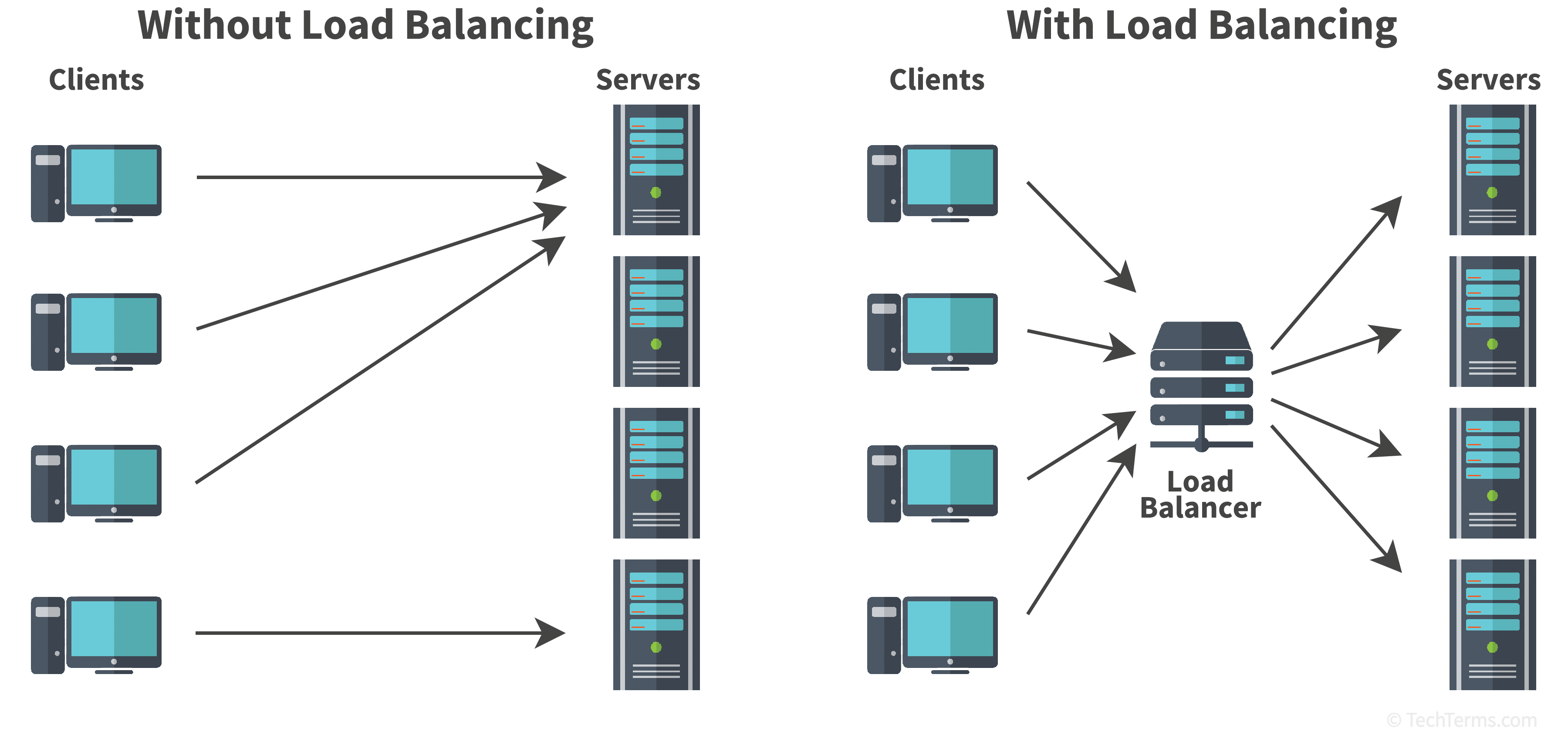
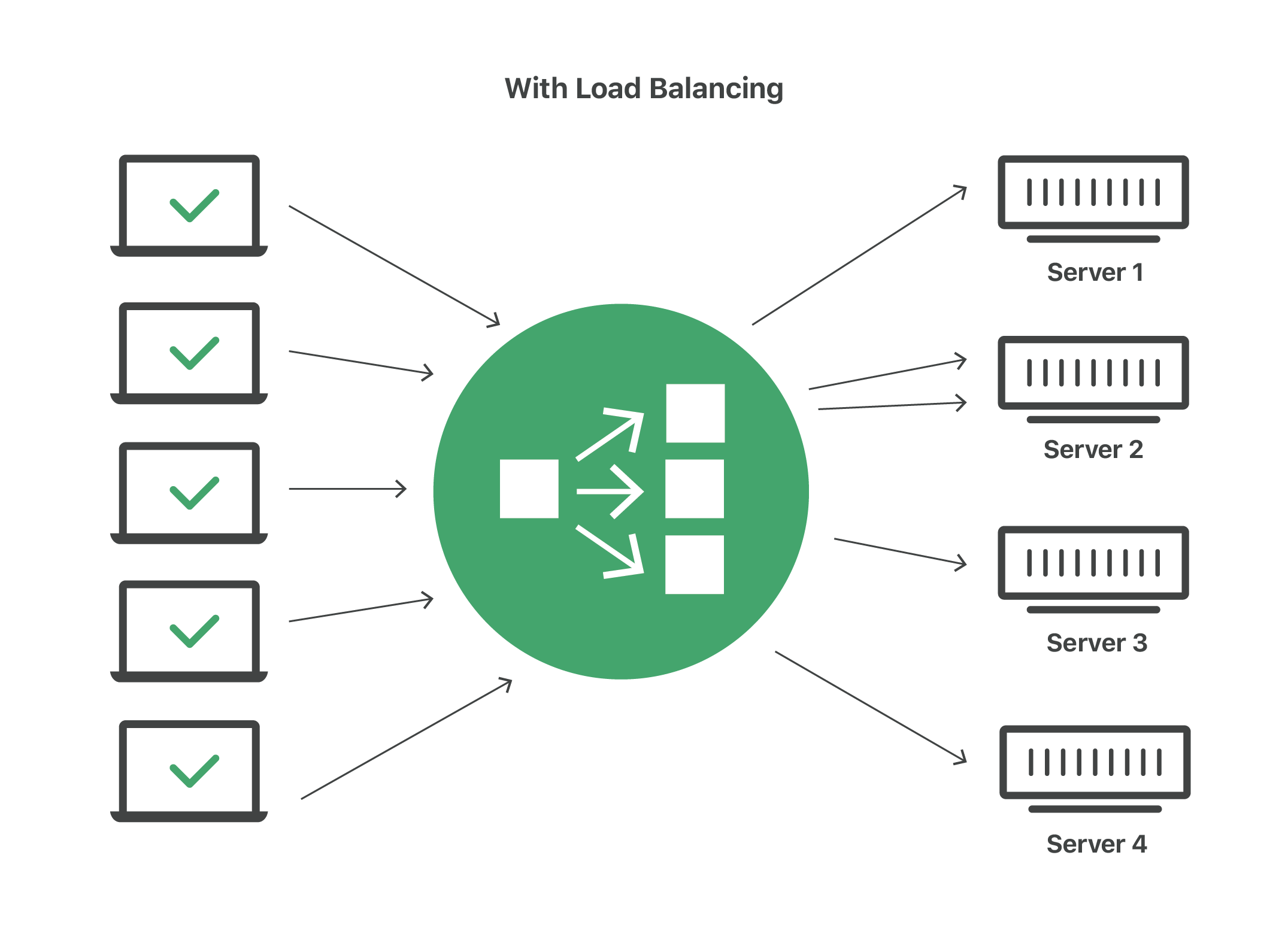
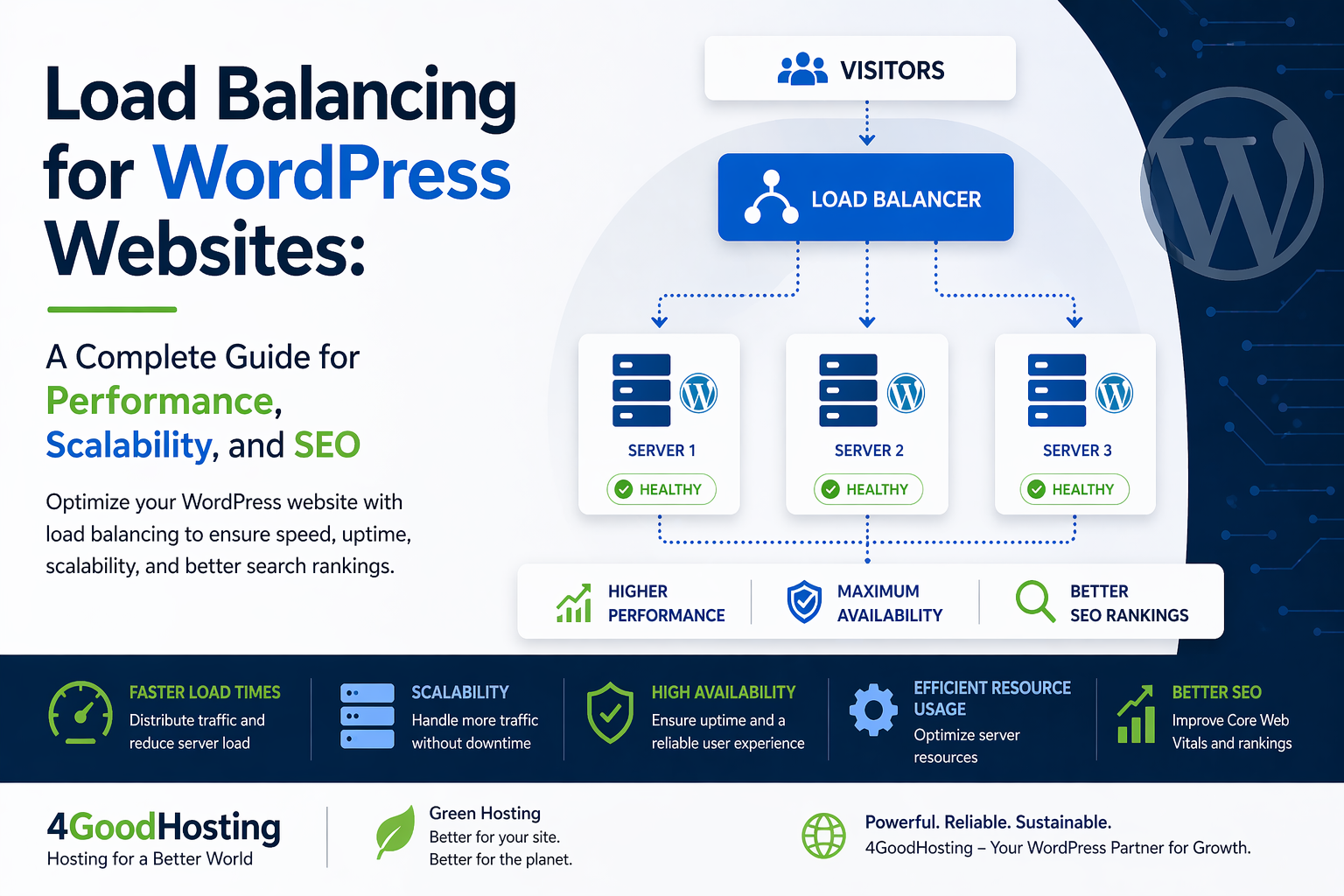
At its core, a load balancer serves as the primary entry point for all incoming requests. Instead of a client connecting directly to a specific web server, the request hits the load balancer first. The load balancer evaluates the state of the backend pool and decides which server is best equipped to handle that specific request.
In modern hosting environments, this is rarely just about simple "round-robin" distribution. Advanced load balancing takes into account server health, active connection counts, geographic proximity, and even the type of content requested. This architecture is critical for any application expecting high traffic volumes or requiring 99.99% uptime. Without it, your infrastructure is essentially a single point of failure; if the server hosting your files goes down, your service goes down.
Key Load Balancing Algorithms and Techniques
Choosing the right algorithm is essential for maintaining a balanced workload across your server farm. Different applications have different requirements, and the logic used to route traffic can significantly impact performance.
- Round Robin: This is the simplest method, distributing requests sequentially across all available servers. It works well when all servers in your cluster have identical hardware specifications and the workloads are relatively consistent.
- Least Connections: The load balancer tracks the number of active sessions on each server and sends new traffic to the server with the fewest ongoing connections. This is highly effective in environments where session duration varies significantly.
- IP Hash: The load balancer uses the client's IP address to determine which server receives the request. This ensures that a specific user is consistently routed to the same server, which is crucial for applications that rely on local session data or persistent state management.
- Weighted Load Balancing: This allows administrators to assign higher capacity to more powerful servers. A server with double the RAM and CPU of others in the cluster can be given a higher weight, ensuring it handles a proportional share of the traffic.
Hardware vs. Software Load Balancers
When architecting your hosting environment, you must choose between hardware-based appliances and software-based solutions. As of 2026, software-defined solutions have become the industry standard for most cloud-native and virtualized deployments.
Hardware Load Balancers are physical appliances installed in a data center. They are purpose-built to handle massive throughput at the hardware level, often utilizing ASICs (Application-Specific Integrated Circuits) for lightning-fast packet processing. They offer high performance and security but come with significant capital expenditure, rigid scaling limitations, and longer deployment cycles.
Software Load Balancers run as applications on commodity hardware or virtual instances. Tools like Nginx, HAProxy, or cloud-native solutions like AWS Elastic Load Balancing (ELB) or Google Cloud Load Balancing provide immense flexibility. They can be deployed in minutes, scaled horizontally alongside your application, and updated via software patches without physical intervention.
| Feature | Hardware Load Balancer | Software Load Balancer |
|---|---|---|
| Deployment | Physical Installation | Virtual/Cloud Instance |
| Cost | High Initial Capex | Operational Opex |
| Scalability | Manual/Limited | Automated/Elastic |
| Flexibility | Static | Highly Programmable |
| Maintenance | Manual Hardware Upgrades | Automated Software Updates |
Prerequisites for Implementation
Before deploying a load balancer, you must ensure your application environment is prepared to handle distributed traffic. If your application currently assumes it is running on a single server, you may encounter "session stickiness" issues or file synchronization problems.
- Stateless Architecture: Ideally, your application should be stateless. This means the server does not need to store user session data locally. Instead, move session state to a centralized, distributed cache like Redis or a database.
- Synchronized Assets: If your users upload images or documents, these files must be accessible to all servers in the cluster. Relying on local storage on one server will result in broken assets when the user is routed to another node. Utilize shared storage solutions like NFS, S3, or distributed file systems.
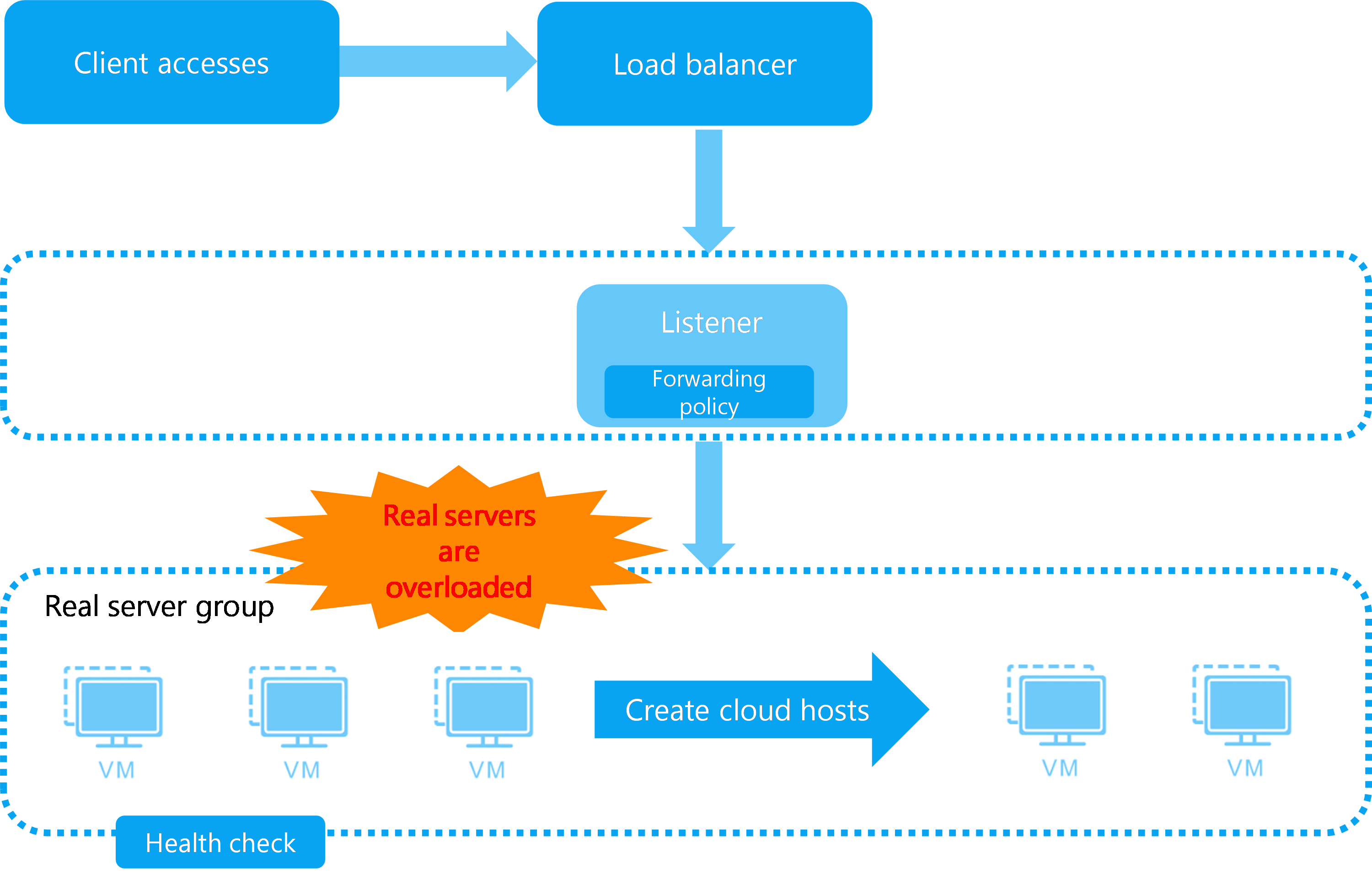
- Health Checks: Configure your load balancer to monitor the "heartbeat" of your backend servers. If a server stops responding to a health check, the load balancer must automatically remove it from the rotation to prevent traffic from hitting a failing instance.
Common Troubleshooting and Optimization
Even with a robust configuration, issues can arise. Understanding how to diagnose and resolve these problems is a core responsibility of infrastructure management.
- Session Persistence Issues: If users are logged out unexpectedly, your load balancer might not be maintaining session stickiness (also known as session affinity). Ensure your configuration is set to route the same user to the same backend node for the duration of their session.
- Server Overload: If one server consistently shows higher CPU usage despite load balancing, you may be using an inefficient algorithm like Round Robin. Switch to "Least Connections" to allow the balancer to dynamically adapt to the actual work being performed.
- SSL/TLS Termination: Terminating SSL at the load balancer level is a best practice. It offloads the computationally expensive task of encryption and decryption from your web servers, allowing them to focus entirely on serving application logic.
Frequently Asked Questions
Does a load balancer improve website speed? Yes, but indirectly. While it adds a minor amount of overhead, it significantly improves speed by preventing server congestion. By keeping CPU and RAM utilization levels stable across multiple servers, the application responds faster and more reliably under heavy load.
Can a load balancer be a single point of failure? It can, which is why professional deployments use redundant load balancers. By using a pair of load balancers in an "Active-Passive" or "Active-Active" configuration with a virtual IP address, you can ensure that if one load balancer fails, the other immediately takes over traffic distribution.
What is the difference between Layer 4 and Layer 7 load balancing? Layer 4 load balancing operates at the transport level, routing traffic based on TCP/UDP ports and IP addresses. It is extremely fast but "blind" to the content. Layer 7 load balancing operates at the application level (HTTP/HTTPS), allowing you to make routing decisions based on URL paths, headers, or cookies.
How do I handle maintenance on one of my servers? With a load balancer, you can perform "draining." You mark a server as "maintenance" in the load balancer configuration; the balancer will finish existing connections but stop sending new ones to that node, allowing you to take it offline safely.
Moving Forward
Implementing a load balancer is the most significant step in transitioning from a basic setup to a production-grade, scalable architecture. Start by auditing your current server environment to identify dependencies that might break in a multi-node setup. Begin with a software-based solution on a load testing environment to verify your application's behavior before routing live user traffic. For most organizations in 2026, the optimal path is a managed, cloud-native load balancing service, which removes the burden of maintenance while providing industry-leading reliability.
Image Gallery