Check My Settled Status UK: Official Guide to Viewing and Proving Your Immigration Status
To check your settled status in the UK, access the official GOV.UK service titled "View and prove your immigration status." You will need the details of the identity document (passport, national identity card, or biometric residence do...
To check your settled status in the UK, access the official GOV.UK service titled "View and prove your immigration status." You will need the details of the identity document (passport, national identity card, or biometric residence document) linked to your UK Visas and Immigration (UKVI) account, your date of birth, and access to the phone or email address registered for two-factor authentication.
Contents
Understanding Digital Immigration Status in the UK
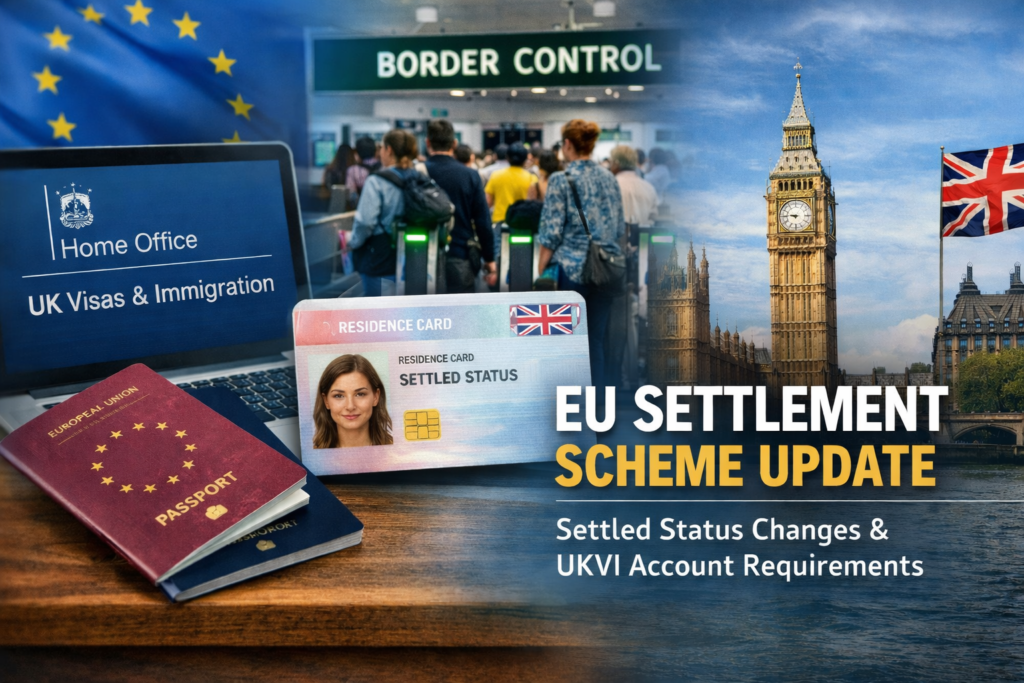
The UK Home Office has fully transitioned from physical proof of immigration permission—such as paper documents, vignettes, and physical Biometric Residence Permits (BRPs)—to a secure, digital status system known as an eVisa. If you applied to the EU Settlement Scheme (EUSS) and received either Settled Status (indefinite leave to remain) or Pre-Settled Status (further leave to remain), your status exists purely as a digital record held in your online UKVI account.
Checking your status regularly ensures that your personal records remain accurate, your identity documents are linked correctly, and you can instantly generate proof of your right to live, work, study, rent, or access public services in the United Kingdom.
Settled Status vs. Pre-Settled Status
When you view your UKVI account, your profile will explicitly state which form of status you hold under the EU Settlement Scheme:
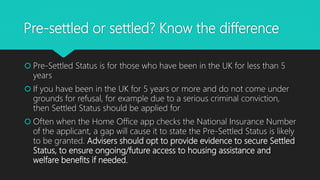
- Settled Status: Granted to eligible EU, EEA, or Swiss citizens and their eligible family members who have accumulated five years of continuous residence in the UK. Settled status gives you the right to remain in the UK indefinitely, work without restriction, access NHS healthcare, claim public funds or benefits if eligible, and apply for British citizenship after holding the status for at least 12 months (or immediately if married to a British citizen).
- Pre-Settled Status: Granted to individuals who had not yet reached five years of continuous residence at the time of application. It provides temporary permission to live, work, and study in the UK. Under rules implemented by the Home Office, pre-settled status holders receive automatic extensions to prevent their lawful status from expiring while they accumulate the required continuous residence to qualify for full settled status.
Prerequisites: What You Need to Log In
Before attempting to log into the online portal, gather the specific credentials used when you originally applied to the EU Settlement Scheme or when you last updated your UKVI account.
| Prerequisites Checklist |
|---|
| 1. Linked Identity Document Number (Passport or National ID) |
| 2. Date of Birth |
| 3. Access to Registered Contact Method (Phone / Email for 2FA) |
- Identity Document Details: You need the exact number of the document you used to create your account or registered afterward (e.g., your passport number, national identity card number, or biometric residence card/permit number).
- Date of Birth: Must match the date of birth recorded on your identity document.
- Two-Factor Authentication Device: Access to the mobile phone number or email address linked to your UKVI account. The system sends a security code (OTP) to this phone number or email every time you log in.
Disclaimer: Immigration policies and digital system features are governed by UK law. This guide provides practical operational instructions and general legal context. It does not constitute formal legal advice. For complex immigration queries or disputes, consult a qualified legal professional registered with the Office of the Immigration Services Commissioner (OISC).
Step-by-Step Guide: How to Check Your Settled Status Online
Checking your status online takes only a few minutes when you have your credentials ready. Follow these exact steps to view your digital profile on the official government web portal.
Step 1: Navigate to the GOV.UK Service Portal
Visit the official UK government portal page for GOV.UK: View and prove your immigration status. Click the "Start now" button to enter the secure verification system.
Step 2: Select Your Identity Document Type
The system will ask you to identify which document you want to use to sign in. Choose the option that corresponds to the document currently linked to your UKVI account:
- Passport
- National Identity Card
- Biometric Residence Card or Permit
Step 3: Enter Your Document Number and Date of Birth
Input the document number carefully without spaces. Next, enter your day, month, and year of birth in the required numerical fields.
Step 4: Complete Security Authentication
Select whether you want to receive your security code via text message or email. The screen displays a masked version of your registered phone number or email address (e.g., ******1234). Enter the 6-digit code received on your device into the portal.
Step 5: View Your Status Dashboard
Once verified, your main dashboard displays your full legal name, profile photo, current immigration status (Indefinite Leave to Remain / Settled Status or Limited Leave to Remain / Pre-Settled Status), and the date status was granted.
How to Generate and Share a Share Code
Because settled status is entirely digital, you cannot present a physical card to an employer, landlord, bank, or government agency. Instead, you generate a temporary share code through the GOV.UK system.
- Your UKVI Account
- Generates 9-Character Code (Valid for 90 Days)
- Employer / Landlord Portal
A share code is a 9-character alphanumeric passcode that allows third parties to verify your immigration status directly with the Home Office without giving them access to your personal login credentials.
Steps to Create a Share Code
- Log into your status profile on GOV.UK.
- Select the option "Prove your status" or "Get a share code."
- Choose the specific reason you need the code:
- To prove right to work to an employer
- To prove right to rent to a landlord or letting agency (in England)
- For another reason (e.g., opening a bank account, accessing benefits, or studying)
- The system generates a unique 9-character code (e.g.,
W12 345 678). - Provide this share code alongside your date of birth to the checking organization.
Key Rules for Share Codes
- Validity Window: Share codes remain valid for 90 days from the date of creation. If the code expires before the recipient checks it, simply log back into the system and generate a new code.
- Purpose Specificity: Codes generated for employers start with a specific prefix (such as
W) and cannot be used by landlords to check right to rent (which typically start withR). Ensure you select the correct intended use during generation. - Privacy: Third parties who check your code only see the information relevant to their legal obligation (e.g., an employer sees your right to work without restriction, your photo, and your name).
Comparing Status Types and Verification Methods
The following table summarizes the key features, documentation types, and operational details for viewing and verifying status under the EU Settlement Scheme.
| Feature / Aspect | Settled Status (EUSS) | Pre-Settled Status (EUSS) | Share Code Verification |
|---|---|---|---|
| Legal Status | Indefinite Leave to Remain (ILR) | Limited Leave to Remain (LTR) | Temporary verification key |
| Duration | Permanent (subject to absence rules) | Temporary (automatically extended) | Valid for 90 days from creation |
| Physical Document | None (100% Digital eVisa) | None (100% Digital eVisa) | None (Alphanumeric code) |
| Absence Allowance | Up to 5 consecutive years outside UK | Up to 2 consecutive years without losing status | N/A |
| Primary Use Case | Permanent residence, work, healthcare | Temporary residence, path to Settled Status | Right to work/rent verification |
| Path to Citizenship | Eligible after 12 months with Settled Status | Not directly eligible; must acquire Settled Status first | N/A |
Transitioning from Pre-Settled to Settled Status
If you hold pre-settled status, checking your account periodically is critical for tracking your progress toward permanent residency.
Automatic Extensions and Upgrades
The Home Office automatically applies extensions to pre-settled status holders before their status expires, ensuring individuals do not lose their legal right to reside in the UK due to administrative oversights. Additionally, the Home Office uses automated checks against tax (HMRC) and benefit (DWP) records to automatically convert eligible pre-settled status holders to full settled status once five years of continuous residence are identified.
Manual Applications for Settled Status
Despite automated checks, manually applying to switch from pre-settled to settled status as soon as you meet the 5-year continuous residence requirement remains best practice. Manual application allows you to submit additional evidence—such as university transcripts, utility bills, or private tenancy agreements—if government databases do not hold complete records of your residence.
Continuous Residence Requirement
To qualify for settled status, you must demonstrate that you have lived in the UK for at least 6 months in any 12-month period across a 5-year block. Limited exceptions apply for single periods of absence up to 12 months for important reasons (such as childbirth, serious illness, study, vocational training, or an overseas work posting).
Troubleshooting Common Login and Access Problems
Many users encounter difficulties accessing their digital immigration records due to outdated contact information, changed identity documents, or technical authentication errors.
| Problem | Fix |
|---|---|
| No longer have old phone number / email | Use online identity recovery or telephone UKVI resolution service |
| Security code (OTP) not arriving | Check spam filters, verify signal, restart handset, or retry |
| System says details do not match | Check passport expiry/type linked; try secondary document ID |
1. You No Longer Have Access to Your Registered Phone or Email
If you changed your mobile number or email address without updating your UKVI account beforehand, you cannot receive the two-factor authentication code.
- Solution: Use the automated web flow link on the sign-in screen titled "I do not have access to my phone or email." You will be guided through identity verification steps. Alternatively, contact the GOV.UK: UKVI Resolution Centre by phone to speak with an adviser who can reset your contact details after verifying your identity.
2. "Details Entered Do Not Match Our Records"
This error usually occurs when you try to log in using a new passport or ID card that has not yet been linked to your UKVI account.
- Solution: Try signing in using the old passport or identity document number you used when you originally applied for settled status. Once signed in, immediately update your account details to register your new document.
3. Verification Codes Are Not Arriving
- Solution: Wait a few minutes, as network congestion can delay SMS messages. Ensure your mobile phone has signal coverage. If using email verification, check your spam and junk mail folders. If problems persist, restart your mobile device and request a new code.
Updating Your UKVI Account Details
Keeping your digital UKVI profile up to date is a legal responsibility. If your physical travel document changes and you do not update your online account, you may experience delays or boarding refusals at UK border controls.
When Must You Update Your Profile?
You must update your UKVI account immediately if you:
- Renew or change your passport or national identity card.
- Change your legal name or nationality.
- Change your main residential address.
- Change your telephone number or email address.
How to Update Your Passport or ID Document
- Log into your UKVI account via the GOV.UK: Update your UKVI account details service.
- Select "Add a new identity document."
- Upload or enter the new document details.
- In many cases, you can use the "UK Immigration: ID Check" smartphone app (available on iOS and Android) to scan the chip in your new passport and upload your updated photo automatically.
- Wait for confirmation from the Home Office that your new document is linked to your digital status before traveling internationally.
Frequently Asked Questions
Can I get a physical card or letter proving my settled status?
No. The UK government does not issue physical cards, certificates, or passport stickers for EUSS settled status. Your status exists exclusively as a digital record (eVisa). You can save a PDF copy or screenshot of your status page for your personal records, but third parties (such as employers and landlords) must verify your status online using a share code.
How long can I spend outside the UK without losing settled status?
If you hold Settled Status, you can stay outside the UK for up to 5 consecutive years without losing your status (or up to 4 consecutive years if you hold settled status as a Swiss citizen or family member). If you stay outside the UK for longer than this limit, your settled status lapses automatically.
What happens if my pre-settled status expires?
Under updated Home Office procedures, pre-settled status is extended automatically before its expiration date to ensure individuals do not inadvertently become unlawful residents. However, you should monitor your account and submit evidence to convert to full settled status as soon as you complete 5 years of continuous residence in the UK.
Do I need to show my share code to airport border control?
Generally, no. When traveling internationally, UK Border Force scanners automatically read the chip in your passport or identity card and match it to your digital UKVI profile. However, this relies on your current passport being linked to your UKVI account. You should update your document details online prior to travel and carry your share code as a backup.
Is checking my settled status online free?
Yes. Accessing the GOV.UK view and prove service, generating share codes, updating personal details, and converting from pre-settled to settled status are completely free services provided by the UK government.
Next Steps & Recommendations
To maintain smooth access to your UK legal rights and avoid travel or employment interruptions:
- Check Your Profile: Log into the official GOV.UK portal today to verify that your photo, legal name, and current status display correctly.
- Verify Linked Documents: Ensure your active passport or national identity card number is linked to your account, especially before traveling abroad.
- Update Contact Info: Confirm that your current phone number and email address are listed for two-factor authentication so you are never locked out.
- Track Continuous Residence: If you hold pre-settled status, note the date you hit 5 years of continuous UK residence and submit your application to upgrade to full settled status promptly.
EDITORIAL CATEGORY METADATA:
TOPIC METADATA:
Image Gallery