Dealing with Scratches on Your iPhone Screen: Solutions and Prevention
Managing scratches on an iPhone screen involves assessing the depth of the damage, exploring professional repair options, and understanding the limitations of home remedies. While minor surface abrasions are often unavoidable due to ev...
Managing scratches on an iPhone screen involves assessing the depth of the damage, exploring professional repair options, and understanding the limitations of home remedies. While minor surface abrasions are often unavoidable due to everyday use, deep cracks or structural damage require technical intervention to maintain the device's touch sensitivity, display clarity, and structural integrity.
Contents
Understanding Display Composition and Scratch Resistance
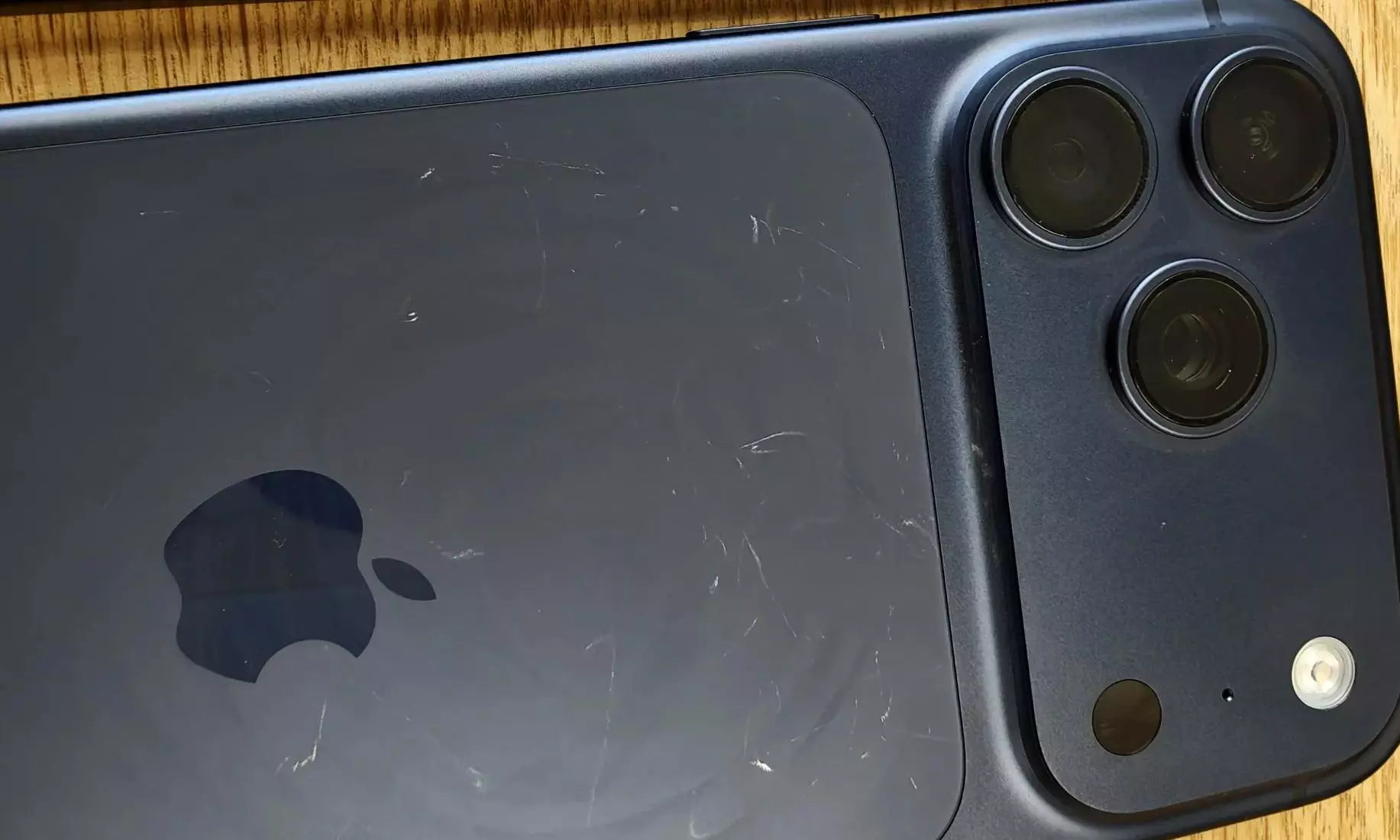
Modern iPhones utilize advanced glass technology, specifically what Apple markets as "Ceramic Shield" on more recent models, or ion-strengthened glass on earlier versions. These materials are engineered to balance shatter resistance with scratch resistance. However, the Mohs scale of mineral hardness serves as a vital benchmark: everyday materials like sand, keys, or metal zippers can contain minerals such as quartz, which are harder than the glass on your display.
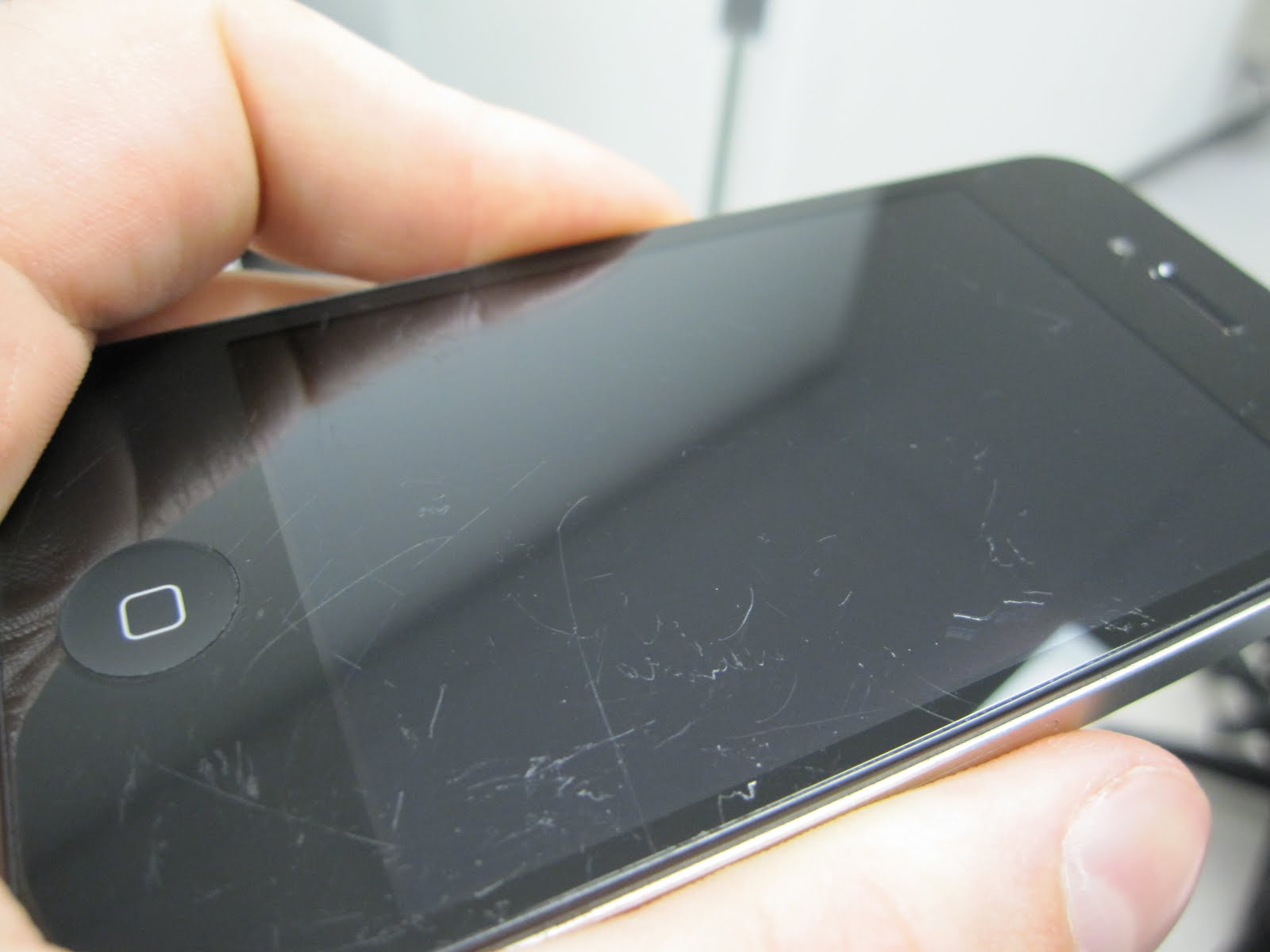
When you notice a scratch, you are effectively seeing a groove in the oleophobic (oil-repellent) coating or the glass itself. It is critical to differentiate between a scratch—a surface-level indentation—and a crack, which is a structural failure of the glass panel. If the scratch is deep enough to catch your fingernail, it has likely penetrated the display material, and topical solutions will be ineffective.
Evaluating Your Repair Options
Depending on the severity of the damage, you have three primary paths: professional replacement, screen protection, or mitigation through maintenance.
- Professional Service: If the scratch is severe, interferes with the touch digitizer, or creates a visual obstruction, replacing the display assembly via an Apple Authorized Service Provider or an Apple Store is the only way to restore the device to its factory condition.
- Screen Protectors: If you have minor scratches, installing a high-quality tempered glass screen protector can often "hide" existing surface marks. The adhesive layer of the protector fills in the microscopic grooves, making them invisible while preventing further degradation.
- Insurance and Warranty: AppleCare+ provides coverage for accidental damage, though it usually requires a deductible for screen-only repairs. Standard one-year limited warranties generally do not cover cosmetic damage like scratches.
Why Home Remedies Are Risky
You may encounter advice suggesting the use of toothpaste, baking soda, or various liquid polishes to "buff out" scratches. You should avoid these methods for several reasons:
- Abrasion vs. Polishing: Most abrasive DIY materials remove the screen’s specialized oleophobic coating, which is applied at the factory to prevent fingerprints. Once this coating is gone, the screen will attract smudges significantly faster and lose its smooth tactile feel.
- Structural Compromise: Excessive rubbing in one area can thin the glass or damage the underlying digitizer, leading to "dead zones" where the phone no longer responds to touch.
- Water Resistance: Aggressive cleaning or polishing can compromise the adhesive seals around the perimeter of the screen, potentially reducing the device’s ingress protection rating (IP68) against water and dust.
Comparison of Repair and Mitigation Methods
| Method | Best Used For | Pros | Cons |
|---|---|---|---|
| Tempered Glass Protector | Minor scratches | Cheap, prevents new marks | Does not remove existing damage |
| Professional Display Swap | Deep scratches/cracks | Restores factory condition | Expensive; requires downtime |
| Liquid Glass Coating | Light surface scuffs | Improves feel/repellency | Temporary; offers no protection |
| Buffing/Polishing | Not Recommended | None | Risk of permanent screen damage |
Preventing Future Damage
Once you have addressed the existing scratches, maintaining the screen requires a shift in habits.
- The Pocket Rule: Never store your iPhone in a pocket or bag with keys, coins, or other metallic objects. Hard particles like sand or grit are the leading cause of micro-scratches.
- Cleaning Protocol: Use only a soft, lint-free cloth—such as a microfiber cloth—to clean the screen. Avoid paper towels, which can contain wood fibers that are abrasive enough to cause micro-abrasions over time. If a more thorough clean is necessary, use a 70% isopropyl alcohol wipe or a Clorox Disinfecting Wipe, as these are approved by Apple for use on hard, nonporous surfaces.
- Tactile Surface Protectors: If you are prone to dropping your phone or working in rugged environments, a tempered glass screen protector is an essential investment. It serves as a sacrificial layer; when it gets scratched, you can simply peel it off and replace it for a fraction of the cost of a full display replacement.
Frequently Asked Questions
Will Apple replace my screen for free if it has scratches? No. Apple’s warranty covers manufacturing defects, not cosmetic damage such as scratches, scuffs, or dents caused by normal wear and tear. You will likely need to pay for a display replacement unless you have active AppleCare+ coverage.
Does a screen protector hide scratches already on the screen? Yes, frequently. When you apply a tempered glass screen protector, the silicone adhesive layer often fills the shallow grooves of surface scratches, effectively masking them and making the display look new again while adding a layer of protection.
Is there a way to restore the oleophobic coating? While there are third-party "liquid screen protector" kits that claim to restore oleophobic properties, they are generally temporary and do not provide the same longevity or performance as the original factory-applied coating. They are generally considered an aesthetic improvement rather than a durable repair.
How can I tell if a scratch is actually a crack? A scratch is a surface-level mark that does not affect the display's internal image generation or touch response. A crack, even a "hairline" crack, typically presents as a jagged line that refracts light differently and may propagate across the screen over time. If the screen flickers, shows colored lines, or fails to register touch input, it is a hardware failure, not a mere scratch.
Are "Ceramic Shield" screens scratch-proof? No screen is scratch-proof. Ceramic Shield technology focuses primarily on improving drop performance (shatter resistance). In testing, harder materials can still scratch these displays. It is a misconception that increased drop protection equals immunity to abrasions.
Next Steps and Recommendations
If the scratches on your iPhone screen are purely cosmetic and do not impact the device's functionality, the most cost-effective and practical solution is to clean the screen thoroughly with a microfiber cloth and apply a high-quality tempered glass screen protector. This will hide the existing marks and prevent further damage.
If the scratches are deep enough to catch your fingernail, or if they impair your ability to read the display or use the touch interface, navigate to the Apple Support website to check your specific device's warranty status. Book an appointment at an Apple Store or an Authorized Service Provider to receive a professional diagnostic. Avoid attempting DIY polishing, as the risk of damaging the display's oleophobic layer or internal digitizer far outweighs any potential aesthetic benefit.
Image Gallery