How to Use EDDM Mailing Routes for Local Marketing Success
To use Every Door Direct Mail (EDDM) mailing routes, you must identify your target geographic area using the USPS EDDM Online Tool, select specific carrier routes based on demographic filters, and design mailpieces that meet strict "fl...
To use Every Door Direct Mail (EDDM) mailing routes, you must identify your target geographic area using the USPS EDDM Online Tool, select specific carrier routes based on demographic filters, and design mailpieces that meet strict "flat" size specifications. After printing, bundle the mailers with facing slips and drop them off at the designated Post Office for delivery.
Contents
Every Door Direct Mail, a service provided by the United States Postal Service (USPS), remains one of the most cost-effective ways for small businesses and organizations to reach local customers. Unlike traditional direct mail, which requires a specific mailing list of names and addresses, EDDM allows you to target every household on a postal carrier’s route. This "saturation" approach ensures your message reaches every door in a neighborhood, making it ideal for restaurants, real estate agents, local service providers, and community events.
Understanding how to navigate the technical requirements of EDDM routes is the difference between a successful campaign and one that is rejected by the postal processing center. In 2026, the process remains rooted in specific physical dimensions and precise logistical preparation.
Identifying and Selecting EDDM Mailing Routes
The foundation of any EDDM campaign is the selection of the carrier routes. A carrier route is the specific path a mail carrier takes to deliver mail within a Zip Code. One Zip Code may contain dozens of individual routes, and EDDM allows you to be surgical about which ones you select.
Using the USPS EDDM Online Tool
The primary resource for route selection is the official USPS EDDM Online Tool. This interactive map allows you to search by address, city, or Zip Code. Once you enter a location, the map populates with individual carrier routes.
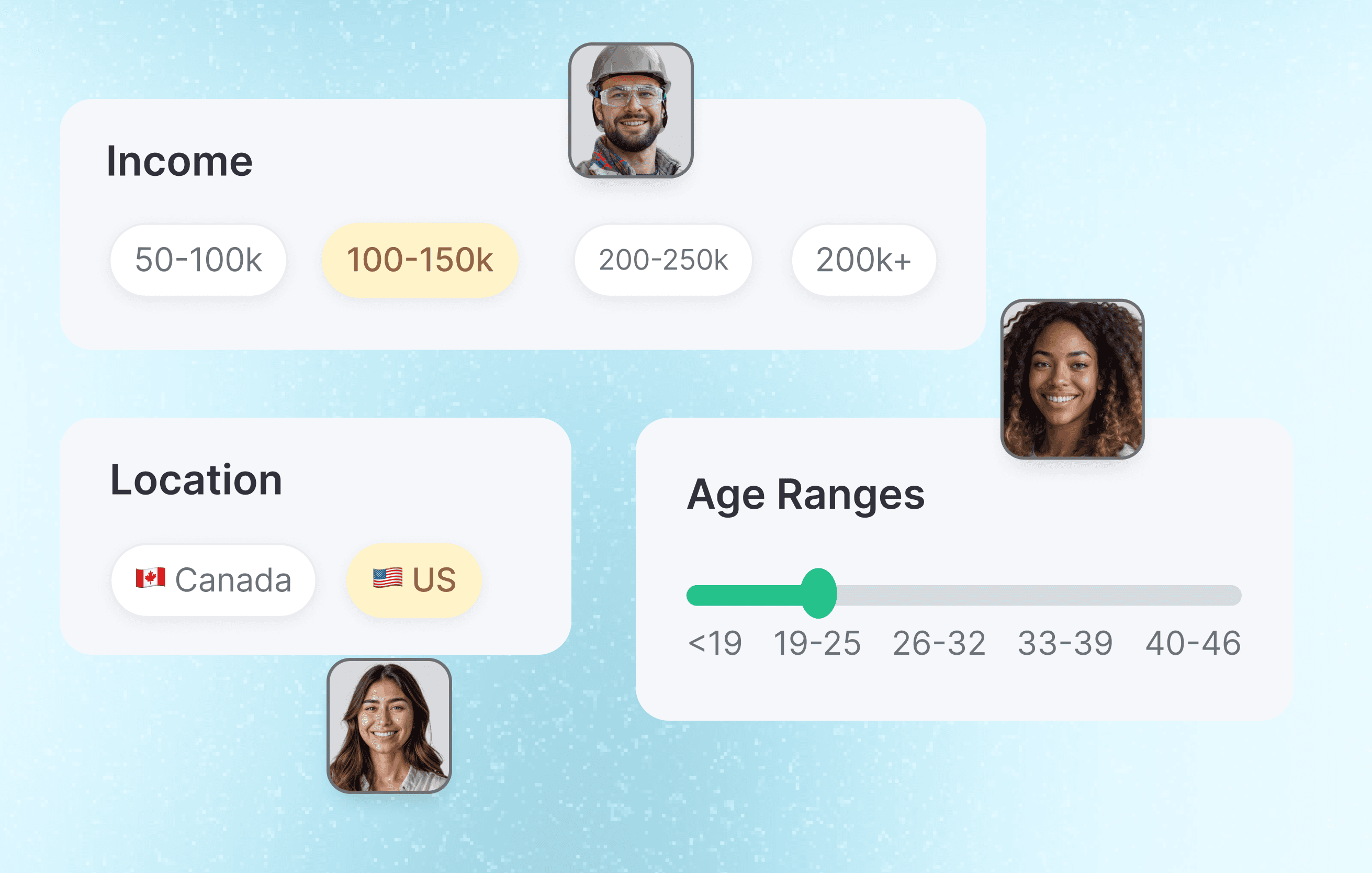
When you hover over a route, the tool provides critical demographic data, including:
- Total Delivery Points: The number of households and businesses on that specific route.
- Residential vs. Business: You can choose to target "Residential Only" or "Residential and Business."
- Median Age: Useful for targeting seniors or young families.
- Average Household Size: Helps identify areas with more children or multi-generational homes.
- Median Income: Vital for luxury services or value-based promotions.
Strategic Filtering
Successful marketers do not simply select an entire Zip Code. Instead, they use the tool's filtering capabilities to align with their target audience. For example, a high-end landscaping company might filter for routes with the highest median income, while a new daycare center might look for routes with the largest average household size. By selecting only the routes that match your customer profile, you minimize "waste" and maximize your return on investment.
Adhering to Mailpiece Physical Specifications
The most common reason for EDDM campaign failure is a violation of the USPS "Flat" size requirements. EDDM mailpieces must be classified as flats; they cannot be standard envelopes or small postcards. To qualify for EDDM rates in 2026, your mailpiece must meet specific dimension and weight criteria.
Dimension Requirements
A mailpiece must meet at least one of the following "minimum" dimensions to be considered a flat:
- Length: Greater than 10.5 inches.
- Height: Greater than 6.125 inches.
- Thickness: Greater than 0.25 inches.
However, the piece must also not exceed the maximum dimensions:
- Length: 15 inches.
- Height: 12 inches.
- Thickness: 0.75 inches.
The "Length" is always the longest dimension of the piece. For EDDM, common sizes used by designers include 6.25" x 9", 6" x 11", or 8.5" x 11". If your postcard is 6" x 9", it is too small to be an EDDM flat and will be rejected or charged at a much higher rate.
Weight and Thickness
The mailpiece must be uniform in thickness. It cannot be lumpy or contain rigid items like pens or keys. Each piece must weigh no more than 3.3 ounces for EDDM Retail. If you are using a professional mail house and a Business Mail Entry Unit (BMEU), weight limits may differ based on your permit type, but for most local businesses using the Retail service, the 3.3-ounce limit is the standard.
Designing for Compliance and Impact
Beyond dimensions, the visual layout of an EDDM piece must include specific postal elements to ensure it is deliverable.
The Address Block and Indicia
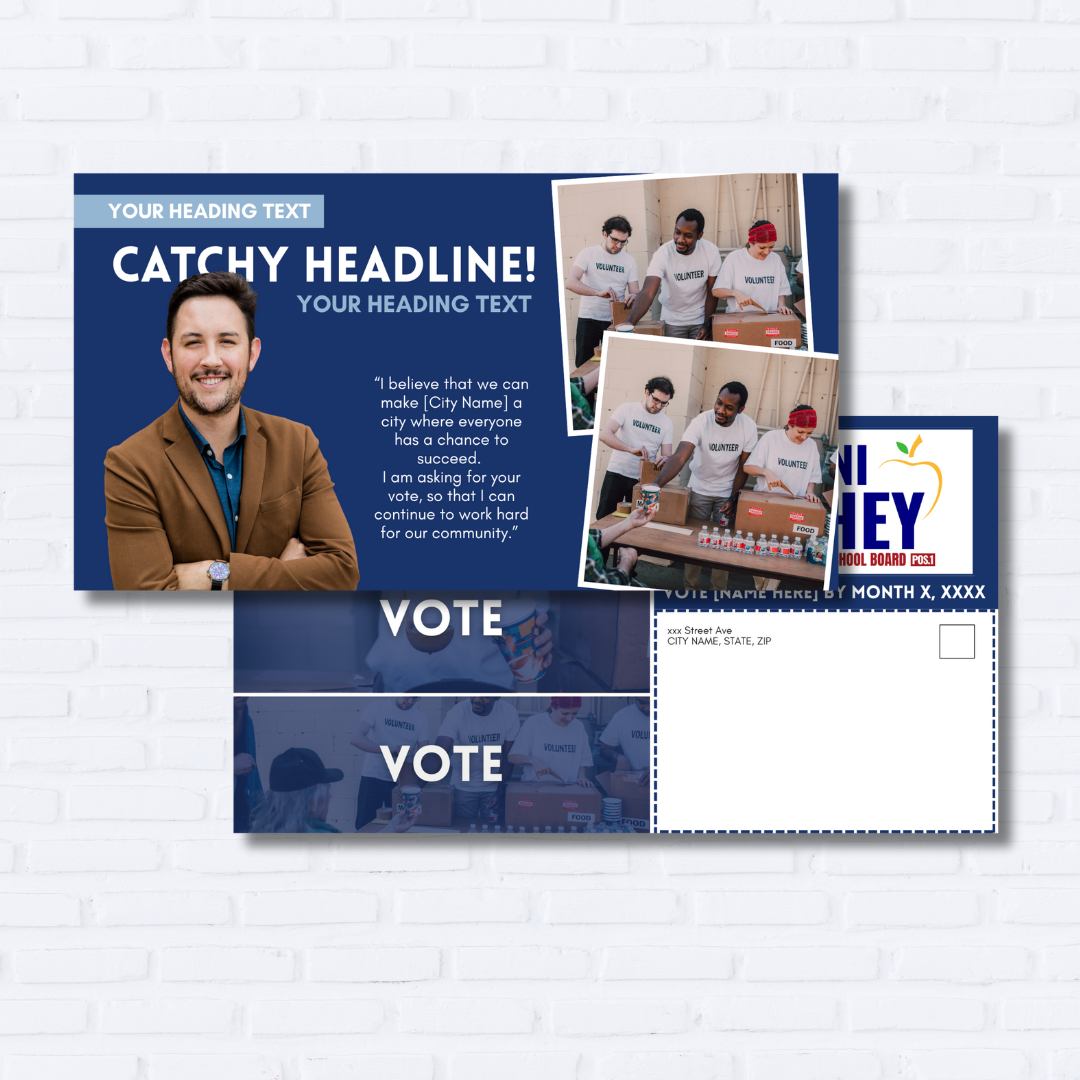
Because EDDM does not use specific names, the address area must be formatted correctly. You must use a simplified address format, such as: Postal Customer City, State, Zip Code
Alternatively, you can use "Residential Customer" if you are only targeting households. This should be placed in the "top half" of the mailpiece, as the orientation of the piece matters to the carrier.
The Postage Indicia is the box in the top right corner that replaces the stamp. For EDDM Retail, this box must state "PRSRT STD," "ECRWSS," and "U.S. POSTAGE PAID," followed by "EDDM RETAIL." Without this specific wording, the post office cannot verify that the postage has been paid through the EDDM system.
Clear Call to Action
Since you are paying for every door on a route, your design needs to capture attention quickly. Large, bold headlines and high-contrast colors work best. In 2026, integrating digital tracking is standard; including a QR code that leads to a specific landing page or a digital coupon allows you to track the physical mailer’s conversion rate with digital precision.
Preparing the Mailing for Drop-Off
Once the mailpieces are printed, they must be organized according to USPS standards. You cannot simply bring a box of loose postcards to the counter.
Bundling and Facing Slips
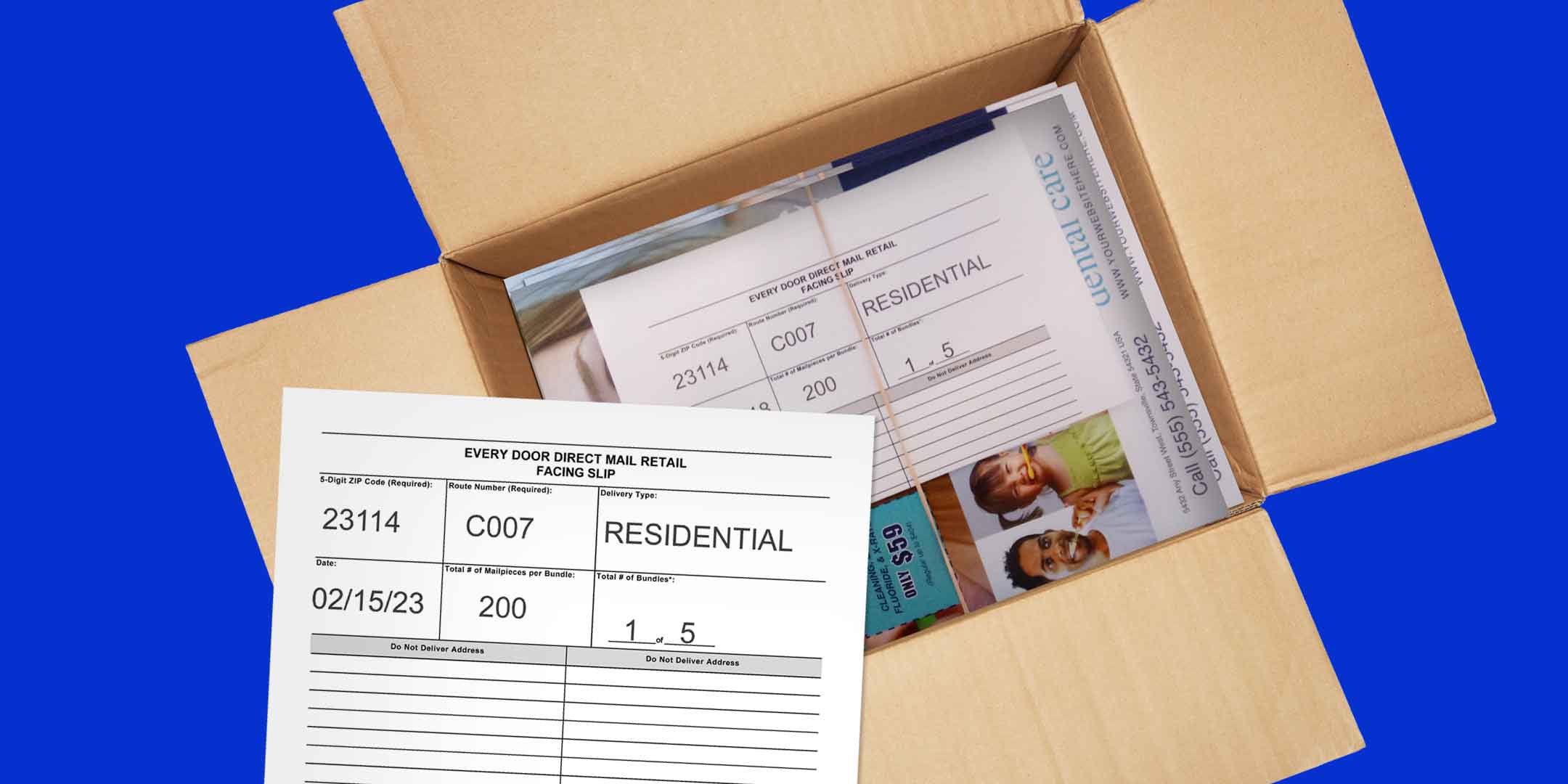
Mail must be bundled in groups of 50 to 100 pieces. These bundles must be secured with rubber bands. Each bundle requires a Facing Slip, which is a piece of paper that tells the carrier exactly which route the bundle belongs to and how many pieces are in that bundle.
The USPS EDDM Online Tool generates these facing slips for you once you have selected your routes and paid for your postage. You must print these slips and place one on top of each bundle. The slip includes:
- The Zip Code and Route Number (e.g., C001).
- The total piece count for that specific route.
- The delivery type (Residential or All).
Documentation
You will also need to generate a Mailing Statement (PS Form 3587) for EDDM Retail. This form summarizes the entire mailing, including the total number of routes, total pieces, and the total postage paid. If you pay online, you print this form along with your facing slips. If you pay at the Post Office, they will help you complete it, though paying online is significantly faster.
Comparing EDDM Service Types
There are two primary ways to submit an EDDM campaign. Choosing the right one depends on your volume and whether you have a mailing permit.
| Feature | EDDM Retail | EDDM BMEU (Bulk) |
|---|---|---|
| Volume Limit | Up to 5,000 pieces per Zip Code, per day. | No volume limit. |
| Permit Requirement | No permit required. | Requires a Mailing Permit. |
| Drop-off Location | The local Post Office serving the specific routes. | A Business Mail Entry Unit (BMEU). |
| Payment Options | Cash, check, or credit card at the counter or online. | Paid through a USPS advance deposit account. |
| Best For | Small businesses, local shops, and one-off events. | Large corporations, franchises, and regional agencies. |
Delivery and Logistics
A critical and often misunderstood step is the physical drop-off. For EDDM Retail, you must take your bundled mailpieces to the Post Office of Mailing—specifically the one that services the routes you selected.
If you select routes in three different Zip Codes that are serviced by three different post offices, you must visit all three locations or pay an additional fee to have the USPS transport them for you. It is often more efficient to drop them off yourself at the specific "back dock" or retail counter designated for EDDM.
When you arrive, the postal clerk will verify your documentation, check the weight and dimensions of a sample piece, and confirm that your bundle counts match your paperwork. Once accepted, the mail is typically delivered to households within 1 to 3 business days.
Frequently Asked Questions
Can I target specific houses on a route and skip others?
No. EDDM is a saturation service, meaning you must deliver to every address on the chosen carrier route. If you wish to target specific houses while skipping others, you must use traditional Direct Mail, which requires a specific mailing list and individual addressing.
Do I need a postage permit to use EDDM?
For EDDM Retail, you do not need a permit. You can use the "Retail Indicia" provided by the USPS. However, if you plan to send more than 5,000 pieces per Zip Code per day, you must use the BMEU service, which does require a permit and a yearly fee.
What happens if my mailer is the wrong size?
If your mailer does not meet the "flat" dimensions (for example, if it is a standard 4" x 6" postcard), the Post Office will reject it for EDDM. You would then have to mail those pieces as first-class or standard mail, which requires a mailing list, individual addresses, and significantly higher postage costs.
Can I include a coupon or a detachable card?
Yes, you can include coupons or perforated sections. However, the overall piece must remain a "flat" and maintain its structural integrity until it reaches the customer. The paper must be thick enough to withstand postal machinery; a minimum of 7pt or 8pt cardstock is usually recommended.
How do I know if my mail was actually delivered?
The USPS does not provide individual tracking for EDDM pieces. Delivery is confirmed when the Post Office accepts your mailing and documentation. To verify delivery yourself, many businesses include a "seed" address—a friend or employee who lives on the route—to confirm when the mailpiece arrives in the mailbox.
Practical Recommendation for Next Actions
Before printing thousands of pieces, use the USPS EDDM Online Tool to get an exact count of the households on your desired routes. Once you have the count, design your mailer to be 6.25" x 9" or 8.5" x 11" to ensure it comfortably meets the "flat" requirements. Always bring a single printed sample to your local Post Office and ask a clerk to verify that the dimensions and indicia are correct before you commit to a full print run. This "pre-flight" check can save thousands of dollars in printing and postage errors.
Image Gallery