730 Lenovo Legion C730 Compact Cube Gaming PC: A Comprehensive Technical Review and Evaluation
The Lenovo Legion C730 is a compact, cube-form-factor prebuilt gaming desktop engineered to balance space-saving dimensions with desktop-grade component cooling and performance. Featuring a distinctive transparent top panel and a dual-...
The Lenovo Legion C730 is a compact, cube-form-factor prebuilt gaming desktop engineered to balance space-saving dimensions with desktop-grade component cooling and performance. Featuring a distinctive transparent top panel and a dual-chamber internal layout, it targets gamers and power users who require high-end graphics processing and multi-core processing in a minimalist, highly portable footprint.
Contents
Introduction and Product Positioning
The PC gaming market has long faced a structural compromise: large tower desktops offer superior cooling and upgrade potential, while small form factor (SFF) systems sacrifice thermal performance and component compatibility for portability. In this landscape, the 730 lenovo legion c730 compact cube gaming pc emerged as a specialized attempt to resolve this tension. Released during Lenovo’s broader hardware refresh for its Legion gaming ecosystem, the C730 adopted a 19-liter cube chassis designed to fit on cramped desks or living room entertainment centers without sacrificing the ability to house full-sized graphics cards and unlocked processors.
Resolving any potential ambiguity, the "730" in common parlance refers directly to the Lenovo Legion C730-19ICO or C730-19VIS model variants. These systems utilized Intel's 8th and 9th Generation Core processors paired with NVIDIA GeForce RTX and GTX graphics. Understanding this hardware era is crucial for prospective buyers, collectors, or technicians evaluating the system's longevity, current market value, and operational capabilities in 2026. This review examines its physical design, internal architecture, thermal performance, and long-term upgrade pathways.
Design and Form Factor Architecture
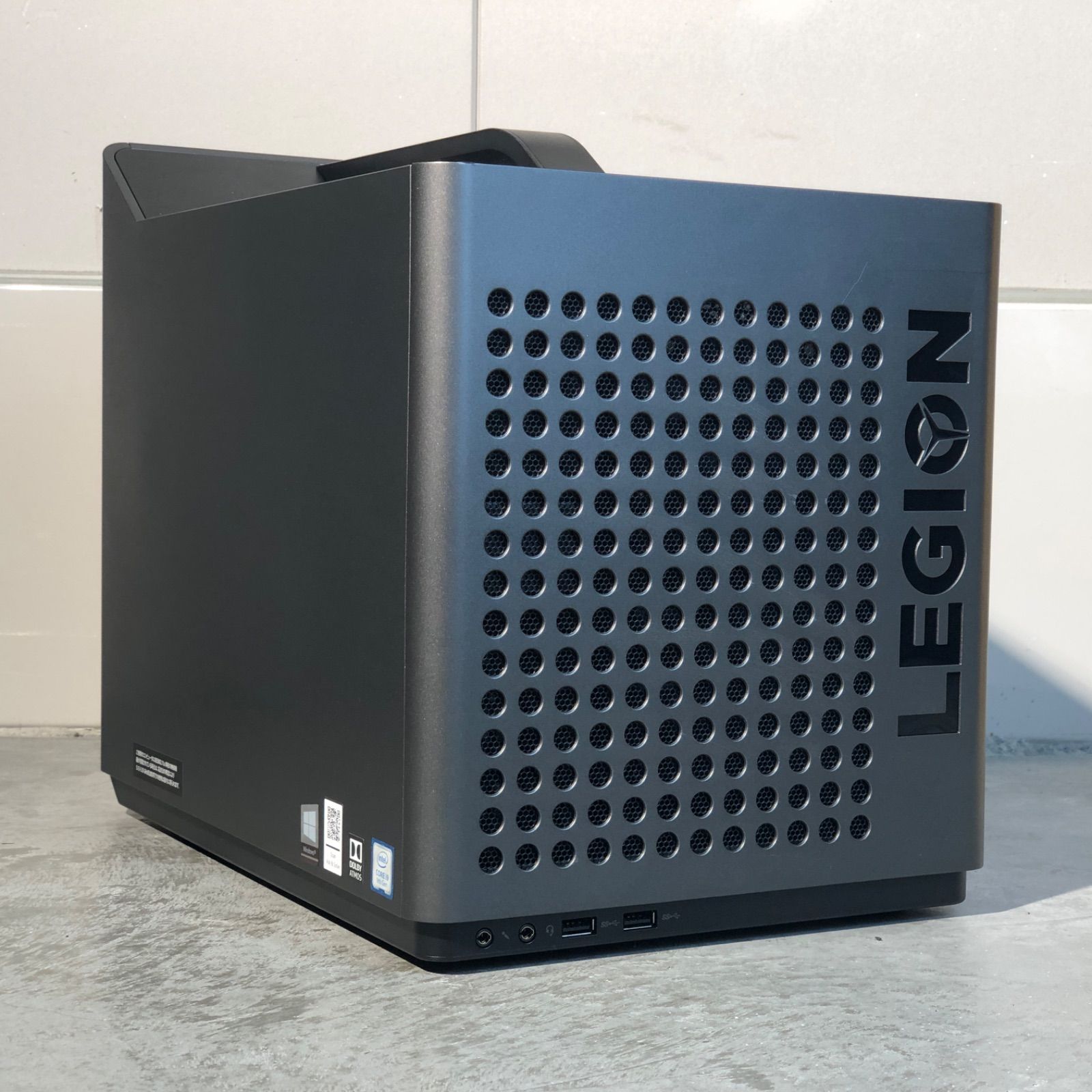
The defining characteristic of the Legion C730 is its industrial design. Eschewing the aggressive, angular aesthetic typical of many late-2010s gaming desktops, Lenovo opted for an Iron Gray metal chassis with clean lines and understated branding.
Chassis Dimensions and Portability
Measuring approximately 9.12 inches by 12.42 inches by 12.8 inches (231 mm x 315 mm x 325 mm) with a volume of roughly 19 liters, the C730 is significantly shorter than traditional mid-tower cases. While it is too bulky for a standard backpack, its cube shape and integrated top handle make it substantially easier to transport to LAN parties, esports events, or temporary workspaces than a standard desktop tower.
The Transparent Top Panel and RGB Lighting
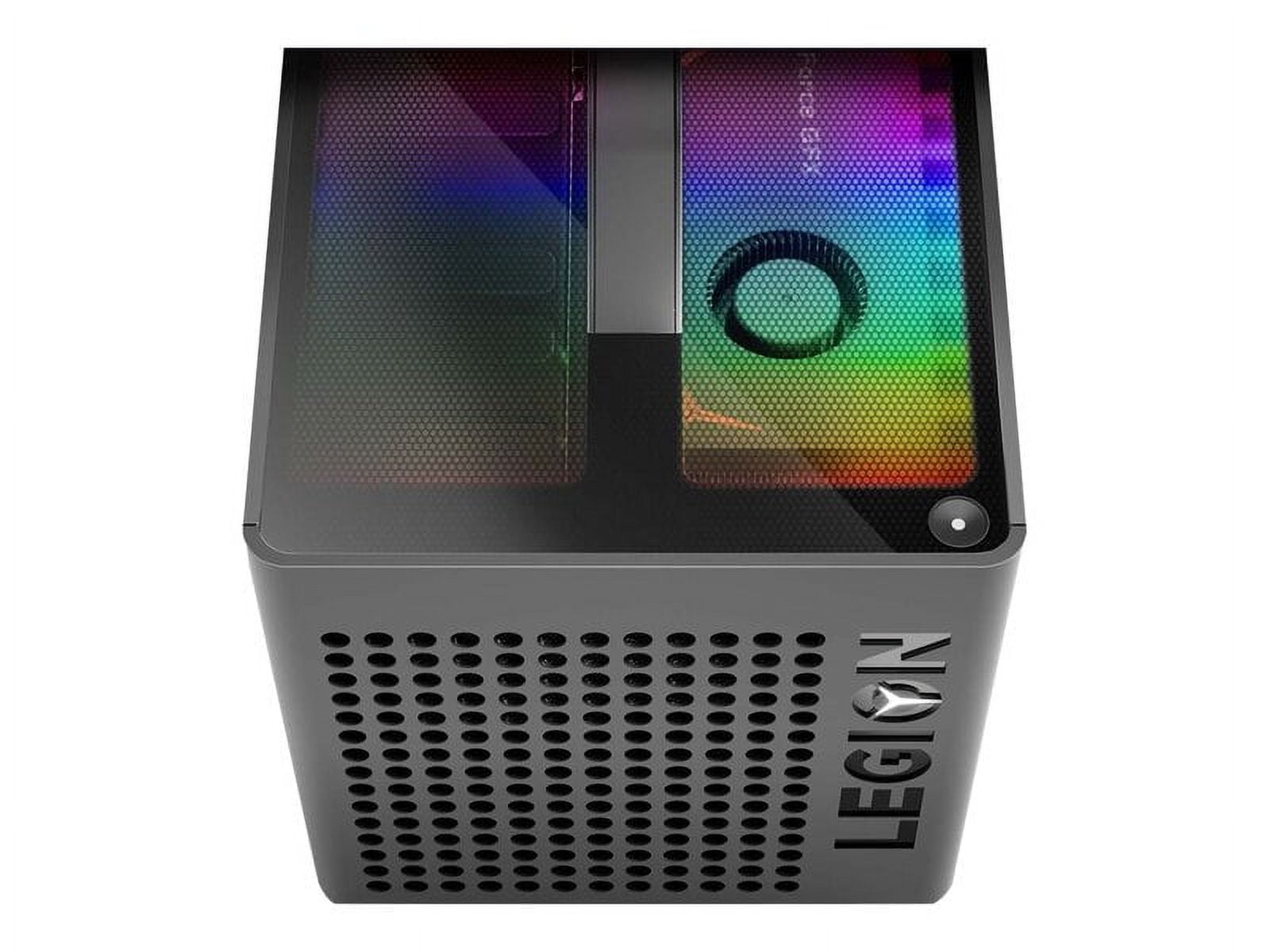
A standout visual feature is the transparent acrylic window on the top panel. This window offers a direct view of the internal components, complemented by customizable Corsair iCUE-compatible RGB lighting systems embedded within the chassis. Unlike side-window cases that require the PC to be placed on the floor or side-mounted on a desk, the top-down viewing angle makes the internal hardware components visible from a natural seated position.
Internal Layout and Component Specifications
Beneath the exterior shell lies a carefully organized internal architecture designed to maximize airflow and separate heat-generating components.
Dual-Chamber Thermal Design
To combat the natural heat accumulation inherent in compact enclosures, Lenovo utilized a dual-chamber layout. The motherboard, CPU, and memory occupy one compartment, while the power supply unit (PSU) and storage drives reside in a separate chamber. This physical separation prevents heat from the power supply from bleeding directly into the primary compute components.
Core Hardware Configurations
The Legion C730 was offered in several factory-configured tiers, typically utilizing Intel Z370 chipset motherboards. Common specifications included:
- Processors: Intel Core i7-8700K or i7-9700K (6-core and 8-core variants respectively), supporting overclocking.
- Graphics Processing Units (GPUs): Ranging from NVIDIA GeForce GTX 1060 up to RTX 2070 and RTX 2080 (non-Super variants).
- Memory (RAM): Up to 32GB of DDR4 Corsair Vengeance RAM, clocked at 2666MHz or higher, with dual-channel support.
- Storage: Hybrid configurations featuring PCIe NVMe M.2 solid-state drives (typically 256GB to 512GB) paired with high-capacity 3.5-inch mechanical hard drives (1TB to 2TB, 7200 RPM).
Technical Specifications Comparison
To better understand how different configurations of the Legion C730 scale across performance tiers, review the hardware matrix below:
| Component Category | Entry Configuration | Mid-Tier Configuration | High-End Configuration |
|---|---|---|---|
| Processor (CPU) | Intel Core i5-8400 | Intel Core i7-8700 | Intel Core i7-9700K |
| Graphics (GPU) | NVIDIA GeForce GTX 1060 (6GB) | NVIDIA GeForce RTX 2060 (6GB) | NVIDIA GeForce RTX 2080 (8GB) |
| Memory (RAM) | 8GB DDR4 (2666MHz) | 16GB DDR4 (2666MHz) | 32GB DDR4 (2666MHz) |
| Primary Storage | 128GB M.2 SATA SSD | 256GB NVMe M.2 SSD | 512GB NVMe M.2 SSD + 2TB HDD |
| Power Supply (PSU) | 280W Internal | 450W Internal (80 Plus Bronze) | 500W Internal (80 Plus Gold) |
| Operating System | Windows 10 Home | Windows 10 Home / Pro | Windows 10 Pro |
Thermal Performance and Acoustics
Thermal management is the critical stress test for any compact gaming desktop. High-performance CPUs and GPUs generate substantial thermal loads that require efficient dissipation to prevent thermal throttling.
Airflow Dynamics
The C730 pulls ambient air through perforated mesh panels on the front and sides, directing it across the internal components before exhausting it through the rear and top chassis openings. Factory models typically include dedicated blower-style or custom dual-fan GPU coolers alongside a low-profile or standard air cooler for the CPU.
Noise Levels Under Load
During idle workloads, such as web browsing or document editing, the system remains exceptionally quiet, with system fans spinning at low RPMs. Under sustained gaming loads or heavy synthetic benchmarks, however, the acoustic profile changes. The compact enclosure requires fans to ramp up significantly to maintain safe operating temperatures. While not excessively loud, users sensitive to high-pitched fan whines will notice the acoustic output during intensive rendering or gaming sessions.
Upgradability and Maintenance
Prebuilt desktop systems often face criticism regarding proprietary components that restrict user upgrades. The Lenovo Legion C730 occupies a middle ground in this regard.
What Can Be Easily Upgraded
- Memory (RAM): The motherboard utilizes standard DIMM slots, allowing users to swap or expand DDR4 RAM modules easily.
- Storage: M.2 NVMe drives and 3.5-inch SATA hard drives can be accessed and replaced without specialized tools. The chassis includes drive bays for secondary storage expansion.
- Graphics Card (GPU): Standard-length dual-slot graphics cards can fit within the chassis, though users must verify physical length and power connector compatibility before purchasing replacement cards.
Proprietary Limitations
- Motherboard and Power Supply: The motherboard features a proprietary power connector layout tied to Lenovo's custom internal power supply unit. Upgrading the PSU to an off-the-shelf ATX unit is practically impossible without severe chassis modification. Consequently, users upgrading to higher-tier graphics cards are strictly limited by the wattage ceiling of the factory power supply (typically capped at 500W).
- CPU Cooler Clearance: The vertical height clearance for CPU coolers is restricted, making it difficult to install large dual-tower air coolers or custom liquid cooling loops.
Practical Gaming and Productivity Performance
Evaluating the Legion C730 requires assessing its performance across common use cases, accounting for its historical hardware specifications.
1080p and 1440p Gaming
Equipped with an RTX 2070 or RTX 2080, the C730 delivers solid frame rates in modern esports titles and AAA blockbusters at 1080p and 1440p resolutions. Ray tracing performance on early RTX 20-series cards is functional, though enabling ray-traced reflections often requires utilizing DLSS (Deep Learning Super Sampling) to maintain stable frame rates above 60 FPS.
Content Creation and Multitasking
Configurations featuring 6-core or 8-core Intel Core i7 processors handle video editing, photo manipulation, and software compilation efficiently. However, export times for 4K video rendering will lag behind modern multi-threaded desktop processors found in current-generation hardware.
Pros and Cons of the Legion C730
Pros:
- Space-saving 19-liter cube footprint fits easily on small desks.
- Distinctive industrial design with a transparent top panel and tasteful RGB lighting.
- Dual-chamber thermal architecture separates PSU heat from core components.
- Decent component accessibility for RAM and storage upgrades.
Cons:
- Proprietary power supply and motherboard design limit deep hardware upgrades.
- Power supply wattage ceiling restricts high-end GPU upgrades.
- Thermal constraints can lead to elevated fan noise under sustained gaming loads.
- Outdated processor and GPU generations require careful evaluation for modern AAA gaming.
Frequently Asked Questions
Can I upgrade the graphics card in the Lenovo Legion C730?
Yes, you can upgrade the graphics card, provided the new card fits physically within the 19-liter chassis and does not exceed the maximum wattage output of your installed factory power supply. Always verify the physical dimensions and power pin requirements before purchasing a replacement GPU.
What type of motherboard does the C730 use?
The system utilizes a custom Intel Z370 chipset motherboard designed specifically for Lenovo's proprietary chassis layout. It includes standard RAM and PCIe slots but relies on non-standard power connectors and front-panel headers.
Does the Legion C730 support liquid cooling?
Factory configurations of the C730 relied on air cooling. Due to tight vertical clearance and limited mounting points within the 19-liter cube chassis, installing an aftermarket liquid cooling loop or an All-In-One (AIO) CPU cooler is not feasible without significant physical modifications.
How do I clean dust out of the compact chassis?
Because compact cases pull dust into concentrated areas due to high airflow concentration, regular maintenance is essential. Use compressed air to clear dust filters and internal heatsinks every six months. Remove the side and top panels carefully to access interior dust buildup without damaging the integrated RGB wiring.
Conclusion and Final Recommendation
The 730 lenovo legion c730 compact cube gaming pc remains an interesting chapter in prebuilt desktop evolution. For users seeking a space-saving desktop with a unique aesthetic, tool-friendly storage upgrades, and solid 1080p or 1440p gaming performance, it delivers a cohesive package. However, its proprietary power supply limitations and fixed thermal thresholds mean it is best suited for users content with its factory hardware limits rather than those planning extensive future component upgrades.
Image Gallery