Understanding the Shell TV Ecosystem: Architecture, Platforms, and Integration
The shell TV ecosystem refers to the software interface, application launcher, OS middleware layer, and platform architecture that govern modern Connected TV (CTV) smart televisions and operator set-top boxes. Acting as the primary sof...
The shell TV ecosystem refers to the software interface, application launcher, OS middleware layer, and platform architecture that govern modern Connected TV (CTV) smart televisions and operator set-top boxes. Acting as the primary software layer between the underlying operating system kernel and end-user applications, a TV shell controls content navigation, app runtime execution, device management, and programmatic media monetization.
Contents
Understanding this ecosystem requires evaluating how hardware performance, operating system frameworks, application runtimes, and digital out-of-home or streaming media networks interact across consumer and commercial displays.
What Is a Smart TV Shell and How Does the Ecosystem Function?
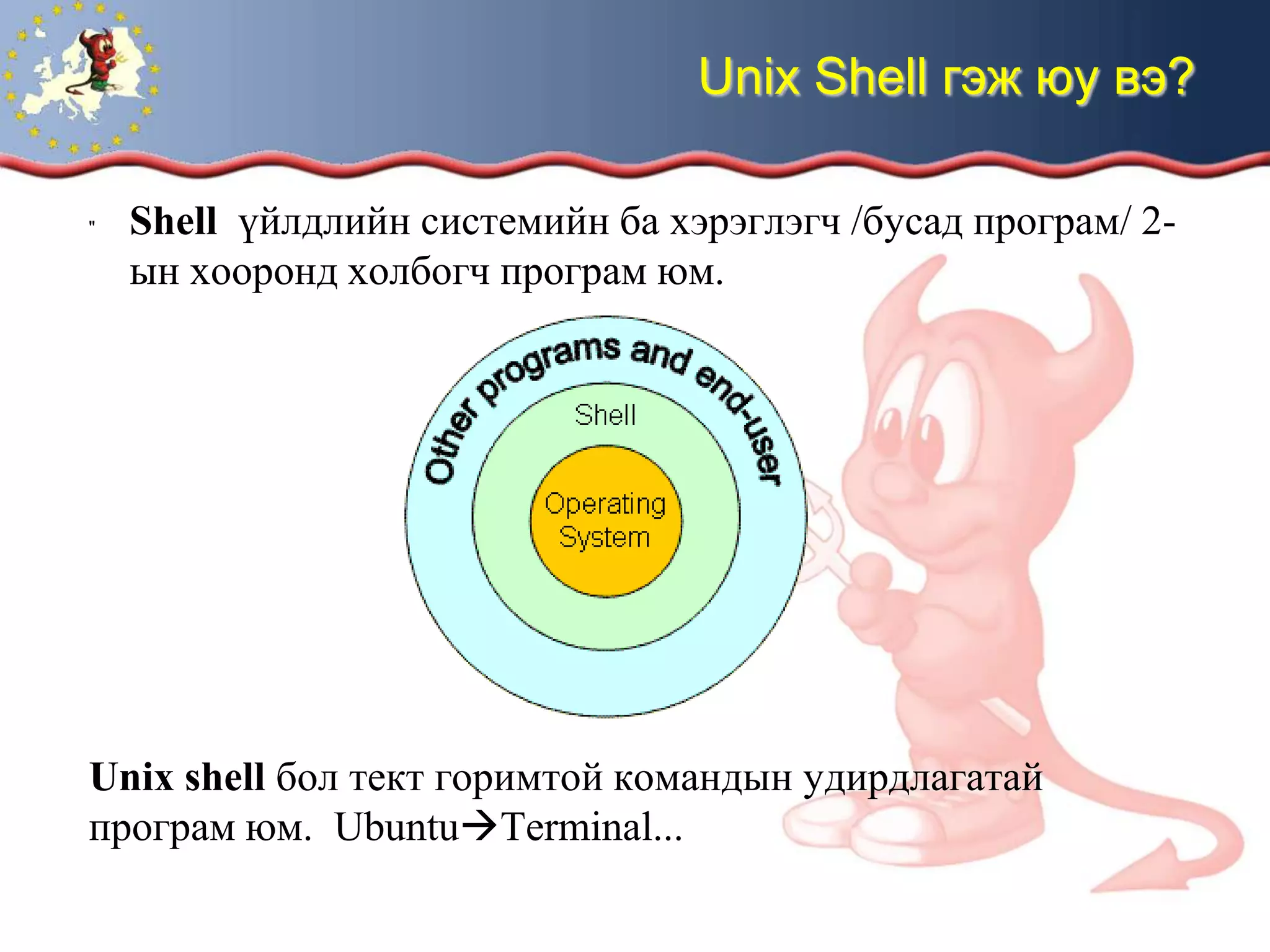
In connected TV architecture, a TV shell (often called the launcher, system UI, or operator shell) is the top-level user experience framework running on top of an embedded operating system. While the underlying OS kernel handles system drivers, hardware abstraction layers (HAL), and network sockets, the shell manages the visual interface, input event mapping, app lifecycle management, and global media recommendations.
- TV Shell / System UI: (Home Launcher, Recommendations, Content Discovery, Ad Placement)
- App Runtime Framework: (HTML5 / WebGL, React Native for TV, Android Leanback / Compose)
- Middleware & Media Engines: (ExoPlayer, DRM Clients, SSAI / VAST Engines, System Services)
- Embedded OS Kernel & HAL: (Linux Kernel, Android Core, WebOS / Tizen Microkernel)
- System-on-Chip (SoC): (ARM / MIPS CPU, GPU, Hardware Video Decoders)
The shell ecosystem operates through five main functional pillars:
- User Interface and Launcher Environment: Renders the main home grid, carousels, live TV guides, and settings menus using optimized 2D/3D hardware acceleration.
- Application Lifecycle Controller: Launches, suspends, background-throttles, and terminates third-party streaming applications (such as Netflix, YouTube, or Disney+) to maintain system stability within limited RAM constraints.
- Content Aggregation and Deep Linking: Collects metadata feeds from installed streaming services to populate global search, unified watchlists, and algorithmic recommendation rows directly on the home screen.
- Input Abstraction and Navigation Engine: Processes signals from directional pads (D-pads), Bluetooth low-energy remotes, voice controls, and mobile companion apps into standardized focus-management events.
- Monetization and Data Infrastructure: Embeds programmatic ad inventory spaces, home screen banner slots, dynamic ad insertion (DAI) SDKs, and automatic content recognition (ACR) services for audience measurement.
While consumer CTV platforms represent the largest segment of this ecosystem, commercial variants also exist—such as digital out-of-home (DOOH) forecourt networks like gas station media systems, as well as hospitality management screens. However, the engineering standards, API pipelines, and developer tooling across all shell TV architectures focus fundamentally on balancing high-definition UI rendering against modest System-on-Chip (SoC) hardware budgets.
Major TV Shell Platforms and Operating Systems
The global TV shell ecosystem is fragmented across open-source frameworks, proprietary OEM platforms, and operator-controlled tiers. Developers and content publishers must adapt their applications to run across distinct shell runtimes.
- Shell TV Ecosystem
- Android / Google TV
- RDK-V Operator Shell
- HTML5 / Web UI (Tizen / webOS)
- Proprietary (Roku / Fire TV OS)
1. Android TV and Google TV Operator Tier
Built on the Android Open Source Project (AOSP), the Android TV Developer ecosystem provides two distinct shell layers:
- Google TV Shell: A proprietary, content-first launcher that prioritizes algorithmic recommendations, personalized user profiles, and Google Assistant voice integration.
- Android TV Custom Operator Tier: Designed for pay-TV operators and telecommunication providers, allowing custom launcher replacement while retaining underlying Android TV system services, Google Mobile Services (GMS), and Play Store access.
2. Reference Design Kit for TV (RDK-V)
Managed by the open-source community consortium, RDK Central governs RDK-V, a standardized software stack deployed by major cable and broadband operators worldwide. RDK-V decouples the hardware interface from the application layer, allowing operators to deploy lightweight HTML5 or WebGL-based custom shells (such as those built with the Lightning micro-framework) directly over a Linux kernel.
3. Proprietary OEM Web Frameworks (Samsung Tizen and LG webOS)
Samsung (Tizen OS) and LG (webOS) control a massive share of global smart TV sales. Their respective shell environments run custom web-centric application environments:
- Samsung Tizen Shell: Relies on an optimized Chromium-based web runtime executing HTML5, CSS3, and JavaScript apps.
- LG webOS Shell: Built around an Enact JS and WebApp platform with a card-based home launcher interface driven by the Magic Remote spatial pointer.
4. Custom Streaming Device Shells (Roku OS and Amazon Fire TV)
- Roku OS: Uses a proprietary C++ kernel running the BrightScript programming language and SceneGraph UI framework. Its shell focuses on high speed, ultra-low hardware footprint, and standardized grid-based app layouts.
- Amazon Fire TV OS: Uses an AOSP core combined with Amazon's content-centric launcher, integrating Prime Video recommendations, Alexa voice interaction, and Amazon Appstore payment services.
Technical Comparison of Core TV Shell Platforms
The following table breaks down the technical specifications, development environments, and operational profiles across the leading TV shell frameworks.
| Platform / Shell System | Underlying Kernel/OS | Runtime Environment | Primary Development Framework | Monetization & Ad Integration | System Resource Profile |
|---|---|---|---|---|---|
| Google TV / Android TV | Linux (Android Kernel) | Android ART / JVM | Android SDK, Kotlin, Jetpack Compose for TV, React Native | Google AdManager, Play Billing, Home Banner Ads | High (requires 2GB–3GB RAM minimum) |
| RDK-V Shell | Embedded Linux | Web-based / Native C++ | HTML5, Lightning JS framework, C++ WPE WebKit | Operator Ad insertion, Custom VAST/VMAP endpoints | Medium (optimized for 1GB–2GB RAM set-top boxes) |
| LG webOS Shell | Embedded Linux | WebKit / Chromium Engine | HTML5, JavaScript, Enact JS framework | LG Channels, WebOS programmatic ad engine | Medium (1.5GB–2.5GB RAM) |
| Samsung Tizen Shell | Tizen Linux Kernel | WebKit Engine | HTML5, WebGL, JavaScript, WebApp API | Samsung TV Plus, Tizen Ad Network | Medium (1.5GB–2.5GB RAM) |
| Roku OS Shell | Custom Linux | Roku SceneGraph Engine | BrightScript language, SceneGraph XML components | Roku Pay, Roku Ad Framework (RAF) | Low (executes efficiently on 512MB–1GB RAM devices) |
| Amazon Fire TV OS | Android (AOSP) | Android ART / JVM | Android SDK, Java/Kotlin, Web Apps, React Native | Amazon Publisher Services, Fire TV Sponsored Tiles | High (2GB–3GB RAM optimal) |
Technical Requirements and Development Frameworks
Developing applications for the shell TV ecosystem presents engineering challenges different from mobile or web development. TV hardware operates under tight compute budgets, prolonged device replacement lifecycles (often 5 to 7 years), and non-touch interaction models.
- Spatial Focus Management Engine
- Element A, Element B (Focused), Element C
- Element D, Element E, Element F
Memory and Processing Constraints
Unlike high-performance smartphones, mainstream TV SoCs often rely on budget quad-core ARM Cortex-A35/A53 CPUs paired with low-tier GPUs.
- RAM Allocation: TV shells strictly enforce app heap limits. Streaming apps are frequently allocated less than 200MB to 500MB of JavaScript heap space. Exceeding memory limits triggers immediate OS process termination without warning.
- DOM and Node Limits: Web-based shells (Tizen, webOS, RDK) mandate lean document object models (DOM). Developers frequently swap out standard DOM tree manipulation in favor of WebGL canvas rendering frameworks (such as Lightning JS) to achieve fluid 60 FPS UI transitions.
Spatial Navigation and Focus Management
Smart TV interfaces omit touchscreens and mice. All shell UI components rely entirely on 5-way D-pad navigation (Up, Down, Left, Right, Select/OK).
- D-Pad Directional Input
- Focus Controller Event
- Style Update & Node Scroll
- Focus State Control: Every interactive element must explicitly track focus state. If a modal opens or a carousel updates, focus traps must be prevented so the user does not lose spatial control.
- Remote Control Key Codes: Applications must listen for standardized hardware events, including
KEYCODE_DPAD_CENTER,KEYCODE_BACK, and media keys (FAST_FORWARD,REWIND,PLAY_PAUSE).
Video Playback and DRM Architecture
The shell ecosystem relies on hardware-accelerated media pipelines capable of seamless resolution switching, adaptive bitrate (ABR) streaming, and digital rights management (DRM).
Encrypted HLS / DASH Stream
Media Decrypter (Widevine/PlayReady)
Hardware Video Decoder
Display Output Buffer
Player Engines: Android/Fire TV apps primarily utilize ExoPlayer/Media3; web-based shells utilize Shaka Player or HLS.js.
DRM Protocols: Secure media pathing requires hardware-level decryption support compliant with W3C Encrypted Media Extensions (EME). Common implementations include:
- Google Widevine: Level 1 (L1) hardware-level decryption for HD/4K playback; Level 3 (L3) software decryption restricted to SD resolutions.
- Microsoft PlayReady: Widely supported across RDK, Smart TVs, and Windows environments.
- Apple FairPlay Streaming: Used primarily when targeting Apple TV (tvOS) environments.
Content Distribution, Advertising, and Monetization
Monetization within the TV shell ecosystem depends on structured integration between content discovery mechanisms, dynamic advertising engines, and user data telemetry.
Server-Side Ad Insertion (SSAI) vs. Client-Side Ad Insertion (CSAI)
Because TV connected devices struggle with client-side ad rendering (which causes visible buffering, layout shifting, and ad-blocker vulnerability), the TV shell ecosystem heavily favors Server-Side Ad Insertion (SSAI).
Server-Side Ad Insertion
- Content Source / Ad Server
- Manifest Stitcher (SCTE-35 Tags)
- Unified HLS/DASH Stream (Continuous Buffer)
- Client
SSAI (Stitched Video): Ad breaks are spliced directly into the HLS or DASH manifest at the server level using SCTE-35 markers. The TV shell's video player processes a single continuous video stream, preventing playback stutters.
CSAI (Client-Side): The app pauses main content, instantiates a separate ad player view, calls a VAST (Video Ad Serving Template) or VMAP endpoint, renders the ad, and then restores the main stream. This method is prone to frame drops on lower-spec hardware.
Automatic Content Recognition (ACR) and Telemetry
Modern Smart TV shells integrate ACR technology directly into the OS middleware layer. By sampling audio or video frames passing through the display processor, ACR identifies live broadcast programming, gaming console feeds, and OTT stream content in real-time. This anonymized viewing telemetry empowers TV OEMs to deliver hyper-targeted home screen advertising and content recommendations.
Common Architectural Challenges and Troubleshooting
Engineers building for or troubleshooting within the shell TV ecosystem encounter distinct operating constraints. Below are standard technical failure modes and resolution paths:
1. D-Pad Focus Traps and Navigation Lockup
- Symptom: The user clicks a menu button, a dynamic overlay loads, but pressing remote control arrow keys does not move the visual focus frame.
- Root Cause: The newly spawned DOM node or Native View failed to request focus, leaving focus assigned to an unmounted or hidden parent element.
- Solution: Implement explicit focus delegation routines. On lifecycle render complete, programmatically invoke
element.focus()or enforce a centralized spatial navigation library (e.g., Norigin Spatial Navigation or React Native TVFocusHandler).
2. Low-RAM Garbage Collection Crashes (OOM)
- Symptom: The streaming app unexpectedly quits back to the TV shell launcher after 45–60 minutes of uninterrupted video playback.
- Root Cause: Memory leaks caused by uncleaned image caches, lingering event listeners, or uncleared video buffer segments in JavaScript heap.
- Solution: Set strict image asset limits, recycle list view components (such as virtualized carousels), and periodically flush media player buffers using explicit memory release calls upon scene transitions.
3. DRM License Acquisition Timeouts
- Symptom: Content displays a black screen indefinitely or returns a generic DRM playback error code (e.g., Widevine Error 6006) when switching titles.
- Root Cause: Network latency during license server HTTP POST requests, or missing CORS/HTTP header credentials.
- Solution: Pre-fetch DRM license tokens during media selection states, implement exponential backoff retry algorithms, and ensure the TV system time is accurately synchronized via Network Time Protocol (NTP).
Frequently Asked Questions
What is the primary difference between a TV operating system and a TV shell?
A TV operating system (like Linux or Android core) handles low-level hardware abstraction, memory allocation, device drivers, and network operations. The TV shell is the top-level user experience layer (launcher UI, app runtime, and focus manager) running on top of that OS to drive content discovery and application management.
Why do smart TV apps lag compared to mobile apps on similar networks?
Smart TV hardware operates on significantly lower CPU and GPU power and vastly restricted memory pools compared to modern smartphones. Furthermore, running web-based application wrappers over heavy browser engines inside the shell environment introduces abstraction overhead, requiring specialized UI rendering frameworks to achieve smooth performance.
How does spatial navigation differ from standard web navigation?
Standard web navigation relies on absolute XY cursor pointers. Spatial navigation in a TV shell calculates directional vector paths (Up, Down, Left, Right) relative to the currently focused element. Developers must explicitly define focus paths, manage focus traps, and control visual highlight states using hardware D-pad event listeners.
What is RDK-V, and why do pay-TV operators favor it over Google TV?
RDK-V (Reference Design Kit for Video) is an open-source software stack that gives cable and broadband operators complete control over the TV shell, UI appearance, customer analytics, and monetization streams. Unlike Google TV, which enforces standardized branding and Google services integration, RDK-V allows operators to build fully custom proprietary interfaces without platform owner restrictions.
What is the role of SSAI in the TV shell advertising ecosystem?
Server-Side Ad Insertion (SSAI) splices video ads directly into the main content stream on the server side before it reaches the television. This prevents buffering pauses, bypasses client-side ad blockers, and reduces resource utilization on low-powered Smart TV chips, ensuring seamless broadcast-quality playback.
Strategic Recommendations for Developers and Platforms
When entering or scaling applications within the shell TV ecosystem, platform architects and software teams should adhere to the following baseline rules:
- Prioritize Native Runtimes or Canvas Rendering: Avoid unoptimized HTML DOM manipulation. Utilize Lightweight WebGL frameworks (such as Lightning JS for RDK and Smart TVs) or native SDKs (Jetpack Compose for Android TV) to ensure a stable 60 FPS user interface.
- Budget for Memory Constraints Early: Test applications continuously on low-end target hardware (such as 1GB RAM streaming dongles). Establish explicit asset teardown protocols to prevent Out-Of-Memory (OOM) crash events.
- Enforce Strict Spatial Focus Testing: Integrate automated keyboard/D-pad integration tests to verify that every screen view, popup modal, and player overlay handles focus allocation smoothly without causing user lockouts.
- Implement Resilient DRM and SSAI Pipelines: Use proven media players with integrated Server-Side Ad Insertion support to guarantee quick stream initiation, robust DRM license acquisition, and buffer stability.
Image Gallery