NYC CityPay Portal 2026: The Complete Guide to Official NYC Government Payments
NYC CityPay is the official centralized digital payment portal for the City of New York, managed by the Department of Finance (DOF). It provides a secure, streamlined interface for residents and businesses to pay property taxes, parkin...
NYC CityPay is the official centralized digital payment portal for the City of New York, managed by the Department of Finance (DOF). It provides a secure, streamlined interface for residents and businesses to pay property taxes, parking and camera violations, water and sewer bills, and various agency fines online. While the portal is the primary gateway for electronic transactions, specific payment types may incur different service fees and processing timelines depending on the issuing agency.
Contents
The NYC.gov CityPay platform serves as a critical infrastructure component for the city’s fiscal operations. As of 2026, the portal has been further optimized to integrate with the NYC.ID single sign-on system, allowing for a more personalized experience where users can track historical payments and receive automated alerts for upcoming tax deadlines or newly issued summonses.
The Evolution of NYC CityPay in 2026
In the current 2026 fiscal environment, the NYC CityPay portal has transitioned from a simple transaction gateway into a comprehensive financial management tool for New Yorkers. The New York City Department of Finance has modernized the backend to handle higher transaction volumes with reduced latency, specifically during peak periods such as quarterly property tax deadlines.
The platform's primary purpose is to consolidate the disparate billing systems of various city agencies into a single, user-friendly interface. Whether you are a homeowner in Queens paying property taxes or a commercial driver in Manhattan resolving a parking violation, the "citypay" search term on NYC.gov leads to this unified destination.
Key Agencies Integrated into CityPay
- Department of Finance (DOF): Handles property taxes, parking tickets, and camera violations (speeding and red-light cameras).
- Department of Environmental Protection (DEP): Manages water and sewer bill payments.
- Office of Administrative Trials and Hearings (OATH): Processes payments for Environmental Control Board (ECB) violations, such as sanitation or building code fines.
- Department of Buildings (DOB): Collects fees for permits and civil penalties.
- Department of Health and Mental Hygiene (DOHMH): Manages restaurant permit fees and health violation fines.
Accepted Payment Methods and Fee Structures
One of the most important considerations when using NYC CityPay in 2026 is the associated cost of different payment methods. To maintain transparency, the City of New York distinguishes between the "principal amount" (the debt or fee itself) and the "service fee" (the cost of processing the electronic transaction).
Electronic Check (E-Check)
For most users, the E-Check remains the most cost-effective option. By providing a bank routing and account number, users can transfer funds directly from a checking or savings account. In 2026, the City continues to offer E-Check payments with zero service fees for property taxes and most agency bills, making it the preferred method for high-value transactions.
Credit and Debit Cards
NYC CityPay accepts all major credit cards, including Visa, MasterCard, American Express, and Discover. However, credit and debit card transactions are subject to a non-refundable service fee. As of early 2026, this fee is generally 2.00% of the total payment amount for most agencies. This fee goes directly to the credit card processor, not the City of New York.
Digital Wallets
The 2026 update to CityPay has expanded support for modern digital wallets. Users can now utilize Apple Pay, Google Pay, and PayPal for various violation payments. These methods are treated similarly to credit card transactions and are subject to the same percentage-based service fees.
Comprehensive Comparison of NYC CityPay Transactions
| Payment Category | Primary Agency | Best Payment Method | Service Fee (2026) | Processing Time |
|---|---|---|---|---|
| Parking Violations | Dept. of Finance | Debit/Credit Card | 2.00% | Real-time Update |
| Property Taxes | Dept. of Finance | E-Check (ACH) | $0.00 (Free) | 1-3 Business Days |
| Water & Sewer Bills | Dept. of Environmental Protection | E-Check (ACH) | $0.00 (Free) | 24-48 Hours |
| ECB / OATH Fines | OATH | Credit Card | 2.00% | Real-time Update |
| Camera Violations | Dept. of Finance | Digital Wallet | 2.00% | Real-time Update |
| DOB Civil Penalties | Dept. of Buildings | E-Check (ACH) | $0.00 (Free) | 2-3 Business Days |
Step-by-Step Guide to Paying a Violation or Bill
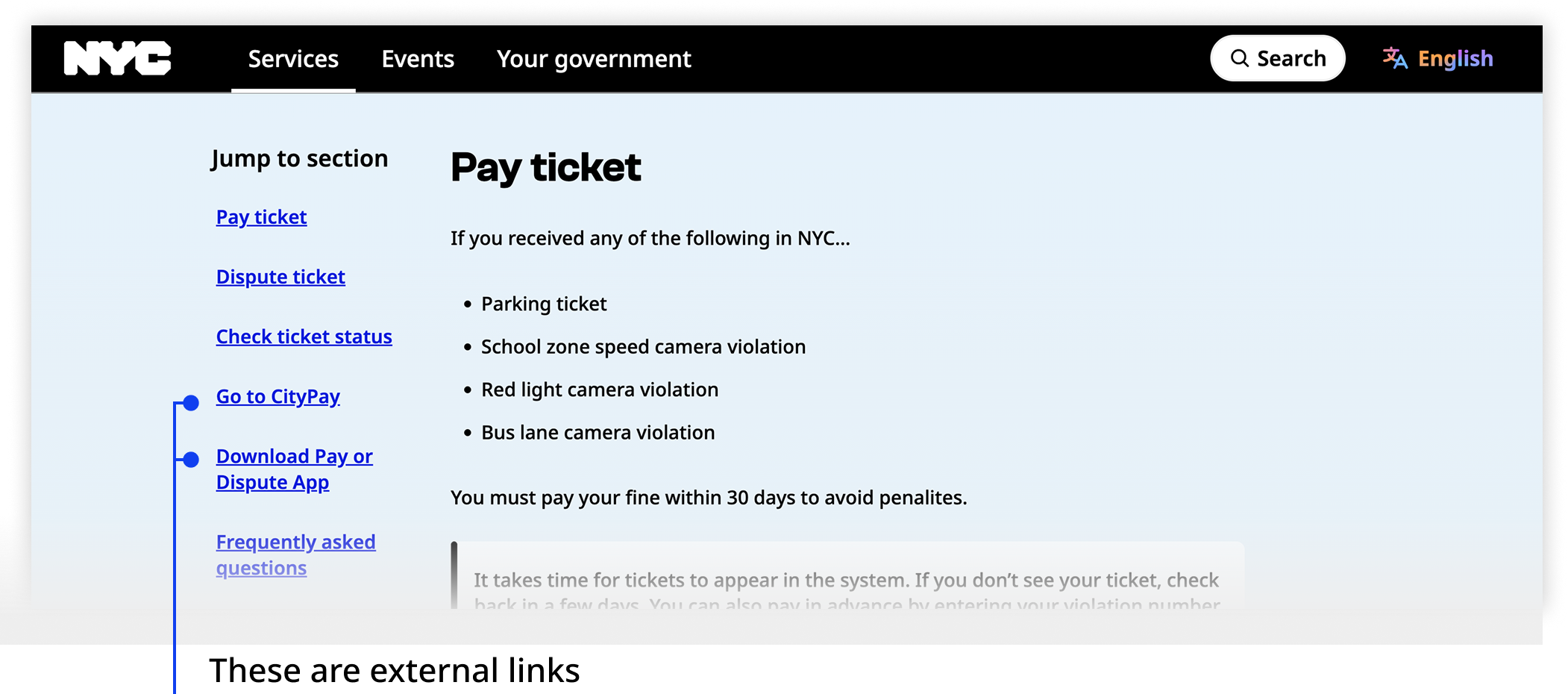
Navigating the NYC CityPay portal requires specific identifiers for each transaction type. To ensure your payment is credited correctly, follow these technical steps:
- Locate Your Reference Number: For parking tickets, you need the 10-digit violation number. For property taxes, you must have your Borough, Block, and Lot (BBL) number. Water bills require the 13-digit account number found on the DEP statement.
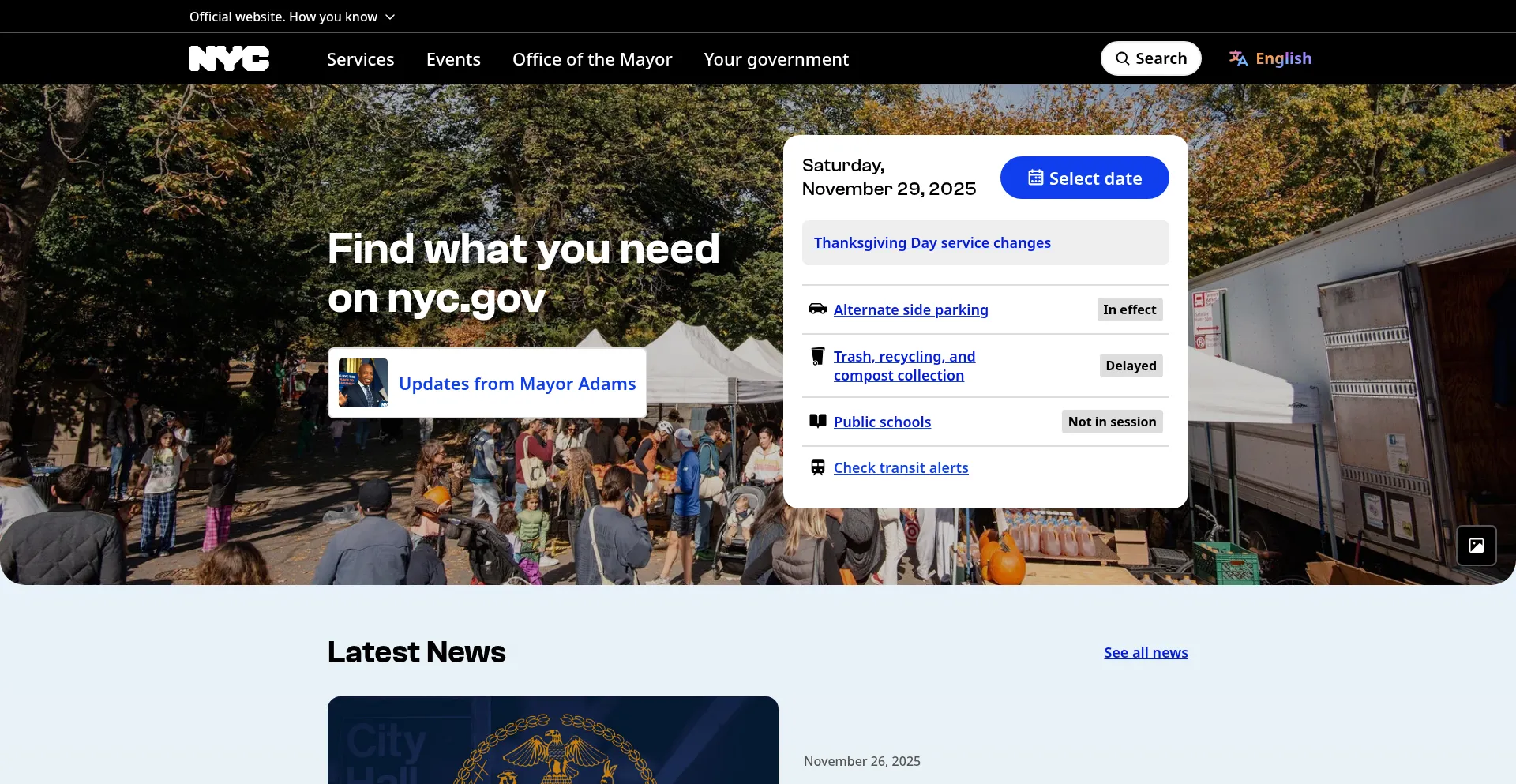
- Access the Official Portal: Navigate to the NYC.gov/CityPay website. Ensure the URL ends in .gov to verify authenticity and protect against phishing attempts.
- Search and Verify: Enter your reference number. The system will display the current amount due, including any accrued interest or late penalties. In 2026, the system also provides a "Payment History" link if you are logged into your NYC.ID.
- Select Payment Method: Choose between E-Check or Credit/Debit card. If using E-Check, have your bank's 9-digit routing number and account number ready.
- Confirm and Submit: Review the total amount, including the service fee if applicable. Once submitted, a confirmation number is generated immediately.
- Record Keeping: Download the PDF receipt. The City of New York recommends keeping digital receipts for at least seven years for property tax purposes and two years for parking violations.
Security Standards and Data Protection
The City of New York employs rigorous security protocols to ensure that CityPay remains a trusted environment for financial transactions. In 2026, the portal adheres to the latest PCI DSS (Payment Card Industry Data Security Standard) requirements.
Technical Security Architecture
Encryption Protocols All data transmitted between the user's browser and the CityPay servers is protected by 256-bit TLS (Transport Layer Security) encryption. This ensures that sensitive banking and personal information cannot be intercepted by third parties during transit.
Tokenization of Payment Data NYC CityPay does not store full credit card numbers or bank account details on its local servers. Instead, it utilizes high-level tokenization where payment data is replaced by a unique identifier (token) managed by a secure, third-party clearinghouse.
Identity Verification Integration with NYC.ID provides an additional layer of Multi-Factor Authentication (MFA) for users who choose to create an account, preventing unauthorized access to property records and payment history.
Disputing Fines and Requesting Refunds
Paying a fine via CityPay does not always mean you waive your right to a hearing, but the timing is critical. If you believe a parking ticket was issued in error, you should generally "Dispute" the ticket before paying. Paying the fine is considered an admission of guilt in many administrative contexts.
The 2026 Refund Process
If an overpayment occurs—common with property taxes during mortgage escrow adjustments—the Department of Finance manages the refund process.
- Electronic Refunds: If the original payment was made via CityPay using E-Check, the refund may be issued back to the original bank account within 10-15 business days.
- Paper Checks: For credit card overpayments or older accounts, the city may issue a physical check mailed to the address on record.
- Refund Requests: Users can track the status of a refund request through the "Property Tax Refund" section of the DOF website, which is linked directly from the CityPay dashboard.
Avoiding Common Mistakes and Late Fees
To maximize the efficiency of the NYC CityPay system, users should be aware of technical pitfalls that can lead to additional costs.
- The Midnight Deadline: For property taxes and violations, the "payment date" is the timestamp recorded when the transaction is submitted. In 2026, the system remains active 24/7, but waiting until 11:59 PM on a deadline day is risky due to potential internet latency.
- Incorrect BBL Entry: For property owners, entering the wrong Block or Lot number can result in funds being applied to the wrong property. Always verify the address displayed on the confirmation screen before clicking "Submit."
- Insufficient Funds (NSF): If an E-Check is returned for insufficient funds, the City of New York charges a $20 NSF fee, and the original bill is marked as unpaid, potentially triggering late interest.
- Interest Accrual: Property tax interest rates are set annually by the City Council. In 2026, failing to pay by the quarterly deadline results in interest compounded daily, which can significantly increase the total debt.
Troubleshooting NYC CityPay Error Codes
In 2026, the CityPay interface provides specific error codes to help users resolve transaction failures.
- Error 402 (Payment Required): Usually indicates a failure in the credit card authorization process. Check the CVV and billing zip code.
- Error 503 (Service Unavailable): Occurs during scheduled maintenance, typically Sunday mornings between 2:00 AM and 6:00 AM EST.
- "Violation Not Found": This often happens with newly issued paper tickets. It can take up to 48 hours for a hand-written ticket to be uploaded into the CityPay database. Camera violations usually appear within 5-7 days of the infraction.
Expert Insight: Managing Business Taxes and Bulk Payments
For fleet owners and real estate developers, managing individual payments can be inefficient. The 2026 version of CityPay offers a "Bulk Payment" feature. This allows commercial entities to upload a CSV file containing multiple violation numbers or BBLs and pay them with a single electronic transaction. This is particularly useful for the New York City "Fleet Program," which helps businesses manage parking tickets more effectively.
Furthermore, business owners should note that certain commercial taxes, such as the Commercial Rent Tax (CRT) or General Corporation Tax (GCT), are paid through the e-Services portal rather than the standard CityPay interface, although both are linked under the Department of Finance umbrella.
Frequently Asked Questions
Can I pay my NYC water bill and parking ticket in the same transaction?
No, NYC CityPay currently requires separate transactions for different agency bills. Because funds must be routed to specific municipal accounts (e.g., the Department of Environmental Protection for water and the Department of Finance for parking), you must complete the checkout process for one category before starting another.
What happens if I pay through a third-party website instead of the official CityPay?
You should exercise extreme caution. Third-party payment sites often charge much higher service fees and do not provide real-time updates to the City’s database. To ensure your payment is legal and timely, always verify the URL is a legitimate nyc.gov domain. The City is not responsible for delays or failures caused by unauthorized third-party processors.
How do I get a receipt for a payment I made six months ago?
If you used an NYC.ID account to make the payment, you can log in to the CityPay portal and access your "Transaction History" to download past receipts. If you paid as a guest, you must contact the Department of Finance or the specific agency (like DEP for water) and provide your reference number or the last four digits of the card used to retrieve a duplicate receipt.
Is there a limit to the amount I can pay via E-Check?
Technically, the NYC CityPay portal can process E-Check payments up to $99,999,999.99. However, your individual bank may have daily transfer limits. For very large property tax payments, it is advisable to contact your financial institution in advance to ensure the ACH transfer is authorized.
Why is the credit card fee 2.00% instead of a flat rate?
The 2.00% service fee is a "pass-through" cost. Credit card networks (Visa, Mastercard, etc.) charge merchants—in this case, the City—a percentage of each transaction. By law, the City of New York cannot use taxpayer funds to subsidize the convenience fees for individuals who choose to pay by credit card, hence the percentage-based fee is applied to the user.
Can I set up automatic recurring payments for my property taxes?
Yes, as of 2026, the "Auto-Pay" feature is available for property taxes and water bills through the NYC.ID dashboard. You can link a bank account via E-Check to automatically deduct the balance on the due date, ensuring you never incur late interest charges.
Moving Forward with NYC CityPay
For residents and business operators in 2026, mastering the NYC CityPay portal is essential for maintaining good standing with the city. By prioritizing E-Check payments to avoid fees and utilizing the NYC.ID system for tracking, you can transform a bureaucratic necessity into a seamless part of your financial routine. Always ensure you have your documentation ready and perform transactions on the official .gov portal to guarantee security and accuracy.
Image Gallery