Understanding the Dimensions of the MacBook Pro: A Detailed Guide
The physical length of a MacBook Pro varies based on the specific model and screen size, ranging from approximately 11.97 inches for the 14-inch models to 14.01 inches for the 16-inch variants. Apple defines these measurements as the "...
The physical length of a MacBook Pro varies based on the specific model and screen size, ranging from approximately 11.97 inches for the 14-inch models to 14.01 inches for the 16-inch variants. Apple defines these measurements as the "width" of the device when closed, a critical metric for choosing sleeves, bags, and desk setups that fit your hardware securely.
Contents
Determining the dimensions of your MacBook Pro is an essential step for professionals who require precise hardware specifications for travel, workspace ergonomics, or protective gear. As of 2026, Apple maintains a consistent design language for the MacBook Pro lineup, categorized primarily by the 14-inch and 16-inch display sizes. Understanding these dimensions goes beyond mere aesthetic appeal; it ensures that your workstation environment meets your mobility and operational requirements.
Standard Dimensions Across Current MacBook Pro Models
When considering the "length" of a laptop, manufacturers typically refer to the width (the distance from the left edge to the right edge). The MacBook Pro lineup is engineered with high-precision aluminum unibody construction, meaning that within each generation, the dimensions are fixed.
For the current generation of MacBook Pro models equipped with M-series chips, the dimensions are standardized as follows:
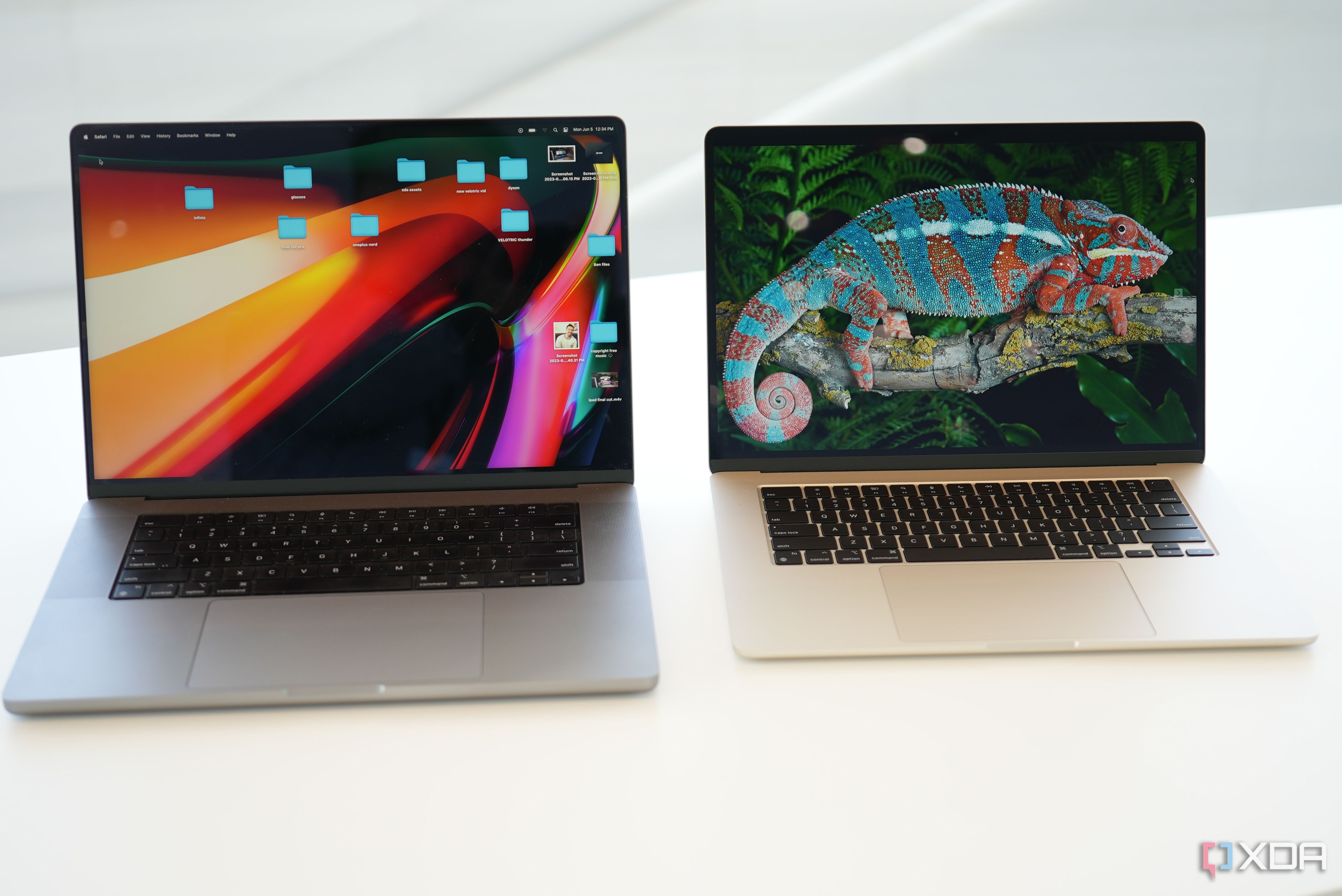
- 14-inch MacBook Pro: These models feature a width (length) of 12.31 inches (31.26 cm). This compact form factor is designed for portability without sacrificing the thermal headroom required for high-performance computing.
- 16-inch MacBook Pro: The larger variant measures 14.01 inches (35.57 cm) in width. This footprint is necessary to accommodate the expansive Liquid Retina XDR display and the larger battery capacity required to sustain high-intensity workflows.
It is important to note that the "length" (often interpreted as the depth—the distance from the front edge to the hinge) is distinct from the width. For the 14-inch model, the depth is 8.71 inches (22.12 cm), while the 16-inch model measures 9.77 inches (24.81 cm) in depth.
Why Dimensions Matter for Professionals
Precision in measurements is vital for several professional applications. Whether you are an architectural designer planning a mobile workstation, an enterprise IT manager provisioning hardware, or a digital nomad selecting travel gear, the physical footprint of your device dictates your logistical constraints.
Accessory Compatibility
Protective sleeves, hard-shell covers, and custom-molded transit cases are manufactured to fit specific chassis dimensions. Purchasing a sleeve designed for a 13-inch laptop will result in a failure to secure a 14-inch MacBook Pro. Always cross-reference the manufacturer’s technical specifications for your specific model year against the internal dimensions of any third-party accessory.
Ergonomic Desk Setup
When outfitting a permanent office, monitor arms and laptop stands must support the physical dimensions of the chassis. A stand that is too narrow may leave the MacBook Pro unstable, while a tray that is too short might interfere with the rubber feet positioning, potentially obstructing airflow or causing the device to slide during use.
Travel and Transit Constraints
Airline seat-back tray tables and specialized mobile workstations have limited surface areas. Knowing the width and depth of your MacBook Pro allows you to verify whether the device will fit comfortably on a narrow transit table or within a specific security bin at an airport, helping to prevent hardware damage during travel.
Comparative Hardware Specifications
To provide a clear overview of how the current lineup compares, the following table summarizes the physical footprints of the latest MacBook Pro iterations.
| MacBook Pro Model | Width (Length) | Depth | Thickness (Height) |
|---|---|---|---|
| 14-inch (M4/M4 Pro/Max) | 12.31 inches | 8.71 inches | 0.61 inches |
| 16-inch (M4 Pro/Max) | 14.01 inches | 9.77 inches | 0.66 inches |
Note: Measurements are based on official technical specifications for the current 2026 model lineup.
Identifying Your Specific MacBook Pro Model
If you are uncertain which model you possess, relying on visual estimation can lead to errors. Apple provides integrated software methods to identify your exact machine, which is the most reliable way to retrieve accurate dimensional data.
- About This Mac: Click the Apple Menu () in the top-left corner of your screen and select "About This Mac." This menu will display the model name, screen size, and release year.
- System Information: For more granular detail, hold the "Option" key and click the Apple Menu to select "System Information." Under the "Hardware" section, you can find the Model Identifier (e.g., Mac16,1), which can be cross-referenced against Apple’s official "Identify your MacBook Pro model" support page.
- Physical Labeling: On the underside of the aluminum chassis, Apple etches the model number (e.g., A3112). This alphanumeric code is the definitive way to identify your device when searching for dimensions or compatible parts.
Common Pitfalls and Troubleshooting
Users often encounter issues when they assume that "length" is a universal term. In the laptop industry, "length" usually refers to the width, but some manufacturers describe the depth (hinge-to-front) as the length. Always verify whether a product description specifies "Width" (side-to-side) or "Depth" (front-to-back).
Another common mistake is failing to account for the thickness of a protective hard-shell case. Even if a sleeve fits the raw dimensions of the MacBook Pro, the addition of a plastic hard-shell cover can add 1-2 millimeters to the thickness and several millimeters to the width, rendering a "perfect fit" sleeve unusable. Always measure the device in its intended configuration if you use external protectors.
Frequently Asked Questions
Does the MacBook Pro width change with the color finish? No. Whether you choose Space Black, Silver, or any other finish, the dimensions remain identical for a specific model. The color is an anodization process that does not alter the physical chassis size.
Will a 2023 MacBook Pro sleeve fit a 2026 MacBook Pro? Generally, yes, if they are the same screen size. The industrial design of the 14-inch and 16-inch MacBook Pro chassis has remained largely consistent since the redesign introduced in late 2021. However, always check the exact millimeter specifications to be certain.
Does the screen size (14" vs 16") change the thickness? Yes. The 16-inch MacBook Pro is slightly thicker (0.66 inches) compared to the 14-inch model (0.61 inches). This is a result of the larger internal volume required for the cooling system and the increased structural reinforcement needed for the larger display lid.
Can I use a ruler to measure my MacBook Pro for a bag purchase? You can, but manual measurements are prone to human error, particularly with the tapered edges of older models or the rounded corners of current models. It is always safer to use the Apple-provided technical specifications by searching the model number found on the bottom of the device.
Recommendation for Hardware Selection
When finalizing your purchase for accessories or evaluating workspace requirements, do not rely on rough estimates. Identify your specific model number using the "About This Mac" menu and compare it directly against the manufacturer’s technical data sheets. For the most secure transport, prioritize cases that list the specific MacBook Pro model (e.g., "Fits 16-inch MacBook Pro 2023-2026") rather than relying solely on generic inch measurements, as internal padding configurations can vary significantly between brands.
Image Gallery