Google Wifi AC1200 3-Pack Review: Is Wi-Fi 5 Mesh Still Relevant in 2026?
The Google Wifi AC1200 3-pack remains a reliable, entry-level mesh networking solution for users prioritizing simplicity and stability over raw speed. While Wi-Fi 5 technology is now a legacy standard in 2026, this system provides cons...
The Google Wifi AC1200 3-pack remains a reliable, entry-level mesh networking solution for users prioritizing simplicity and stability over raw speed. While Wi-Fi 5 technology is now a legacy standard in 2026, this system provides consistent 4,500-square-foot coverage, easy Google Home integration, and sufficient bandwidth for 4K streaming and standard remote work.
Contents
Understanding the Google Wifi AC1200 Identity
The Google Wifi AC1200 3-pack occupies a specific niche in the networking market. Originally launched as a successor to the 2016 original and a more affordable alternative to the Nest Wifi series, this specific hardware revision (often identified by the barrel-jack power connector) was designed to make mesh networking accessible. In 2026, it serves primarily as a budget-friendly option for households that do not yet require the multi-gigabit speeds offered by Wi-Fi 7 or Wi-Fi 6E systems.
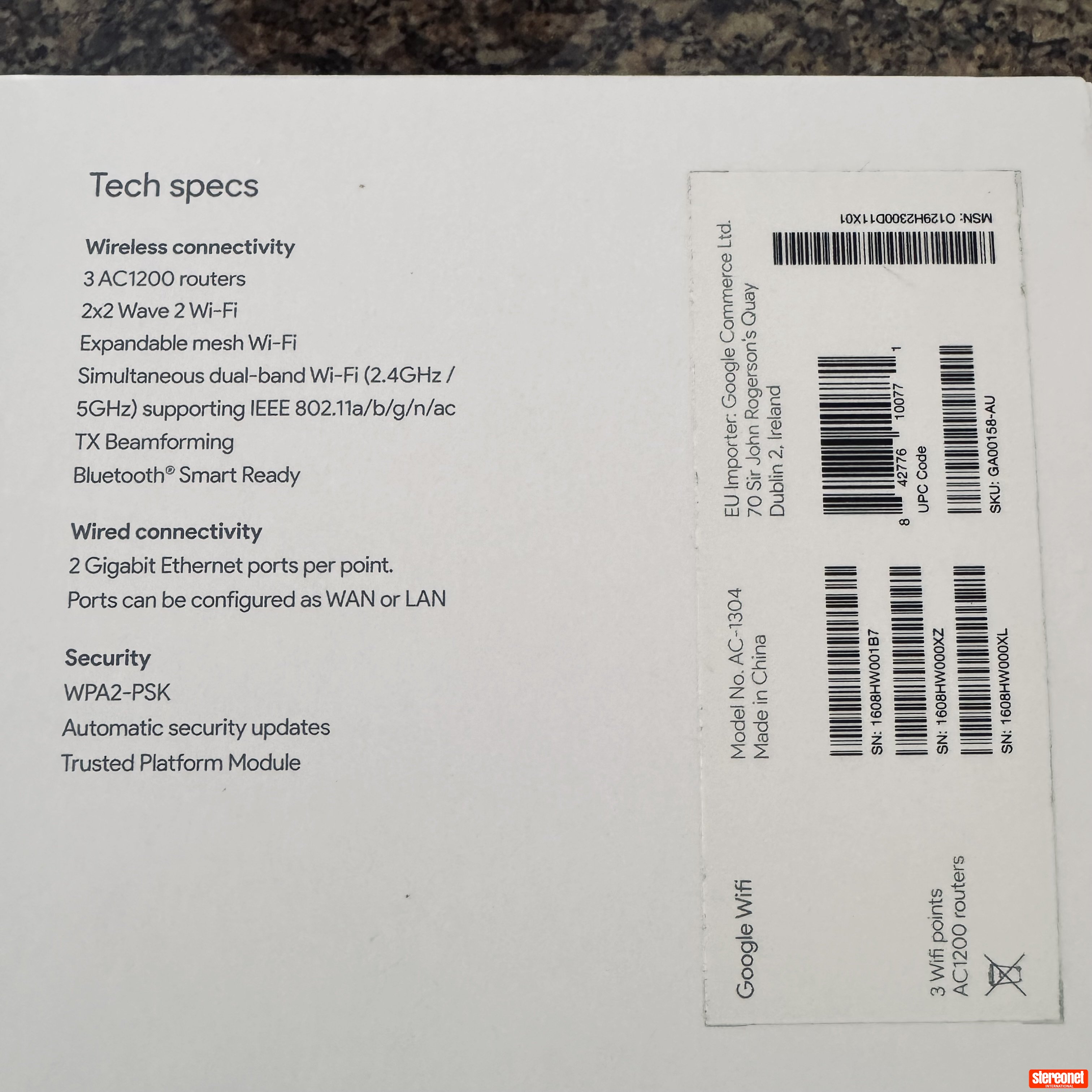
Each node in the 3-pack is identical, which is a significant advantage over "router and point" configurations. Every unit features two Gigabit Ethernet ports, allowing for flexible wired backhaul or the connection of local wired devices like gaming consoles or desktop PCs. The AC1200 designation refers to the aggregate theoretical throughput of the device: roughly 300 Mbps on the 2.4 GHz band and 867 Mbps on the 5 GHz band.
Hardware Specifications and Design
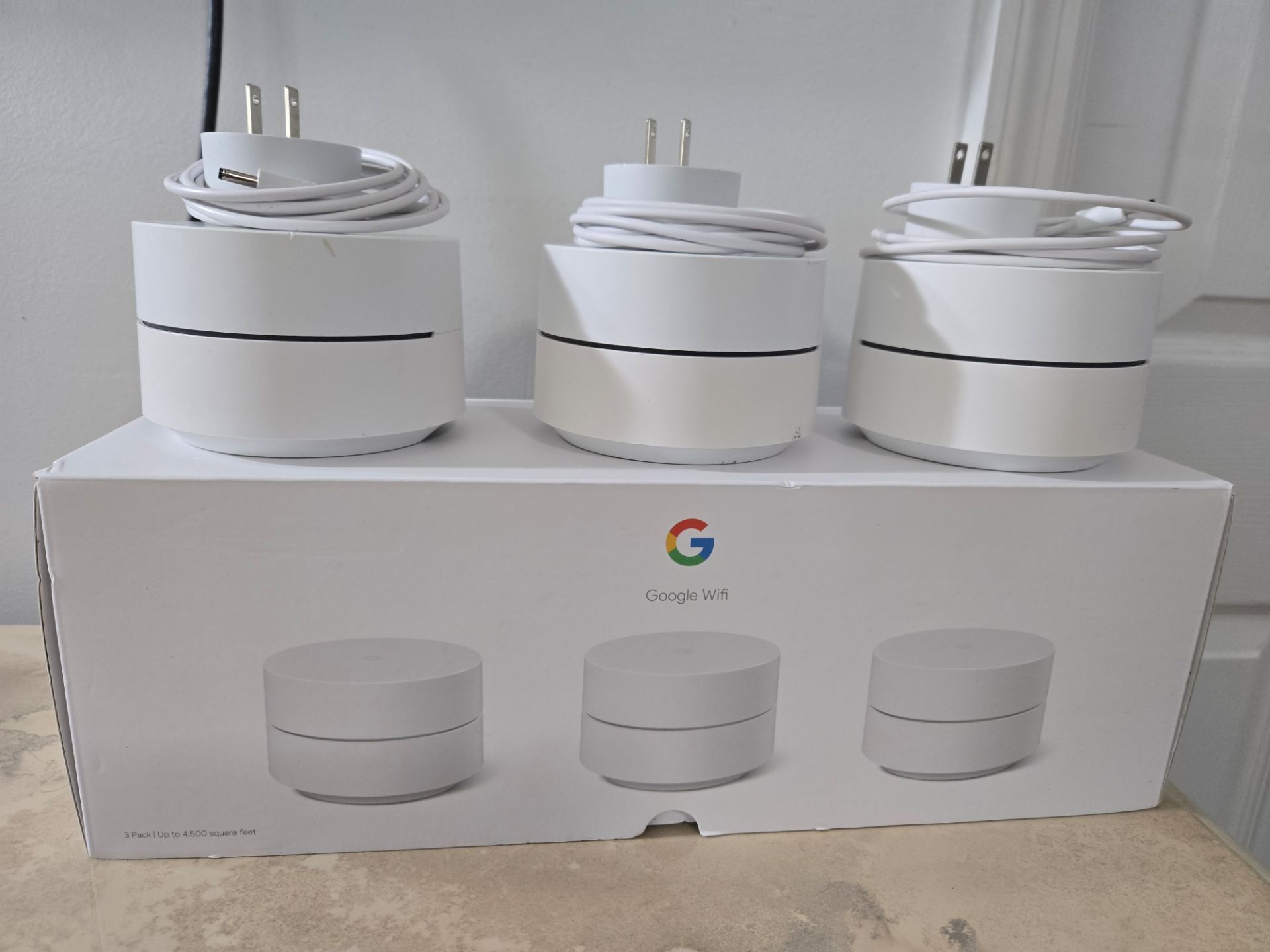
The "puck" design of the Google Wifi nodes has become iconic for its minimalism. Measuring approximately 4.1 inches in diameter and 2.7 inches in height, these units are small enough to sit on bookshelves or end tables without drawing unwanted attention. The matte white plastic finish is durable and resists fingerprints, though it can show dust over time.
Technical Core
- Processor: Quad-core ARM CPU.
- Memory: 512 MB RAM with 4 GB eMMC flash storage.
- Radio: Simultaneous dual-band (2.4 GHz and 5 GHz) supporting IEEE 802.11a/b/g/n/ac.
- Antennas: 2x2 antennas for each node, supporting MU-MIMO (Multiple Input, Multiple Output) for handling multiple devices simultaneously.
- Security: WPA3 encryption support (via software update), Trusted Platform Module (TPM), and automatic security updates.
The inclusion of a TPM is a hallmark of Google’s hardware philosophy, ensuring that the device boots only genuine, signed software from Google. This provides a layer of security that many budget-tier mesh competitors lacked at the time of this product's peak popularity.
Real-World Performance: Speed and Range Coverage
In a 2026 environment where fiber-to-the-home (FTTH) is increasingly common, the performance of the Google Wifi AC1200 is defined by its Wi-Fi 5 constraints. Because this is a dual-band system rather than a tri-band system, it does not have a dedicated wireless frequency for communication between the nodes (backhaul). This results in a "hop penalty," where speeds may drop as you move from the primary router to a secondary or tertiary node.
Throughput Expectations
When connected to the primary node via a 1 Gbps fiber line, users can expect real-world wireless speeds of 400–600 Mbps in close proximity. However, at the secondary nodes, these speeds typically settle between 150 Mbps and 250 Mbps. While these figures are modest compared to the 2+ Gbps speeds of modern Wi-Fi 7 hardware, they are more than sufficient for high-definition video conferencing, 4K Netflix streaming (which requires ~25 Mbps), and general web browsing.
Coverage and Roaming
The 3-pack is rated for 4,500 square feet, but environmental factors like brick walls, mirrors, and large metal appliances will reduce this. The system excels at "seamless roaming," using the 802.11k/v standards to hand off your device from one node to another as you walk through your home. This prevents the "sticky client" problem where a phone remains connected to a distant, weak signal instead of switching to a closer node.
Setup and Integration via Google Home
One of the strongest selling points of the Google Wifi AC1200 system is its ease of use. The setup process is handled entirely through the Google Home app, available on Android and iOS. For users already within the Google ecosystem—using Nest Thermostats, Chromecast, or Google Nest speakers—the networking hardware integrates as just another device in their "Home" interface.
The Setup Process
- Connection: Plug the first node into your modem and a power outlet.
- Detection: Open the Google Home app and tap the "+" icon to "Set up device."
- Scanning: Scan the QR code on the bottom of the node.
- Configuration: Name your network and set a password.
- Expansion: Plug in the remaining two nodes and follow the prompts to add them to the mesh. The app will perform a "Mesh Test" to tell you if the nodes are too far apart.
The app also provides robust management tools. Users can prioritize specific devices (like a work laptop during a meeting), set up a separate Guest Network with its own password, and utilize Parental Controls to pause the internet on specific devices or block adult websites.
Comparing Google Wifi to Contemporary Alternatives
To understand where the AC1200 3-pack sits in 2026, it is helpful to compare it against its successors and its main competitors in the mesh space.
| Feature | Google Wifi (AC1200) | Nest Wifi Pro (6E) | Amazon Eero 6+ |
|---|---|---|---|
| Standard | Wi-Fi 5 (802.11ac) | Wi-Fi 6E (802.11ax) | Wi-Fi 6 (802.11ax) |
| Max Theoretical Speed | 1.2 Gbps | 5.4 Gbps | 3.0 Gbps |
| Ethernet Ports | 2 per node (Gigabit) | 2 per node (1 x 1G, 1 x 2.5G) | 2 per node (Gigabit) |
| Bands | Dual-Band (2.4/5GHz) | Tri-Band (2.4/5/6GHz) | Dual-Band (2.4/5GHz) |
| Smart Home Hub | No (Software Only) | Matter/Thread Border Router | Zigbee/Matter |
| Ideal Internet Tier | Up to 500 Mbps | 1 Gbps - 2 Gbps | Up to 1 Gbps |
As shown in the table, the Google Wifi AC1200 is outclassed in speed and smart home protocols by the Nest Wifi Pro. However, for a user with a 300 Mbps internet plan, the Google Wifi AC1200 provides identical real-world performance at a significantly lower cost, especially on the secondary market.
Critical Limitations and Considerations
While the Google Wifi AC1200 is a "set it and forget it" system, it is not without drawbacks, particularly for power users.
- No Dedicated Backhaul: As mentioned, the lack of a third band means the nodes must share the 5 GHz band for both device traffic and inter-node communication. To mitigate this, it is highly recommended to use Ethernet Backhaul. By connecting the nodes via Cat6 cables, you bypass the wireless bottleneck and ensure maximum speeds at every node.
- Minimal Advanced Settings: The Google Home app prioritizes simplicity. You cannot manually select Wi-Fi channels or separate the 2.4 GHz and 5 GHz SSIDs. The system uses "Band Steering" to automatically place your device on what it thinks is the best frequency.
- Heat Management: The nodes can become quite warm to the touch during heavy data loads. It is essential to keep them in well-ventilated areas and avoid stacking objects on top of them.
- Cloud Dependency: Most management features require an active internet connection and a Google account. If Google's servers are down or your internet is out, you have very limited local control over your router settings.
Maintenance and Long-term Reliability
Google has a strong track record of providing firmware updates for its networking hardware. Even in 2026, these units continue to receive security patches. The "Auto-update" feature ensures that your network is protected against the latest vulnerabilities without requiring manual intervention.
For troubleshooting, the Google Home app includes a built-in "Network Check" that tests the speed from your ISP to your router and the signal strength between your mesh points. This is the first place to look if you experience buffering or dropouts. Most issues with the AC1200 system are resolved by simply repositioning a node to reduce the number of physical obstructions between it and the primary hub.
Frequently Asked Questions
Can I mix Google Wifi AC1200 with newer Nest Wifi units?
Yes, Google Wifi nodes are compatible with Nest Wifi and Nest Wifi Pro (though adding an AC1200 node to a Pro network will limit the Pro's 6 GHz features for devices connected through the older node). You can use the Google Home app to manage all units in a single mesh network.
Does the Google Wifi 3-pack support WPA3?
Yes. Although it launched with WPA2, Google released a firmware update that allows users to enable WPA3 in the Google Home app settings for enhanced security. This is particularly important in 2026 as older encryption standards become more vulnerable.
How many devices can the Google Wifi AC1200 3-pack handle?
The system is designed to support up to 200 connected devices across the three nodes. While it can handle a high number of low-bandwidth smart home devices (like bulbs and plugs), performance may degrade if more than 15-20 devices are simultaneously attempting high-bandwidth tasks like 4K streaming or large file downloads.
Is the Google Wifi AC1200 suitable for gaming?
For casual gaming, it is excellent. However, for competitive gaming where low latency is critical, the "mesh hop" can introduce slight jitter. Serious gamers should use the Ethernet ports on the back of the nodes to create a wired connection to their console or PC.
Can I set up the Google Wifi without a Google account?
No. A valid Google account and the Google Home app are mandatory for the initial setup and ongoing management of the system.
Final Verdict and Recommendation
The Google Wifi AC1200 3-pack remains a pragmatic choice in 2026 for a specific type of user. It is not the fastest system on the market, nor does it offer the latest Wi-Fi 7 features. However, for households with internet speeds of 500 Mbps or less who want a reliable, easy-to-manage network that "just works," it offers exceptional value.
Next Steps: If you are looking for a bargain, check for certified refurbished units. If you have a gigabit connection or many Wi-Fi 6E/7 capable devices, consider investing in the Nest Wifi Pro series instead. For most average users, however, the AC1200 3-pack provides a stable foundation for a modern connected home.
Image Gallery