How to Copy a Map in Minecraft Bedrock Edition
Copying a map in Minecraft Bedrock Edition requires placing a fully explored map alongside an empty map in a crafting grid, or utilizing a cartography table. This duplication process allows multiple players to hold identical charts of...
Copying a map in Minecraft Bedrock Edition requires placing a fully explored map alongside an empty map in a crafting grid, or utilizing a cartography table. This duplication process allows multiple players to hold identical charts of your world, ensuring everyone navigates with the exact same topographical data.
Contents
Understanding Minecraft Cartography Mechanics
Before attempting to duplicate maps, players must understand how cartography works within the Bedrock codebase. Unlike the Java Edition, which historically relied on specific crafting table configurations, Bedrock Edition streamlines map creation and duplication through dedicated utility blocks and recipes.
Cartography in Bedrock depends heavily on item data tags, specifically map IDs. When you duplicate a map, the new item shares the exact same map ID as the original. This means that if Player A updates the original map by exploring new terrain, Player B's copied map will automatically update to reflect those changes in real time.
Essential Terminology for Map Duplication
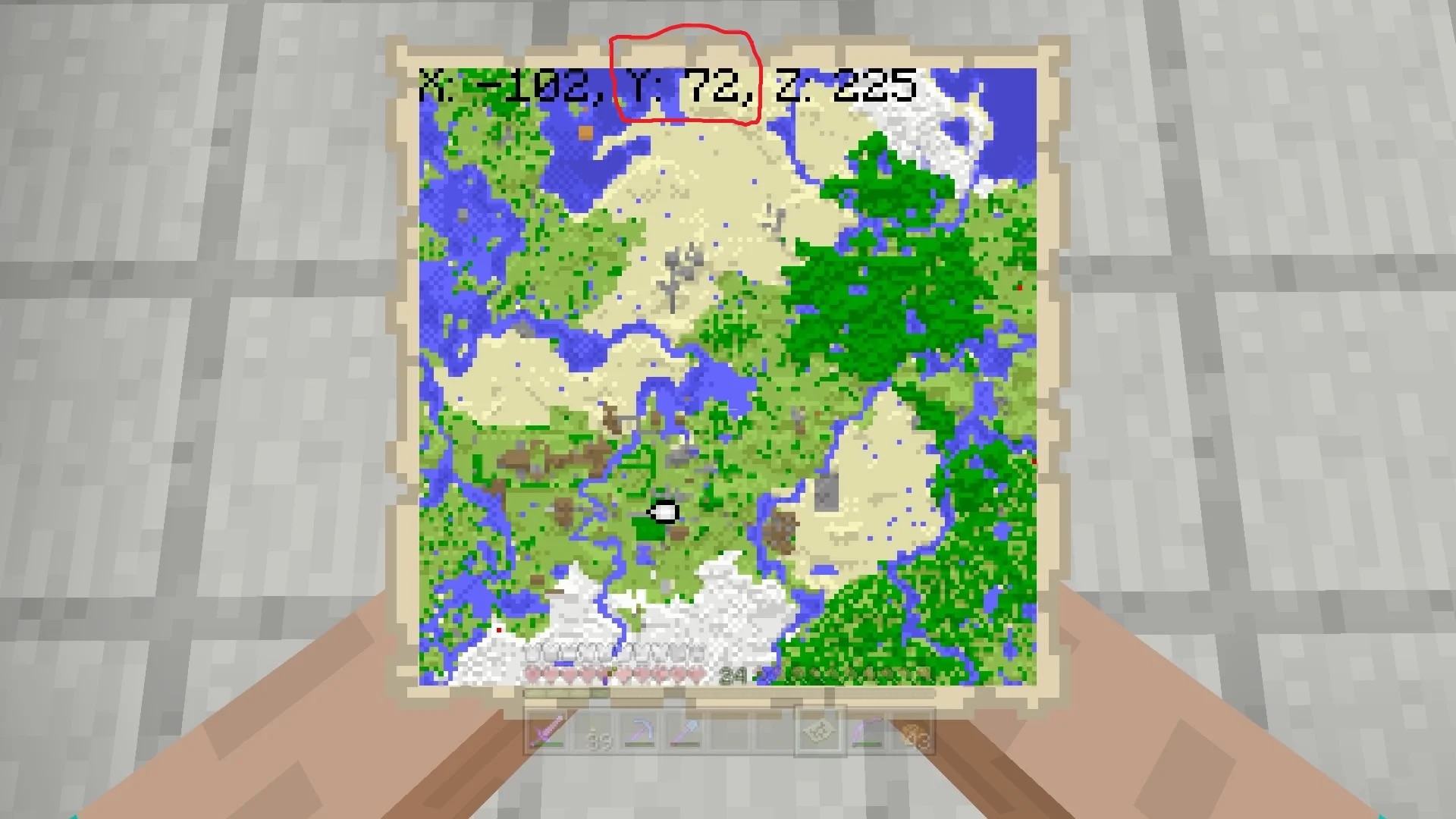
- Original Map: A map that has been held and used by a player to fill in terrain data, transitioning from an empty locator map to a detailed world representation.
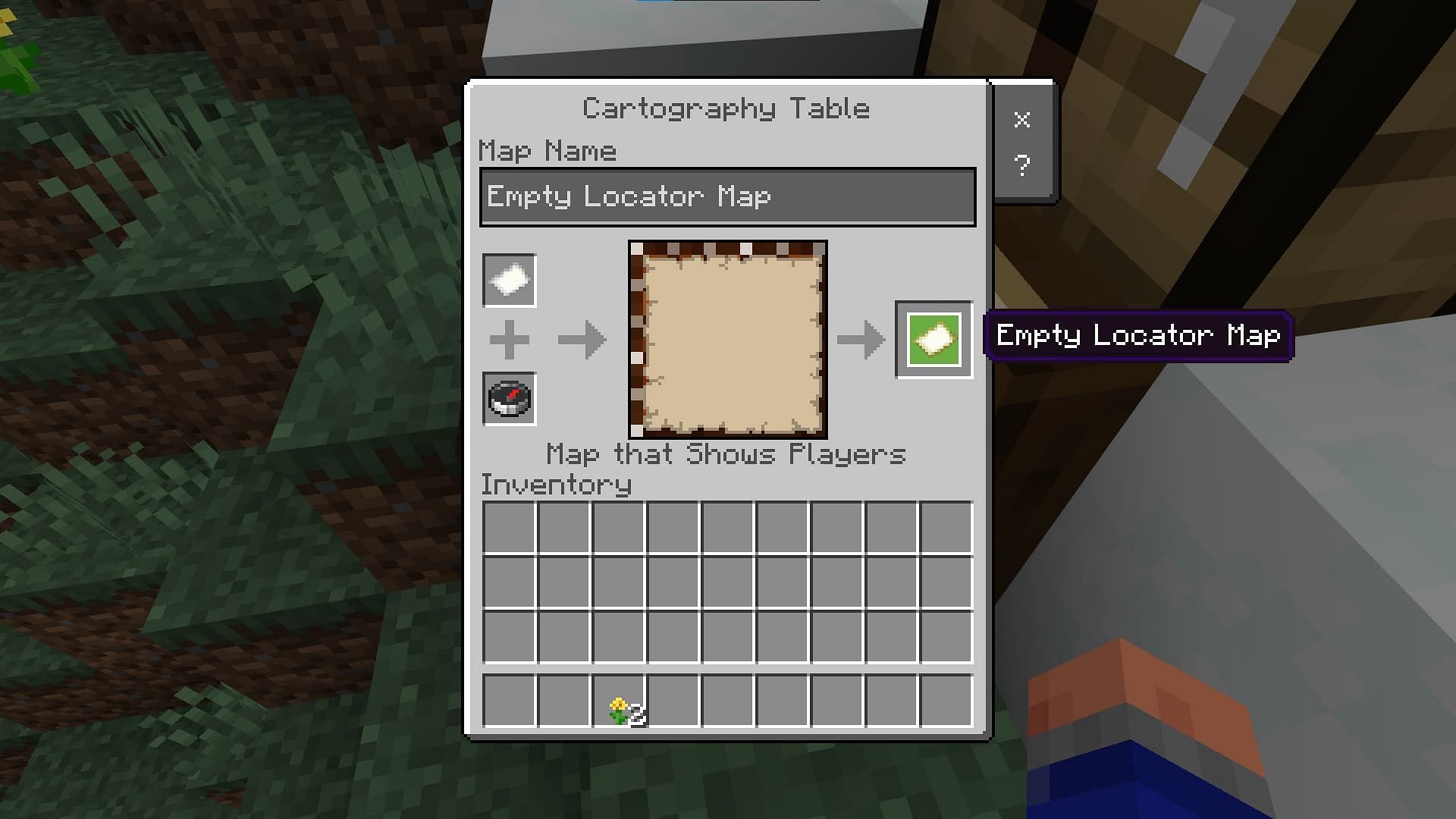
- Empty Map: A blank crafting item composed of paper and a compass (locator map) or just paper (standard map) that has not yet been initialized.
- Cartography Table: A specialized workstation block utilized to clone, zoom out, lock, and rename maps with minimal material costs.
- Map ID: The unique numerical identifier assigned to a map item that links it to specific world coordinate data.
Prerequisites and Required Materials
Gathering the correct materials ensures a smooth crafting process. Depending on whether you want a standard flat map or a locator map that tracks player positions, your crafting recipe will vary slightly.
Paper serves as the foundational material for all maps. Sugar cane, found near water sources on sand or dirt blocks, can be placed on a crafting grid to produce paper. A single piece of sugar cane yields three paper items.
To build a locator map, you also need a compass. Compasses are crafted using four iron ingots and one redstone dust, or they can be obtained by trading with novice-level librarian villagers.
Material Requirements Checklist
- Sugar Cane: Used to craft paper. You will need 9 sugar cane (yielding 9 paper) for a fully zoomed-out map sequence, or 8 paper and 1 compass for a basic locator map.
- Iron Ingots and Redstone Dust: Required if crafting a compass from scratch for locator maps.
- Cartography Table: Crafted using 2 paper and 4 wooden planks of any type arranged in a square on a crafting grid.
Step-by-Step Guide to Copying Maps
Two primary methods exist for duplicating maps in Minecraft Bedrock Edition: using a standard crafting table or using a cartography table. The cartography table offers a significantly cheaper material cost, making it the preferred method for long-term survival worlds.
Method 1: Using the Cartography Table (Recommended)
The cartography table is the most efficient tool for map management in Bedrock Edition because it eliminates the need for extra paper when cloning.
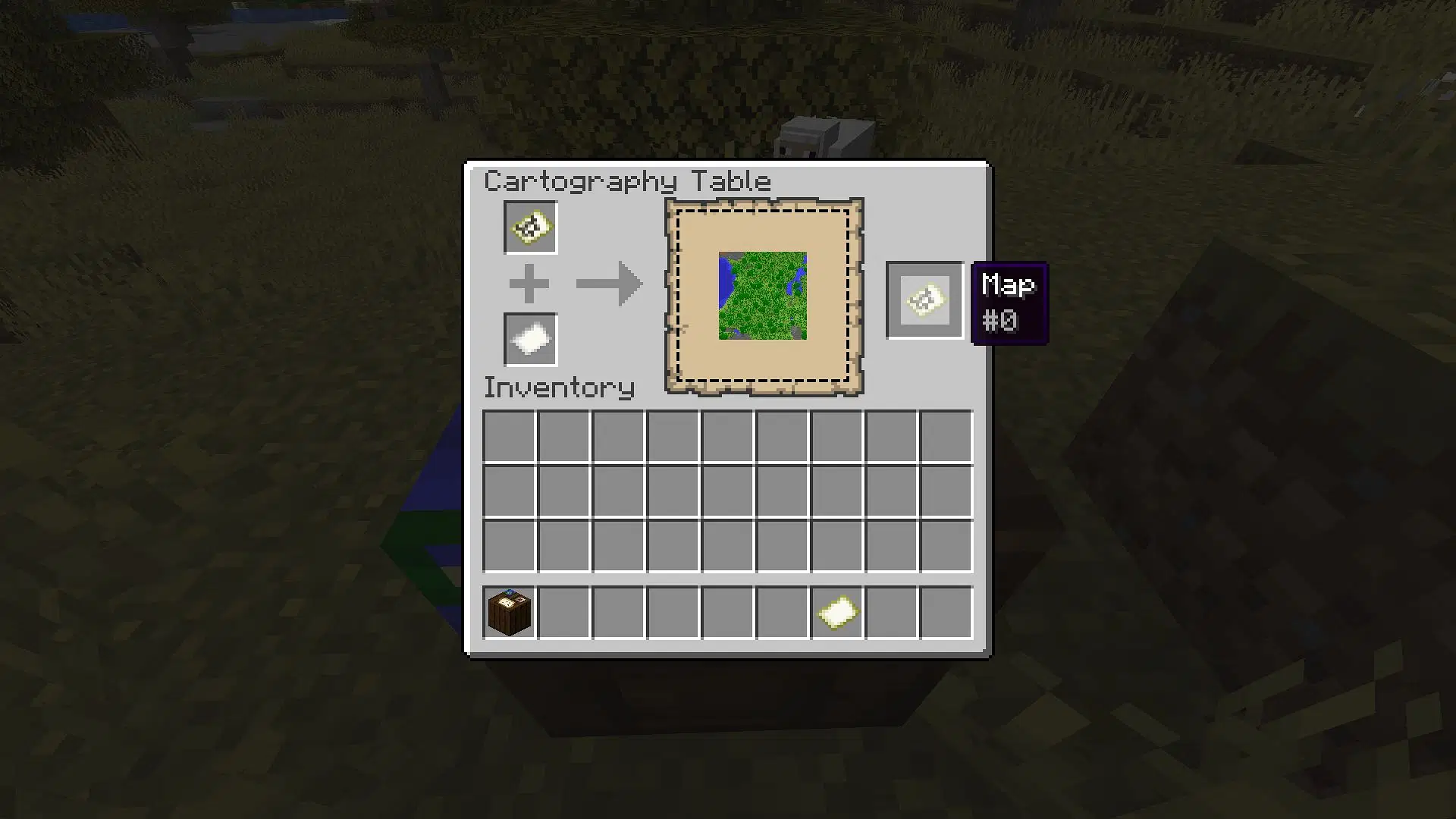
- Open your inventory and place the Cartography Table anywhere in the world, then right-click or tap it to open the interface.
- Place your fully explored Original Map into the top slot of the cartography table UI.
- Place an Empty Map (paper only) into the bottom slot of the cartography table UI.
- Preview the output on the right side of the screen, which will show two identical map icons.
- Drag the duplicated map into your inventory. The original map remains in the top slot for future cloning operations.
Method 2: Using a Crafting Table
If you do not have a cartography table available early in your survival playthrough, a standard 3x3 crafting grid can accomplish the task, though it consumes more paper.
- Open your standard crafting table interface.
- Place the fully explored Original Map in the center slot of the 3x3 grid.
- Surround the original map with Empty Maps (each crafted from 8 paper and 1 compass, or just paper depending on map type) in the adjacent horizontal, vertical, or diagonal slots.
- Retrieve the cloned maps from the output slot on the right.
Resource Management Warning: Using the standard crafting table requires one empty map for every single copy you wish to produce, consuming massive amounts of paper and iron. Always prioritize the cartography table to conserve resources.
Comparing Map Duplication Methods in Bedrock
Different approaches to map management offer distinct advantages and drawbacks depending on your current game stage and material stockpiles.
| Method | Material Cost per Copy | Station Required | Allows Map Locking? | Best Used For |
|---|---|---|---|---|
| Cartography Table | 1 Empty Map (Paper only) | Cartography Table | Yes | Mid-to-late game mass production and server sharing. |
| Crafting Table | 1 Empty Map per copy | None (Basic 3x3 Grid) | No | Early game emergency duplication before finding village workstations. |
| Item Frame Display | None (Visual only) | None | No | Decorating walls without generating interactive handheld navigation items. |
Advanced Cartography: Zooming and Locking Maps
Beyond simple cloning, Minecraft Bedrock Edition provides advanced cartographical features that every player should utilize to optimize their world exploration.
How to Zoom Out Maps
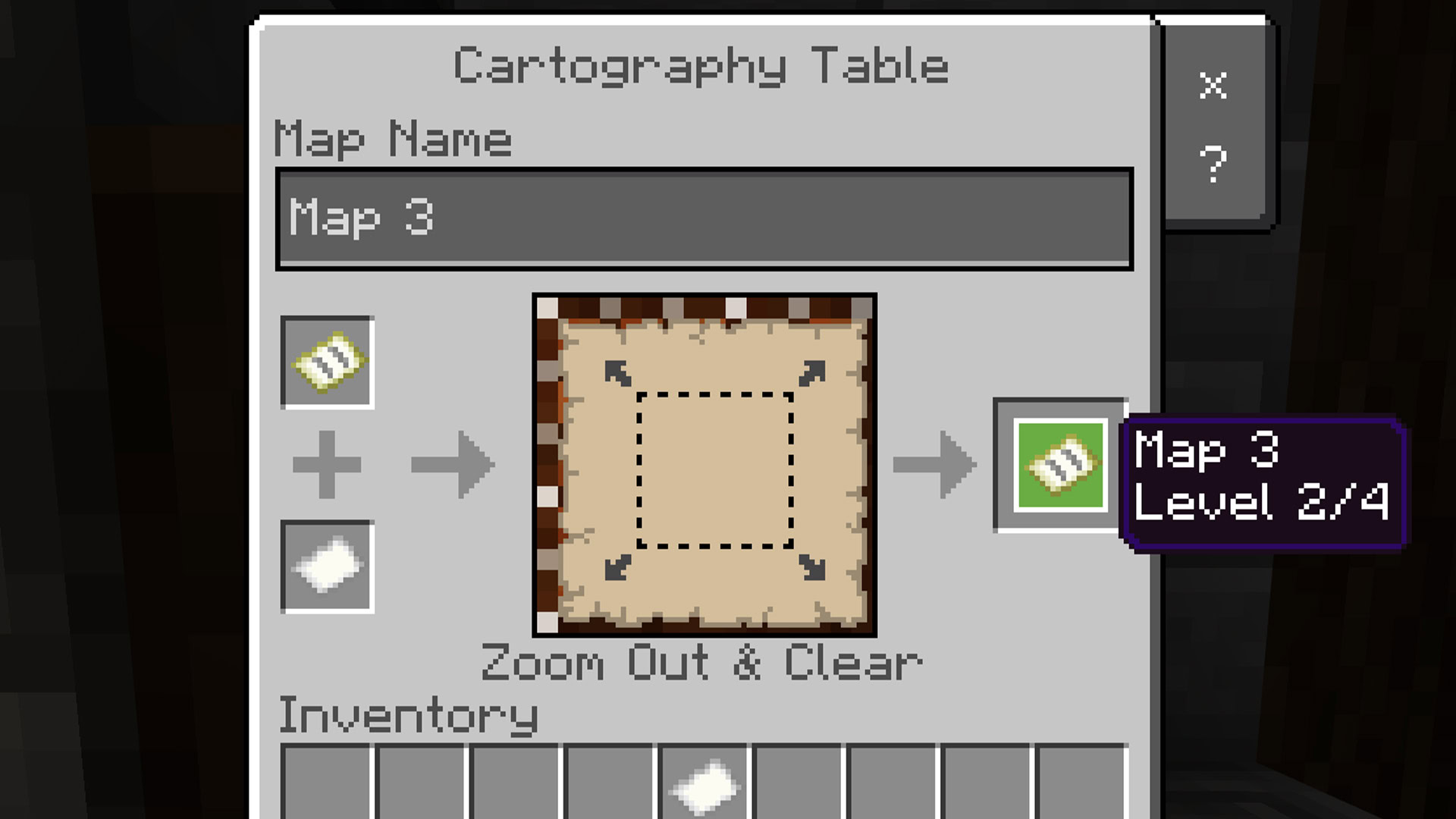
If your map is too zoomed in to be practical for long-distance travel, you can expand its scale. Place your explored map into the top slot of a cartography table and add a single piece of paper to the bottom slot. This scales the map outward, covering a larger geographic area while retaining the original map's exploration data in the center. You can repeat this process up to four times to reach maximum zoom.
How to Lock Maps
Once you have fully explored an area and want to freeze its geographical state—preventing changes when structures are built or destroyed—you can lock the map. Place your explored map in the top slot of the cartography table and a glass pane in the bottom slot. Locking a map consumes the glass pane and marks the map with a locked icon in your inventory. Locked maps can no longer be updated or duplicated, preserving a historical snapshot of your world.
Troubleshooting Common Map Duplication Issues
Players occasionally encounter unexpected behavior when attempting to copy maps in Bedrock Edition. Review these common failure points to resolve issues quickly.
- Blank Cloned Map: If your copied map appears completely blank, ensure the original map was fully held and activated in the world before placing it in the cartography table. Uninitialized maps cannot be cloned effectively.
- Incompatible Map Types: Trying to mix locator maps with standard non-locator maps in crafting recipes can result in failed outputs. Ensure both the original and empty maps share the same base item category.
- Missing User Interface Slots: Ensure you are using a dedicated cartography table rather than a standard crafting table if you are trying to clone maps using only paper without extra compasses.
Frequently Asked Questions
Can I copy maps without a cartography table in Bedrock Edition?
Yes, you can copy maps using a standard 3x3 crafting grid by placing the original map in the center and surrounding it with empty maps. However, this method is significantly more expensive than using a cartography table.
Why won't my copied map update when I explore new areas?
If your copied map is not updating, check whether it has been locked using a glass pane in a cartography table. Locked maps permanently freeze their geographical state and will never record new terrain changes.
Do copied maps share the same map ID?
Yes, duplicated maps share the exact same map ID, which is why exploring terrain on one map automatically updates all other identical copies held by other players in your world.
How many times can you zoom out a map in Bedrock Edition?
You can zoom out a standard map up to four times using a cartography table and paper, progressively increasing the area of the game world it represents from a local zone to an entire continent.
Can I copy maps across different platforms in crossplay?
Yes, map duplication functions identically across all platforms running Minecraft Bedrock Edition, including Windows, Xbox, PlayStation, Nintendo Switch, and mobile devices.
Conclusion
Duplicating maps in Minecraft Bedrock Edition is an essential cooperative survival skill that streamlines multiplayer navigation and base building. By leveraging the cost-effective cartography table, managing your paper supplies efficiently, and utilizing advanced features like map locking, you can maintain accurate, synchronized cartography across your entire server community.
Image Gallery