How to Request a W-2 from the IRS: Methods, Timelines, and Alternatives
To request a W-2 from the IRS, you can use the Get Transcript tool on the official IRS website to download a Wage and Income Transcript. Alternatively, you can mail Form 4506-T for a free transcript or Form 4506 for a full copy of a pr...
To request a W-2 from the IRS, you can use the Get Transcript tool on the official IRS website to download a Wage and Income Transcript. Alternatively, you can mail Form 4506-T for a free transcript or Form 4506 for a full copy of a previously filed return, which includes attached W-2s for a fee.
Contents
In the 2026 tax landscape, the Internal Revenue Service (IRS) remains the primary federal repository for employment income records. When an employer issues a W-2 (Wage and Tax Statement), they are required by law to send copies to both the employee and the Social Security Administration (SSA). The SSA then shares that data with the IRS. If you have lost your W-2, never received it, or are trying to reconcile historical earnings for a prior-year filing, the IRS provides several avenues to retrieve this information.
However, navigating the bureaucratic layers of the IRS requires an understanding of the difference between a "transcript" and an "actual copy." While most taxpayers only need the data found on a transcript to file their taxes, certain legal or financial situations require a scan of the original physical document. This guide details the exact steps to secure your records in 2026, the costs involved, and what to do if your employer is no longer in business.
Understanding the Difference: W-2 Transcripts vs. W-2 Copies
Before initiating a request, it is critical to determine which version of the document you actually need. Requesting the wrong version can lead to unnecessary fees or delays in your tax preparation.
The Wage and Income Transcript
A Wage and Income Transcript is a data summary provided by the IRS. It includes all the information reported to the IRS by your employers, such as federal income tax withheld, Medicare wages, and Social Security contributions. In 2026, these transcripts are available for the current tax year and the previous ten years.
The primary benefit of a transcript is that it is free and often available instantly through the IRS digital portal. The downside is that it does not include state or local tax information. Because employers are only required to report federal data to the IRS, the state-level boxes on an IRS transcript will often be blank. If you need state withholding information, you must contact your employer or your state’s department of revenue.
The Actual Copy of Form W-2
An actual copy is a high-resolution scan or photocopy of the original document your employer mailed or handed to you. The IRS only possesses these copies if you filed a paper tax return and physically attached the W-2 to the front of the return. If you filed electronically (as the vast majority of taxpayers do in 2026), the IRS does not have a physical "copy" to send you—only the data.
Requesting an actual copy is expensive and slow. As of 2026, the IRS charges a significant fee per request, and processing can take several months. Most taxpayers find that a transcript is sufficient for filing current returns or verifying income for a mortgage.
Prerequisite: Exhausting Employer Options
The IRS should generally be your second point of contact. Under federal law, employers are required to provide W-2s for the 2025 tax year by January 31, 2026. If you are missing a form, your first step should always be to contact the human resources or payroll department of your current or former employer.
Many modern payroll providers (such as ADP, Gusto, or Workday) offer employee self-service portals where W-2s can be downloaded as PDFs. Even if you have left the company, your login may remain active for a limited time to allow for tax document retrieval. If the company has gone out of business, or if they refuse to provide the form after repeated requests, the IRS intervention becomes necessary.
Method 1: IRS "Get Transcript" Online (Recommended)
The most efficient way to get W-2 information in 2026 is via the Get Transcript tool on IRS.gov. This service allows you to view, print, or download your Wage and Income Transcript immediately.
Steps to Access Online
- Identity Verification: To access your records, you must pass the IRS identity verification process. In 2026, this is handled through the ID.me platform. You will need a government-issued photo ID (driver’s license or passport) and a smartphone to take a "selfie" for biometric verification.
- Select Transcript Type: Once logged in, you will be presented with several transcript options. Select "Wage and Income Transcript."
- Select the Year: Choose the specific tax year you need. Note that for the current filing season (2025 income being filed in early 2026), the data may not be fully available until late May or June, as the IRS needs time to process the millions of forms sent by employers.
- Download and Save: The document will be provided as a PDF. Ensure you save it to a secure, encrypted drive, as it contains your full Social Security Number and earnings history.
Method 2: Filing Form 4506-T (By Mail or Fax)
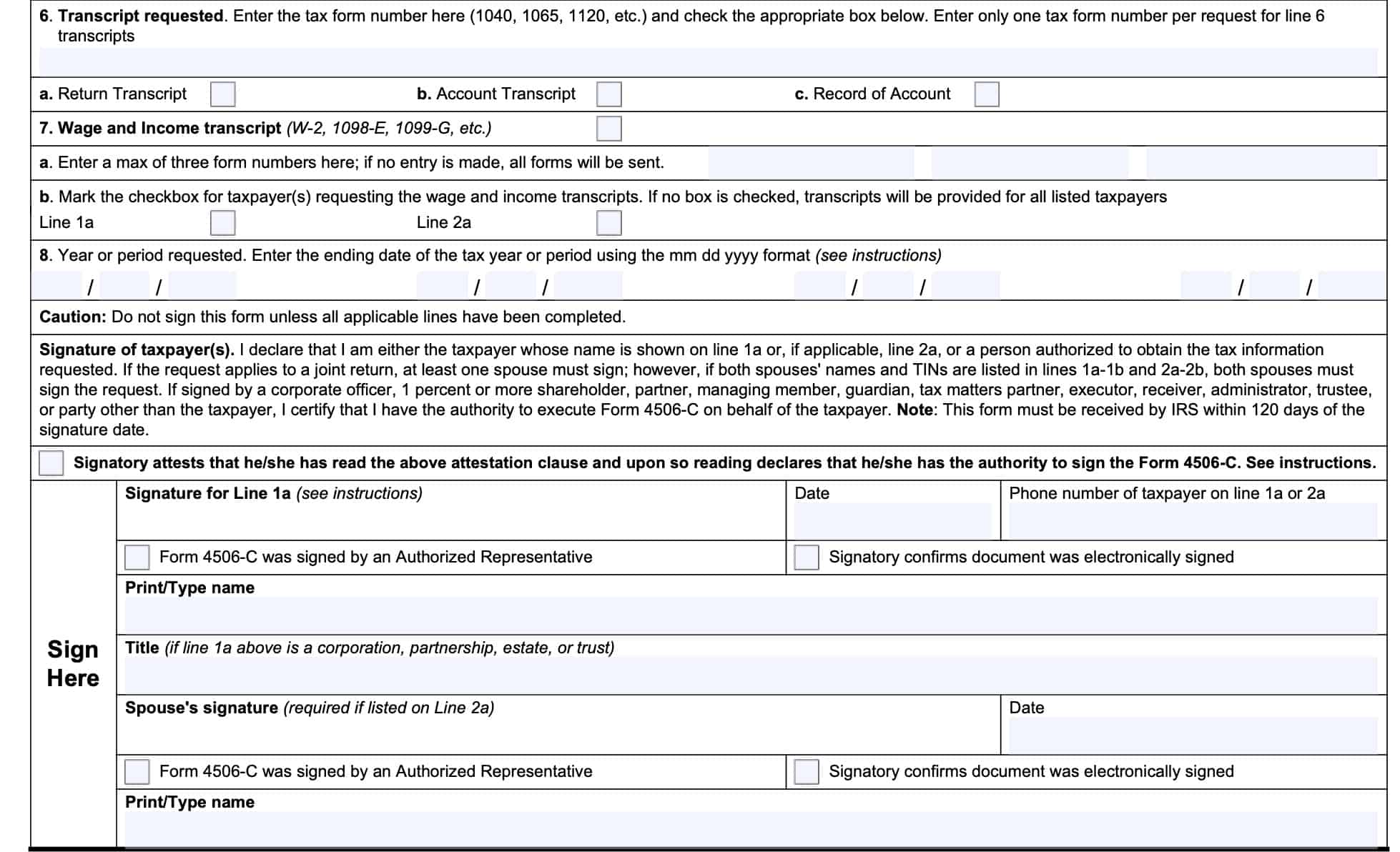
If you cannot pass the online identity verification or prefer to receive your records by mail, you should use Form 4506-T (Request for Transcript of Tax Return). This is a paper-based request that does not require a digital account.
Instructions for Form 4506-T
- Lines 1-4: Provide your current name, Social Security Number, and address. If you filed the return in question under a different address, list that on Line 4.
- Line 8: This is the most important box for W-2 requests. You must check Box 8 (Form W-2, Form 1099 series, Form 1098 series, or Form 5498 series transcript).
- Line 9: Enter the ending date of the tax year you are requesting (e.g., 12/31/2025).
- Signature: The IRS will reject any form that is not signed and dated. If you filed a joint return, only one spouse needs to sign.
Once completed, mail or fax the form to the specific IRS address listed in the form instructions for your state. In 2026, the typical turnaround time for a mailed transcript request is 10 business days from the date the IRS receives the form.
Method 3: Requesting a Full Copy via Form 4506
If you are involved in a legal dispute or a complex audit where a data transcript is insufficient, you must use Form 4506 (Request for Copy of Tax Return). This is not the "T" version; this is the form for a full photocopy of your original filing.
Be aware of the following constraints in 2026:
- Fee: There is a fee (currently $30–$50 per tax year) that must be paid upfront via check or money order.
- Availability: The IRS only maintains these records for seven years. Records older than seven years are generally destroyed, making a transcript your only option for older data.
- Processing Time: It can take up to 75 calendar days to process a request for a full copy.
Comparison of W-2 Retrieval Methods
| Method | Cost | Processing Time | Information Provided | Best For |
|---|---|---|---|---|
| Online Get Transcript | Free | Instant | Federal data summary | Filing current taxes, mortgage apps |
| Form 4506-T | Free | 10 Business Days | Federal data summary | Users without digital IDs |
| Form 4506 | ~$30-$50 | 60-75 Days | Full photocopy of return | Legal disputes, state tax audits |
| Employer HR | Free | Varies | Full original W-2 | All purposes (fastest direct source) |
| SSA Request | $126+ | Varies | Full original W-2 | Very old records (over 10 years) |
Alternative: Requesting Records from the Social Security Administration
If you need a W-2 from more than 10 years ago, the IRS will likely no longer have the transcript in their active database. In this case, you must turn to the Social Security Administration (SSA). Because the SSA uses W-2 data to calculate your future retirement benefits, they maintain these records much longer than the IRS.
To request a copy from the SSA, you must use Form SSA-7050 (Request for Social Security Earnings Information). Note that the SSA charges a substantial fee for "certified" copies of W-2s used for non-Social Security purposes. In 2026, this fee can exceed $120 per year requested. This should only be used as a last resort for historical research or pension disputes.
What to Do If You Still Cannot Get Your W-2
If it is nearing the April 15, 2026, filing deadline and you still do not have your W-2 from your employer or the IRS, you are not excused from filing. You have two primary options to stay compliant with tax laws:
1. Contact the IRS for Assistance
You can call the IRS toll-free at 800-829-1040. When you call, have the following information ready:
- Your name, address, SSN, and phone number.
- The employer’s name, address, and phone number.
- The dates of your employment.
- An estimate of your wages and federal tax withheld (use your final pay stub for these figures).
The IRS will contact the employer on your behalf and send them a letter requesting the missing form. They will also send you Form 4852.
2. Use Form 4852 (Substitute for Form W-2)
Form 4852 is a "substitute" document that allows you to estimate your income and withholding based on your final pay stub of the year. If you use this form, you may experience a delay in your refund while the IRS verifies your estimates against the employer's reported data later in the year. If you eventually receive the actual W-2 and the numbers differ, you must file an amended return using Form 1040-X.
Common Pitfalls and Troubleshooting
- Truncated Data: Be aware that Wage and Income Transcripts often truncate sensitive information for security. Your SSN might appear as XXX-XX-1234. Most tax software and lenders accept this, but if you need a "full-mask" transcript, you may need to call the IRS and verify your identity over the phone.
- Timing of Data: Employers report W-2 data to the SSA first. The SSA then verifies the data and passes it to the IRS. This relay means that your 2025 W-2 might not appear on an IRS transcript until well into the 2026 calendar year.
- State Tax Missing: If you are using a transcript to file a state tax return, remember that you will need to find your state withholding elsewhere. Check your year-end pay stub or contact your state’s Department of Revenue.
Frequently Asked Questions
Can I get a W-2 from the IRS for a job I had 15 years ago?
The IRS generally only provides Wage and Income Transcripts for the last 10 years. For records older than a decade, you must submit a request to the Social Security Administration (SSA) using Form SSA-7050. The SSA keeps earnings records for your entire working life to calculate retirement benefits, though they charge a fee for providing copies of the actual W-2 forms.
Does the IRS W-2 transcript show my state tax withholdings?
Generally, no. The Wage and Income Transcript provided by the IRS focuses on federal tax data. While some employers include state information in their reports, it is not a federal requirement for the IRS to track or provide this. If you need state withholding information for a state tax return, you should refer to your last pay stub from that year or contact the state’s taxing authority.
How much does it cost to get a W-2 from the IRS in 2026?
Transcripts (data summaries) are free through the "Get Transcript" tool or Form 4506-T. However, if you require an actual photocopy of an old return that included a W-2 (using Form 4506), the IRS currently charges a fee, typically ranging from $30 to $50 per tax year. These fees are subject to annual adjustments and must be paid at the time of the request.
What if my employer went out of business and I never got my W-2?
If an employer is defunct, they are still legally required to file their final tax forms and provide W-2s. If they failed to do so, your best option is to use your final pay stub from 2025 and file Form 4852 (Substitute for Form W-2) with your 2026 tax return. This form serves as a legal estimate of your earnings and withholding until the IRS can verify the data through other means.
Is the IRS Get Transcript tool secure?
Yes, the IRS uses the ID.me service to verify identities. This requires a multi-factor authentication process, including a government ID upload and a video selfie. While this process is more rigorous than past methods, it is designed to prevent identity thieves from accessing your sensitive wage and earning records.
Final Recommendation
If you need your W-2 records in 2026, start with your employer's digital payroll portal. It is the only source for a complete W-2 that includes state and local tax data. If that is not an option, use the IRS Get Transcript Online tool for the fastest federal data retrieval. Only resort to the mail-in Form 4506 if you have a specific legal requirement for a physical photocopy, as the cost and time delay are significant. Always ensure you are on the official IRS.gov website to avoid third-party scams that charge for services the government provides for free.
Image Gallery