The Definitive Guide to Mobile Business Phone Solutions
A mobile business phone solution provides dedicated voice, text, and collaboration capabilities on personal or company-issued smartphones, allowing professionals to separate work communications from personal privacy while maintaining m...
A mobile business phone solution provides dedicated voice, text, and collaboration capabilities on personal or company-issued smartphones, allowing professionals to separate work communications from personal privacy while maintaining mobility across cellular and data networks.
Contents
In modern operations, maintaining a professional presence requires flexibility that traditional landline configurations cannot provide. Organizations of all sizes—from solo entrepreneurs to multinational enterprises—face the challenge of keeping distributed teams connected without forcing employees to share their private telephone numbers with clients, vendors, and customers. Implementing a dedicated mobile business phone system addresses this challenge by routing professional calls and text messages through cloud-based applications or secondary virtual numbers directly on existing hardware.
Understanding how these systems function, evaluating the underlying technology, and selecting the right deployment model ensures that your organization maintains reliable communication channels while optimizing operational expenditures.
Core Architecture and Technology Behind Mobile Business Phones
Modern business mobile communication relies heavily on Voice over Internet Protocol (VoIP) and cloud-hosted Private Branch Exchange (PBX) platforms. Unlike traditional cellular voice networks that rely entirely on circuit-switched tower connections, mobile business phone applications transmit audio and text data packets over standard wireless broadband connections—such as 4G, 5G, and Wi-Fi networks.
When a user places a call through a business application installed on a smartphone, the software encodes the audio into data packets and transmits them via the internet to a cloud server managed by the service provider. This server routes the call to the public switched telephone network (PSTN) or another VoIP endpoint. Because the underlying technology operates via data rather than traditional carrier voice minutes, users can manage their communications globally without incurring exorbitant roaming fees, provided they have an active internet connection.
Furthermore, these platforms utilize Session Initiation Protocol (SIP) trunking and WebRTC (Web Real-Time Communication) standards to ensure high-definition audio quality and secure encryption. Transport Layer Security (TLS) and Secure Real-time Transport Protocol (SRTP) protect voice data in transit, safeguarding sensitive corporate discussions from interception.
Deployment Models: BYOD vs. Company-Issued Devices
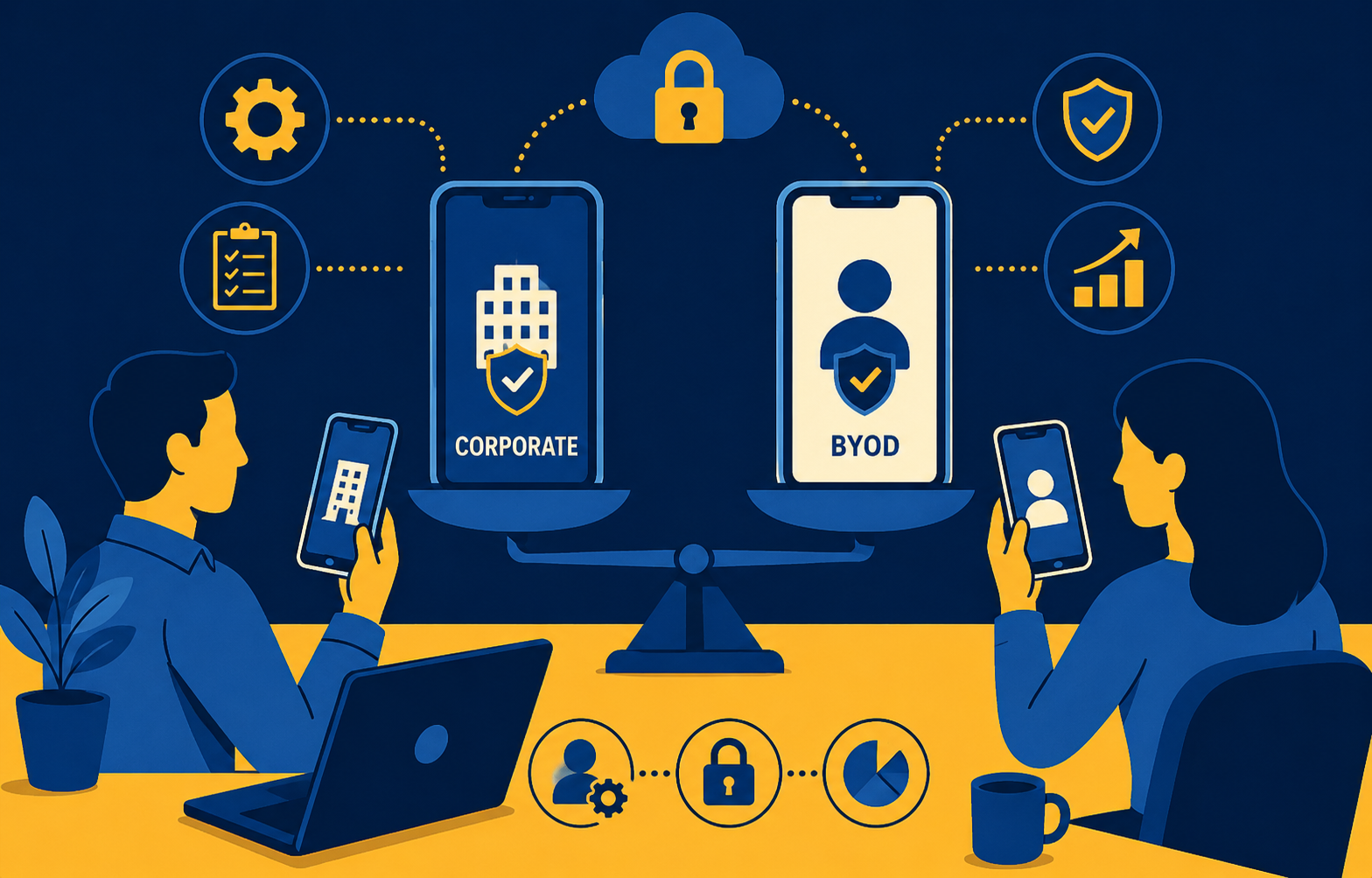
Choosing how mobile business communication hardware is provisioned represents a major operational decision for leadership and IT departments. Organizations generally select between two primary deployment frameworks: Bring Your Own Device (BYOD) and Corporate-Owned, Personally Enabled (COPE).
Bring Your Own Device (BYOD) Frameworks
In a BYOD environment, employees use their personal smartphones for work purposes. The organization installs a dedicated business phone application that adds a secondary virtual number to the device.
- Advantages: Minimizes hardware acquisition costs, reduces employee friction by eliminating the need to carry two physical handsets, and simplifies hardware upgrades since employees manage their personal upgrades.
- Challenges: Requires robust mobile device management (MDM) or enterprise mobility management (EMM) policies to protect corporate data, manage privacy concerns regarding personal data inspection, and ensure compliance with regulatory frameworks.
Company-Issued Devices
Alternatively, organizations can purchase and provision dedicated hardware for employees. These devices come pre-configured with corporate security profiles, native directory integrations, and designated business telephone applications.
- Advantages: Complete administrative control over device security, simplified offboarding when employees leave the organization, and clear boundaries between personal and professional usage.
- Challenges: Higher initial capital expenditure, ongoing hardware lifecycle management costs, and potential employee pushback regarding carrying multiple devices.
| Deployment Model | Primary Cost Structure | IT Administrative Control | Employee Privacy Impact | Best Suited For |
|---|---|---|---|---|
| BYOD (Virtual Number) | Low (SaaS subscription only) | Moderate (App-level security) | Low to Moderate | Startups, remote teams, cost-conscious SMBs |
| COPE (Dedicated Handset) | High (Hardware + SaaS) | High (Full device lockdown) | High | Regulated industries, field service, enterprise sales |
| Traditional Corporate Phone | High (Hardware + Voice Plan) | High (Carrier-managed) | High | Legacy environments requiring strict voice recording |
Key Features to Evaluate in a Mobile Business Phone System
When selecting a provider for a mobile business communication platform, decision-makers must look beyond basic voice calling capabilities. Modern software suites integrate a comprehensive array of features designed to enhance team productivity and customer engagement.
Unified Communications and Shared Numbers
A robust mobile business application should centralize voice calls, SMS text messaging, team chat, and video conferencing into a single user interface. Shared line appearances allow multiple team members to manage incoming calls for a specific department—such as customer support or sales—ensuring that inquiries are answered promptly even if the primary recipient is unavailable.
Advanced Call Routing and Auto-Attendants
Virtual receptionist features, often referred to as auto-attendants, greet callers with customizable audio menus and route them to the appropriate extension or department based on interactive voice response (IVR) selections. After-hours routing rules automatically direct calls to designated voicemail boxes or external answering services based on pre-set operational schedules.
CRM and Productivity Integrations
Integration capabilities separate consumer-grade messaging apps from enterprise-grade business tools. Native integrations with Customer Relationship Management (CRM) platforms—such as Salesforce, HubSpot, or Microsoft Dynamics—automatically log call durations, text message transcripts, and voicemail recordings directly into customer profiles. This ensures that every team member has immediate access to historical communication context.
Regulatory Compliance and Security Considerations
Operating a business communication network requires strict adherence to data privacy laws, industry regulations, and internal security protocols. Mobile business phone solutions must meet specific compliance benchmarks, particularly in sectors such as healthcare, finance, and legal services.
HIPAA Compliance
In healthcare environments, communication involving Protected Health Information (PHI) must comply with the Health Insurance Portability and Accountability Act (HIPAA). Business phone providers serving healthcare clients must sign a Business Associate Agreement (BAA) and ensure that all voice recordings, text messages, and voicemails are encrypted both at rest and in transit.
Financial Regulations and Call Recording
Financial institutions subject to regulations set by bodies such as the Financial Industry Regulatory Authority (FINRA) or the Securities and Exchange Commission (SEC) often require mandatory recording and archiving of all business-related voice calls and SMS communications. Mobile business platforms must offer secure, tamper-evident archiving tools that retain communication logs for mandatory compliance periods.
Data Privacy and GDPR Compliance
For organizations operating within jurisdictions governed by the General Data Protection Regulation (GDPR), communication software must respect user consent, provide mechanisms for data deletion upon request, and prevent the unauthorized harvesting of personal contact metadata.
Implementation Steps for Deploying a Mobile Business Solution
Successfully rolling out a mobile business phone system requires a structured implementation plan to minimize operational disruption and maximize user adoption.
- Assess Organizational Needs: Audit current communication workflows, identify call volume patterns, and determine whether your team requires local numbers, toll-free numbers, or international capabilities.
- Select a Provider: Compare cloud phone providers based on pricing tiers, feature availability, customer support quality, and scalability.
- Port Existing Numbers: Submit a Letter of Authorization (LOA) and current carrier bills to port existing business phone numbers into the new cloud platform without service interruption.
- Configure User Profiles and Routing: Set up user extensions, department groups, auto-attendants, business hours, and voicemail greetings within the administrative dashboard.
- Deploy Applications and Train Staff: Distribute application download links to employee devices or deploy configurations via MDM software. Conduct training sessions to familiarize staff with call transferring, messaging, and CRM integration features.
- Test and Optimize: Perform end-to-end testing of inbound and outbound calls, text messaging, and emergency services (e.g., E911 configuration) before announcing the official launch.
Frequently Asked Questions
Can I use my existing personal smartphone for a mobile business phone?
Yes. Most modern business phone providers offer applications for iOS and Android that allow you to run a dedicated business number alongside your personal number on the same device. Incoming business calls ring with a distinct ringtone or notification, keeping personal and professional communications completely separate.
How do mobile business phone apps handle poor cellular coverage?
Cloud-based business phone apps are designed to leverage any available internet connection. If cellular data coverage is weak or unavailable, the application automatically switches to a stable Wi-Fi network to maintain call quality without dropping the connection.
Are mobile business phone numbers secure against interception?
Reputable business phone providers utilize industry-standard encryption protocols, such as TLS for signaling and SRTP for media streams. This ensures that voice calls and text messages transmitted over public internet connections remain protected from eavesdropping.
Can I port my current landline number to a mobile business app?
Yes. You can port almost any existing landline, VoIP, or mobile number to a cloud-based business phone provider. The process typically requires submitting a signed Letter of Authorization (LOA) and a recent copy of your current phone bill to your new provider.
Do mobile business apps support SMS messaging using a landline number?
Many modern cloud phone providers support SMS and MMS enablement for traditional landline and toll-free numbers, allowing your business to send and receive text messages using your established public-facing telephone number.
Conclusion and Next Actions
Adopting a mobile business phone solution transforms how organizations manage remote collaboration, customer service, and daily communications. By decoupling professional telephony from physical landlines and legacy hardware, businesses gain unprecedented agility, enhanced security, and seamless scalability. To begin, audit your current communication bottlenecks, request demonstrations or trial accounts from leading cloud providers, and map out a deployment strategy that aligns with your operational budget and security requirements.
Image Gallery