How to Use a HAPI FHIR Server: A Complete Technical Guide
Using a HAPI FHIR server involves downloading or building the application, configuring a relational database backend, deploying the instance via Java or Docker, and interacting with its RESTful endpoints using standard HTTP methods to...
Using a HAPI FHIR server involves downloading or building the application, configuring a relational database backend, deploying the instance via Java or Docker, and interacting with its RESTful endpoints using standard HTTP methods to manage Fast Healthcare Interoperability Resources.
Contents
The Fast Healthcare Interoperability Resources (FHIR) standard, developed and maintained by HL7 International, has transformed how healthcare data is exchanged, stored, and queried. At the center of the open-source FHIR ecosystem stands the HAPI FHIR JPA/Restful Server. Written in Java, it provides a comprehensive, production-ready implementation of the FHIR specification. Whether you are building a clinical data repository, developing a mobile health application, or conducting healthcare interoperability research, knowing how to configure, deploy, and query a HAPI FHIR server is a fundamental engineering skill. This guide explores the architecture, prerequisites, step-by-step deployment methods, integration patterns, and operational maintenance strategies required to run a HAPI FHIR server successfully.
Understanding HAPI FHIR Architecture and Core Concepts
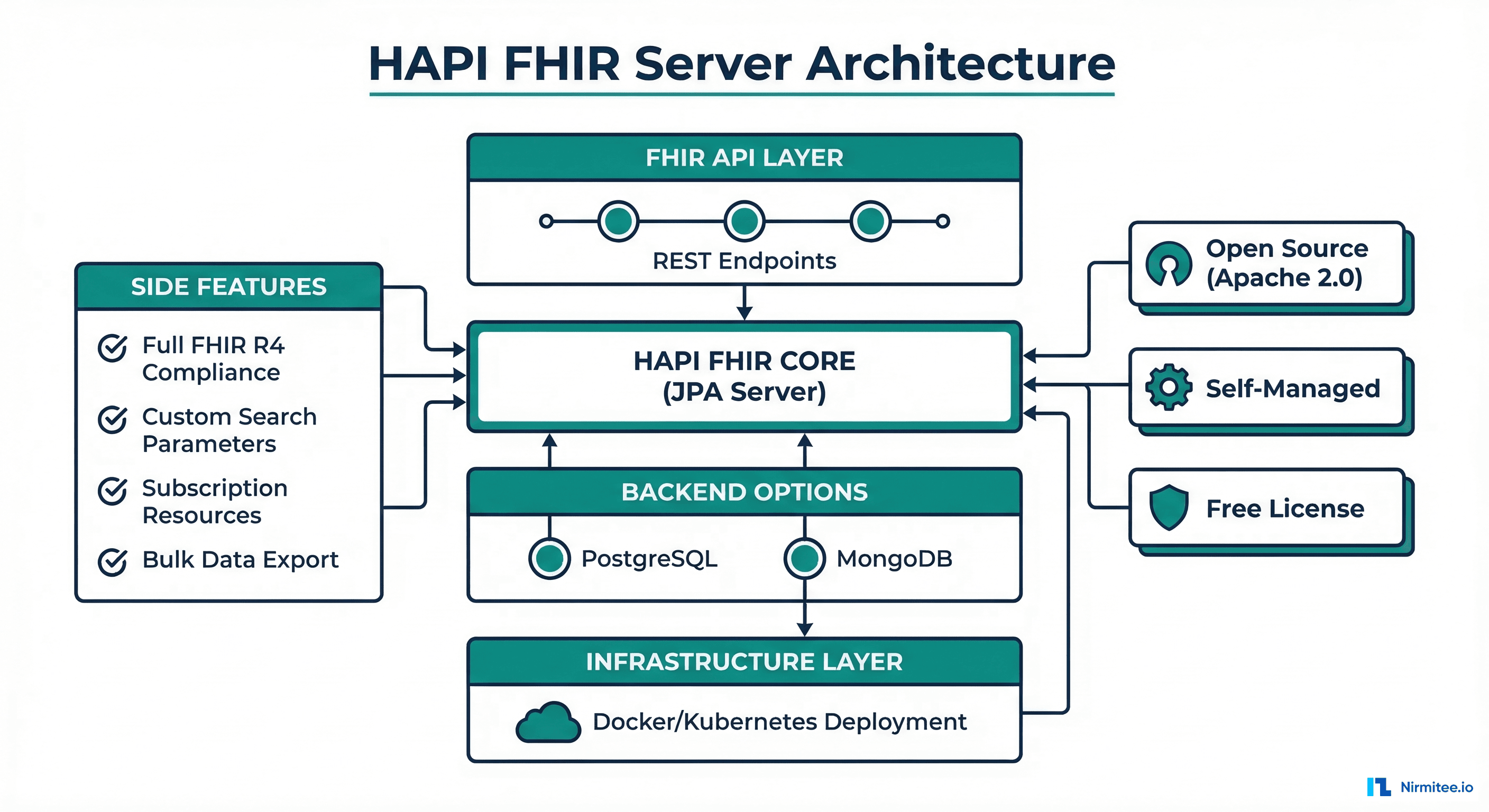
Before deploying a server instance, it is vital to understand the foundational components of the HAPI FHIR framework. HAPI FHIR is not a monolithic black-box application; rather, it is a modular Java framework built on top of the Spring Boot ecosystem. It translates incoming HTTP requests matching the RESTful FHIR protocol into database operations, abstracting complex data mapping away from the developer.
The architecture consists of a client library, a server framework, and a database persistence layer. The JPA (Java Persistence API) server module uses Hibernate to map FHIR resources—such as Patient, Observation, Encounter, and DiagnosticReport—onto relational database tables. Because healthcare data is deeply relational and often nested, HAPI FHIR utilizes a specialized database schema that supports search parameters, structural validation, terminology services, and transactional atomicity.
Supported FHIR Versions
HAPI FHIR supports multiple versions of the HL7 FHIR standard concurrently. Depending on your project requirements, you can configure your server to operate on:
- FHIR STU3: Standard for Trial Use 3 (older legacy systems).
- FHIR R4: The most widely adopted production version globally.
- FHIR R4B: A minor update bridging R4 and R5.
- FHIR R5: The latest major iteration featuring advanced workflow and terminology capabilities.
Choosing the correct version during initialization is critical, as resource structures and search parameters change between versions.
System Prerequisites and Environment Preparation
Deploying a HAPI FHIR server requires a stable execution environment. Because the framework runs on the Java Virtual Machine (JVM), your infrastructure must be provisioned with compatible runtimes and database servers.
1. Java Development Kit (JDK)
HAPI FHIR requires a modern Java Development Kit. Ensure you have JDK 17 or higher installed, as LTS (Long Term Support) versions provide the stability and performance necessary for enterprise healthcare workloads. Verify your installation by running java -version in your terminal.
2. Relational Database Management System (RDBMS)
While HAPI FHIR can run on an embedded H2 database for local testing, production environments demand a robust RDBMS. Supported databases include:
- PostgreSQL: Highly recommended for its robust JSON support and performance with complex queries.
- MySQL / MariaDB: Widely used alternatives with excellent compatibility.
- Oracle Database & Microsoft SQL Server: Frequently deployed in large enterprise healthcare settings.
You must create a dedicated database instance and note the connection URL, username, and password before proceeding with configuration.
Step-by-Step Deployment Methods
There are two primary methods for deploying a HAPI FHIR server: utilizing the official HAPI FHIR JPA Starter project via source code modification, or running a pre-built Docker container. Both methods achieve the same end state, but they cater to different operational workflows.
| Deployment Method | Best Used For | Customization Level | Maintenance Overhead |
|---|---|---|---|
| Docker Container | Rapid prototyping, testing, and cloud-native Kubernetes deployments. | Moderate (via environment variables and configuration files). | Low (managed via image updates). |
| Source Code (JPA Starter) | Production systems requiring custom interceptors, plugins, and custom resource definitions. | High (full Java codebase control). | Moderate (requires manual compilation and dependency management). |
Method 1: Deploying via Docker
Running the HAPI FHIR JPA server via Docker is the fastest way to spin up an instance. The official community provides container images that can be configured via environment variables.
- Pull the official HAPI FHIR Docker image from the public registry.
- Create a
docker-compose.ymlfile to manage your server and external database. An example configuration targeting PostgreSQL looks like this:
version: '3.8' services: hapi-fhir: image: hapiproject/hapi-fhir-jpaserver:latest ports: - "8080:8080" environment: - spring.datasource.url=jdbc:postgresql://host.docker.internal:5432/fhir_db - spring.datasource.username=fhir_user - spring.datasource.password=secure_password - spring.datasource.driver-class-name=org.postgresql.Driver - hapi.fhir.fhir_version=R4 restart: unless-stopped
- Run
docker-compose up -dto initialize the container and establish database connections. - Access the Swagger UI documentation and server landing page by navigating to
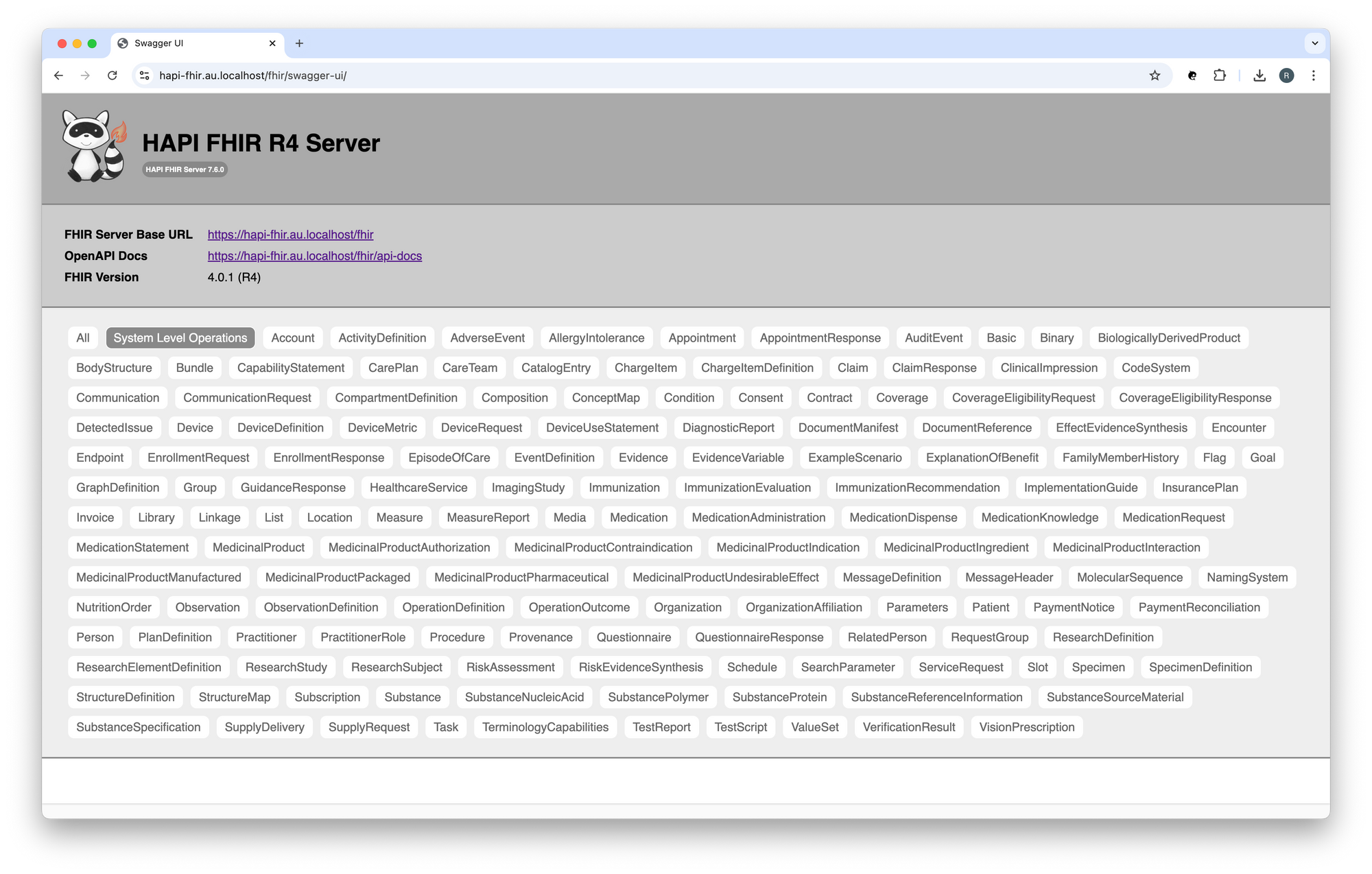
http://localhost:8080in your web browser.
Method 2: Building from the HAPI FHIR JPA Starter Project
If you need to implement custom security interceptors, terminology validation rules, or specialized search parameters, you must build the server from the hapi-fhir-jpaserver-starter GitHub repository.
- Clone the starter project repository using Git.
- Open the project in your preferred Integrated Development Environment (IDE) such as IntelliJ IDEA or Eclipse.
- Locate the
application.ymlorapplication.propertiesfile located insrc/main/resources. - Configure your database connection strings, logging levels, and FHIR version parameters. For example:
spring.datasource.url=jdbc:postgresql://localhost:5432/fhir_db spring.datasource.username=fhir_user spring.datasource.password=secure_password hapi.fhir.fhir_version=R4 hapi.fhir.allow_cascading_deletes=true hapi.fhir.enforce_referential_integrity_on_write=true
- Build the project using Maven by running
mvn clean installin your terminal. - Execute the generated WAR or executable JAR file using the command
java -jar target/hapi-fhir-jpaserver.jar.
Interacting with Your HAPI FHIR Server
Once your server is running, interaction occurs entirely via standard HTTP RESTful requests. The HAPI FHIR server implements the complete set of FHIR RESTful API interactions: Create, Read, Update, Delete (CRUD), Search, and History, alongside batch and transaction operations.
Creating Resources (POST)
To create a new resource, send an HTTP POST request to the resource type endpoint (e.g., /fhir/Patient) with a JSON or XML payload adhering to the FHIR specification.
- Endpoint:
http://localhost:8080/fhir/Patient - Headers:
Content-Type: application/fhir+jsonAccept: application/fhir+json
- Body Example:
{ "resourceType": "Patient", "name": [ { "use": "official", "family": "Smith", "given": ["John", "Jacob"] } ], "gender": "male", "birthDate": "1974-12-25" }
Upon successful creation, the server will return an HTTP 201 Created status code, complete with a Location header indicating the new resource's unique logical ID and version.
Reading Resources (GET)
To retrieve a specific resource by its ID, execute an HTTP GET request pointing directly to the resource instance.
- Endpoint:
http://localhost:8080/fhir/Patient/12345 - Headers:
Accept: application/fhir+json
Searching Resources (GET / POST Search)
HAPI FHIR supports powerful search parameters defined by the FHIR standard. You can query resources using modifiers, chains, and exact matches.
- Endpoint:
http://localhost:8080/fhir/Patient?family=Smith&gender=male - Response: A FHIR
Bundleresource containing all matching patient records wrapped in entries.
Configuring Security, Interceptors, and Validation
Deploying a HAPI FHIR server in a real-world environment requires strict adherence to security, data privacy, and data integrity regulations such as HIPAA and GDPR. HAPI FHIR provides an extensible interceptor framework to secure endpoints and validate data.
Implementing Authorization Interceptors
By default, a freshly deployed HAPI FHIR server allows open access to all read and write operations. To restrict access:
- Create a custom Java class that extends
BaseInterceptor. - Register security rules using the
@Hookannotation to intercept incoming requests. - Validate JSON Web Tokens (JWT) or OAuth2 bearer tokens passed in the
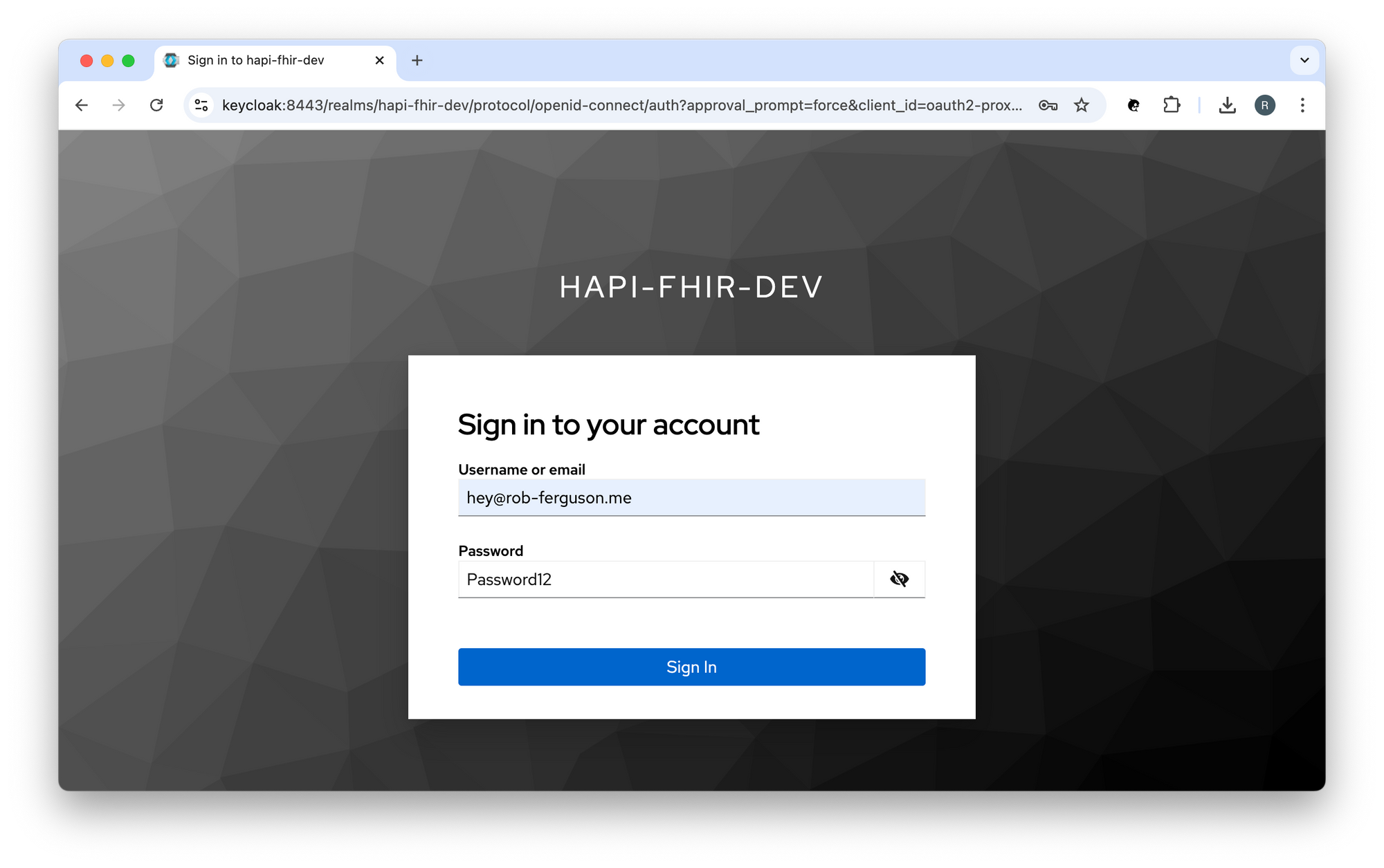
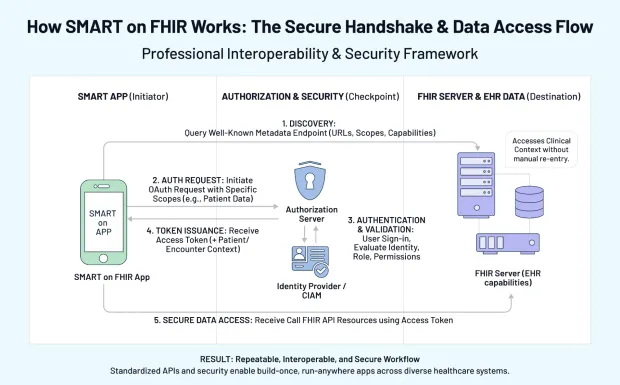
Authorizationheader against an identity provider like Keycloak or Auth0. - Enforce compartment-based access control to ensure users can only read records associated with their specific clinical organization or patient ID.
Enabling FHIR Schema Validation
Data quality is paramount in healthcare IT. You can configure your HAPI FHIR server to validate all incoming resource payloads against official HL7 structural profiles and extension definitions before writing them to the database. In your configuration file, set validation flags to warn or reject payloads that contain missing mandatory fields or invalid terminology codes.
Troubleshooting Common Deployment Issues
When operating a HAPI FHIR server, administrators frequently encounter specific configuration hurdles. Addressing these proactively saves valuable debugging time.
- Database Connection Failures: If the application fails to start, verify that your database service is running, network ports are open, and JDBC driver dependencies match your database version in your build configuration.
- Out of Memory (OOM) Errors: Large FHIR bundles or massive search operations can exhaust JVM memory. Adjust your container or Java execution parameters using flags such as
-Xms2g -Xmx4gto allocate adequate heap space. - Flyway Migration Conflicts: HAPI FHIR utilizes Flyway to manage database schema updates automatically. If a previous deployment was interrupted, database migration lock tables may persist. Clear stale locks directly in your database management console if startup hangs.
Summary of Best Practices for Production Operations
To maintain a resilient HAPI FHIR deployment over its lifecycle, follow these core operational guidelines:
- Implement Backups: Schedule automated, routine backups of your underlying relational database.
- Monitor Indexes: As your database grows, ensure that search parameters frequently used by client applications have corresponding database indexes enabled via HAPI configuration properties.
- Keep Dependencies Updated: Regularly update your HAPI FHIR framework versions to patch security vulnerabilities and benefit from performance optimizations introduced by the open-source community.
Frequently Asked Questions
What is the difference between a plain HAPI FHIR server and a JPA server?
A plain HAPI FHIR server requires developers to write custom Java code to handle database persistence, whereas a JPA server provides a fully functional, out-of-the-box database backend using Hibernate and relational mapping, dramatically reducing development time.
Can HAPI FHIR handle custom resource definitions and extensions?
Yes. The HAPI FHIR framework supports custom resource definitions, profiles, and structural extensions, allowing organizations to adapt the core standard to unique clinical or administrative workflows without breaking interoperability.
How does HAPI FHIR handle database migrations when upgrading versions?
HAPI FHIR uses Flyway database migration scripts embedded within its libraries. When you start the application with a newer version of the framework, it automatically inspects the database schema and applies necessary table updates and alterations.
Is HAPI FHIR suitable for high-throughput enterprise healthcare systems?
Yes. When paired with a properly tuned enterprise database like PostgreSQL or Oracle, configured with connection pooling, and deployed across scalable cloud infrastructure or Kubernetes clusters, HAPI FHIR successfully manages millions of clinical transactions.
How can I test my HAPI FHIR server without writing custom code?
You can use API testing tools such as Postman or Insomnia to send HTTP requests. Additionally, standard FHIR client applications and GUI tools like the FHIR Studio can connect directly to your server endpoint to browse, create, and edit resources visually.
Image Gallery