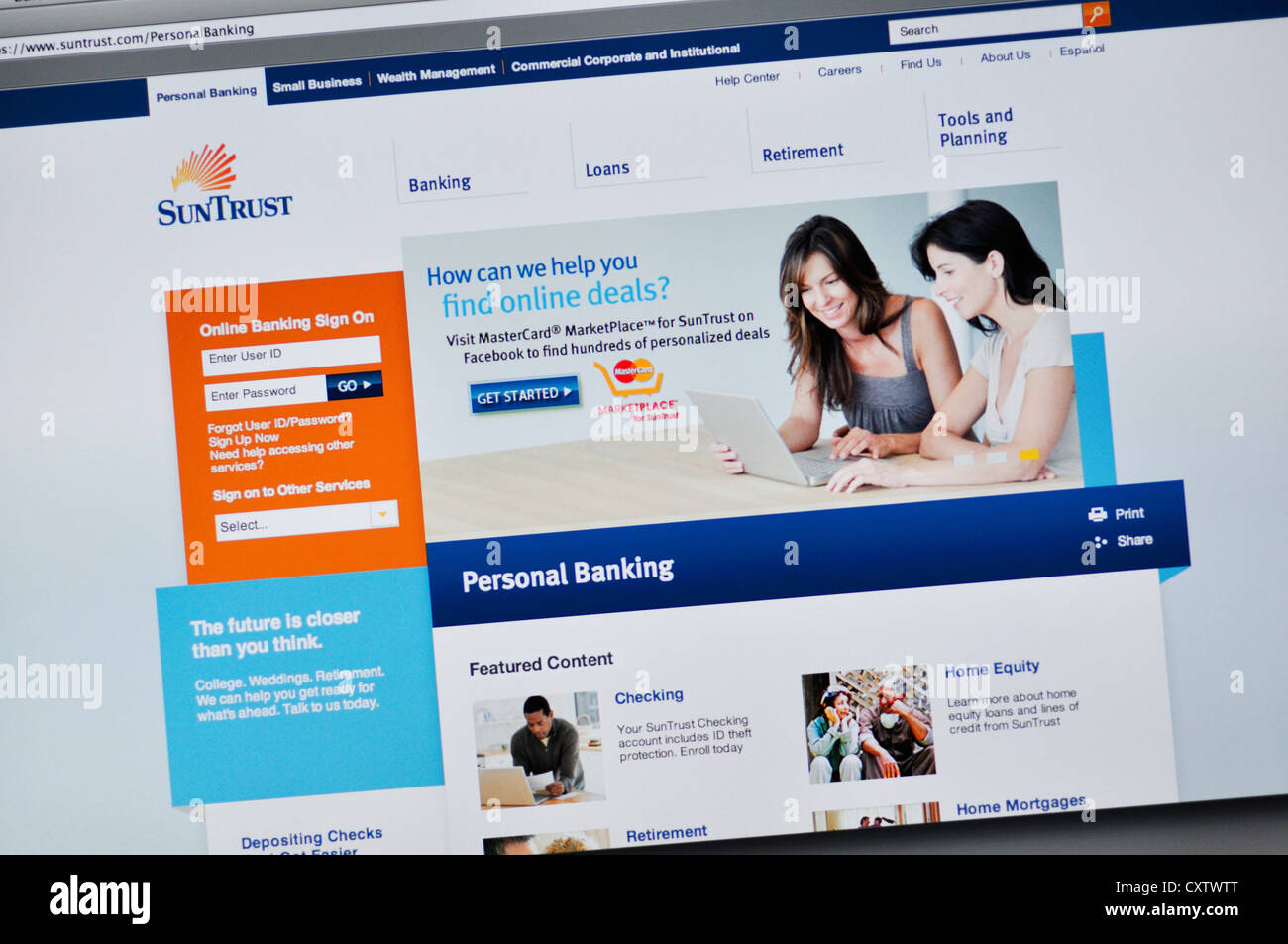
Accessing Your Truist Account: A Guide to Transitioning from SunTrust Online Banking
SunTrust Bank officially merged with BB&T to form Truist Bank in 2019, and the full platform migration was completed years ago. If you are searching for SunTrust online banking, you are looking for the Truist Online Banking portal. To...
SunTrust Bank officially merged with BB&T to form Truist Bank in 2019, and the full platform migration was completed years ago. If you are searching for SunTrust online banking, you are looking for the Truist Online Banking portal. To access your accounts, navigate directly to the official Truist website, enter your legacy SunTrust User ID and password, and follow the multi-factor authentication prompts required to secure your financial data in 2026.
Contents
Understanding the Evolution from SunTrust to Truist
For long-time customers, the transition from SunTrust to Truist involved a complete overhaul of digital infrastructure. While the legacy SunTrust brand is no longer active as a consumer-facing entity, all client data, account numbers, and historical records were migrated into the unified Truist platform. Recognizing that you are looking for the SunTrust portal means you are seeking the secure gateway that now houses those specific legacy assets.
In 2026, Truist maintains a high-security environment that requires modern browser standards. Ensuring you are on the legitimate domain is the most critical step in protecting your personal information from phishing attempts or fraudulent sites posing as defunct banking portals.
Step-by-Step Guide to Securely Signing In to Truist
Accessing your online account requires a standardized verification process designed to protect your assets. Follow these steps to ensure you are entering your credentials into the authorized Truist digital environment.
- Navigate to the official Truist Bank website. Verify the URL begins with exactly https://www.truist.com.
- Locate the "Sign In" button positioned in the top right corner of the homepage.
- Enter your legacy SunTrust User ID (if you have not updated it to a Truist-specific ID) and your password.
- If prompted, complete the Multi-Factor Authentication (MFA) step. This usually involves entering a one-time passcode sent to your registered mobile device or email address.
- Once authenticated, you will be redirected to your personal dashboard where all checking, savings, and loan accounts are consolidated.
Security Standards and Digital Identity Verification
Financial institutions in 2026 operate under stringent cybersecurity protocols mandated by federal regulators. When you sign in to your legacy account, Truist employs advanced risk-based authentication. If the system detects a login attempt from an unrecognized device, IP address, or geographical location, it will trigger an additional layer of verification.
Essential Security Best Practices
Verify Connection Integrity Always look for the padlock icon in your browser address bar. This confirms that your connection to the bank is encrypted with TLS 1.3 or higher, preventing data interception during your session.
Avoid Public Networks Refrain from accessing your online banking portal through public Wi-Fi hotspots, such as those found in coffee shops or airports, as these are common vectors for session hijacking and man-in-the-middle attacks.
Credential Management Utilize a reputable password manager to store unique, complex passwords for your banking profile. Never reuse the password you use for your bank for non-financial social media or shopping websites.
Troubleshooting Common Sign-In Challenges
If you encounter errors when attempting to access your account, it is often due to cached browser data or outdated credentials. Use the following table to identify and resolve common issues.
| Issue | Likely Cause | Recommended Resolution |
|---|---|---|
| Invalid Credentials | Forgotten password or typo | Utilize the "Forgot User ID/Password" link on the sign-in page. |
| Access Denied/Blocked | Too many failed attempts | Contact Truist Client Support to have your profile unlocked. |
| Page Refusal to Load | Browser cache/cookie corruption | Clear your browser cache or try an Incognito/Private window. |
| MFA Not Arriving | Outdated phone number | Call official customer support to update your contact information. |
Why Your Credentials Still Work
The integration of SunTrust and BB&T was a structural merger of legal entities. When the banks combined, the "SunTrust" brand was retired, but the internal account identifiers (the data that dictates who owns which funds) remained intact within the new Truist database. Consequently, the credentials you used for SunTrust online banking were programmatically mapped to the Truist interface.
If you find that your legacy credentials are no longer accepted, it is likely due to inactivity. Accounts that have remained dormant for an extended period are typically moved to a different internal status and may require a call to the service center to verify your identity before reactivation.
Frequently Asked Questions Regarding Account Access
Is there still a separate website for SunTrust online banking? No, there is no separate SunTrust website. All legacy SunTrust domains have been redirected to Truist.com. Any site claiming to be a SunTrust portal is likely a fraudulent phishing site.
What should I do if I have forgotten my legacy SunTrust User ID? You can recover your User ID through the "Forgot User ID/Password" link on the Truist sign-in page. You will need to provide your social security number or tax identification number and the account number associated with your legacy SunTrust profile.
Does Truist charge for online banking services in 2026? Online banking and mobile app access are standard features provided free of charge to all Truist clients. Fees may only apply to specific premium services, expedited transfers, or international wire transfers initiated through the portal.
Can I still use my SunTrust physical debit card? SunTrust-branded cards were replaced by Truist-branded cards during the migration. If you are still using a SunTrust card, it has likely expired. Please contact Truist to request a current, valid card to ensure uninterrupted transaction capabilities.
How do I update my personal information after logging in? Once signed in, navigate to "Profile & Settings" in your dashboard. From there, you can update your physical address, phone number, and email preferences. Some high-security changes may require a secure message or a phone call to verify your identity.
Managing Your Financial Future at Truist
As we move through 2026, the consolidation of banking services into a single, robust platform provides users with improved security features, better fraud detection, and a more streamlined interface. By maintaining strict adherence to the official Truist sign-in protocols, you ensure that your financial data remains secure while utilizing the digital tools necessary to manage your wealth effectively. Always prioritize the use of the official website and keep your contact information current to ensure you receive timely security alerts from the bank.
For those requiring direct assistance, contact the official Truist support line found on the back of your debit card or the official website to speak with a representative who can resolve account-specific technical impediments.
Image Gallery