How Coinbase Identity Verification Works: A Complete Guide to KYC in 2026
Coinbase identity verification is a mandatory process that uses Know Your Customer (KYC) protocols to confirm a user's legal identity. By submitting a government-issued ID and a live photo, users enable Coinbase to comply with global f...
Coinbase identity verification is a mandatory process that uses Know Your Customer (KYC) protocols to confirm a user's legal identity. By submitting a government-issued ID and a live photo, users enable Coinbase to comply with global financial regulations, prevent fraud, and secure account access for cryptocurrency trading.
Contents
Identity verification is the cornerstone of the modern regulated cryptocurrency ecosystem. As of 2026, Coinbase continues to operate as a leading regulated exchange, which requires a rigorous onboarding process to maintain its licenses in various jurisdictions, including the United States, the European Union, and the United Kingdom. This guide details the technical nuances, procedural steps, and troubleshooting measures involved in verifying your identity on the platform.
The Purpose of Identity Verification on Coinbase
Identity verification, often referred to as Know Your Customer (KYC), is not a proprietary Coinbase policy but a legal requirement mandated by global financial regulators. Entities like the Financial Crimes Enforcement Network (FinCEN) in the U.S. and various international bodies require financial institutions to verify the identity of their clients to prevent money laundering, terrorist financing, and tax evasion.
Beyond regulatory compliance, the verification process serves several critical security functions:
- Account Recovery: If you lose access to your two-factor authentication (2FA) device or your password, a verified identity allows Coinbase to confirm you are the rightful owner before granting access.
- Fraud Prevention: By ensuring every account is tied to a real person, the platform reduces the prevalence of bot accounts and "sybil attacks," where one individual creates many fake accounts to manipulate markets or exploit promotions.
- Increasing Limits: Higher levels of verification typically unlock higher daily buy/sell limits and the ability to withdraw larger sums to external wallets or bank accounts.
Prerequisites for a Successful Verification
Before initiating the process, you must ensure you have the necessary components ready. Attempting verification without these prerequisites often leads to automated rejections.
- Valid Government-Issued ID: Coinbase generally accepts state-issued driver's licenses, identification cards, and passports. In 2026, these must be the physical versions; digital IDs stored in phone "wallets" are often rejected unless specifically supported by the local jurisdiction's API.
- A Functional Camera: A high-resolution smartphone camera is significantly more effective than a computer webcam. Coinbase uses Optical Character Recognition (OCR) to read the text on your ID, and low-quality webcams often fail to capture the micro-printing and security features of the document.
- Stable Internet Connection: The upload process involves sending high-resolution images and, in some cases, video "liveness" checks. A weak connection can cause the upload to time out or corrupt the image data.
- Updated Mobile App: Ensure you are using the latest version of the Coinbase app from the official app store, as older versions may have outdated security protocols or incompatible camera modules.
Step-by-Step Guide to the Coinbase Verification Process
The verification flow is designed to be completed in a single sitting, typically taking between five and ten minutes if your documents are ready.
1. Initial Information Entry
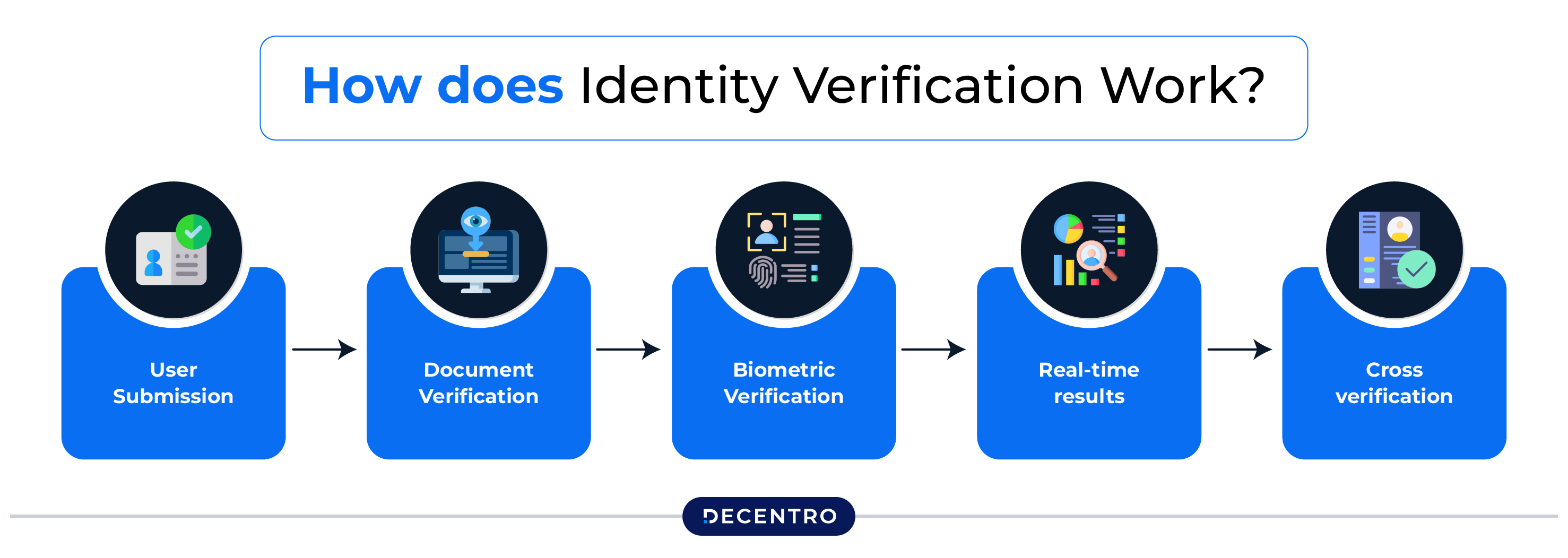
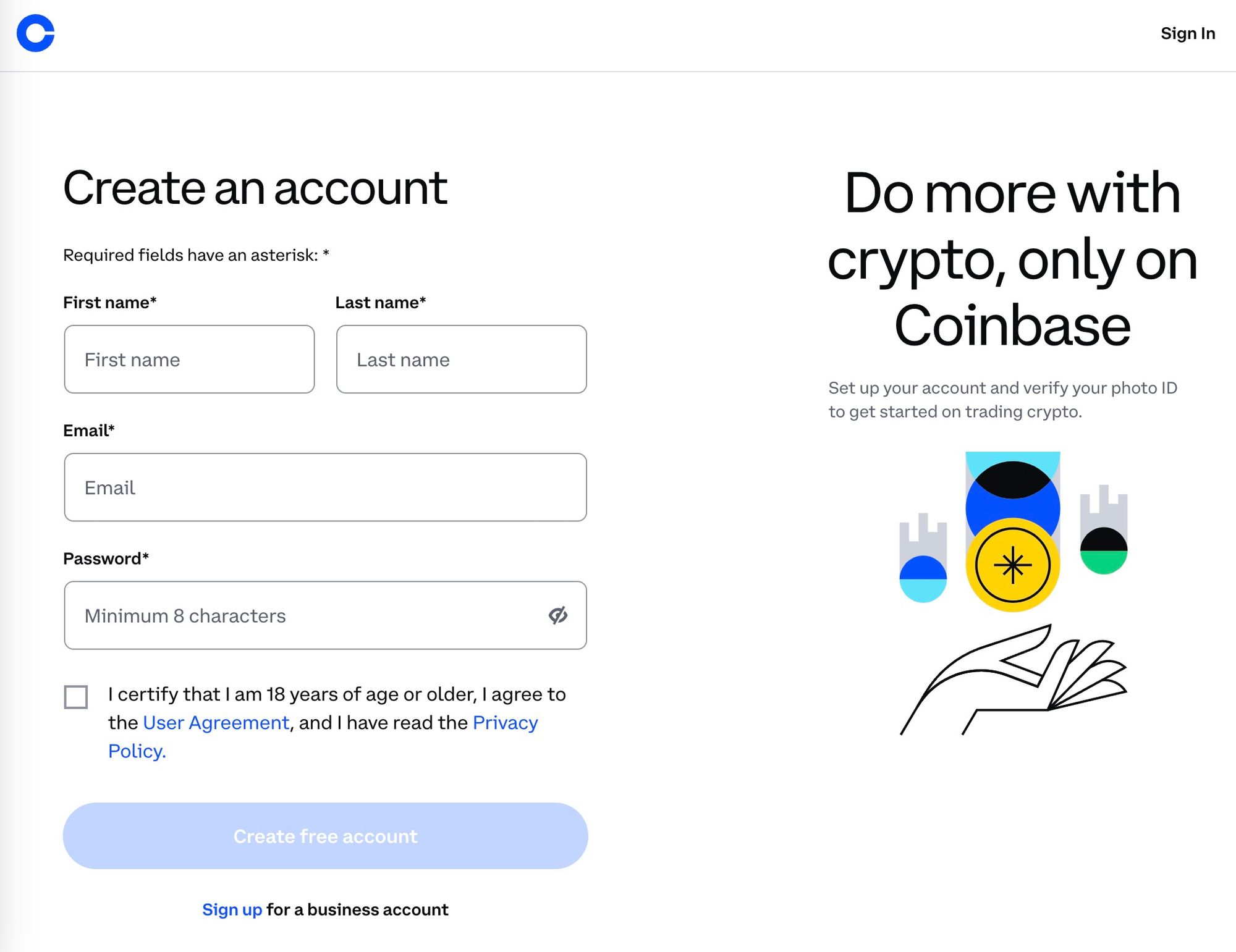
When you first sign up or are prompted to update your info, you must provide your legal name, date of birth, and residential address. It is vital that this information matches your ID exactly. For example, if your ID lists "Michael J. Smith," do not register as "Mike Smith." Discrepancies here are a primary cause of manual review delays.
2. Document Selection and Capture
You will be asked to select the type of ID you are providing. After selection, the app will activate your camera.
- Front and Back: If using a driver's license or ID card, you must photograph both sides.
- Passport: You only need to photograph the main photo page.
- Framing: Ensure the ID is on a flat, dark surface to provide contrast. All four corners of the ID must be visible within the on-screen frame.
3. The Liveness Check (Biometric Verification)
In 2026, Coinbase frequently employs liveness detection to ensure the person verifying the account is physically present. This is a biometric security measure that prevents the use of static photos or "deepfake" videos. You may be asked to hold your phone at eye level and follow a series of prompts, such as turning your head or moving closer to the screen. The system analyzes the 3D depth and movement of your face to confirm your identity against the photo on your ID.
4. Background Verification and Screening
Once your data is submitted, Coinbase's automated systems run the information against various global databases. This includes checking the Office of Foreign Assets Control (OFAC) sanctions lists and other watchlists. This part of the process is usually near-instantaneous but can take longer if the system finds a "soft match" that requires a human compliance officer to review.
Verification Tiers and Account Limits
Coinbase uses a tiered system for account access. While the names of these tiers may vary by region, the general structure remains consistent in 2026.
| Verification Level | Requirements | Features Unlocked |
|---|---|---|
| Level 1 | Verified Email and Phone Number | Basic account access, limited portfolio tracking. |
| Level 2 | Full Legal Name, Address, and SSN (US) | Ability to buy, sell, and deposit crypto. Standard limits apply. |
| Level 3 | Government-issued Photo ID + Selfie | Full access to all features, including high-limit bank transfers (ACH/Wire) and crypto withdrawals. |
| Enterprise | Business Registration + Beneficial Owner IDs | Institutional-grade limits and dedicated support for corporate entities. |
Common Challenges and Troubleshooting
Despite the sophisticated AI used in the verification process, users often encounter errors. Understanding why these happen can help you resolve them quickly.
Image Quality Issues
The most common reason for failure is poor image quality. If the OCR technology cannot read your birthdate or ID number with 99.9% certainty, the system will reject the document.
- Glare: Avoid using the camera flash. Instead, use natural, indirect lighting.
- Blur: Ensure your camera lens is clean. Tap the screen to focus on the text of the ID before snapping the photo.
- Background: Do not hold the ID in your hand while photographing it, as your fingers may obscure important information or security watermarks.
Information Mismatches
If you have moved recently, your residential address on the Coinbase profile may not match the address on your ID. While Coinbase allows for this (since IDs aren't always updated immediately), significant discrepancies—such as a different state or country—may trigger a requirement for a Proof of Residence document, such as a utility bill or bank statement issued within the last 90 days.
Technical Failures
If the app freezes during the liveness check, try the following:
- Clear the app cache in your phone settings.
- Switch from Wi-Fi to cellular data (or vice versa).
- Ensure your phone's OS is updated, as camera permissions for web-view browsers are often tied to security patches.
Data Security: How Coinbase Protects Your Sensitive Information
Handing over a passport or Social Security number is a significant act of trust. Coinbase utilizes several layers of security to protect this sensitive data:
- Encryption: All sensitive data is encrypted using AES-256 encryption at rest. In transit, data is protected via Transport Layer Security (TLS).
- Redaction: Coinbase’s internal support teams do not have unrestricted access to your full ID images. Information is often redacted or hashed, so only the necessary compliance algorithms or specialized officers see the data.
- Regulatory Oversight: As a publicly traded company in the United States, Coinbase is subject to regular audits regarding its data handling practices, adhering to standards similar to those of major traditional banks.
- GDPR and Privacy Rights: For users in the European Economic Area, Coinbase must comply with the General Data Protection Regulation (GDPR), which gives users rights over how their data is stored and the "right to be forgotten" under certain legal conditions.
Frequently Asked Questions
How long does Coinbase identity verification take?
For most users, the automated process takes between 2 and 15 minutes. If the system is unable to verify your documents automatically, it will be sent for manual review by the Coinbase compliance team. In 2026, manual reviews typically take 24 to 48 hours, though this can increase during periods of extreme market volatility when the volume of new sign-ups spikes.
Why is my ID being rejected even though it's valid?
The most frequent cause is a lack of clarity in the photo or the ID being expired. Check that all four corners of the document are visible and that there is no "white-out" glare from overhead lights. Additionally, ensure that the ID you are using is supported in your specific country; for example, Coinbase generally does not accept military IDs or student IDs for verification.
Can I use Coinbase without identity verification?
No. To comply with FinCEN and international AML regulations, Coinbase requires identity verification for all users who wish to buy, sell, or deposit funds. Accounts that are not verified may be limited to "withdraw-only" mode or restricted entirely until the KYC process is completed.
Is it safe to provide my Social Security Number to Coinbase?
Yes, for U.S. users, providing an SSN is a standard requirement for regulated financial institutions. Coinbase uses this to verify your identity against credit bureaus and government records. They are legally bound to protect this information under various financial privacy laws.
Does Coinbase verification work on a desktop?
While you can start the process on a desktop, you will almost always be prompted to complete the ID capture on your mobile phone. Coinbase provides a QR code that links your desktop session to your phone’s camera, as mobile cameras generally provide the higher resolution required for document scanning.
Final Recommendation
To ensure the smoothest experience with Coinbase identity verification, always use the Coinbase Mobile App rather than a web browser. The integrated camera software in the app is specifically optimized for capturing the security features of government IDs. If you encounter repeated failures, double-check that your legal name on the platform matches your ID exactly and that you are in a well-lit room with indirect lighting. Once verified, ensure you enable Hardware Security Keys or app-based 2FA to protect your now-verified account.
Image Gallery