How to Use the Free Texas UCC Search Tool: A Complete 2026 Guide
To perform a Texas UCC search in 2026, the primary resource is the Texas Secretary of State’s SOSDirect portal. While basic inquiries into business names can sometimes be initiated through public access, a comprehensive search typicall...
To perform a Texas UCC search in 2026, the primary resource is the Texas Secretary of State’s SOSDirect portal. While basic inquiries into business names can sometimes be initiated through public access, a comprehensive search typically requires an SOSDirect account. Official search reports generally cost $1.00 per search, providing the most reliable data for lien verification.
Contents
Understanding the Uniform Commercial Code (UCC) is essential for any business entity, lender, or legal professional operating within the Lone Star State. A UCC search is a critical component of due diligence, allowing parties to identify whether a debtor’s personal property is encumbered by a security interest. In 2026, the digital infrastructure for these searches has become more streamlined, yet navigating the "free" versus "paid" aspects of the Texas Secretary of State (SOS) system remains a point of confusion for many.
Understanding the Purpose of UCC Filings in Texas
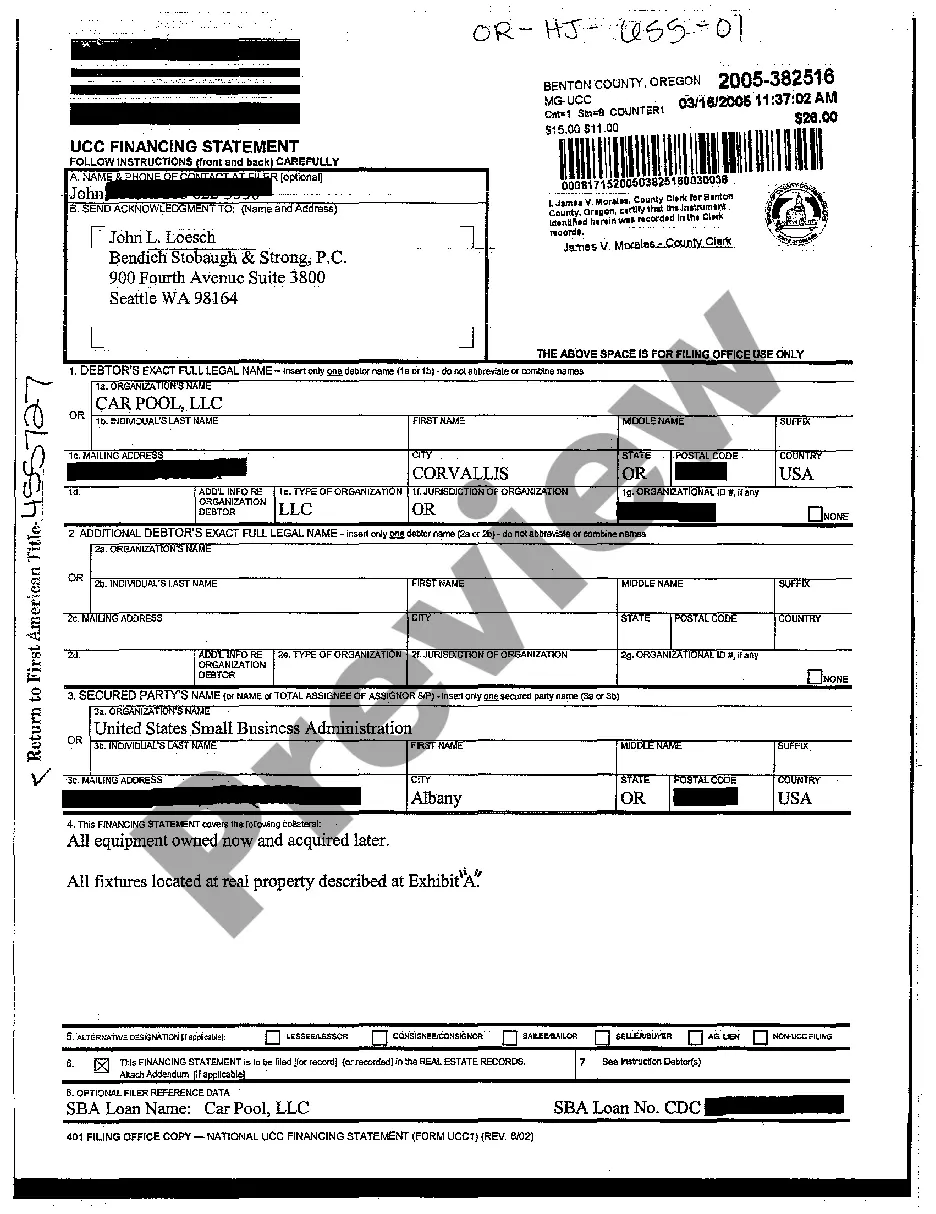
The Uniform Commercial Code is a set of laws governing commercial transactions across the United States. In Texas, these regulations are codified under the Texas Business and Commerce Code. The most common filing is the UCC-1 Financing Statement, which a creditor files to "perfect" a security interest in a debtor’s collateral. This public notice alerts other potential creditors that certain assets—such as equipment, inventory, or accounts receivable—are already pledged as security for a debt.
When you use a Texas UCC search tool, you are looking for these specific public records. The goal is to establish a "priority of claims." In the event of a default or bankruptcy, the first creditor to have filed a valid UCC-1 statement generally has the first right to the collateral. For buyers of used business equipment or lenders issuing new credit, failing to perform a search could result in losing the asset to a previous creditor with a superior claim.
Accessing the Texas Secretary of State SOSDirect Portal
The official "tool" for searching UCC records in Texas is SOSDirect, managed by the Secretary of State. While many third-party websites advertise "free Texas UCC searches," these are often lead-generation sites or aggregators that may not have the most current data. For legal and financial certainty, the SOSDirect system is the definitive source.
Prerequisites for Using SOSDirect
To access the search tools effectively in 2026, users should prepare the following:
- An SOSDirect Account: While you can browse some general information, a registered account is required for specific UCC searches and to download official documents.
- Payment Method: Although the cost is minimal (typically $1.00 for a search and additional fees for certified copies), the system requires a credit card or a pre-funded account balance.
- Specific Search Criteria: You need the exact legal name of the debtor (individual or organization) or the specific UCC filing number.
The "Free" Search Myth vs. Low-Cost Reality
It is important to clarify that "free" tools in the context of Texas UCC filings often refer to the initial search inquiry screens. You can often verify the existence of a record or search for a business entity’s status without an upfront fee on various public portals. However, to see the specific details of a lien, the collateral description, and the secured party information, the state mandates a statutory fee. In the landscape of 2026 business operations, this $1.00 fee is considered the industry standard for a "Standard Search."
Step-by-Step Process for Conducting a UCC Search
Navigating the Texas SOSDirect site requires a methodical approach to ensure you do not miss relevant filings due to naming variations or clerical errors.
1. Log in to SOSDirect
Enter your user ID and password. If you are a first-time user, you will need to provide contact information and a valid credit card. The system will authorize a small amount to verify the card’s validity.
2. Select the UCC Search Option
Once logged in, navigate to the "UCC" tab or the "Search" menu. You will be presented with several options:
- Standard Search (RA9): This is the most common search type, designed to comply with Revised Article 9 of the UCC. It uses specific "Search Logic" to find exact matches for the debtor's name.
- Non-Standard Search: This allows for more flexibility, such as searching by the city or searching for lapsed filings that are no longer active.
- Filing Number Search: If you have a specific 10-digit or 12-digit filing number, this is the fastest way to pull up a specific record.
3. Enter Debtor Information
For a business search, use the exact legal name as registered with the state. For an individual, enter the surname and first name. Texas search logic is notoriously strict; even a minor misspelling or the inclusion of "Inc." versus "Incorporated" can sometimes yield different results in non-standard searches, though the Standard Search logic is designed to account for certain common variations.
4. Review the Results and Download
The system will display a list of filings matching your criteria. In 2026, the Texas portal allows you to view an "Information Report" on-screen. If you need the actual image of the UCC-1 or any subsequent UCC-3 amendments (terminations, assignments, or continuations), you will select those for download, usually at a cost of $1.00 per page or a flat fee for the full filing image.
Comparing Official Texas SOS Search vs. Third-Party Tools
While the SOSDirect portal is the official source, some users prefer third-party search tools for high-volume due diligence.
| Feature | SOSDirect (Official) | Third-Party Aggregators |
|---|---|---|
| Data Accuracy | 100% Real-time updates | May have a 24-48 hour delay |
| Cost | $1.00 per search | Subscription-based or higher per-search fees |
| Search Logic | Standard RA9 Logic | Often includes "Fuzzy Match" capabilities |
| Certified Copies | Available directly | Must be requested from the state |
| User Interface | Functional, data-heavy | Often more modern and user-friendly |
| Bulk Searching | Limited | Specialized for high-volume users |
The Significance of the "Certified Search"
For legal proceedings, loan closings, or formal audits, a standard search may not be sufficient. A Certified Search is an official document issued by the Texas Secretary of State under seal. This document is admissible in court as evidence that a search was performed and lists all active filings against a debtor as of a specific date and time (the "Certification Date").
In 2026, requests for certified searches can be submitted through the same SOSDirect tool. The fee for a certified search is higher (typically $15.00 to $30.00), but it provides a level of legal protection that a "free" or standard search cannot offer. It essentially guarantees that the state has verified the results provided.
Common Mistakes in Texas UCC Searching
Even with the best tools, human error can lead to missed liens, which can be a multi-million dollar mistake in commercial lending.
- Using Trade Names: In Texas, a UCC filing must be made under the legal name of the debtor. Searching for a "DBA" (Doing Business As) name rather than the corporate name registered with the SOS will often result in a "No Records Found" message, even if a lien exists.
- Ignoring Lapsed Filings: A UCC filing is generally effective for five years. After that, it lapses unless a Continuation Statement (UCC-3) is filed within six months prior to the expiration. However, when performing due diligence, it is wise to check for filings that have recently lapsed to understand the debtor's full financial history.
- Misinterpreting Collateral Descriptions: Some searchers only look at the "header" of the filing. It is vital to read the collateral description. A filing might only cover "One 2022 Caterpillar Excavator," leaving all other assets unencumbered. Conversely, an "All Assets" filing covers everything the debtor owns.
Troubleshooting Technical Issues in 2026
The SOSDirect portal is a robust system, but users occasionally encounter technical hurdles.
- Session Timeouts: For security reasons, the Texas SOS portal will log users out after a period of inactivity. Always save your search results or download the PDFs immediately.
- Browser Compatibility: While the 2026 version of the site supports most modern browsers (Chrome, Firefox, Edge), ensure that pop-up blockers are disabled, as the search results often open in a new window or as a PDF download.
- Payment Failures: Ensure the billing address on your SOSDirect account matches the credit card exactly. The state’s payment processor is highly sensitive to address verification (AVS) mismatches.
FAQs About Texas UCC Searches
Is there a truly free way to search Texas UCC filings?
There is no official way to get a complete, legally actionable UCC search report for free. You can often verify if a company is in "Good Standing" for free on the Texas Comptroller’s website, but for specific lien details, the Secretary of State charges a statutory fee of $1.00 via SOSDirect.
How often is the Texas UCC database updated?
The Texas SOSDirect database is updated in real-time. As soon as a filing is accepted and indexed by the Secretary of State’s office, it becomes searchable. However, there can be a small "indexing lag" of a few hours during peak filing periods.
Can I search by the secured party (the lender) instead of the debtor?
Yes, the Texas search tool allows for "Secured Party Searches." This is useful if you want to see all the filings a specific bank or finance company has made in the state of Texas. This is a common tactic for competitive intelligence or for lenders auditing their own portfolios.
What is the difference between a UCC search and a Federal Tax Lien search?
A UCC search identifies security interests in personal property (collateral) created by contract. A Federal Tax Lien search, while often available through the same SOS portal, identifies involuntary liens placed by the IRS for unpaid taxes. In Texas, tax liens are also filed with the County Clerk where the debtor resides or does business.
Do I need a lawyer to perform a UCC search?
While you do not legally need an attorney to use the search tool, interpreting the results can be complex. If the search reveals multiple filings, amendments, and partial releases, a legal professional or a specialized due diligence firm can help clarify which liens have priority.
Final Recommendation for 2026 Users
For the most accurate and cost-effective results, skip the "free" third-party advertisements and create an official SOSDirect account with the Texas Secretary of State. Allocate a small budget for the $1.00 search fees to ensure you are receiving real-time, official data. If you are involved in a high-stakes transaction, such as a business acquisition or a large commercial loan, always opt for a Certified Search to ensure the highest level of legal due diligence.
Image Gallery