How to Watch ESPN on Sling TV: A Comprehensive 2026 Guide for Sports Fans
To watch ESPN on Sling TV, you must subscribe to the Sling Orange base package or the Sling Orange + Blue multi-stream service. ESPN is not included in the Sling Blue plan. Once subscribed, you can access ESPN, ESPN2, and ESPN3 directl...
To watch ESPN on Sling TV, you must subscribe to the Sling Orange base package or the Sling Orange + Blue multi-stream service. ESPN is not included in the Sling Blue plan. Once subscribed, you can access ESPN, ESPN2, and ESPN3 directly within the Sling app on any compatible streaming device.
Contents
Accessing live sports has become increasingly fragmented, but Sling TV remains one of the most cost-effective methods for cord-cutters to keep up with the NFL, NBA, MLB, and collegiate athletics. However, navigating the differences between Sling’s unique package structures is essential to ensure you do not miss kickoff. As of 2026, the platform continues to use a bifurcated system where channel lineups are strictly divided by parent networks, making your choice of "Orange" or "Blue" the most consequential decision in your setup process.
Understanding the Sling TV Package Structure
The most critical factor in watching ESPN on Sling TV is understanding that Sling TV does not offer a single "standard" lineup. Instead, it splits its offerings into two primary tiers: Sling Orange and Sling Blue. These packages serve different audiences based on the licensing agreements Sling has with major media conglomerates like Disney (which owns ESPN) and Fox or NBCUniversal.
The Role of Sling Orange
Sling Orange is the designated home for Disney-owned properties. This includes the Disney Channel, Freeform, and, most importantly for sports enthusiasts, the ESPN family of networks. If your primary goal is to watch Monday Night Football, Top Rank Boxing, or the NBA Playoffs, Sling Orange is a prerequisite.
In the current 2026 landscape, the Sling Orange package includes:
- ESPN
- ESPN2
- ESPN3 (often used for overflow collegiate sports and international soccer)
It is important to note that Sling Orange is a "single-stream" service. This means that even if you have the app installed on multiple TVs in your home, only one person can watch a Sling Orange channel at any given time. This is a technical limitation imposed by the licensing agreements for these specific channels.
Why ESPN is Absent from Sling Blue
Sling Blue is designed for fans of local news, "blue-collar" comedy, and general entertainment. It features channels from Fox, NBC, and Warner Bros. Discovery. While Sling Blue offers sports through networks like FS1 and the NFL Network, it does not include any ESPN channels. Many new users make the mistake of subscribing to Sling Blue because it allows for three simultaneous streams, only to realize too late that the "Worldwide Leader in Sports" is missing from their guide.
The Sling Orange + Blue Hybrid
For households that want the best of both worlds—the ESPN access of Orange and the multi-stream flexibility and expanded news of Blue—Sling offers a combined "Orange + Blue" package. This remains the most popular choice for comprehensive sports coverage in 2026 because it combines ESPN with FS1 and local affiliates in select markets. When you subscribe to this hybrid plan, you receive a total of four simultaneous streams (one for Orange channels and three for Blue channels).
2026 Pricing and Subscription Costs
Budgeting for live sports requires looking at the total monthly commitment, including any add-ons necessary for niche sports. While Sling TV remains more affordable than competitors like Fubo or Hulu + Live TV, prices have adjusted to reflect the rising costs of sports broadcasting rights.
| Feature | Sling Orange | Sling Blue | Sling Orange + Blue |
|---|---|---|---|
| Monthly Price (2026) | $40.00 | $40.00 | $55.00 |
| ESPN / ESPN2 / ESPN3 | Included | Not Available | Included |
| Simultaneous Streams | 1 Stream | 3 Streams | 4 Streams (Total) |
| Cloud DVR Storage | 50 Hours (Base) | 50 Hours (Base) | 50 Hours (Base) |
| Primary Sports Focus | ESPN, Disney, CNN | FS1, NFL Network, NBC | All-in-One Coverage |
Note: Pricing reflects standard 2026 rates and may vary based on regional taxes or limited-time promotional offers for new subscribers.
Step-by-Step Guide to Watching ESPN on Sling TV
If you are ready to start streaming, follow these steps to ensure your account is configured correctly for ESPN access.
1. Create and Configure Your Account
Visit the Sling TV official website to begin the registration process. During the sign-up flow, you will be prompted to choose your base service. Ensure you select either Sling Orange or Sling Orange + Blue. If you select Blue by mistake, you will not see ESPN in your channel guide.
2. Add the Sports Extra Pack (Optional)
During the checkout process, you will see an option for "Add-ons." For the most complete ESPN experience, consider the Sports Extra pack. This add-on is essential for fans who need more than just the flagship ESPN channels. It typically includes:
- ESPNews
- ESPNU
- SEC Network
- ACC Network
- Longhorn Network
3. Install the Sling App
Sling TV is compatible with virtually every modern smart device. Navigate to the app store on your device (Roku, Amazon Fire Stick, Apple TV, or your Smart TV’s native interface) and search for "Sling TV." Download and install the application, then log in using the credentials you created in step one.
4. Locate ESPN in the Channel Guide
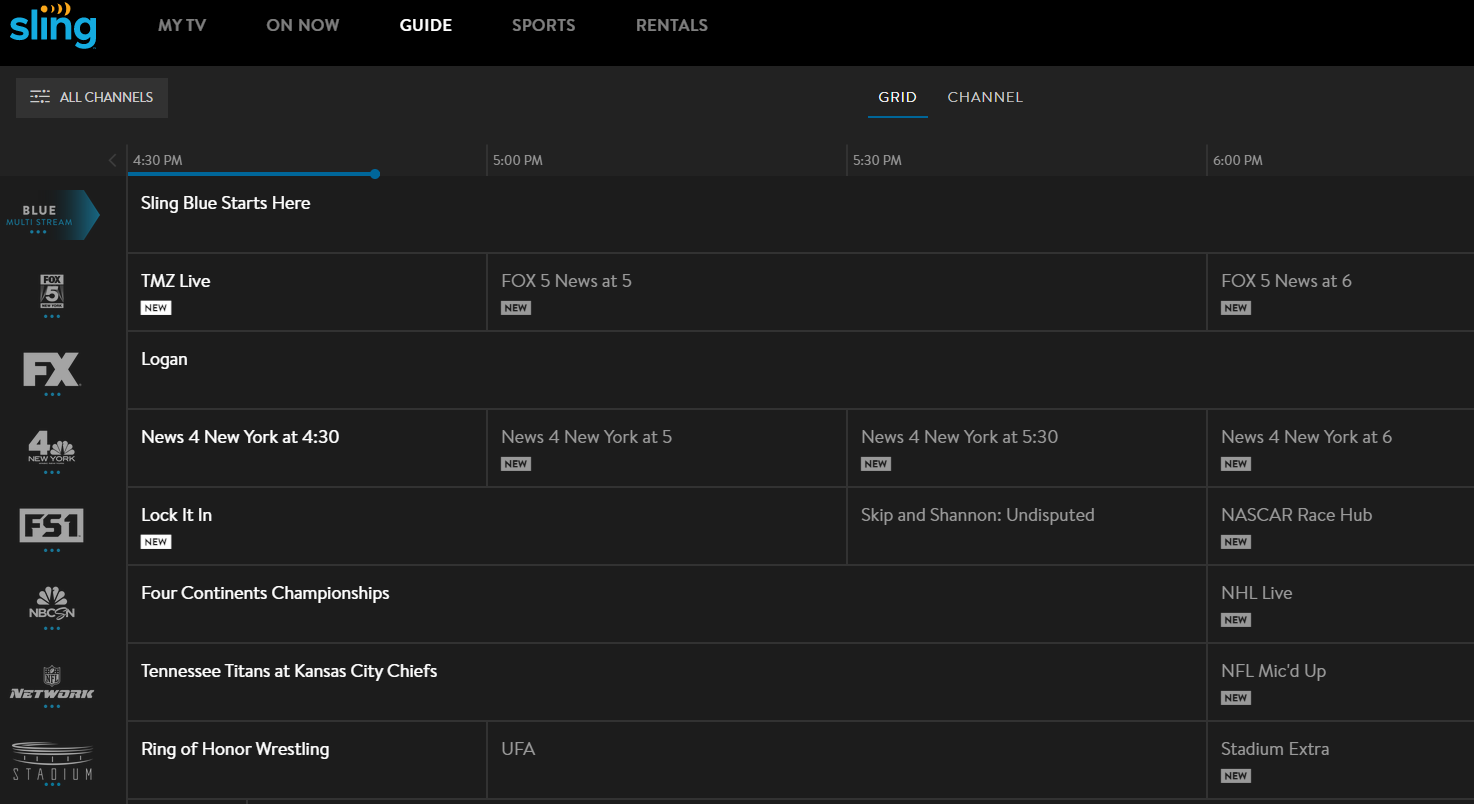
Once logged in, navigate to the "Guide" section. You can filter the guide by "Sports" to quickly find ESPN, ESPN2, and ESPN3. On game days, ESPN3 often hosts exclusive digital broadcasts that are not available on the linear ESPN channel, and these are integrated directly into the Sling interface for ease of use.
Technical Requirements and Device Compatibility
To watch ESPN in high definition without buffering, your technical environment must meet certain standards. In 2026, streaming quality has moved primarily toward 1080p and 4K variations, which demand stable bandwidth.
Internet Speed Recommendations
- Single Stream (Mobile): 3 Mbps
- Single Stream (Tablet/PC): 5 Mbps
- Multiple Streams or 4K Content: 25 Mbps or higher
Using a wired Ethernet connection for your primary streaming device (like a Roku Ultra or Apple TV) is highly recommended for live sports, where even a five-second lag can result in "spoilers" from mobile phone notifications.
Supported Devices
You can watch ESPN via Sling TV on the following platforms:
- Streaming Players: Apple TV (4th Gen+), Amazon Fire TV, Roku, Chromecast with Google TV.
- Smart TVs: Samsung, LG, Vizio, and Android TV-based models.
- Gaming Consoles: Xbox Series X|S and PlayStation 5.
- Mobile & Web: iOS, Android, and all major web browsers via the Sling Web Player.
Using the ESPN App with Sling Credentials
A common "pro-tip" for Sling TV subscribers is using their account credentials to log into the standalone ESPN App (formerly WatchESPN). This is particularly useful if the Sling app is experiencing high traffic during a major event like the College Football Playoff.
- Download the ESPN App on your device.
- Go to the settings or "Gear" icon and select "Provider."
- Search for Sling TV in the list of television providers.
- Enter your Sling TV username and password.
- Once authenticated, you can watch live streams of ESPN, ESPN2, and SEC Network directly within the ESPN App.
This method also grants access to thousands of hours of on-demand content and "ESPN3" events that are sometimes easier to navigate within the native ESPN environment than the Sling TV guide.
Limitations and Common Mistakes
While Sling TV is an excellent value, it has specific limitations that can frustrate sports fans if they are not prepared.
The Single-Stream Constraint
As mentioned previously, Sling Orange is limited to one stream. If you are watching ESPN in the living room, no one else in your household can watch any Sling Orange channel on another device. If someone tries to log in elsewhere, your stream will likely be interrupted. This is the most significant trade-off for the lower price point compared to YouTube TV or Hulu + Live TV, which typically allow three or more simultaneous streams.
Local Channel Availability
ESPN handles national broadcasts, but many sports fans also need local ABC, NBC, or Fox affiliates for regional games. Sling TV’s local channel coverage is limited to specific major metropolitan areas. If you live in a rural area, you may need to pair your Sling TV subscription with an Over-the-Air (OTA) antenna to get your local broadcast networks. Sling often sells "AirTV" bundles that integrate these antenna channels directly into the Sling guide, creating a seamless experience.
Blackout Restrictions
It is a common misconception that subscribing to ESPN on Sling TV bypasses regional blackout rules. If a game is "blacked out" in your area due to local broadcasting rights (common in MLB and NBA), it will be unavailable on ESPN through Sling TV just as it would be on traditional cable. You must rely on your Regional Sports Network (RSN) for those specific games.
Frequently Asked Questions
Can I watch ESPN on Sling TV for free?
There is no permanent free version of ESPN on Sling TV. However, Sling occasionally offers "Free Preview" weekends or promotional trial periods for new users. Generally, you must have an active Sling Orange or Sling Orange + Blue subscription to access ESPN content.
Does Sling TV include ESPN+?
No, Sling TV and ESPN+ are separate services. Sling TV provides access to the linear ESPN cable channels (ESPN, ESPN2, etc.), while ESPN+ is a standalone subscription service from Disney that features exclusive digital-only content. You cannot "add" ESPN+ to your Sling bill; you must subscribe to it separately via the ESPN website.
Is ESPN3 included in the base Sling Orange package?
Yes, ESPN3 is included as a standard part of the Sling Orange lineup. Unlike ESPN and ESPN2, which are traditional cable channels, ESPN3 is a digital network. Sling integrates the ESPN3 digital feed directly into your channel guide, so you can watch it without leaving the Sling app.
Can I record ESPN games on Sling TV?
Yes, all Sling TV subscriptions include 50 hours of Cloud DVR storage. You can set ESPN games to record, allowing you to pause, rewind, or watch them later. If you need more space, Sling offers a "DVR Plus" add-on that expands storage to 200 hours for an additional monthly fee.
Why is ESPN not showing up in my Sling guide?
If ESPN is missing, first verify that you are subscribed to Sling Orange. If you have Sling Blue, ESPN will not appear. If you have the correct package, try logging out and back into the app, or check your "Guide Filters" to ensure you haven't accidentally hidden sports channels.
Final Recommendation
For most viewers, the best way to watch ESPN is by subscribing to the Sling Orange package. If you are a die-hard sports fan who also needs channels like ESPNU or the SEC Network, adding the Sports Extra pack is highly recommended. To avoid the frustration of the single-stream limit, ensure your household understands that only one person can access the Orange-tier channels at a time. If you require local channels alongside ESPN, consider the Sling Orange + Blue hybrid for the most comprehensive 2026 cord-cutting experience.
Image Gallery