Jira for Resource Management: Strategies, Tools, and Capacity Planning in 2026
Effective resource management in Jira is achieved by leveraging the "Plans" feature (formerly Advanced Roadmaps) available in Premium and Enterprise tiers, or by integrating specialized third-party applications like Tempo Planner or Bi...
Effective resource management in Jira is achieved by leveraging the "Plans" feature (formerly Advanced Roadmaps) available in Premium and Enterprise tiers, or by integrating specialized third-party applications like Tempo Planner or BigPicture. These tools allow project managers to visualize team capacity, balance workloads across multiple projects, and align human capital with strategic deadlines to prevent burnout and project delays.
Contents
Understanding Resource Management in the Jira Ecosystem
In 2026, resource management has evolved from simple time-tracking to a complex discipline of balancing human capital, skill sets, and organizational velocity. While Jira was originally designed as an issue tracker for software development, it has transformed into a comprehensive work management platform. However, the core challenge remains: Jira's native "Issue" structure tracks what needs to be done, but it does not inherently track who is available to do it across a long-term horizon without specific configurations.
Resource management in Jira involves three primary pillars: capacity planning, resource allocation, and utilization tracking. Capacity planning determines the total amount of work a team can realistically perform in a given period. Resource allocation is the process of assigning specific tasks to individuals or teams based on their skills and availability. Utilization tracking monitors how much of the allocated time was actually spent on productive tasks versus administrative overhead or downtime.
For organizations operating in 2026, the shift toward cross-functional teams and asynchronous work environments makes centralized visibility essential. Without a dedicated resource management strategy within Jira, organizations often face "resource contention," where multiple high-priority projects compete for the same specialized talent, leading to bottlenecks and missed milestones.
Native Jira Features for Resource Allocation
Atlassian has significantly bolstered Jira’s native capabilities to handle resource management, primarily through the integration of advanced planning tools into its higher-tier subscriptions.
Jira Plans (Advanced Roadmaps)
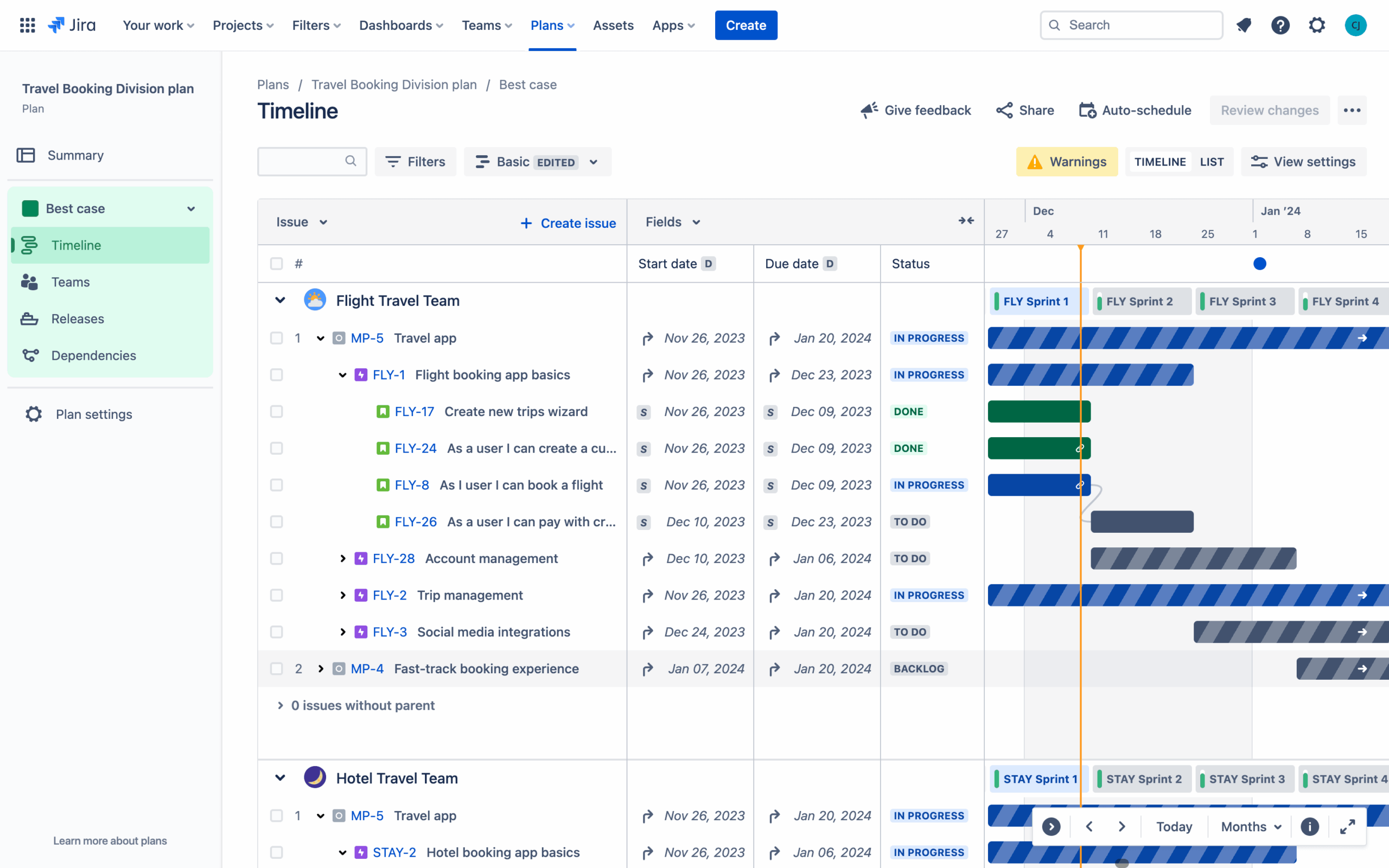
Jira Plans is the cornerstone of native resource management for Jira Software Premium and Enterprise users. It provides a "sandbox" environment where managers can map out work across multiple boards, projects, and filters. The most critical feature for resource management here is the Capacity View.
In Jira Plans, you can define teams and associate them with specific projects. You can set capacity in terms of hours or story points. The tool then visualizes whether a team is over-allocated or under-allocated based on the estimates of the issues assigned to them. In 2026, the "Auto-scheduler" within Plans has become more sophisticated, using historical velocity and current availability to suggest the most efficient distribution of tasks.
Jira Work Management and Dashboards
For non-technical teams, Jira Work Management offers a "Summary" and "Calendar" view that provides a high-level look at task distribution. While less robust than Plans for capacity modeling, these views are essential for operational resource management. Additionally, standard Jira Dashboards can be configured with "Workload Pie Chart" gadgets or "User Workload" reports. These gadgets offer a snapshot of how many issues are assigned to specific individuals, though they lack the temporal depth needed to see future availability.
The Role of Atlassian Intelligence in 2026 Resource Planning
As we navigate 2026, Atlassian Intelligence (AI) has become a fundamental component of the Jira experience. In the context of resource management, AI serves as a predictive engine rather than just a generative one. It analyzes years of historical data within a company’s Jira instance to identify patterns in "scope creep" and "estimation accuracy."
AI-driven insights now warn resource managers when a project's timeline is unrealistic based on the current team’s historical output. For instance, if a senior developer is assigned 40 hours of work but typically only completes 30 hours due to meetings and code reviews, the AI will flag a "capacity risk." This level of predictive analytics allows managers to make data-driven decisions about hiring or scope reduction long before a crisis occurs.
Top Third-Party Apps for Advanced Resource Management
While native features satisfy many requirements, large-scale enterprises or specialized agencies often require the granular control provided by the Atlassian Marketplace. The following table compares the leading solutions integrated with Jira in 2026.
| Feature | Jira Plans (Native) | Tempo Planner | BigPicture | ActivityTimeline |
|---|---|---|---|---|
| Primary Focus | Cross-project roadmapping | Individual capacity & time | Portfolio & PMO management | Visual team scheduling |
| Skill Tracking | Basic (via labels/tags) | Advanced (Skill database) | Comprehensive (Skill matrix) | Moderate |
| Pricing Model | Included in Premium/Ent. | Per-user subscription | Per-user subscription | Per-user subscription |
| Best For | Agile software teams | Professional services | Large-scale enterprises | Visual-oriented managers |
| AI Integration | High (Atlassian Intel) | Moderate | High (Predictive analytics) | Low |
Tempo Planner
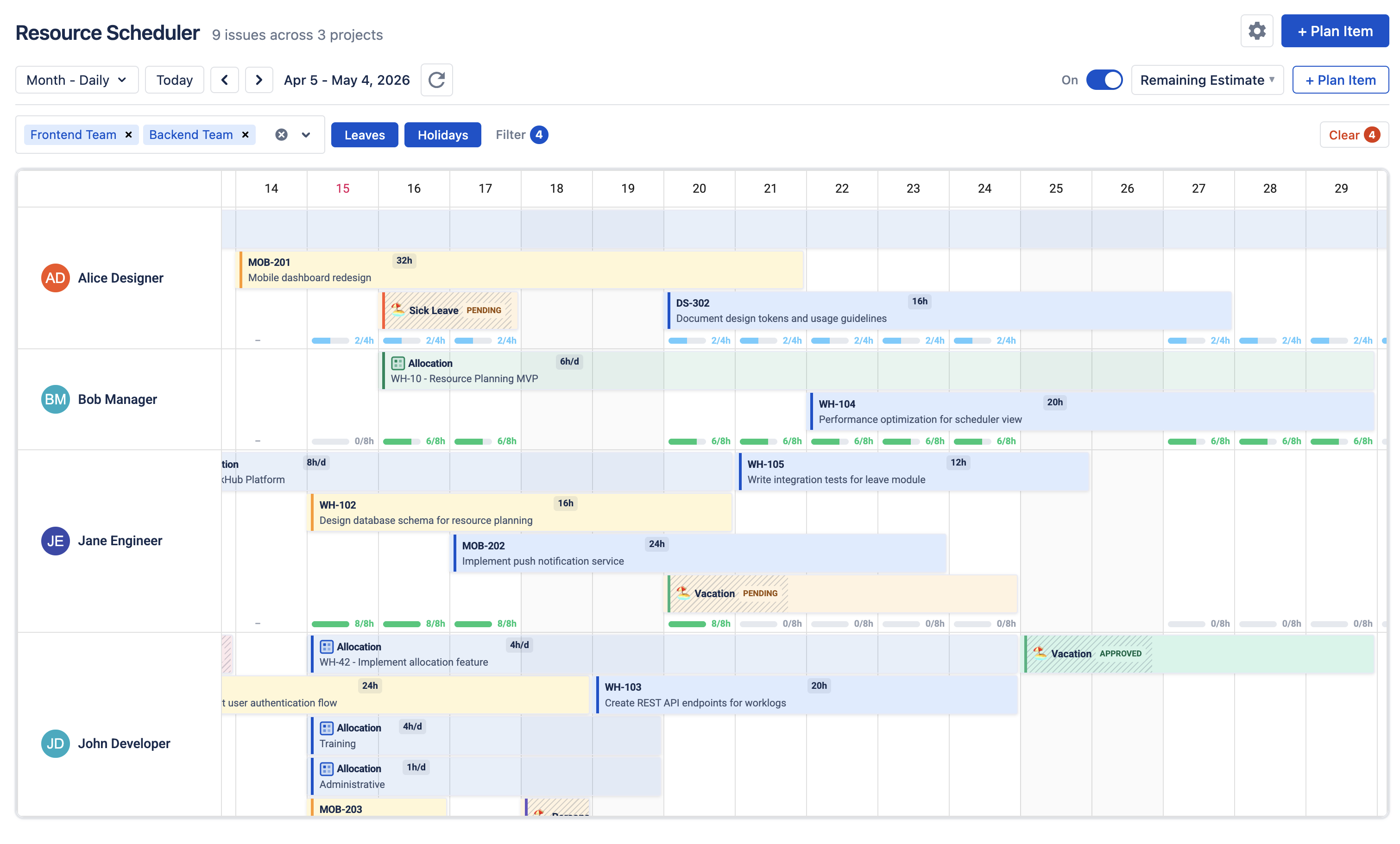
Tempo remains a dominant force in 2026 for organizations that require a "people-first" view. Unlike Jira Plans, which starts with the "Issue," Tempo Planner starts with the "User." It allows managers to see a timeline of every employee and drag-and-drop tasks onto their schedules. Its integration with Tempo Timesheets makes it the most accurate tool for comparing planned vs. actual resource utilization.
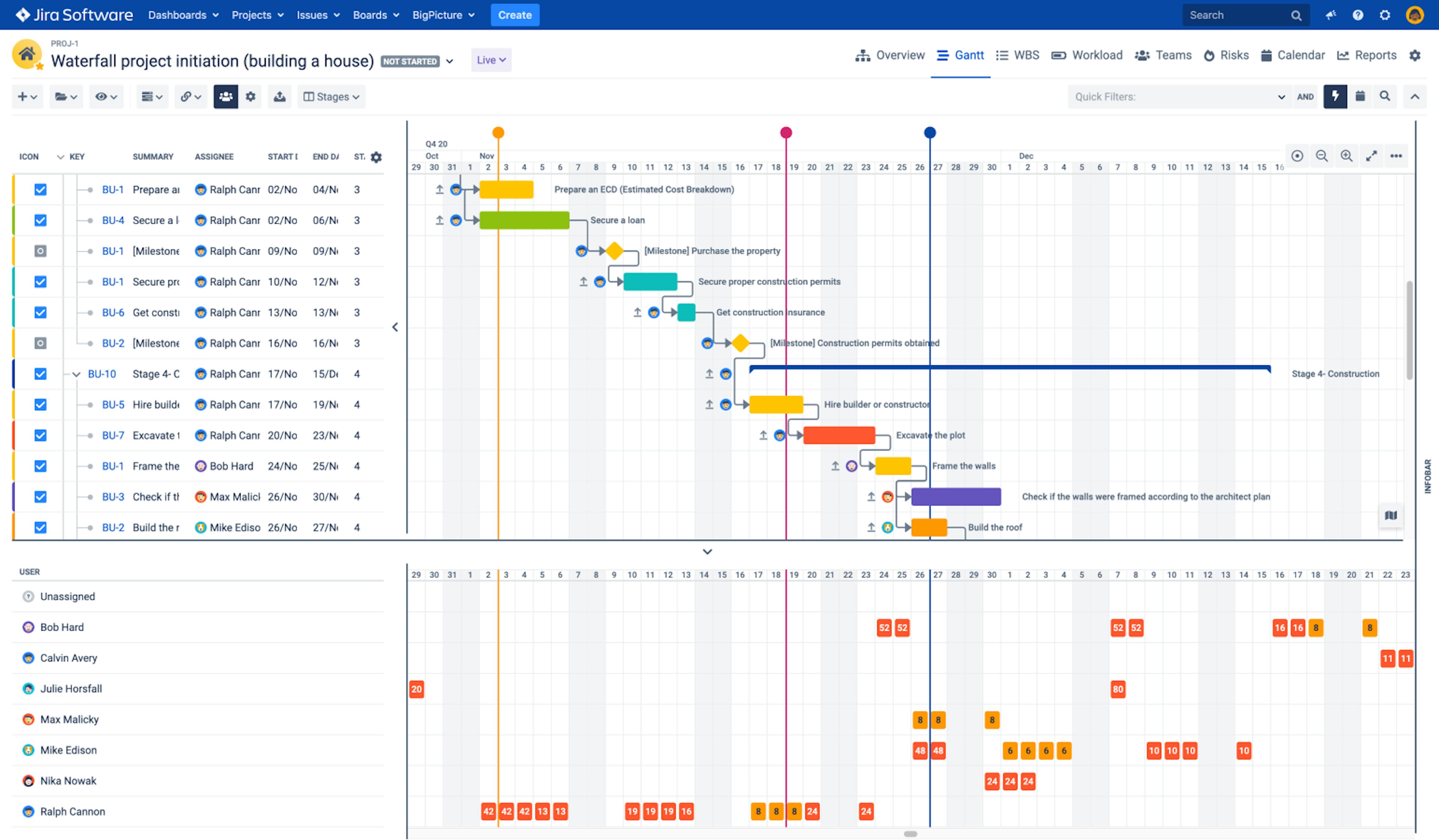
BigPicture (SoftwarePlant)
BigPicture is designed for the Project Management Office (PMO). it excels in complex environments where resources are shared across a vast portfolio of projects. It offers a sophisticated "Resource Module" that includes heatmaps, showing precisely when and where a resource is over-extended across the entire organization.
Step-by-Step Guide to Setting Up Resource Management in Jira
Implementing resource management requires a disciplined approach to data entry and configuration. Follow these steps to establish a functional system using Jira Plans.
- Standardize Estimation: You cannot manage what you do not measure. Ensure all teams are using a consistent estimation unit—either Story Points or Original Estimate (Time).
- Configure the "Team" Custom Field: Jira uses a specific "Team" field to group issues in Plans. Ensure this field is added to the screens of all relevant projects.
- Create a Plan: Navigate to "Plans" in the top header and create a new plan. Include all projects that share the same pool of resources.
- Define Teams and Capacity: Within the plan settings, define your teams. For each team, set their weekly capacity. For example, a team of five developers might have a capacity of 200 hours per week, but after accounting for meetings, you might set it to 160 hours.
- Map Dependencies: Use the "Dependencies" feature to show how one resource's output affects another's start date. This is crucial for identifying critical path bottlenecks.
- Review the Workload View: Use the "Teams" view within your plan to see the red/green capacity bars. Red indicates over-allocation, requiring you to either move the task to a later date or reassign it to an under-utilized team member.
Best Practices for Capacity Planning and Tracking
To maintain an accurate resource management system in 2026, managers should adhere to the following best practices:
- Account for "Run the Business" (RTB) Work: Never plan for 100% capacity on project work. Resources always spend time on internal meetings, support tickets, and administrative tasks. A common industry standard is to plan for 60-70% "productive" project time.
- Use "Soft" and "Hard" Allocations: In the early stages of a project, use soft allocations (placeholders) to reserve capacity. Convert these to hard allocations (specific task assignments) as the project requirements crystalize.
- Regularly Sync with HR Data: Ensure that your Jira resource list is synced with your HRIS (Human Resources Information System) to account for holidays, leaves of absence, and new hires.
- Implement a "Single Source of Truth": Avoid keeping separate spreadsheets for resource planning. If a change happens in the project timeline, it must be reflected in Jira immediately so that the resource heatmaps remain accurate.
Common Challenges and How to Overcome Them
Despite the advanced tools available in 2026, several hurdles can undermine resource management efforts.
Data Friction: The biggest challenge is often the reluctance of team members to provide accurate estimates. To overcome this, focus on the "Value" of estimation for the team (preventing burnout) rather than using it as a performance monitoring tool.
Shadow Work: Often, resources are pulled into "quick favors" or unlogged support tasks. This "shadow work" erodes capacity without being visible in Jira. Managers should encourage a "no ticket, no work" policy to ensure all efforts are captured in the resource reports.
Multi-Project Complexity: When a specialist (like a UI Designer) is shared across five projects, their context-switching penalty is high. Jira Plans helps visualize this by showing a single person's involvement across all plan sources, allowing managers to see if an individual is spread too thin.
Cost and Licensing Considerations
Effective resource management in Jira is rarely free. As of 2026, the cost is tied to your Atlassian tier and your choice of Marketplace apps.
- Jira Free/Standard: These tiers lack advanced planning. Resource management is manual and limited to basic dashboarding.
- Jira Premium/Enterprise: Includes Jira Plans. This is often the most cost-effective route for mid-to-large organizations as it requires no additional third-party spend for core capacity planning.
- Marketplace Add-ons: Apps like Tempo or BigPicture typically charge a monthly per-user fee. For a 100-user instance, these can add $300–$600 per month to your Atlassian bill. However, for agencies billing by the hour, the ROI on these tools is usually realized within the first month through improved billable utilization.
FAQs
Can I manage individual workloads in Jira without the Premium tier?
Yes, but it is highly manual. You can use a "User Workload Report" or create custom dashboards with gadgets that show "Assigned to Me" issues grouped by user. However, this does not allow for future capacity forecasting or "what-if" scenario planning, which are essential for true resource management.
How does Jira handle different time zones for global resources?
Jira identifies the time zone set in each user's profile. Advanced tools like Tempo Planner and Jira Plans take these settings into account when calculating availability and deadlines, ensuring that a "workday" in London is accurately reflected when viewed by a manager in San Francisco.
Is it possible to manage non-human resources, like lab equipment, in Jira?
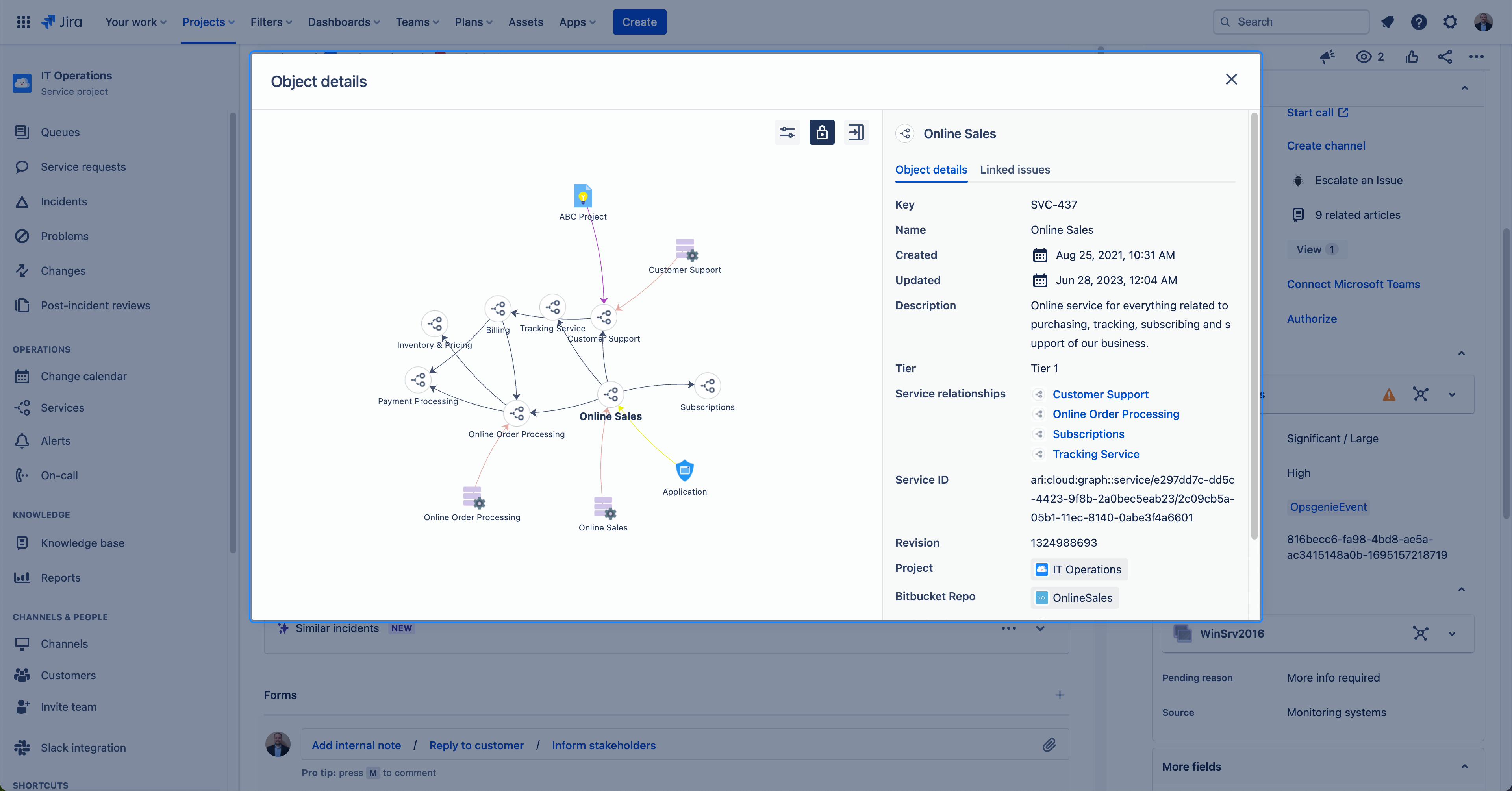
While Jira is designed for human tasks, you can manage physical resources by creating them as "Users" (though this may impact licensing costs) or by using specialized Asset Management features in Jira Service Management (JSM). Many organizations use "Asset" objects in JSM to track equipment availability and link them to project tasks.
What is the difference between "Capacity" and "Velocity" in Jira?
Capacity is a measure of available supply (how many hours the team can work), whereas Velocity is a measure of historical performance (how much work the team actually completed in previous sprints). Successful resource management in 2026 uses Velocity to inform and adjust future Capacity settings.
Practical Recommendation
For organizations starting their resource management journey in 2026, the recommended first step is to upgrade to Jira Premium and master the native Jira Plans functionality. This avoids the complexity of integrating third-party data and provides a unified interface for both work and resource tracking. Only once you find that your needs require specific "people-centric" features—such as skill-based automated routing or detailed financial billing—should you explore the Atlassian Marketplace for specialized apps like Tempo or BigPicture.
Image Gallery