Understanding YouTube Impressions: A Comprehensive Guide for 2026 Creators
A YouTube impression occurs whenever a video thumbnail is displayed to a potential viewer for more than one second, with at least 50% of the thumbnail visible on the screen. This metric represents the total number of times your content...
A YouTube impression occurs whenever a video thumbnail is displayed to a potential viewer for more than one second, with at least 50% of the thumbnail visible on the screen. This metric represents the total number of times your content had the opportunity to be clicked and viewed across supported YouTube surfaces.
Contents
Understanding impressions is fundamental to diagnosing the health of a YouTube channel. In the 2026 digital landscape, where the platform's recommendation engine has become increasingly sophisticated at predicting user intent, impressions serve as the primary indicator of your content's "reach." However, an impression is not a guarantee of a view; it is merely an invitation. To master YouTube growth, you must understand the technical nuances of how these impressions are registered, where they occur, and why they might fluctuate.
The Technical Definition of a YouTube Impression
YouTube maintains a strict set of criteria for what constitutes a valid impression. This ensures that creators receive accurate data regarding their visibility and that advertisers have a clear understanding of ad performance. According to YouTube Help, an impression is logged only when:
- The duration threshold is met: The thumbnail must appear on the user's screen for at least one cumulative second. Rapid scrolling that bypasses a video does not count as an impression.
- The visibility threshold is met: At least 50% of the thumbnail must be visible on the user's screen.
- The location is supported: The impression must occur on specific YouTube-owned surfaces.
Where Impressions are Counted
Not every instance of a thumbnail appearing on the internet counts as a YouTube impression. The metric is specifically tied to the YouTube ecosystem. Valid locations include:
- The YouTube Homepage.
- The Subscriptions feed.
- YouTube Search results.
- The "Up Next" suggested videos section (on the right side of the desktop player or below the mobile player).
- Official YouTube Playlists.
Where Impressions are NOT Counted
It is equally important to know what does not contribute to your impression count, as this can explain why your "External Traffic" might result in views without a corresponding rise in YouTube Analytics impressions. Impressions are not registered from:
- External websites or apps: If you embed a video on a blog or share it on social media platforms like X (formerly Twitter) or LinkedIn, those views do not generate YouTube impressions.
- YouTube Mobile Website: While the app counts impressions, the mobile browser version (m.youtube.com) historically has limitations in how it reports these metrics.
- YouTube Kids App: Metrics for content viewed within the dedicated Kids environment are handled differently.
- Video Overlays: Impressions from cards, end screens, or watermarks are tracked as separate interaction metrics.
- Email Notifications and Push Notifications: When a subscriber clicks a notification to watch your video, it counts as a view, but the notification itself is not an impression.
The Relationship Between Impressions and Click-Through Rate (CTR)
Impressions are the "top of the funnel" in the viewer journey. Once YouTube grants you an impression, the next critical metric is the Impression Click-Through Rate (CTR). This percentage represents how many of those impressions turned into actual views.
In 2026, the YouTube algorithm uses CTR as a primary signal for "potential." If a video receives 10,000 impressions but only 100 views (a 1% CTR), the algorithm interprets this as the content not being relevant or appealing to the audience it was shown to. Consequently, the algorithm may stop serving that video to new users, causing your impressions to plateau. Conversely, a high CTR signals to the platform that the video is satisfying user demand, prompting the system to expand the video's reach to a broader audience—thereby increasing impressions further.
The "Death Spiral" of Low Impressions
Creators often experience a "death spiral" where low impressions lead to low views, which in turn prevents the algorithm from gathering enough data to find a new audience. This usually happens when the initial "seed audience" (your subscribers or frequent viewers) fails to click on the video. If your core audience isn't interested, YouTube assumes a general audience won't be either.
Analyzing Impression Sources in YouTube Analytics
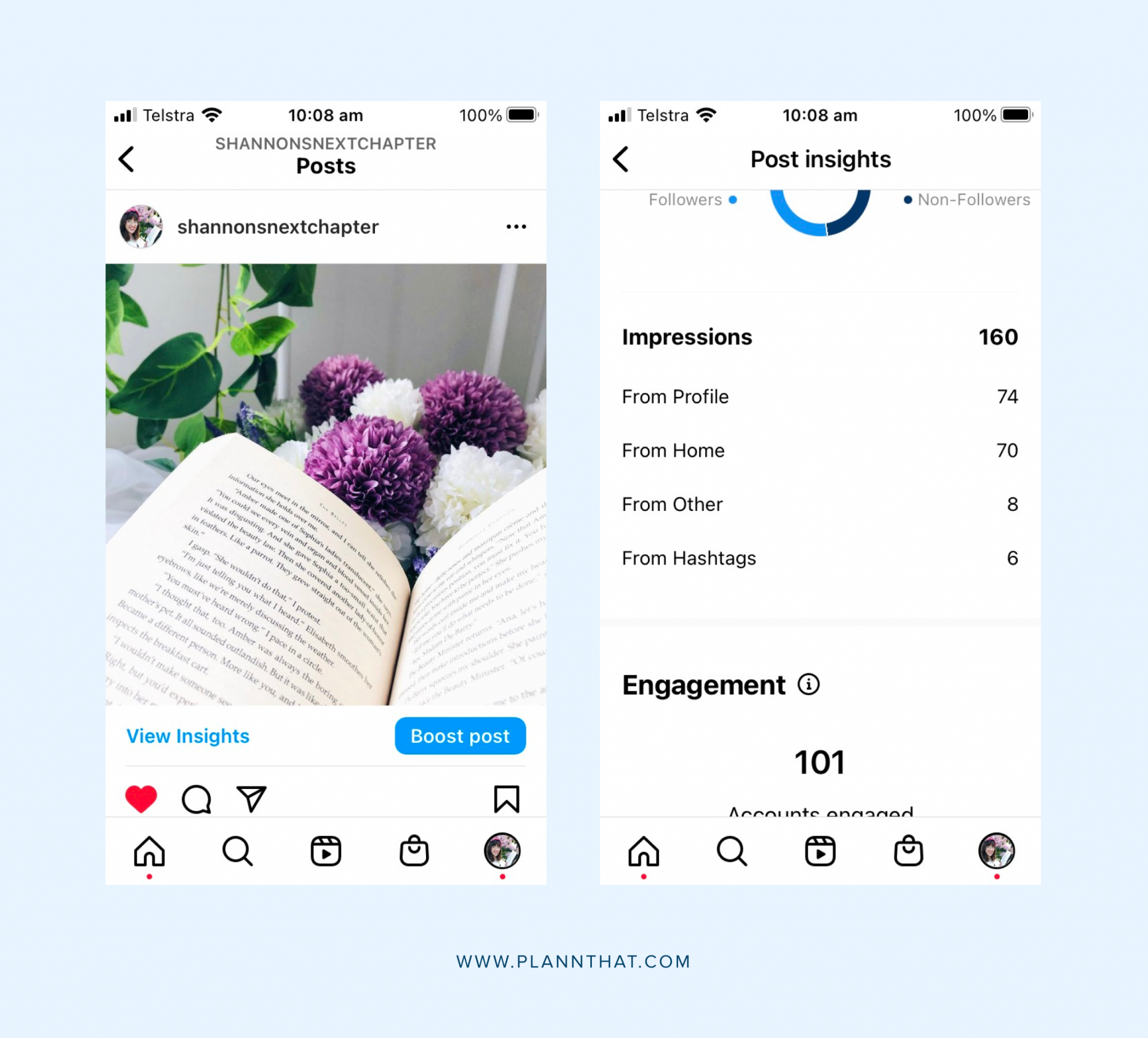
To truly understand what your impressions mean, you must look at where they are coming from. YouTube Analytics categorizes impressions by "Traffic Source."
| Traffic Source Type | What it Means for Your Channel | Quality of Impression |
|---|---|---|
| YouTube Search | Viewers are actively looking for a specific topic or keyword. | High: Intent-driven. |
| Browse Features | YouTube is recommending your video on the Homepage or Subscription feed. | Medium/High: Based on user history. |
| Suggested Videos | Your video appears next to or after another video the user is watching. | High: Contextually relevant. |
| Playlists | Impressions generated within a curated list of videos. | Variable: Depends on playlist popularity. |
| Other YouTube Features | Internal promotions or specific YouTube tools. | Low/Moderate: Often secondary. |
Why Browse Features are the Goal
In the current 2026 landscape, "Browse Features" are the holy grail for viral growth. While "Search" is great for "How-to" content and evergreen views, "Browse" is where the algorithm actively pushes your content to users who haven't even searched for it yet. High impressions in Browse Features indicate that your content has broad appeal and high "satisfaction" potential.
Why Your Impressions Might Be Dropping
It is common for creators to see a sudden dip in impressions, which can be alarming. Understanding the technical and behavioral reasons for this can help you pivot your strategy.
- Market Saturation or Seasonal Trends: In 2026, viewer habits remain seasonal. For example, educational content often sees a drop in impressions during summer months, while gaming or entertainment might see a spike.
- Topic Exhaustion: If you post multiple videos on the same niche topic in a short period, your audience may experience "viewer fatigue." The algorithm detects a drop in CTR and subsequently reduces the number of impressions it grants.
- Algorithm Re-indexing: Periodically, YouTube updates its recommendation models. During these periods, impressions across the board may fluctuate as the system recalibrates which videos suit which user profiles.
- Policy or Shadow Constraints: If a video is flagged for being "borderline" (close to violating community guidelines) or is demonetized, the algorithm may limit its distribution, leading to a sharp decline in impressions.
- The "Hook" Failure: If the first 30 seconds of your video have a massive drop-off in retention, the algorithm will eventually stop serving impressions, even if the CTR was initially high. YouTube prioritizes "Total Watch Time" and "Satisfaction" over just the click.
Strategies to Increase Your Impressions
Increasing impressions is not about "tricking" the algorithm; it is about providing the system with the data it needs to feel confident in recommending your video.
1. Optimize for Search Intent
Use tools to identify what users are searching for in 2026. By aligning your title and description with high-volume, low-competition keywords, you increase your chances of appearing in Search results. These initial search impressions are often the "spark" that leads to broader Browse impressions.
2. Improve Your "Packaging"
Your thumbnail and title are your "packaging." Since an impression only counts if a user sees the thumbnail for a second, make sure the visual is high-contrast and easy to read on mobile devices. A strong title-thumbnail synergy is the most direct way to improve CTR, which signals the algorithm to grant more impressions.
3. Focus on Audience Retention (AVD)
Average View Duration (AVD) is the engine behind impressions. YouTube's primary goal is to keep users on the platform. If your video successfully keeps people watching, YouTube rewards you with more impressions. Analyze your retention graphs in YouTube Creator Studio to see where viewers drop off and improve those segments in your next video.
4. Leverage "Suggested Video" Loops
Research your competitors or similar creators. If you can make a video that is a natural "follow-up" to a popular video in your niche, you can capture impressions from the "Suggested" sidebar. Use similar (but not identical) keywords and topics to signal to the algorithm that your content is contextually related.
Frequently Asked Questions
Does refreshing the page count as a new impression?
No, refreshing the page generally does not count as a new impression for the same user within a short timeframe. YouTube utilizes sophisticated de-duplication logic to ensure that metrics represent unique opportunities to view content, rather than artificial inflation from page refreshes.
Why do I have more impressions than views?
This is the standard state for almost every video. Impressions represent the number of times people saw your thumbnail, while views represent the number of times people clicked it. If you have 1,000 impressions and 100 views, your CTR is 10%, which is considered very healthy for most niches.
Can my own views generate impressions?
While your own views are often filtered out of "View" counts once you reach a certain threshold, your own interactions with your channel on the Homepage or Subscriptions feed might technically trigger the "impression" criteria. However, YouTube's system is designed to ignore "self-generated" data to provide a clean look at true audience reach.
Why did my impressions suddenly stop at a specific number?
This is often referred to as an "Algorithm Plateau." It happens when YouTube has finished testing your video with a specific "bucket" of users and found that the CTR or retention wasn't high enough to justify showing it to the next, larger bucket. To break through, you may need to update your thumbnail or title to re-engage the algorithm's interest.
Is there a "good" number of impressions to aim for?
There is no universal "good" number, as impressions are relative to the size of your niche. A highly technical video about specialized engineering might consider 5,000 impressions a success, while a general entertainment video might need 500,000 to be considered successful. Compare your impressions against your own channel's historical averages rather than other creators.
Practical Recommendation for 2026
To maximize your reach, focus on the Impression-to-View conversion funnel. Start by ensuring your SEO (Search Engine Optimization) is solid to capture intent-based impressions. Once you have a baseline of impressions, obsess over your CTR. If your impressions are high but views are low, your "packaging" (thumbnail/title) is the problem. If both are low, you likely need to move to a more trending or high-demand topic within your niche. Use the "Reach" tab in YouTube Analytics weekly to identify which traffic sources are growing and double down on the content styles that are triggering "Browse Feature" impressions.
Image Gallery