How to Use an Incident Report Template PDF: A Complete Step-by-Step Guide
Using an incident report template PDF requires opening a standardized PDF form, systematically documenting objective facts surrounding an event—such as injuries, property damage, or safety hazards—attaching necessary evidence, and secu...
Using an incident report template PDF requires opening a standardized PDF form, systematically documenting objective facts surrounding an event—such as injuries, property damage, or safety hazards—attaching necessary evidence, and securing required digital or physical signatures. Standardized PDF templates ensure structural consistency, regulatory compliance with organizations like OSHA, and reliable recordkeeping for legal and insurance audits.
Contents
Understanding the Role of PDF Incident Report Templates
An incident report is a formal document designed to capture the exact details of an unplanned event, workplace injury, near-miss, security breach, or operational disruption. Organizations across construction, healthcare, manufacturing, corporate operations, and logistics rely on standardized forms to capture uniform data points whenever an anomaly occurs.
Using the Portable Document Format (PDF) for incident reporting offers distinct advantages over editable text files or raw paper sheets:
- Fixed Formatting: PDF layout engines preserve typography, field positioning, and field labels across desktop operating systems, mobile devices, and physical printouts.
- Interactive AcroForms Integration: Modern PDF templates contain interactive form fields (text boxes, check boxes, radio buttons, and drop-down lists) that allow users to complete reports digitally without distorting the layout.
- Audit Trails and Integrity: Read-only export settings, digital signatures, and cryptographic hash verification prevent unauthorized tampering after a safety officer or supervisor submits the report.
- Regulatory Standard Alignment: Organizations like the U.S. Occupational Safety and Health Administration (OSHA) publish standard forms—such as OSHA Form 301 (Injury and Illness Incident Report)—in PDF format to establish national reporting uniformity.
Failing to document incidents promptly and accurately creates significant operational risk. Incomplete reports can delay medical treatment authorizations, void insurance claims, expose companies to regulatory fines, and prevent safety teams from identifying recurring workplace hazards.
Core Sections Required in a Standard Incident Report PDF
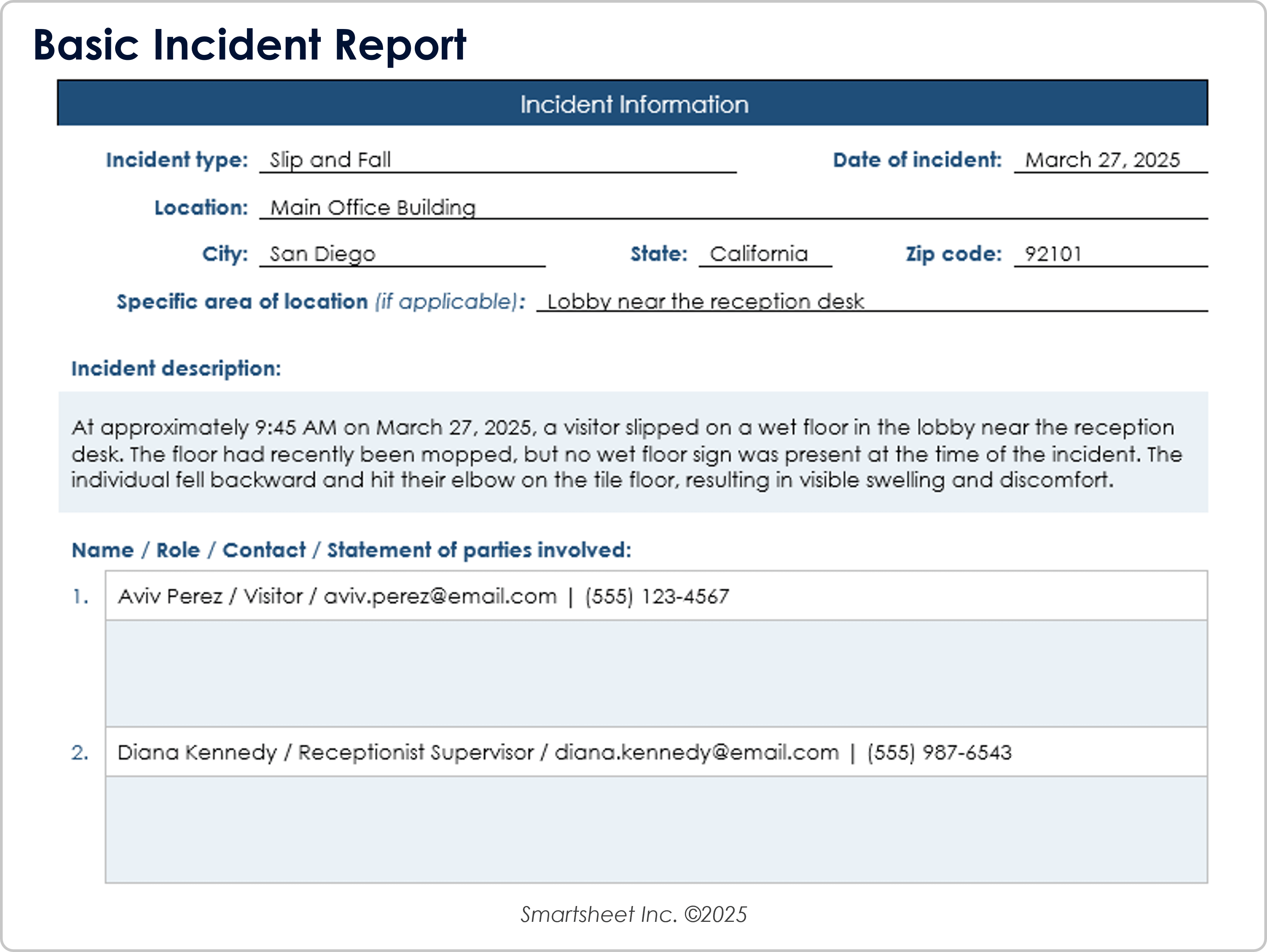
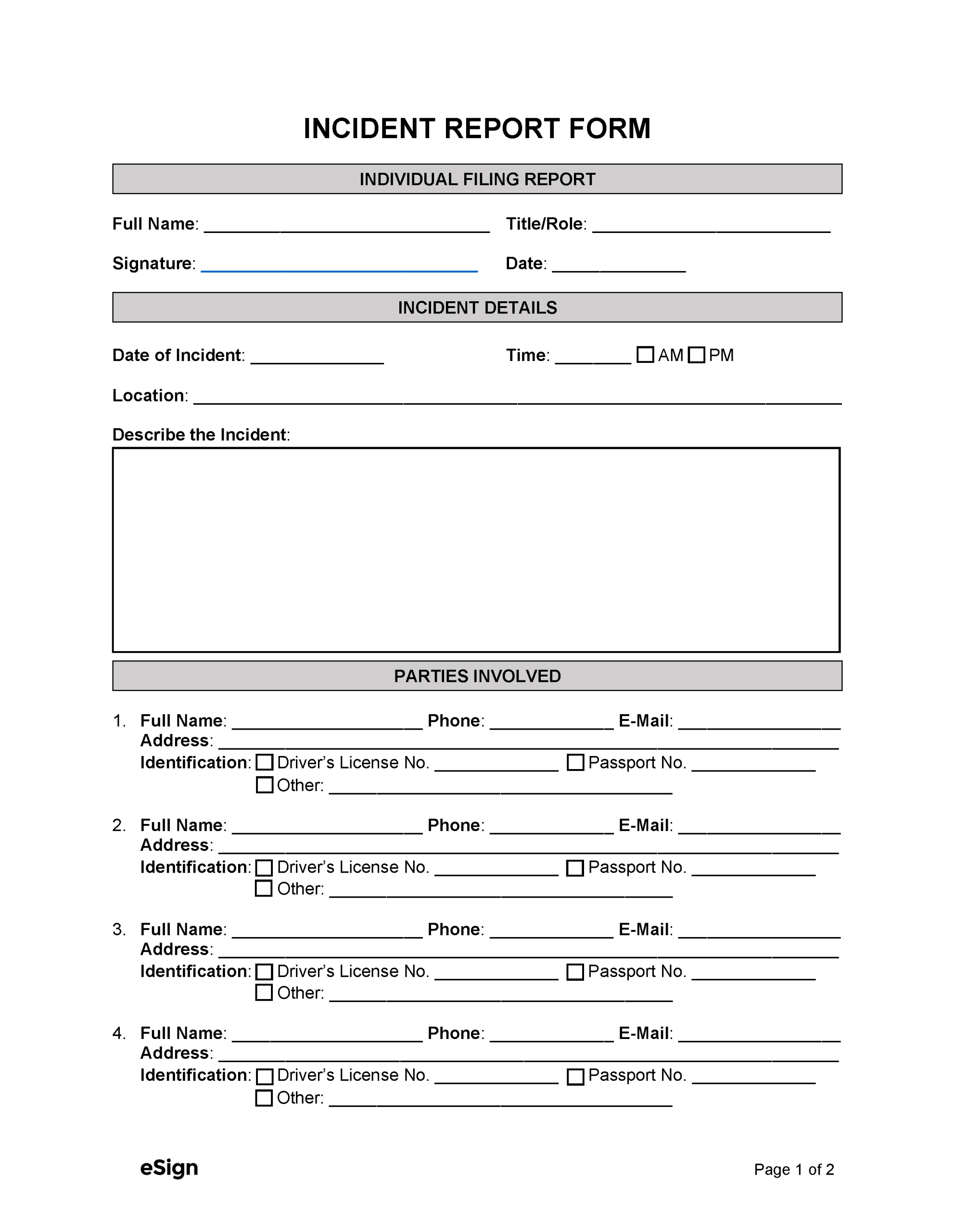
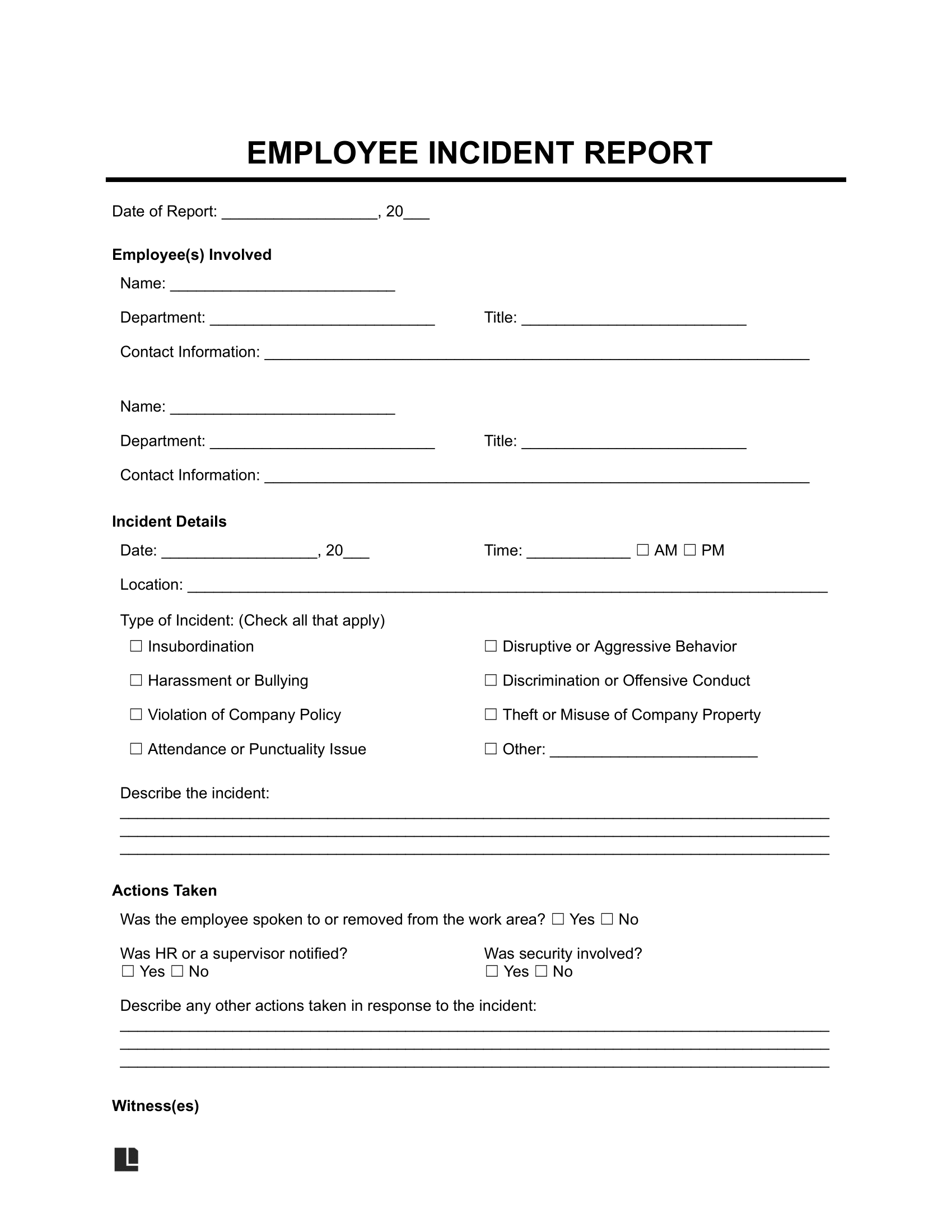
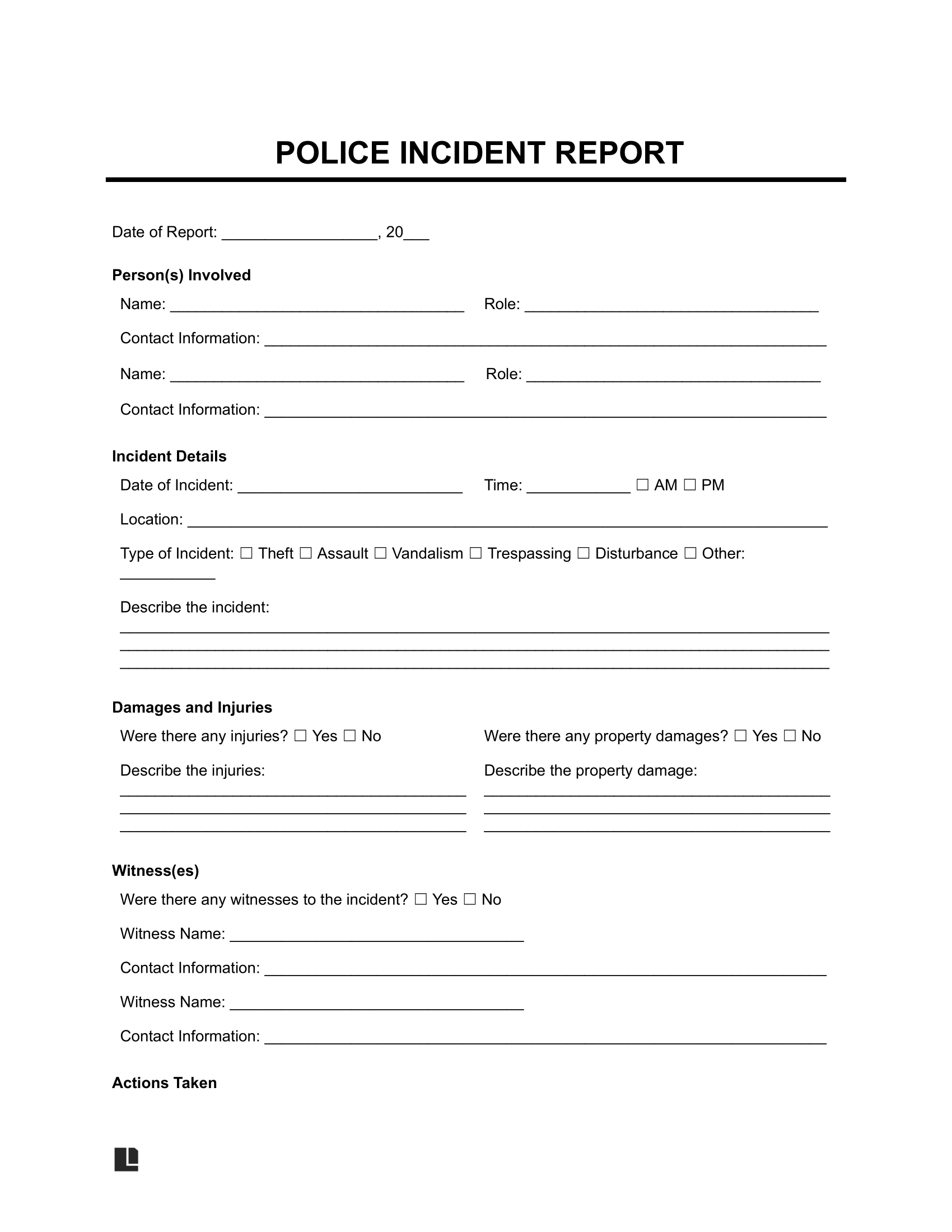
Before populating a PDF template, safety managers and personnel must understand the essential structural components of an enterprise-grade incident form. A comprehensive PDF template breaks the event down into specific, categorized sections:
| Section | Form Fields |
|---|---|
| 1. ADMINISTRATIVE METADATA | Report ID | Date of Report | Report Creator | Incident Category |
| 2. INCIDENT DETAILS & TIMELINE | Date of Incident | Time | Exact Physical Location / GPS |
| 3. INDIVIDUALS INVOLVED & WITNESSES | Names | Job Titles | Contact Info | Statement Summary Attachments |
| 4. INCIDENT DESCRIPTION & FACTUAL SEQUENCE | Chronological Narration | Equipment Involved | Environmental Conditions |
| 5. IMPACT & INJURY ASSESSMENT | Injuries Sustained | Body Parts Affected | Medical Care Rendered | Property/Equipment Damage Description & Cost Estimate |
| 6. ROOT CAUSE ANALYSIS & CORRECTIVE ACTIONS | Immediate Hazard Control | Root Cause Category | Preventive Steps |
| 7. VERIFICATION & SIGNATURES | Reporter Signature | Manager Approval | Safety Director Sign-off |
- Administrative Metadata: Contains the unique Incident Tracking ID, date and time of report creation, department, and the name of the person filing the report.
- Incident Details & Timeline: Identifies the precise date, time, shift, and physical location (including specific room numbers, machinery identifiers, or site coordinates) where the incident occurred.
- Personnel & Witness Information: Captures full names, contact details, job titles, employment status (full-time, contractor, visitor), and initial statements of involved parties and direct witnesses.
- Factual Event Narrative: Provides an objective, chronological account of events leading up to, during, and immediately following the incident.
- Impact and Severity Assessment: Outlines physical injuries sustained, body parts affected, first-aid measures rendered, medical care referrals, equipment damage, or environmental spills.
- Root Cause Analysis and Corrective Actions: Documents immediate containment actions taken (e.g., locking out a damaged machine) and long-term preventative recommendations.
- Signatures and Approvals: Includes time-stamped digital or handwritten signatures from the reporter, supervisor, and enterprise safety officer.
Step-by-Step Guide: How to Fill Out an Incident Report Template PDF
Completing an incident report requires careful attention to detail and absolute objectivity. Follow this step-by-step workflow to ensure your completed PDF is clear, legally defensible, and actionable.
- Secure Scene & Address Immediate Medical Needs
- Gather Objective Field Data & Witness Contacts
- Open Fillable PDF Template in Dedicated Reader
- Populate Narrative using Fact-Based, Direct Language
- Attach Photographs, Diagrams, or Supporting Documents
- Apply Digital Signatures & Lock Fields
- Archive PDF Securely & Notify Regulatory Bodies
Step 1: Secure the Scene and Address Immediate Needs
Before opening the PDF document, emergency response takes priority. Ensure that injured personnel receive first-aid or emergency medical services. If the incident involves hazardous chemicals, electrical faults, or structural damage, isolate the area immediately to prevent secondary incidents.
Step 2: Open and Configure the PDF Template
For digital completion, download the standard incident report template PDF onto a tablet, laptop, or desktop. Use a dedicated PDF editor such as Adobe Acrobat, Foxit PDF Editor, or standard corporate EHS (Environmental Health and Safety) software rather than a basic web browser previewer. Browser previewers occasionally drop interactive form fields or fail to save dynamic input fields correctly.
- Tip: If completing the form by hand, print the PDF on high-contrast paper using a clear, standard scale (100%), and use black or dark blue ink to ensure scanning software can digitize the text later.
Step 3: Record Administrative and Timeline Data
Input the exact baseline parameters of the event:
- Date and Time: State the exact time the incident occurred, using AM/PM or 24-hour notation consistently. If the exact time is unknown, list the time the event was discovered.
- Exact Location: Avoid generic terms like "the warehouse." Instead, specify "Warehouse B, Loading Dock 4, West Staging Area."
- Reporting Timeline: Note when the report was initiated relative to the event occurrence.
Step 4: Write the Factual Event Narrative
The core of the incident report is the descriptive narrative. Adhere strictly to verifiable facts. Exclude personal assumptions, legal conclusions, blame, or speculative language.
- Incorrect (Speculative): "John tripped over a poorly placed power cord because the night shift crew was lazy and left the area messy."
- Correct (Factual): "At 09:15 AM, John Doe was walking east through Main Aisle 3 carrying a sealed cardboard box. His foot caught an exposed yellow extension cord stretched across the walkway. He fell forward onto the concrete floor."
Describe environmental factors such as lighting, weather, floor conditions, surface wetness, machinery operating status, and required Personal Protective Equipment (PPE) worn at the time of the event.
Step 5: Detail Injuries, Property Damage, and Emergency Responses
Accurately record physical impacts without attempting medical diagnoses beyond your qualifications:
- Injuries: State observed symptoms or complaints (e.g., "Laceration on right forearm, approximately 2 inches in length" or "Employee reported acute pain in lower back").
- Medical Action: Check the appropriate check box for treatment rendered—On-site First Aid, Transported to Urgent Care, Emergency Room Evacuation, or Treatment Refused.
- Property/Equipment Damage: List specific machine serial numbers, vehicle license plates, or asset IDs along with a factual description of the damage.
Step 6: Perform Root Cause Analysis and Assign Action Items
Identify contributing factors using structured techniques such as the "5 Whys" or a Cause-and-Effect diagram. Distinguish between immediate causes (e.g., fluid leak on floor) and systemic causes (e.g., lack of preventative maintenance schedule for hydraulic seals).
Assign clear, accountable corrective action items directly within the PDF template, identifying:
- Specific preventative action required.
- Assigned individual or department head.
- Target completion deadline date.
Step 7: Apply Signatures and Secure the Document
Once all text fields are complete, validate the document:
- Apply digital signatures using PKI (Public Key Infrastructure) certificates or secure e-signature tools if submitting electronically.
- Lock or flatten the PDF form fields to prevent subsequent editing or accidental alterations.
- Export a copy to your organization's central secure Document Management System (DMS) or EHS software platform.
Fillable Digital PDFs vs. Printed Paper Incident Templates
Choosing whether to deploy interactive digital PDFs or traditional printed paper templates depends on your operational environment, field connectivity, and administrative workflow.
| Feature / Dimension | Interactive Fillable PDF Form | Printed Hard-Copy PDF Form |
|---|---|---|
| Data Capture Speed | High; utilizes drop-down menus, auto-dates, and field validation. | Moderate; requires manual handwriting and physical drafting. |
| Legibility & Standardization | Excellent; standardized typography prevents misinterpretation. | Variable; dependent on individual handwriting clarity. |
| Media Attachments | High; allows embedding high-resolution photos, audio, and attachments. | Limited; photos must be printed separately and stapled to paper. |
| Audit & Integrity | Secure; cryptographic digital signatures and revision logs track edits. | Moderate; requires physical storage vaults and chain-of-custody logs. |
| Field Accessibility | Requires smartphone, tablet, or laptop; may need offline caching. | Works anywhere without electricity, battery power, or network access. |
| EHS System Integration | Seamless; form field data can be automatically ingested into databases. | Low; requires manual re-keying or OCR scanning to enter enterprise databases. |
| Regulatory Archiving | Compact; encrypted cloud backups take up zero physical footprint. | High space demand; requires physical filing cabinets and fireproof storage. |
Regulatory Compliance & Recordkeeping Standards
Incident reporting is not merely an internal administrative task; it is tightly regulated by national safety boards and legal authorities. When populating and archiving an incident report PDF, organizations must ensure compliance with relevant statutory guidelines.
OSHA Recordkeeping Rules (U.S.)
Under federal regulations managed by the Occupational Safety and Health Administration, employers with more than 10 employees in non-exempt industries must maintain recordkeeping logs for workplace injuries and illnesses:
- Form 301 (Injury and Illness Incident Report): Must be filled out within seven (7) calendar days after receiving information that a recordable work-related injury or illness has occurred.
- Form 300 (Log of Work-Related Injuries and Illnesses): Used to classify work-related injuries and illnesses and note the extent and severity of each case.
- Retention Period: OSHA requires employers to save the OSHA 300 Log, the Privacy Case List (if one exists), the Annual Summary, and all OSHA 301 Incident Report forms for five (5) years following the end of the calendar year that these records cover.
For detailed official statutory forms and industry exemptions, safety officers should review the public guidelines on the OSHA Injury and Illness Recordkeeping and Reporting Requirements.
Data Privacy and Confidentiality (HIPAA & GDPR Considerations)
Incident reports often handle sensitive personal health information (PHI) or personally identifiable information (PII).
- In the United States, medical notes written by internal occupational health staff must be kept in separate, confidential medical files rather than open employee files.
- In the European Union, processing employee health data following an incident must comply with the General Data Protection Regulation (GDPR) Article 9 regarding special category data.
- Always restrict access to finished incident report PDFs through encrypted file sharing and role-based access permissions within enterprise document management platforms.
Common Mistakes to Avoid When Using PDF Incident Forms
Even when using a well-designed PDF template, mistakes during data entry can undermine the legal validity and organizational usefulness of the report.
- Speculative Language: Replacing observed facts with opinions
- Delayed Entry: Filing days after the event occurred
- Unflattened PDF Fields: Leaving interactive fields editable
- Missing Signatures: Neglecting final supervisor approvals
- Vague Locations: Using broad terms like "in the building"
- Using Subjective or Accusatory Language: Avoid writing opinions, emotional reactions, or conclusions about fault. Write strictly what was observed, measured, or reported by witnesses.
- Delaying Report Completion: Completing an incident report hours or days after the event leads to memory decay and lost evidence. Fill out initial field notes immediately after securing the scene.
- Leaving Interactive PDF Fields Unlocked: Submitting an interactive AcroForm without freezing or flattening the fields allows subsequent readers to accidentally change field values, drop-down options, or check boxes.
- Vague Location Descriptions: Writing "in the parking lot" makes future safety analysis difficult. Always specify concrete details: "North Parking Lot, Row 3, adjacent to light pole #14."
- Ignoring Near-Misses: Using incident report templates exclusively for catastrophic injuries ignores critical warning signs. Reporting near-miss events allows organizations to fix hazards before severe injuries happen.
Frequently Asked Questions
What is the difference between an accident report and an incident report?
An accident report focuses specifically on unplanned events that resulted in actual physical injury, illness, or property damage. An incident report is a broader term that encompasses all unexpected operational events—including accidents, security breaches, property damage, and "near-misses" (events that had the potential to cause harm but did not).
How do I edit a non-fillable incident report PDF?
If your incident report PDF lacks interactive text fields (it is a static scan or flat document), you can open it in a software program like Adobe Acrobat, Foxit Reader, or Apple Preview and select the Fill & Sign or Text Annotation tool. This allows you to overlay editable text fields, checkmarks, and digital signatures directly onto the flat PDF page.
How long should companies retain completed incident report PDFs?
Retention requirements vary by jurisdiction and regulatory body. OSHA requires employers to retain workplace injury incident reports (such as OSHA Form 301) for at least five years following the end of the calendar year covered. However, for severe cases involving long-term chemical exposures, disability, or civil litigation, legal counsel often recommends retaining incident records for 30 years or for the duration of employment plus 30 years.
Can a completed PDF incident report be used as evidence in court?
Yes. Incident reports created at or near the time of an event by individuals with knowledge of the matter are routinely admitted as business records during legal proceedings, workers' compensation hearings, and insurance disputes. To maintain legal defensibility, the report must be factual, unaltered, digitally time-stamped, and archived in accordance with established enterprise record retention policies.
Should witnesses sign the PDF incident report template directly?
Yes. Having witnesses read their transcribed statement and attach a physical or digital signature confirming its accuracy strengthens the report's credibility. If using a digital PDF form, witness statements can be completed as separate signed PDF sub-attachments and merged into the primary incident master file.
Recommended Next Steps for Enterprise Safety Management
To streamline your organization's risk management processes, take the following immediate actions:
- Audit Existing Templates: Review your organization's current incident report PDF to ensure it includes all required fields: administrative metadata, precise event timelines, factual narrative spaces, root cause classifications, and digital signature blocks.
- Standardize PDF Viewing Software: Ensure field workers and site supervisors have access to compatible PDF software on desktop and mobile hardware to avoid form field corruption.
- Establish a Central Repository: Configure your cloud storage platform or Enterprise Health and Safety (EHS) portal with role-based access control to store completed PDFs securely while maintaining privacy compliance.
Image Gallery