What Is Email Filtering? How It Works, Security Protocols, and Deployment
Email filtering is an automated security and message-management process that analyzes incoming and outgoing electronic mail to categorize messages, block malicious threats, and prevent unsolicited spam from reaching user inboxes. By ev...
Email filtering is an automated security and message-management process that analyzes incoming and outgoing electronic mail to categorize messages, block malicious threats, and prevent unsolicited spam from reaching user inboxes. By evaluating sender reputation, protocol alignment, content structure, and file payloads, email filters protect organizations and individuals from cyber threats like phishing, malware, and data leakage.
Contents
Understanding Email Filtering: Definition and Purpose
Email filtering serves as the first line of defense for electronic communication systems. At its core, an email filter acts as a gateway that inspects every message transmitted across an email server or cloud platform. The primary objective is to sort clean, legitimate communication ("ham") from unwanted or dangerous messages ("spam," "phishing," or "malware").
Electronic mail remains the primary vector for cyberattacks against enterprise networks. Cybercriminals regularly utilize deceptive tactics, including spear phishing, Business Email Compromise (BEC), and credential harvesting, to exploit human vulnerabilities. Email filtering mitigates these risks by removing the reliance on user judgment alone. Instead of requiring employees to manually verify every incoming link or attachment, automated filtering engines intercept hazardous content at the network boundary or API layer.
Beyond threat mitigation, email filtering addresses operational and compliance requirements. High volumes of spam saturate server storage, consume network bandwidth, and reduce worker productivity. On the outbound side, filtering prevents sensitive organizational data—such as personally identifiable information (PII), intellectual property, or financial records—from exiting the corporate perimeter without authorization.
How Email Filtering Works: The Technical Mechanics
Email filtering operates through a multi-layered inspection pipeline. When an email server receives an incoming transmission via the Simple Mail Transfer Protocol (SMTP), the filtering engine evaluates the message across several sequential stages before making a final delivery decision.
- SMTP Connection
- Protocol & Reputation Check
- Header Analysis
- Content & Payload Inspection
- Sandboxing
- Delivery / Quarantine / Rejection
Stage 1: Connection and Network-Level Checks
The evaluation process begins before the full message body is even accepted. During the initial SMTP handshake, the filtering system evaluates the connecting IP address against real-time blocklists (RBLs) and domain reputation databases. If the sending server is known for distributing spam or participating in a botnet, the connection is dropped immediately via a permanent (5xx) or temporary (4xx) SMTP rejection code.
Stage 2: Authentication and Header Inspection
If the connection is accepted, the filter inspects the message metadata and envelope headers. This phase checks for protocol compliance under RFC specifications and validates domain authentication standards designed to prevent email spoofing:
- Sender Policy Framework (SPF): Checks whether the sending IP address is explicitly authorized by the domain owner’s DNS records (defined in RFC 7208).
- DomainKeys Identified Mail (DKIM): Verifies a cryptographic digital signature attached to the message header, ensuring the content was not altered in transit (defined in RFC 6376).
- Domain-based Message Authentication, Reporting, and Conformance (DMARC): Enforces organizational policy by verifying that the "Header From" address aligns with SPF and DKIM checks, instructing the receiver whether to accept, quarantine, or reject failing messages.
Stage 3: Content and Heuristic Analysis
Next, the filtering engine analyzes the email body, subject line, and structural elements. Content-based algorithms search for common indicators of fraud, such as urgent or threatening language, mismatched hyperlinked URLs (where the display text differs from the actual destination address), and suspicious HTML or JavaScript execution scripts.
Stage 4: Attachment Analysis and Dynamic Sandboxing
If the message contains file attachments, static analysis engines scan the files using signature-based antivirus signatures. For unknown or zero-day threats, advanced security gateways pass the attachment to an isolated virtual environment known as a sandbox. The sandbox executes the file safely away from the corporate network, observing its behavior for malicious traits—such as unauthorized registry edits, memory injection, or outbound command-and-control (C2) communications—before deciding whether to release the email to the recipient.
Primary Types of Email Filters
Modern email security architectures utilize multiple complementary filtering techniques to capture diverse threat vectors.
1. Reputation-Based Filters
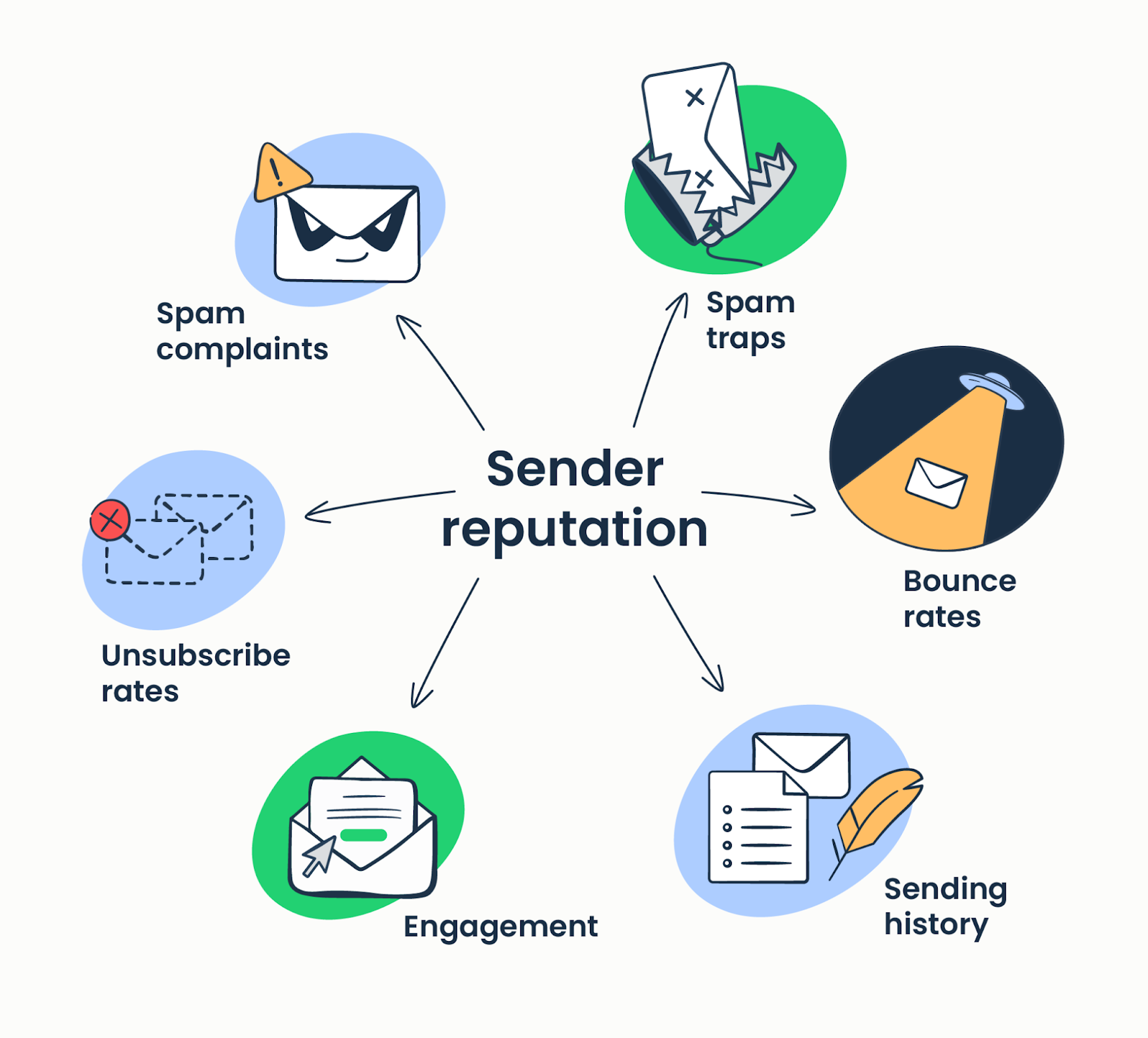
Reputation filters rely on global threat intelligence networks that assign dynamic trust scores to sending IP addresses, domain names, and URL destinations. If an IP address suddenly blasts millions of unrequested emails, its reputation score drops instantly, causing reputation filters worldwide to block its traffic.
2. Content and Heuristic Filters
Heuristic filters apply predefined rules to evaluate the structural components of a message. These rules assign points based on specific characteristics—such as all-caps subject lines, excessive financial terminology, or hidden text elements designed to obfuscate spam words. If the cumulative score exceeds a predetermined threshold, the email is classified as spam.
3. Bayesian (Machine Learning) Filters
Bayesian filtering relies on statistical probability to classify messages based on past training datasets. By analyzing word distribution patterns in known spam versus legitimate emails, Bayesian algorithms calculate the probability that a new message is spam. As users mark messages as "junk" or "safe," the Bayesian engine continually updates its mathematical model, adapting to evolving spam tactics over time.
4. Outbound and Data Loss Prevention (DLP) Filters
While inbound filters protect users from external threats, outbound filters inspect outgoing communications. Integrated Data Loss Prevention (DLP) engines scan outgoing text and attachments for sensitive data formats, such as credit card numbers, Social Security numbers, health records, or proprietary code. Outbound filters can automatically encrypt, block, or divert non-compliant emails for administrative review.
5. Attachment and Sandboxing Filters
Attachment filters examine file types, metadata, and executable content. Security policies often block high-risk file extensions (such as .exe, .bat, .vbs, or macro-enabled .docm files) outright. Advanced threat protection platforms route suspicious office documents, PDFs, and archives to cloud-based sandboxes for behavioral detentions.
Technical Comparison of Filtering Methods
| Filtering Method | Primary Purpose | Inspection Trigger | Strengths | Operational Limitations |
|---|---|---|---|---|
| IP / Domain Reputation | Network edge perimeter defense | SMTP Connection / IP Address | Fast execution; minimal resource usage; blocks bulk spam early | Ineffective against compromised legitimate accounts or new IPs |
| Authentication Protocols (SPF/DKIM/DMARC) | Anti-spoofing & identity validation | Message Headers & DNS Alignment | Highly accurate; stops exact-domain impersonation | Requires proper domain setup; does not stop display-name spoofing |
| Heuristic & Content Analysis | Identifying common spam patterns | Subject line, HTML, Body text | Catches generic spam and template-based phishing | High rate of false positives if rules are tuned too aggressively |
| Bayesian / Machine Learning | Adaptive threat detection | Word frequencies & structural patterns | Learns organization-specific language; improves over time | Requires ongoing training data; vulnerable to noise injection |
| Dynamic Sandboxing | Zero-day malware & exploit detection | File attachments & embedded links | Uncovers hidden payloads and targeted evasive threats | Introduces delivery latency (seconds to minutes); resource-intensive |
| Outbound Data Loss Prevention (DLP) | Compliance & data leak prevention | Outgoing message text & attachments | Protects regulatory data; prevents accidental distribution | Requires detailed policy configuration; risk of operational disruption |
Deployment Models: Gateway vs. API Integration
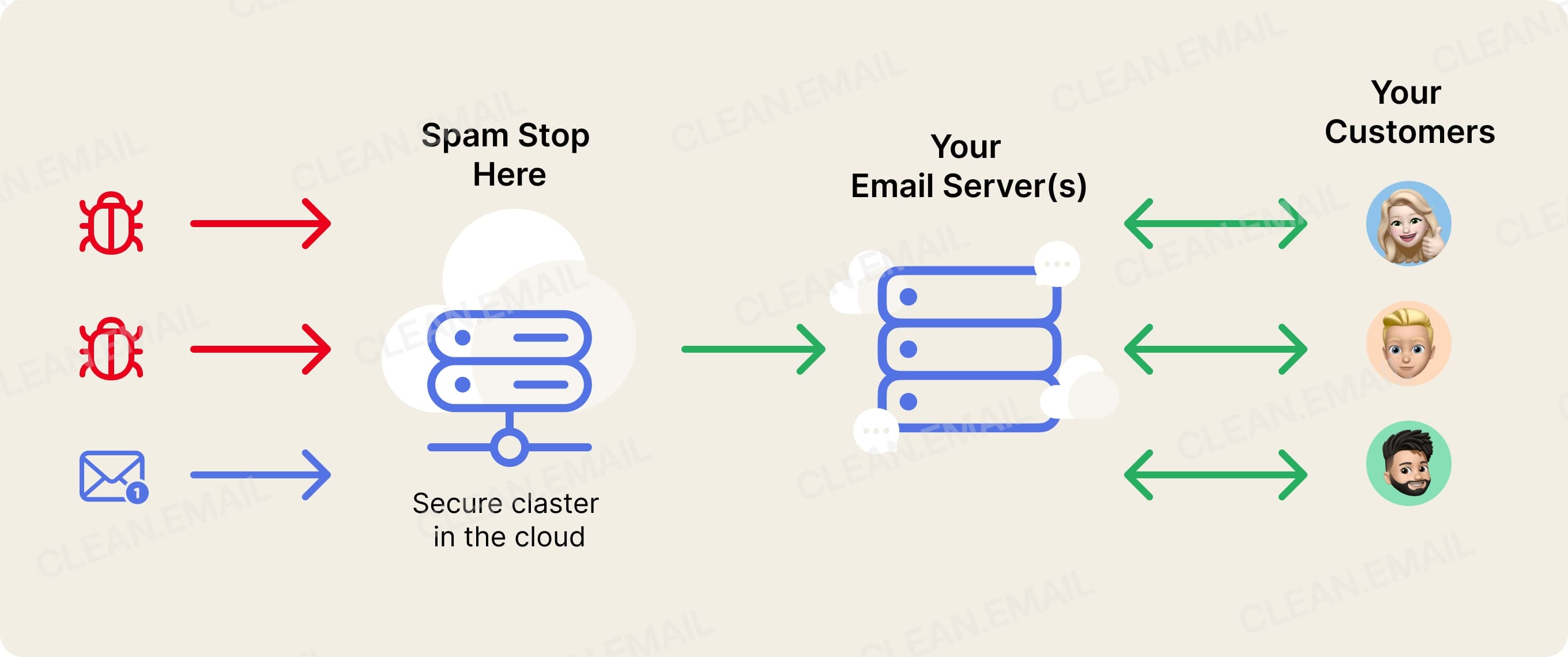
When implementing enterprise email filtering, organizations choose between two primary architecture models: Secure Email Gateways (SEG) and Integrated Cloud Email Security (ICES) solutions.
Secure Email Gateway (SEG):
- Internet
- MX Record Routing
- Secure Email Gateway
- Cloud / On-Prem Inbox
API-Based Integration (ICES):
- Internet
- Cloud Mailbox (Microsoft 365 / Google Workspace)
- API Security Layer
Secure Email Gateway (SEG)
Historically, the Secure Email Gateway has served as the standard deployment model. In a SEG architecture, an organization modifies its Mail Exchanger (MX) DNS records so that all incoming email traffic is routed through the gateway hardware or cloud service before reaching the primary mail server (such as Microsoft 365 or an on-premises Exchange server).
- Advantages: Complete boundary isolation, robust protocol enforcement, and centralized policy management across complex hybrid environments.
- Disadvantages: Introduces a single point of failure, increases mail routing complexity, and lacks visibility into internal email communications between users within the same domain.
Integrated Cloud Email Security (ICES / API-Based)
With the widespread adoption of cloud-native productivity suites like Microsoft 365 and Google Workspace, API-integrated security platforms have emerged as a powerful alternative or supplement to traditional SEGs. These solutions connect directly to the email provider using official cloud APIs.
- Advantages: Rapid deployment without changing MX records, zero impact on email routing infrastructure, ability to scan internal east-west traffic (internal-to-internal emails), and post-delivery remediation (retract malicious emails already sitting in inboxes).
- Disadvantages: Dependent on cloud provider API performance and uptime; inspects messages at or immediately after delivery rather than stopping them at the network edge.
According to cybersecurity recommendations published by agencies such as the Cybersecurity and Infrastructure Security Agency (CISA), organizations should combine standardized protocol checks like DMARC with modern content and threat analysis tools to build a multi-layered email defense strategy.
Key Benefits of Advanced Email Filtering
Deploying a comprehensive email filtering pipeline delivers critical technical, security, and enterprise benefits:
- Reduction of Threat Surface: Automated filtering stops the majority of opportunistic cyberattacks—including credential phishing schemes, ransomware droppers, and trojans—before end users ever interact with them.
- Bandwidth and Storage Efficiency: By rejecting bulk spam and junk mail at the network edge, organizations preserve mail server disk space and conserve internet bandwidth.
- Regulatory Compliance: Outbound DLP filtering enables organizations subject to regulations such as HIPAA, GDPR, or PCI-DSS to monitor and enforce data transfer policies, preventing accidental disclosures and compliance fines.
- Operational Productivity: Removing spam from employee inboxes restores productive work hours. Employees waste less time sifting through irrelevant marketing material or identifying malicious solicitations.
- Brand Identity Protection: Implementing authentication-driven filtering protocols (SPF, DKIM, and DMARC) prevents malicious third parties from forging an organization's domain name to trick customers or vendors.
Common Implementation Challenges and Pitfalls
While email filtering is critical, misconfigurations or overly aggressive rules can introduce operational challenges:
Managing False Positives vs. False Negatives
The primary administrative challenge in email security is balancing the filter's sensitivity:
- False Positives: Legitimate business communications are incorrectly flagged as spam or quarantined. This can delay critical business operations, halt sales deals, or cause missed customer support requests.
- False Negatives: Malicious or unwanted messages pass through the filter into the user's inbox, exposing the corporate environment to risk.
Administrators must continuously tune detection thresholds, review quarantine queues, and establish exceptions for verified business partners to maintain an acceptable equilibrium.
Evasion Tactics by Threat Actors
Cybercriminals actively design phishing techniques to circumvent static filter rules. Common evasion methods include using image-based text (rendering text within images to bypass OCR scanners), sending clean emails containing links to compromised sites that redirect to malicious payloads after delivery, and using obfuscated character sets (such as homoglyphs or zero-width unicode characters) to defeat keyword matching algorithms.
Misconfigured DMARC and Authentication Alignment
Enforcing strict authentication policies requires careful planning. If an organization implements a strict DMARC p=reject policy without fully cataloging all legitimate outbound sending sources (such as third-party marketing tools, CRM platforms, or billing software), legitimate business emails will be rejected by remote recipient systems.
Frequently Asked Questions
What is the difference between email filtering and spam filtering?
Spam filtering is a specific subcategory of email filtering. While spam filters focus primarily on identifying unsolicited commercial bulk emails, email filtering encompasses a broader array of security measures, including anti-phishing inspection, malware scanning, URL rewrite protection, zero-day attachment sandboxing, outbound data loss prevention (DLP), and content categorizations.
How do email filters detect zero-day malware in attachments?
Traditional email filters rely on signature databases that identify known file signatures (hashes). Zero-day malware uses unique code structures that have no recorded signatures. Advanced email filters detect these threats using dynamic cloud sandboxing—running the file in a isolated, monitored environment to observe suspicious execution behaviors—and machine learning models that analyze the file's structural properties.
What happens to emails that are blocked by a filter?
Depending on administrative configuration, an email filter can take one of four actions upon identifying a policy violation:
- Reject: The server drops the connection during the SMTP session and sends a non-delivery report (bounce message) to the sender.
- Quarantine: The message is held in an isolated administrative portal where users or security analysts can review and manually release or delete it.
- Tag and Deliver: The email is delivered to the user's inbox or Junk folder, but the subject line or header is modified (e.g., adding
[EXTERNAL]or[SUSPICIOUS LINK]) to warn the recipient. - Delete: The message is permanently destroyed without notifying the sender or recipient (often reserved for high-confidence malware payloads).
Can email filtering inspect encrypted emails?
Email filters can analyze messages encrypted in transit using Transport Layer Security (TLS). However, if an email payload is encrypted end-to-end at the message level using standards like S/MIME or PGP, the filtering gateway cannot inspect the internal text or attachments unless it possesses the corresponding decryption keys. Many enterprise security platforms enforce policies that route fully encrypted incoming external messages to quarantine for manual verification.
Is built-in email security from cloud mail providers enough?
Baseline email security offered natively by providers like Microsoft 365 or Google Workspace offers strong foundational protection against high-volume spam and known malware signatures. However, organizations operating in high-risk sectors or targeted by sophisticated spear-phishing often deploy supplemental Integrated Cloud Email Security (ICES) layers to add advanced behavioral analysis, social engineering detection, and automated incident response capabilities.
Practical Recommendations for Optimizing Email Filtering
To establish an effective email filtering posture, organizations should implement a structured security roadmap:
- Enforce Domain Authentication Standards: Deploy SPF, DKIM, and DMARC across all corporate domains. Work toward establishing a DMARC policy of
p=rejectto protect your brand identity against direct-domain spoofing. - Adopt Multi-Layered Threat Detection: Combine static IP blocklists and content heuristics with machine learning analysis and dynamic sandbox inspection for incoming attachments and URLs.
- Implement Outbound DLP Policies: Configure outbound rules to scan for sensitive regulatory data (PII, financial, health records) to eliminate unauthorized data exfiltration.
- Audit and Tune Filtering Thresholds Regularly: Regularly inspect quarantine logs to identify false positives, refine user allow/block lists, and ensure legacy rule sets do not disrupt current operational workflows.
- Educate End-Users: Complement automated email filtering controls with security awareness training, empowering users to report suspicious emails that bypass automated defenses via an integrated inbox add-in.
Image Gallery