How to Pay with Payoneer: A Comprehensive Guide for Business and Freelancers
To pay with Payoneer, you primarily use the platform’s "Make a Payment" feature to send funds to other Payoneer account holders, utilize your Payoneer Commercial Mastercard for direct point-of-sale and online transactions, or leverage...
To pay with Payoneer, you primarily use the platform’s "Make a Payment" feature to send funds to other Payoneer account holders, utilize your Payoneer Commercial Mastercard for direct point-of-sale and online transactions, or leverage the "Pay" button integrated into partner freelance marketplaces. These methods facilitate cross-border B2B transactions and personal business expenses by drawing directly from your available currency balances.
Contents
Understanding the Payoneer Payment Ecosystem
Payoneer is fundamentally a cross-border financial services platform designed for businesses, e-commerce sellers, and independent professionals. Unlike a traditional retail bank account, Payoneer functions as a global payout provider. When you need to "pay with Payoneer," you are typically operating within one of three distinct functional silos: internal platform transfers, card-based spending, or integrated checkout flows.
Understanding which of these channels is appropriate for your specific transaction is the first step in avoiding unnecessary fees or payment failures. The platform is not designed for peer-to-peer consumer payments like Venmo or Zelle; it is strictly a B2B and professional services tool. Consequently, usage is governed by business-oriented terms of service, which mandate that payments must represent legitimate commercial activity.
Method 1: The "Make a Payment" Feature (B2B Transfers)
The most common way to pay a vendor, contractor, or supplier via Payoneer is the "Make a Payment" feature. This allows you to send funds directly from your Payoneer balance to another Payoneer user globally.
Prerequisites
- Active Account: You must have a verified Payoneer account with sufficient funds in the relevant currency balance.
- Recipient Information: You need the recipient’s email address associated with their Payoneer account.
- Transaction Limits: Ensure the payment amount does not exceed your daily or monthly threshold, which is viewable within your account settings.
Execution Steps
- Log in to your Payoneer account and navigate to the "Pay" tab.
- Select "Make a Payment."
- Enter the recipient’s email address.
- Specify the amount and currency. Ensure you have the currency available in your balance to avoid conversion fees.
- Add a payment reference or invoice number to ensure the recipient can reconcile the funds.
- Review the transaction, including any applicable fees, and confirm.
This method is virtually instantaneous, as funds move between internal ledgers without traversing the traditional SWIFT banking network, which often causes delays in international wire transfers.
Method 2: Paying via the Payoneer Commercial Mastercard
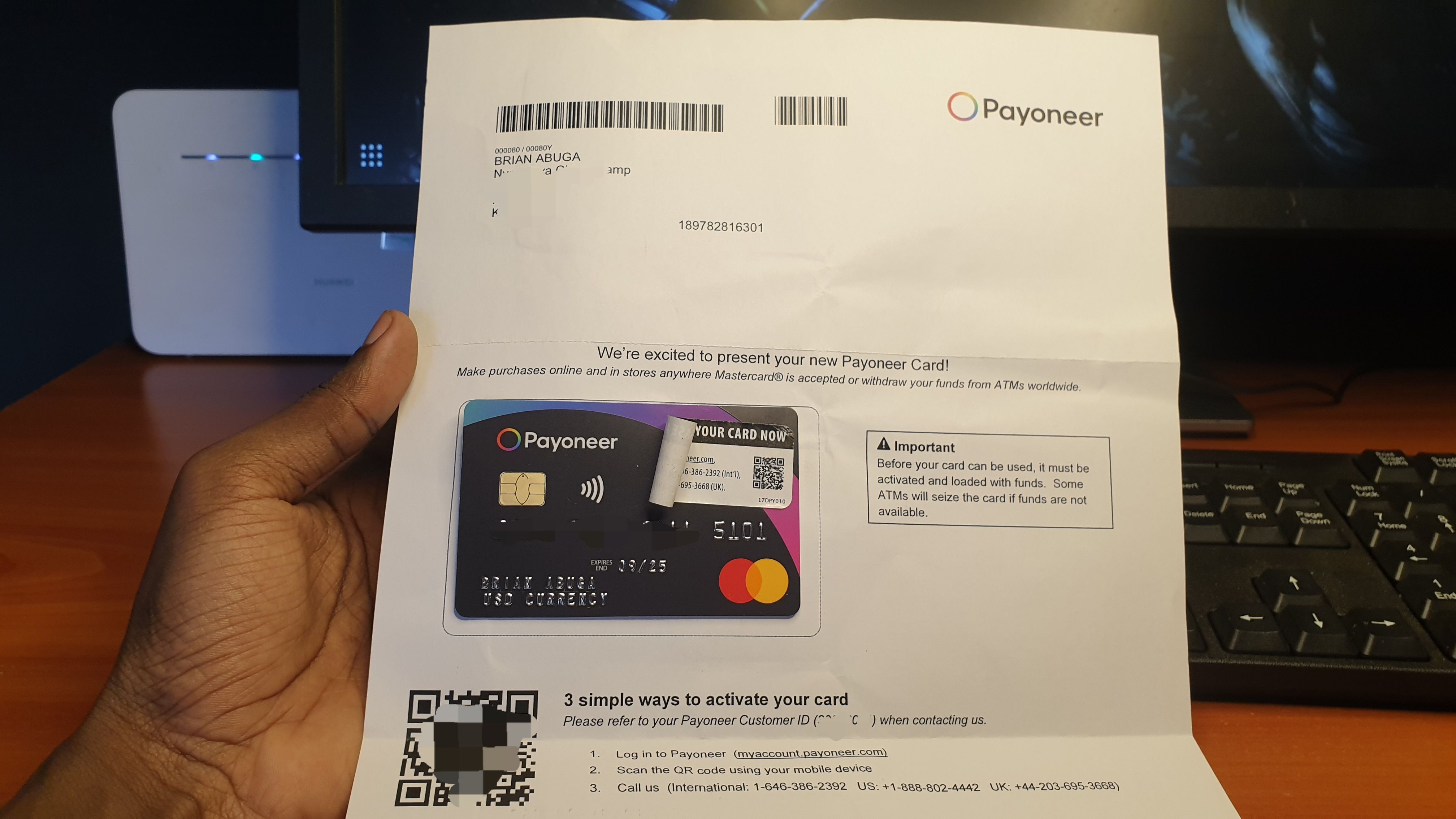
For expenses such as digital advertising (e.g., Meta or Google Ads), software subscriptions, or business supplies, the Payoneer Commercial Mastercard is the primary tool. It operates like a standard debit card, drawing funds directly from your Payoneer balance.
Key Advantages
- Global Acceptance: The card can be used anywhere Mastercard is accepted, including physical terminals and e-commerce platforms.
- Currency Optimization: If you hold multiple currencies (USD, EUR, GBP), the card will attempt to draw from the matching currency balance, helping you avoid unnecessary currency conversion costs.
- Direct Access: It eliminates the need to withdraw funds to a local bank account before spending, keeping your money within the Payoneer ecosystem for faster deployment.
Method 3: Integrated Marketplace Payments
Many freelance platforms (such as Upwork, Fiverr, or specialized B2B marketplaces) integrate Payoneer directly into their checkout or payout infrastructure. In these scenarios, "paying with Payoneer" is often automated. You do not initiate the payment from the Payoneer dashboard; instead, you select "Payoneer" as your funding source on the external platform.
This integration is highly secure because it uses tokenization—the freelance site never sees your full Payoneer credentials. Instead, an API handshake occurs between the platform and Payoneer to authorize the specific transaction.
Comparing Payment Methods
| Feature | Make a Payment (Internal) | Payoneer Mastercard | Marketplace Integration |
|---|---|---|---|
| Primary Use | Paying contractors/suppliers | Online/Physical purchases | In-platform billing |
| Speed | Instant | Real-time | Near-instant |
| Fees | Low/Zero (Payoneer to Payoneer) | Transaction/Currency fees | Platform-dependent |
| Availability | Available to all users | Requires approved card request | Marketplace dependent |
Important Considerations: Fees and Verification
"Paying with Payoneer" is not always free. While internal payments between Payoneer accounts are often free of charge, external transfers or card-based transactions involving currency conversion will incur fees.
- Currency Conversion: When you pay in a currency you do not hold, Payoneer applies a conversion rate that includes a margin. Always check the "Transaction Fees" section in your account portal before finalizing a payment to understand the total cost.
- Compliance Verification: Because Payoneer is a regulated financial entity, large or unusual transactions may trigger an automated review. If a payment is held, you may be asked to provide an invoice or contract as evidence of the underlying business relationship. Failure to provide this documentation can result in the payment being reversed and your account being flagged.
Troubleshooting Common Issues
If you encounter a "Payment Failed" notification, verify the following:
- Insufficient Funds: Ensure you have enough of the specific currency you are trying to spend.
- Account Limits: Check if you have hit your daily transaction limit. You can request a limit increase through the "Help" center, though this usually requires a history of consistent account activity.
- Regional Restrictions: Some jurisdictions have specific banking regulations that restrict incoming or outgoing payments. Verify that the recipient’s country is fully supported by the Payoneer network.
- Browser/Cache Issues: If the interface stalls, clear your browser cache or attempt the transaction via the official Payoneer mobile app, which often uses a more robust connection path for sensitive financial actions.
Frequently Asked Questions
Can I pay a non-Payoneer user directly from my balance? No, the "Make a Payment" feature is currently restricted to internal transfers between Payoneer account holders. To pay a non-user, you must either use your Payoneer Mastercard to pay their credit card processing portal or withdraw the funds to your local bank account and pay them through your bank.
Are there fees for using my Payoneer card? Yes. While using the card for point-of-sale purchases is generally straightforward, there may be foreign exchange fees if the transaction currency differs from your card’s primary currency. Always refer to your specific fee schedule, as this can vary by region.
How long does it take for a recipient to receive my payment? When sending via "Make a Payment," the transfer is typically instantaneous. The recipient will see the funds reflected in their balance as soon as you hit confirm.
Is it safe to pay for services using my Payoneer account? Payoneer employs standard industry security protocols, including two-factor authentication (2FA) and encrypted data transmission. However, you should only initiate payments to verified vendors. Unlike a credit card, if you pay for a service via a direct transfer and the vendor does not deliver, Payoneer does not provide a "chargeback" mechanism.
Can I use Payoneer to pay government taxes or utility bills? This depends on the biller. If the utility company or tax authority accepts standard Mastercard payments, you can use your Payoneer card. However, you cannot use the "Make a Payment" feature to send funds to government entities unless they have a registered Payoneer business account.
Final Next Action
If you are planning a high-volume payment or a first-time transfer to a new vendor, initiate a small test transaction first. This ensures the recipient is correctly set up to receive funds and allows you to audit the exact fees incurred during the conversion and transfer process. Once the test is successful, you can confidently proceed with your full payment obligations.
Image Gallery