How to Choose a Cheap Domain Name Transfer
To choose a cheap domain name transfer, compare total costs including initial transfer promotional fees, subsequent annual renewal rates, and mandatory ICANN fees across reputable registrars. Ensure the destination provider offers free...
To choose a cheap domain name transfer, compare total costs including initial transfer promotional fees, subsequent annual renewal rates, and mandatory ICANN fees across reputable registrars. Ensure the destination provider offers free WHOIS privacy protection, unbundled DNS management, and multi-factor security without forcing expensive auto-renewals or hiding fees behind introductory discount codes.
Contents
Understanding How Domain Name Transfers Work
Transferring a domain name means moving the administrative management of your top-level domain (TLD)—such as a .com, .net, or .org—from your existing registrar to a new provider. For most generic top-level domains (gTLDs), international guidelines established by the Internet Corporation for Assigned Names and Numbers (ICANN) govern how transfers occur.
When you execute a domain transfer, you are not simply changing service providers; in almost all cases, you are also purchasing a one-year registration extension. This detail is essential when calculating true transfer costs. If your domain is set to expire in August 2026 and you successfully transfer it in March 2026, its new expiration date becomes August 2027.
Understanding the basic terminology prevents costly mistakes during the transfer workflow:
- EPP / Authorization Code: A unique string of alphanumeric characters generated by your current registrar that acts as a security password to authorize the transfer.
- Domain Lock (Registrar Lock): A safety setting on your current registrar account that prevents unauthorized transfer requests. It must be turned off before initiating a transfer.
- WHOIS Privacy / Registrant Contact Redaction: A service that hides your personal contact details (name, email, phone number, address) from the public WHOIS registry database.
- 60-Day Change of Registrant Lock: An ICANN policy that restricts domain transfers for 60 days following initial registration or a change to the registrant's name, organization, or email address, unless explicitly opted out prior to the change.
Critical Criteria for Evaluating Cheap Domain Transfer Offers
A low advertised price tag on a transfer banner does not automatically make it the most economical choice. Registrars frequently use aggressive pricing tactics, offering loss-leader transfer discounts only to double or triple fees upon annual renewal. Evaluating transfer offers requires looking past initial marketing headlines and examining long-term operational costs.
Total First-Year Cost = Initial Transfer Fee + ICANN Fee + Required Add-ons (Privacy/DNS) Long-Term Value = (Year 1 Cost) + (Year 2 Renewal + Privacy + ICANN Fee)
1. Initial Transfer Cost vs. Ongoing Renewal Pricing
The single biggest trap in domain management is the discrepancy between introductory transfer promotional rates and second-year renewal rates. A registrar offering a .com transfer for $5.99 might charge $19.99 per year upon renewal. Conversely, a registrar charging an initial transfer fee of $10.50 with a fixed annual renewal rate of $10.50 will save you significant money over a three-to-five-year timeframe. Always audit the registrar's standard renewal rate sheet prior to initiating the transfer.
2. Bundled WHOIS Privacy Protection
Since the enforcement of global privacy frameworks such as the European Union's GDPR, domain registries redact personal information by default in many regions. However, several commercial registrars still attempt to sell privacy masks as an add-on service costing anywhere from $3.00 to $12.00 annually. A genuinely cheap domain transfer must include permanent, free WHOIS privacy protection. Paying extra for basic contact masking negates any initial transfer savings.
3. Mandatory ICANN and Administrative Fees
ICANN charges an official fee of $0.18 per year for every gTLD transaction. Some transparent registrars incorporate this fee directly into their advertised price, while others append it at the final checkout screen alongside hidden administrative handling fees. Verify whether advertised rates are fully inclusive before submitting payment details.
4. Free DNS Management and Advanced Routing Features
A cheap transfer loses its value if the new provider restricts essential DNS operations behind a paywall. Your destination registrar should offer reliable, complimentary DNS management, including full support for:
- Standard A, AAAA, CNAME, MX, TXT, and SRV records.
- ALIASED/ANAME records for root domain routing.
- Free URL forwarding and email masking/forwarding services.
- DNSSEC (Domain Name System Security Extensions) signing at no extra charge.
5. Account Security Standards
Domain names are vital digital assets. Saving two dollars on a transfer is never worth compromising domain security. Ensure the destination registrar supports robust security features at no additional charge, including hardware-key or authenticator-app two-factor authentication (2FA), registry lock capabilities, and immediate email notifications for account attribute changes.
Price and Feature Comparison of Leading Domain Registrars
The following table compares baseline costs, features, and pricing structures across prominent ICANN-accredited domain registrars. Figures represent standard, non-discounted .com domain transfers and renewals to serve as an objective benchmark.
| Registrar | Estimated .COM Transfer Fee | Estimated Annual .COM Renewal | Free WHOIS Privacy? | ICANN Fee Policy | Key Advantage |
|---|---|---|---|---|---|
| Cloudflare Registrar | ~$10.44 | ~$10.44 | Yes | Included at exact wholesale cost | Zero retail markup; pure wholesale registry pricing. |
| Porkbun | ~$10.80 | ~$10.80 | Yes | Explicitly included in displayed price | Consistently low pricing, clean interface, free DNSSEC. |
| Dynadot | ~$10.99 | ~$10.99 | Yes | Included in standard checkout rate | Excellent bulk management tools and frequent promos. |
| NameSilo | ~$10.95 | ~$10.95 | Yes | Included in advertised price | Free lifetime privacy and dedicated bulk pricing tiers. |
| Namecheap | ~$10.48 (Promo) | ~$15.98 | Yes | $0.18 added separately at checkout | User-friendly dashboard and frequent introductory deals. |
Note: Pricing reflects standard .COM baseline pricing structures. Exact figures fluctuate based on exchange rates and registry fee adjustments.
Step-by-Step Guide: How to Complete a Cheap Domain Transfer Safely
Executing a smooth, uninterrupted domain transfer requires completing administrative tasks at both your old provider (losing registrar) and your new provider (gaining registrar).
[Losing Registrar] [Gaining Registrar] [Registry Level] Unlock Domain ---> Enter Domain & Auth Code ---> Process Authorization Retrieve EPP Code ---> Pay Transfer Fee ---> Extend Registration +1 Yr Disable Privacy Lock ---> Confirm Transfer Email ---> Complete Transfer (1-5 Days)
Step 1: Verify Domain Transfer Eligibility
Before attempting a transfer, confirm that your domain meets basic eligibility requirements:
- 60-Day Age Requirement: The domain must have been registered or previously transferred at least 60 days ago.
- Active Status: The domain cannot be in Redemption Period or Pending Delete status.
- Contact Info Accessibility: Ensure you have direct access to the administrative email address listed on your domain's WHOIS record to accept authorization emails.
Step 2: Unlock the Domain and Retrieve the Authorization Code
Log into your existing registrar dashboard:
- Navigate to your domain management settings.
- Toggle off the Domain Lock or Registrar Lock setting.
- Disable WHOIS privacy masking temporarily if your registrar requires it to process transfer authorization emails (many modern registrars handle this automatically without requiring manual disablement).
- Request your EPP Code (also called Transfer Key, Auth Code, or Authorization String). Copy this code securely.
Step 3: Initiate the Transfer Order at the New Registrar
Log into your chosen cheap registrar:
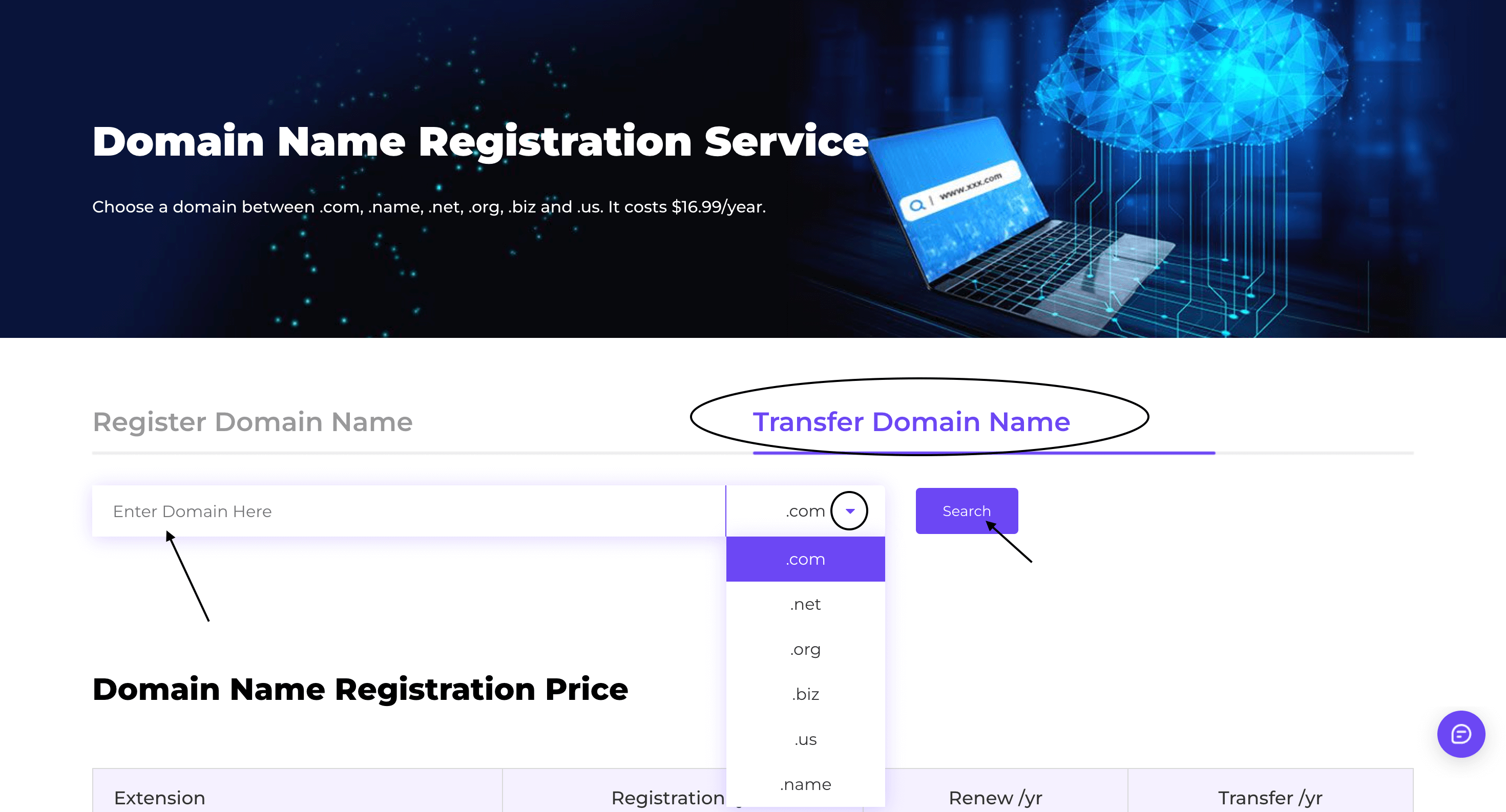
- Navigate to the Domain Transfer tool.
- Enter your domain name and paste the EPP/Authorization Code retrieved from your old registrar.
- Review the price breakdown carefully. Ensure no unwanted add-ons—such as web hosting, paid email accounts, or premium SSL certificates—have been pre-selected into your shopping cart.
- Complete the checkout process.
Step 4: Authorize the Transfer Request
Depending on the registrars involved, you may receive an automated email asking you to formally approve the transfer.
- Click the confirmation link inside the email to authorize the movement.
- Some losing registrars allow you to manually speed up the process by navigating to a "Pending Transfers" section in their portal and clicking Approve Transfer. Doing so transfers the domain within minutes rather than waiting the standard 5-day automated release window.
Step 5: Post-Transfer Verification and DNS Audit
Once the transfer completes:
- Check that your domain's nameservers points accurately to your original web hosting provider or DNS management platform (e.g., Cloudflare, Route 53). Transfers occasionally reset nameservers to destination defaults if you do not explicitly choose to keep existing records.
- Re-enable Domain Lock in your new registrar account.
- Verify that WHOIS Privacy Protection is turned on.
- Set up Two-Factor Authentication (2FA) on your new account to secure the domain.
Common Pitfalls and Hidden Costs to Avoid
While hunting for the cheapest transfer deals, domain owners frequently run into administrative obstacles or unexpected charges. Recognizing these traps in advance protects your budget and prevents service disruptions.
The Introductory Loss-Leader Trap
Many large commercial registrars market domain transfers for as low as $1.99 or $3.99. However, these promotional rates usually require entering a multi-year agreement or buying expensive bundled web hosting. If you select a cheap transfer that converts to a $22.00/year renewal rate, you will end up paying significantly more over the lifecycle of your web project. Always prioritize the renewal rate over the transfer promo rate.
Unexpected Downtime from Reset Nameservers
If your domain uses external nameservers (such as those provided by your web host or third-party DNS provider), transferring your domain can cause website and email downtime if your new registrar overwrites your nameserver records with its own default servers. To avoid downtime:
- Document your active A, CNAME, MX, and TXT records before initiating the transfer.
- Select the option during the transfer checkout workflow to "Keep existing custom nameservers."
Redirection and Email Forwarding Fees
Some discount registrars charge extra fees for basic HTTP domain redirection or email alias forwarding. Verify that basic routing utilities are built directly into the registrar’s free core management suite before migrating your domains.
Transferring During the Grace Period
If you allow your domain to expire at your current registrar, attempting a late transfer during the Auto-Renew Grace Period or Redemption Grace Period can incur steep penalties. Registrars can legally charge redemption recovery fees ranging from $80 to $250 to bring an expired domain back into transferable status. Always execute domain transfers at least two weeks before the domain's official expiration date.
Frequently Asked Questions
Does transferring a domain add a year to my existing registration?
Yes. For standard gTLDs like .com, .net, and .org, a domain transfer automatically extends your expiration date by one full calendar year from its current expiration date. You do not lose the remaining time already paid for at your old registrar.
Will transferring my domain cause website or email downtime?
No, as long as your domain’s nameserver settings remain unchanged during the process. If your domain points to third-party nameservers before the transfer, keep those exact nameservers intact during and after the transfer to ensure uninterrupted service.
Why is my domain transfer locked or pending?
Transfers can be blocked for several reasons: the 60-day post-registration/transfer lock is active, the domain is subject to a legal or payment dispute, the registrar lock switch is enabled, or an incorrect EPP authorization code was entered. Contact your losing registrar to identify the exact hold reason.
Can I transfer a domain that was registered less than 60 days ago?
No. ICANN regulations enforce a strict 60-day lock period on newly registered generic domain names and domains that underwent a recent registrar-to-registrar transfer. You must wait until the 60-day period expires before initiating a transfer.
Is Cloudflare Registrar really the cheapest option for domain transfers?
Cloudflare Registrar operates on a strict zero-markup model, passing registry wholesale costs directly to the end user without adding retail fees. This makes it one of the absolute cheapest options available for standard gTLDs. However, Cloudflare requires you to use their authoritative nameservers, which may not suit users who rely on external default nameservers from traditional web hosting companies.
Strategic Action Plan for Choosing the Right Registrar
To ensure you secure the lowest possible price while maintaining top-tier domain reliability and security, follow this decision framework:
- Calculate 3-Year TCO (Total Cost of Ownership): Add the initial transfer cost to two years of standard renewal fees for each candidate registrar. Choose the provider with the lowest cumulative total.
- Audit Feature Lists: Confirm that WHOIS privacy, DNSSEC, and flexible DNS management are explicitly listed as free lifetime features.
- Prepare Your Account: Unlock your domain, request your EPP code, and confirm your administrative contact email at your current provider.
- Execute and Secure: Submit the transfer order, maintain existing nameservers to eliminate downtime, and immediately secure your new account using multi-factor authentication once the transfer completes.
Image Gallery