Capitalizing the First Letter of Every Word: Complete Guide Across Software, Code, and Grammar Rules
Capitalizing the first letter of every word—often referred to as title case, start case, or capitalizing each word—can be accomplished using built-in keyboard shortcuts in word processors, formulas in spreadsheet applications, CSS prop...
Capitalizing the first letter of every word—often referred to as title case, start case, or capitalizing each word—can be accomplished using built-in keyboard shortcuts in word processors, formulas in spreadsheet applications, CSS properties for web design, or functions in programming languages like Python and JavaScript. The best method depends on whether you are editing document text, cleaning data, or styling dynamic web elements.
Contents
Title Case vs. Capitalizing Every Single Word
Before applying formatting, it is critical to distinguish between strictly capitalizing the first letter of every single word and applying standard editorial title case.
In pure capitalize each word (or start case) formatting, every letter that follows a space or punctuation mark is converted to uppercase, regardless of its grammatical function. For example, "the lord of the rings" becomes "The Lord Of The Rings". This automated conversion is ideal for data cleaning, database entry standardization, full name fields, and product inventory lists.
In contrast, formal title case follows stylistic rules established by editorial guidelines such as the APA Publication Manual, The Chicago Manual of Style, or the MLA Handbook. These guidelines require capitalizing major words (nouns, verbs, adjectives, adverbs, and pronouns) while leaving minor words (short prepositions like in, on, of, conjunctions like and, but, and articles like a, an, the) in lowercase unless they appear at the beginning or end of a title or subtitle.
Knowing whether your project requires literal capitalization of every word or stylistic title case prevents formatting errors in professional publishing and data processing.
Capitalizing the First Letter of Every Word in Desktop Applications
Word processors provide direct keyboard shortcuts and interface options to convert existing text without requiring manual retyping.
Microsoft Word
Microsoft Word includes a built-in text transformation tool with a dedicated keyboard toggle:
- Highlight the target text: Select the phrase, paragraph, or block of text you wish to modify.
- Use the ribbon menu: Navigate to the Home tab, click the Change Case icon (represented by
Aa), and select Capitalize Each Word from the drop-down menu. - Use the keyboard shortcut: Press
Shift + F3(orFn + Shift + F3on modern laptops) repeatedly. This key combination cycles through three states: ALL UPPERCASE, all lowercase, and Capitalize Each Word.
Google Docs
Google Docs supports text capitalization directly through its formatting menus:
- Select the text you want to format.
- Open the top menu bar and select Format > Text > Capitalization.
- Choose Title Case. Google Docs will automatically convert the first letter of each word to uppercase.
Apple Pages
Apple Pages offers similar built-in capitalization features:
- Highlight the relevant text.
- Navigate to Format > Font > Capitalization.
- Select Capitalize or Title Case depending on your operational system version.
Capitalizing Words in Spreadsheets (Excel & Google Sheets)
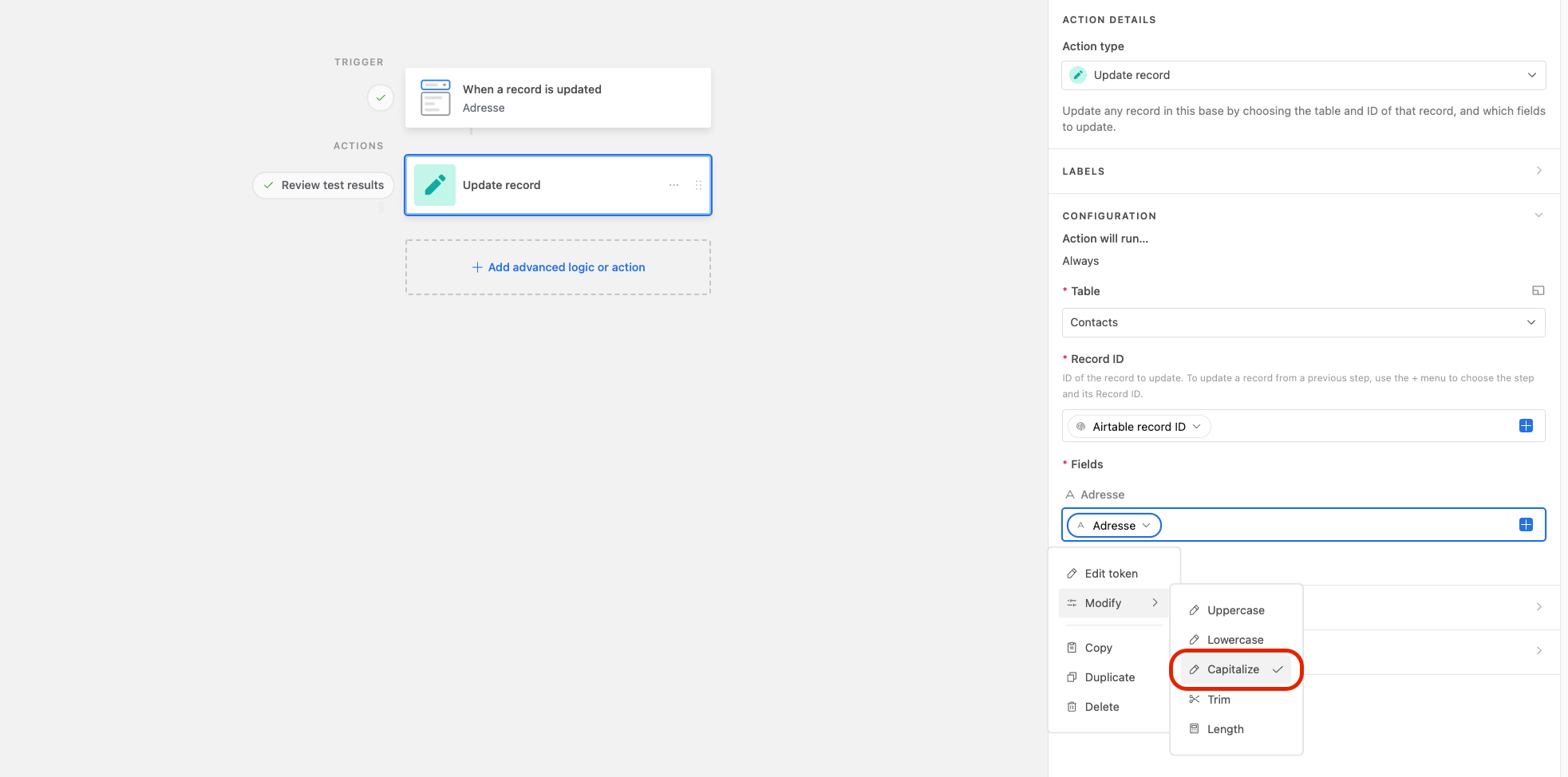
Spreadsheets frequently contain inconsistent text entries, such as customer names or street addresses entered in mixed cases. Both Microsoft Excel and Google Sheets provide formulas to standardize these datasets quickly.
Using the PROPER Function
The simplest method to capitalize the first letter of every word in Excel or Google Sheets is the PROPER function. This function automatically converts the first letter of every word to uppercase and converts all other letters to lowercase.
=PROPER(A1)
If cell A1 contains JOHN SMITH or john smith, =PROPER(A1) returns John Smith.
Key Operational Characteristics of PROPER:
- Delimiters: The
PROPERfunction recognizes spaces, hyphens, periods, and non-printable characters as word boundaries. For instance,=PROPER("mary-jane")results inMary-Jane. - Numbers and Special Characters: Characters immediately following numbers or symbols are treated as word starts. For instance,
=PROPER("3rd place")returns3Rd Place. - Acronyms: Existing uppercase acronyms are converted to proper case (e.g.,
NASAbecomesNasa).
Advanced Excel Data Transformation (Power Query)
For enterprise data pipelines where formulas are impractical for large tables, Excel's Power Query provides native string transformation:
- Select your data table and open Data > From Sheet/Table to launch Power Query.
- Right-click the target column header.
- Select Transform > Capitalize Each Word.
- Click Close & Apply to load the standardized data back into your worksheet.
Web Development: Capitalizing Text with CSS
When developing websites, text capitalization should often be handled as a presentation layer feature rather than modifying the underlying HTML source code or database values.
The CSS text-transform Property
The text-transform: capitalize; CSS declaration instructs the web browser to render the first character of each word in uppercase.
.heading-title { text-transform: capitalize; }
welcome to our customer portal
Technical Considerations for CSS Capitalization
- Underlying Text Unchanged: Using CSS only affects how text visually appears on screen. When users copy text styled with
text-transform: capitalize;, the plain text placed on their clipboard retains its original casing. - Language Support: According to the W3C CSS Text Module Specification, browser implementation of
text-transformdepends on the language context specified in the HTMLlangattribute, ensuring correct casing rules for international character sets. - Existing Uppercase Text: If the raw HTML text is already written in ALL CAPS, some legacy browsers may not apply
text-transform: capitalize;unlesstext-transform: lowercase;is applied first or combined with appropriate CSS rules.
Capitalizing the First Letter of Every Word in Programming Languages
Software developers frequently need to format text programmatically before saving records to databases or displaying user data.
Python
Python provides multiple built-in methods for handling string case modifications, each with distinct behavior regarding punctuation and edge cases.
Method 1: str.title()
The title() method converts the first character of every word to uppercase and all remaining characters to lowercase.
text = "hello world from python" print(text.title()) # Output: Hello World From Python
Caution on Edge Cases: Python's str.title() treats any non-letter as a word boundary. For example, "they're speaking".title() yields "They'Re Speaking".
Method 2: string.capwords()
To avoid issues with apostrophes and punctuation inside words, Python offers capwords() in the standard string library. Refer to the Python String Methods Documentation for comprehensive module guidelines.
import string text = "they're learning python 3rd edition" print(string.capwords(text)) # Output: They're Learning Python 3rd Edition
JavaScript
JavaScript does not feature a single native toTitleCase() method on string prototypes, but capitalization is easily achieved using Regular Expressions or array manipulation.
Using Regular Expressions (Regex)
function capitalizeWords(str) { return str.toLowerCase().replace(/(?:^|\s)\S/g, function(a) { return a.toUpperCase(); }); } console.log(capitalizeWords("welcome to web development")); // Output: "Welcome To Web Development"
Using Array Split and Map
function capitalizeString(str) { return str .toLowerCase() .split(' ') .map(word => word.charAt(0).toUpperCase() + word.slice(1)) .join(' '); } console.log(capitalizeString("john doe's application")); // Output: "John Doe's Application"
SQL (Structured Query Language)
Database management systems provide scalar functions to transform string attributes directly within queries.
PostgreSQL and Oracle (INITCAP)
Both PostgreSQL and Oracle SQL include the INITCAP() function, which capitalizes the first letter of each word and lowers all other letters.
SELECT INITCAP('first name and last name') AS formatted_name; -- Output: First Name And Last Name
Summary Comparison of Text Capitalization Methods
The following table summarizes the primary tools and syntaxes used to capitalize the first letter of every word across major applications and development languages:
| Environment / Platform | Method / Syntax | Type | Modifies Underlying Data? | Handles Internal Punctuation Well? |
|---|---|---|---|---|
| Microsoft Word | Shift + F3 or Change Case menu |
UI / Shortcut | Yes | Yes |
| Google Docs | Format > Text > Capitalization | UI / Menu | Yes | Yes |
| Microsoft Excel | =PROPER(cell_reference) |
Formula | Yes (in formula output) | Partial (capitalizes after hyphens/numbers) |
| Google Sheets | =PROPER(cell_reference) |
Formula | Yes (in formula output) | Partial |
| CSS | text-transform: capitalize; |
Presentation Style | No (display only) | Yes |
| Python | string.capwords(text) |
Function | Yes (returns new string) | Yes |
| JavaScript | Custom Regex / .split().map() |
Code Script | Yes (returns new string) | Depends on implementation |
| PostgreSQL / Oracle | INITCAP(column_name) |
SQL Function | Yes (in query result) | Yes |
Managing Common Edge Cases and Formatting Pitfalls
Automated capitalization tools rely on predefined logic to identify word boundaries. However, language structures include exceptions that can lead to formatting errors if not handled carefully.
1. Apostrophes and Contractions
Standard capitalization algorithms often misinterpret apostrophes as word delimiters. For instance, naive functions may convert "don't" into "Don'T". When scripting custom capitalization functions in languages like JavaScript or Python, ensure that regular expressions distinguish between spaces and punctuation contained within contractions.
2. Hyphenated Compound Words
In medical, technical, and surname formatting, hyphenated words generally require both parts to be capitalized (e.g., "Jean-Luc" or "state-of-the-art"). Formulas like Excel's =PROPER() handle hyphens correctly by treating the character after the hyphen as a new word start, yielding "Jean-Luc".
3. Acronyms and Initialisms
Automated casing tools typically force all non-initial letters into lowercase. Applying =PROPER() or str.title() to strings containing acronyms like "NASA", "USA", or "HTML" will alter them to "Nasa", "Usa", and "Html". When processing corporate data, post-processing rules or conditional regex replacements must be implemented to preserve fully capitalized acronyms.
4. Names with Foreign Prefixes
Surnames containing prefixes such as van, de, von, or Mac/Mc (e.g., van Gogh, McDonald) present challenges for automated systems. Standard capitalization converters will output Van Gogh or Mcdonald. Correct handling of these special entities requires custom dictionary lookups or regular expressions specifically configured for name processing.
Frequently Asked Questions
What is the keyboard shortcut to capitalize the first letter of every word in Microsoft Word?
Highlight the text and press Shift + F3 repeatedly. This shortcut cycles through lowercase, UPPERCASE, and Capitalize Each Word formats. On laptops, you may need to hold Fn + Shift + F3.
Does CSS text-transform: capitalize; change the actual raw text data?
No, CSS text-transform: capitalize; alters only the visual presentation of the text on the web page. The raw text in the underlying HTML document and any data copied to the user's clipboard remain in their original case.
How do I capitalize every word in Excel without affecting acronyms?
The standard =PROPER() function converts acronyms like "USA" into "Usa". To preserve acronyms, you can combine logic using functions like SUBSTITUTE or use VBA/Power Query scripts that verify word length and standard capitalization rules before altering case.
What is the difference between Title Case and Start Case?
Start Case (or "Capitalize Each Word") forces the first letter of literally every word to be uppercase regardless of sentence structure. Title Case follows editorial style guides (APA, Chicago, MLA) where major words are capitalized while minor prepositions, articles, and conjunctions remain lowercase.
How do I capitalize the first letter of every word in Python without ruining contractions?
Instead of using the standard str.title() method—which turns "don't" into "Don'T"—use the capwords() function from the built-in string module: import string; string.capwords(text).
Recommended Next Steps
To select the most efficient method for your project:
- For Quick Document Editing: Highlight your text in Microsoft Word or Google Docs and use the Capitalize Each Word menu option or
Shift + F3shortcut. - For Spreadsheet Cleanup: Insert a temporary helper column and use
=PROPER(A2)to clean customer names or addresses, then copy and paste the result as plain values over the original data. - For Web Development: Apply
text-transform: capitalize;in your CSS stylesheet for UI presentation, but process text on the server or database level if clean data storage is required.
Image Gallery