Why Free Lead Management Software Can Power Small Teams to Grow Faster
Free lead management software provides small teams with enterprise-grade organization, automated contact capture, and structured pipeline tracking without upfront financial risk. By replacing error-prone spreadsheets, small sales teams...
Free lead management software provides small teams with enterprise-grade organization, automated contact capture, and structured pipeline tracking without upfront financial risk. By replacing error-prone spreadsheets, small sales teams can respond to inquiries faster, maintain consistent follow-ups, and establish scalable sales workflows while preserving capital for critical core operational growth.
Contents
The Operational Reality of Small Sales Teams
Small businesses and lean startup teams frequently operate under tight resource constraints. Sales reps, founders, and account managers often wear multiple hats, handling marketing, customer support, and administrative fulfillment alongside raw business development. In this high-velocity environment, managing prospective customers through ad-hoc methods—such as shared spreadsheets, paper notebooks, or flagged emails—creates operational bottlenecks that actively prevent revenue growth.
Manual tracking systems suffer from inherent vulnerabilities:
- Version Control Issues: Shared spreadsheets are prone to accidental overwrites, missing updates, and duplicate entries when accessed concurrently by multiple team members.
- Data Fragmentation: Lead details end up scattered across personal email inboxes, direct messages, phone logs, and sticky notes, making it nearly impossible for team members to step in for one another.
- Lack of Automated Reminders: Without structured task scheduling, follow-ups rely entirely on human memory. As lead volume increases, potential prospects inevitably fall through the cracks.
- Zero Pipeline Visibility: Leaders lack real-time insights into stage-by-stage conversions, making accurate revenue forecasting and performance evaluation largely speculative.
For a growing organization, these friction points do not merely represent minor administrative inconveniences; they directly erode conversion rates. Industry studies consistently demonstrate that prompt, organized lead management significantly increases the likelihood of closing a sale. Free lead management tools eliminate these manual barriers by establishing a single source of truth for customer interactions from the moment an inquiry enters the sales funnel.
Core Capabilities Delivered by Free Lead Management Tools
Modern free software offerings are no longer lightweight, stripped-down trial software designed solely to force immediate upgrades. Strategic software-as-a-service (SaaS) providers offer robust permanent free tiers to capture market share early, equipping small teams with essential tools designed to streamline sales cycles.
- Inbound Lead Channels (Web Forms, Email Inquiries, Incoming Calls)
- Free Lead Management Central Engine
- Automated Lead Capture & Contact Creation
- Centralized Interaction & Email Activity History
- Visual Kanban Pipeline & Stage Tracking
- Task Reminders & Follow-Up Automation
- Sales Outcomes (Faster Response Times & Higher Closures)
Automated Lead Capture and Ingestion
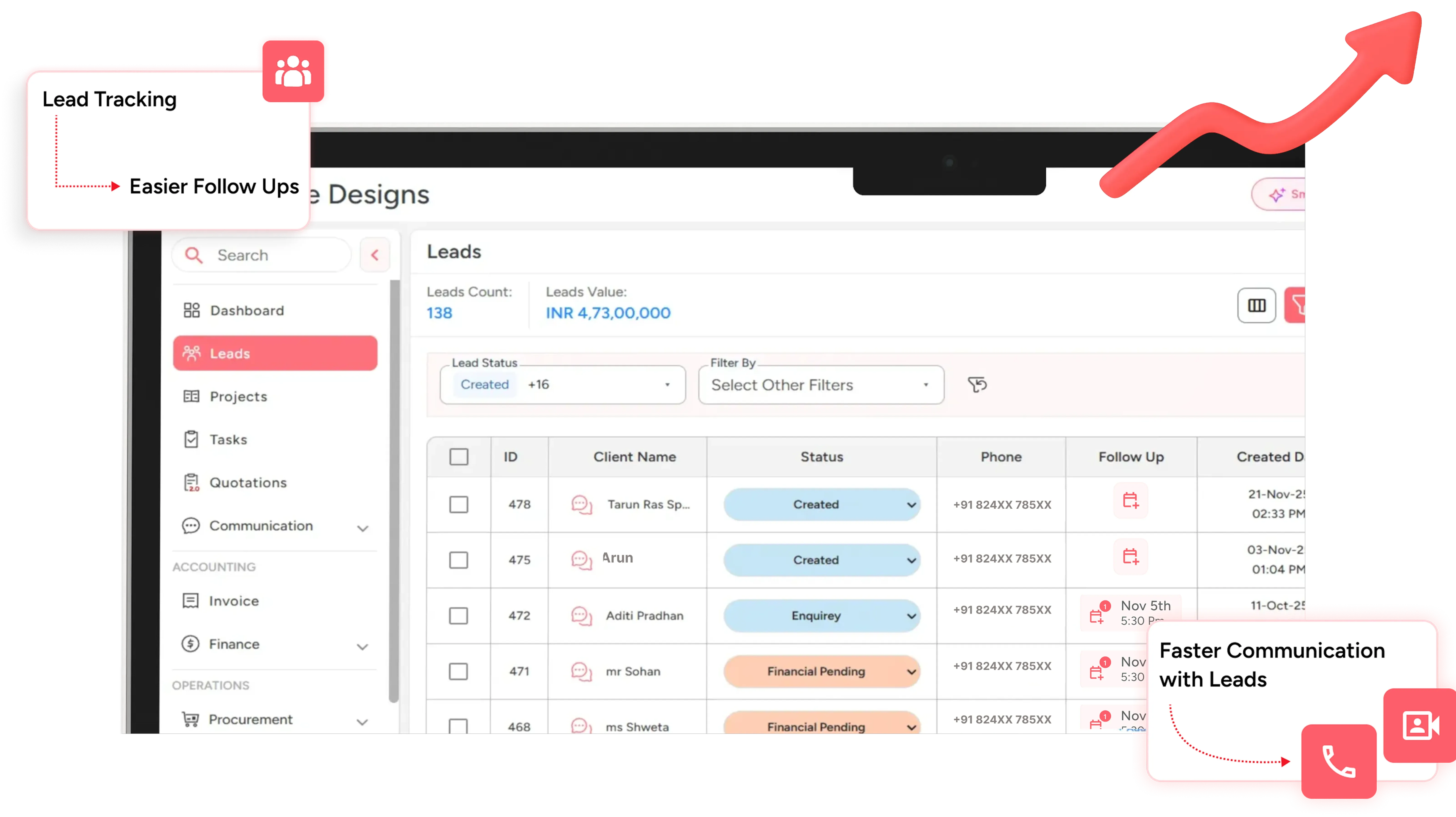
Instead of manually copy-pasting contact information from email inquiries into a database, free lead management platforms connect directly to digital touchpoints. Embedded web forms, website chat widgets, and social media ad integrations automatically parse incoming data to create detailed lead profiles instantly. This automation minimizes input errors and ensures that every lead enters the database immediately upon expressing interest.
Visual Pipeline and Stage Management
Visual pipeline interfaces—typically built on Kanban board frameworks—allow sales representatives to drag and drop deals across customized stages, such as New Inquiry, Contacted, Demo Scheduled, Proposal Sent, and Closed-Won. This clear visualization helps small teams immediately identify bottlenecked deals, prioritize high-value prospects, and assess overall pipeline health at a single glance.
Centralized Communication Logs
When a lead profile is created, modern software logs associated interactions within a unified activity feed. By syncing with standard email providers (such as Google Workspace or Microsoft Outlook), free platforms automatically log outbound and inbound communications, meeting notes, and uploaded documents. This transparency allows any team member to review a prospect's history and continue negotiations seamlessly if the primary representative is unavailable.
Built-in Task Automation and Notifications
Timely follow-ups are essential to successful lead nurturing. Free lead management tools allow users to set automated task reminders triggered by specific stage movements or time delays. For example, moving a deal to "Proposal Sent" can automatically schedule a follow-up task for three days later, ensuring sales representatives follow through consistently without requiring complex administrative overhead.
Comparing Top Free Lead Management Software Solutions
Selecting the right free tool depends on a team's specific team size, contact volume, and required capabilities. Below is an overview of leading platforms offering permanent free tiers suitable for small teams:
| Platform | Free Seat Limit | Core Included Features | Primary Limitations | Ideal Use Case |
|---|---|---|---|---|
| HubSpot CRM | Unlimited users | Contact tracking, form capture, email logging, deal pipelines | Advanced automation, custom reporting, and phone support require paid tiers | Teams prioritizing unlimited user access and seamless marketing integrations |
| Zoho CRM | Up to 3 users | Lead and deal management, workflow rules, basic reporting, tasks | User cap of 3 seats; limited storage capacity on the free tier | Small, tightly focused teams needing structured workflows and custom fields |
| Freshsales | Up to 3 users | Contact & deal management, built-in phone capabilities, unified chat | Advanced analytics, workflow automation, and email sequences gated | Early-stage sales teams requiring integrated phone and chat communications |
| Bitrix24 | Unlimited users | Lead capture, visual CRM, task management, basic contact center | Complex UI/UX curve; cloud storage limited to 5GB on free tier | Teams seeking combined sales pipeline tracking and internal project management |
| Capsule | Up to 2 users | Contact management, basic sales pipeline, task calendar, 250 contacts | Strict 250-contact limit on free plan; basic feature set | Solopreneurs or micro-teams needing simple, uncluttered contact tracking |
Strategic Benefits: How Free Software Levels the Playing Field
Adopting a specialized free lead management tool provides small teams with distinct competitive advantages over businesses still relying on manual administrative methods.
Strategic Advantages for Lean Teams
- SPEED-TO-LEAD ACCELERATION
- Immediate lead routing reduces response times to minutes.
- SYSTEMATIC FOLLOW-UP CONTINUITY
- Automated task triggers prevent deal decay and leakage.
- LOW TOTAL COST OF OWNERSHIP (TCO)
- Preserves capital during foundational validation stages.
- DATA-DRIVEN RESOURCE ALLOCATION
- Pinpoints highest-converting lead channels instantly.
Speed-to-Lead Acceleration
Response velocity directly influences conversion rates. Prospective buyers comparing options online frequently engage with the service provider that responds first. By utilizing automated lead capture combined with real-time browser or mobile notifications, small teams can contact incoming leads within minutes rather than hours, locking in buyer attention before competitors respond.
Systematic Follow-Up and Reduced Lead Decay
Unmanaged leads decay rapidly. Without systematic reminders, sales reps naturally focus on immediate, high-probability deals while letting secondary or long-term leads turn cold. Free platforms equalize this dynamic through automated task creation, enabling lean teams to nurture long-cycle leads systematically over weeks or months without ballooning daily administrative work.
Maximized Operational Runway
Capital preservation is paramount for small enterprises and early-stage startups. Subscribing prematurely to enterprise CRM suites can add hundreds of dollars per user each month to fixed operational overhead. Utilizing robust free software preserves crucial cash flow for hiring, product development, or customer acquisition campaigns, while still providing the fundamental software architecture needed to support initial growth.
Navigating Free-Tier Limitations Effectively
While free lead management software offers immense utility, these tiers are engineered around monetization strategies designed to encourage eventual upgrades. Operating effectively within a free framework requires understanding common restrictions and employing practical strategies to manage them.
Common Free-Tier Constraints
- User Caps: Platforms frequently limit free plans to 2–3 users. For growing teams, this means prioritizing access for core business development reps while restricting view-only administrative access.
- Contact and Storage Volume Limits: Certain providers set upper thresholds on total record counts (e.g., 250 to 1,000 contacts). Managing this requires regular data hygiene—archiving unqualified or inactive leads externally to stay beneath system limits.
- Restricted Automation Engine: Advanced multi-step workflow automation (such as complex conditional logic or external webhook triggers) is routinely paywalled.
- Branded Web Forms: Free capture forms often feature vendor branding, which may slightly impact brand presentation depending on market positioning.
Practical Workarounds for Lean Operations
Small teams can significantly extend the lifespan of a free plan by integrating complementary third-party services:
- Third-Party Webhook Connectors: Use free tiers of integration tools like Zapier or Make to bridge data between external lead sources (e.g., custom landing pages, Google Sheets) and your lead management platform, circumventing platform-native integration caps.
- External Data Warehousing: Export cold, uncontacted, or lost leads periodically into an external database to prevent hitting native platform contact caps while preserving historical data for re-engagement campaigns.
- Custom Form Building: Build web forms via native website builders (such as WordPress or Webflow) and route submissions via API or email parser to preserve clean, unbranded front-end experiences.
Step-by-Step Implementation Guide for Small Teams
Implementing lead management software successfully requires disciplined execution. Follow this structured roadmap to deploy a free system without disrupting ongoing sales operations.
- Step 1: Clean & Standardize Existing Lead Data
- Step 2: Define Pipeline Stages & Deal Criteria
- Step 3: Connect Primary Lead Capture Channels
- Step 4: Establish Activity Logging Guidelines & Metrics
Step 1: Clean and Standardize Existing Data
Before importing data into a new platform, audit all existing contact lists. Remove duplicate entries, correct misformatted phone numbers and email addresses, and remove outdated contacts. Standardizing field structures (such as separating First Name and Last Name or standardizing company industry tags) prevents data corruption during import.
Step 2: Define Clear Pipeline Stages
Map out a realistic sales process using clear, action-oriented stage names. Avoid ambiguous labels; instead, define concrete exit criteria for every stage:
- Stage 1: Unqualified Lead (New inquiry received; preliminary fit unconfirmed).
- Stage 2: Discovery Qualified (Initial call completed; budget, authority, need, and timeline confirmed).
- Stage 3: Proposal Offered (Formal price quote or service agreement delivered).
- Stage 4: Negotiation / Review (Contract terms undergoing redlining or decision-maker review).
- Stage 5: Closed-Won / Closed-Lost (Final commercial decision reached).
Step 3: Connect Lead Capture Channels
Configure direct integrations for primary inbound lead sources. Install platform-native tracking scripts on your primary website, sync central sales inboxes (e.g., sales@yourcompany.com), and link social channels or web forms. Test every channel thoroughly by submitting test leads to ensure data maps correctly into designated CRM fields.
Step 4: Establish Daily Operating Protocols
Software only delivers value if used consistently. Train sales team members on core daily routines:
- Clear all overdue tasks at the start of each workday.
- Update pipeline deal stages immediately following customer touchpoints.
- Log detailed call notes and schedule explicit follow-up tasks before ending a lead interaction.
Frequently Asked Questions
Is free lead management software truly free forever?
Yes, reputable platforms such as HubSpot, Zoho, and Bitrix24 provide permanent free tiers rather than temporary trials. These plans remain free indefinitely, provided your usage remains within defined parameters such as user seat caps, storage allowances, or contact thresholds.
How do free lead management tools maintain data security?
Established software vendors apply the same security protocols—such as end-to-end data encryption in transit and at rest, SOC 2 compliance, and multi-factor authentication (MFA)—across both free and paid accounts. However, administrators should explicitly review platform settings to ensure proper user permissions are configured to prevent unauthorized internal data exports.
When should a small team upgrade to a paid software tier?
A team should consider upgrading when operational constraints actively hinder growth. Key indicators include reaching user or contact limits, needing complex multi-stage workflow automation, requiring advanced reporting analytics, or requiring deep integrations with external ERP and billing systems.
What is the difference between a CRM and lead management software?
Lead management software focuses specifically on the top and middle of the sales funnel—capturing incoming leads, tracking interactions, scoring intent, and converting prospects into active buyers. Customer Relationship Management (CRM) software is broader, encompassing post-sale account management, customer support, ticketing, retention, and long-term customer lifecycle tracking. Many modern free CRM tools include full lead management features built-in.
Can free software integrate with existing custom email domains?
Yes. Most major free platforms support native IMAP/SMTP integration or direct connections with Google Workspace and Microsoft 365. This allows reps to log emails automatically and send messages directly through the software using their official company email addresses.
Actionable Next Steps for Small Teams
To transition away from manual tracking systems and build an efficient sales pipeline, take these immediate steps:
- Audit Current Lead Volume: Estimate your current monthly inbound lead volume and tally active sales users to eliminate software options with overly restrictive free-tier caps.
- Select a Platform: Choose a tool that matches your team structure—select HubSpot CRM Free if you need unlimited team access, or Zoho CRM Free if you prefer structured workflow rules for a smaller group.
- Execute a 14-Day Pilot: Set up your visual pipeline, connect your primary company email address, and run your inbound sales inquiries through the platform for two weeks to validate team adoption before fully decommissioning legacy spreadsheets.
Image Gallery