Alameda County Register of Actions: Accessing Superior Court Case Information in 2026
The Alameda County Register of Actions is the official chronological log of court events, filings, hearings, and orders for civil, criminal, family law, and probate cases managed by the Superior Court of California, County of Alameda....
The Alameda County Register of Actions is the official chronological log of court events, filings, hearings, and orders for civil, criminal, family law, and probate cases managed by the Superior Court of California, County of Alameda. This docket system serves as the primary tracking mechanism for attorneys, litigants, researchers, and members of the public seeking accurate, real-time judicial history.
Contents
Navigating court records requires an understanding of how local judicial portals operate, the distinction between public and confidential filings, and the technical steps necessary to retrieve specific case documents. Whether you are tracking active litigation, conducting background research, or verifying family law judgments, knowing how to efficiently utilize the Alameda County court database ensures you locate precise docket entries without unnecessary delays.
Understanding the Superior Court of California, County of Alameda Jurisdiction
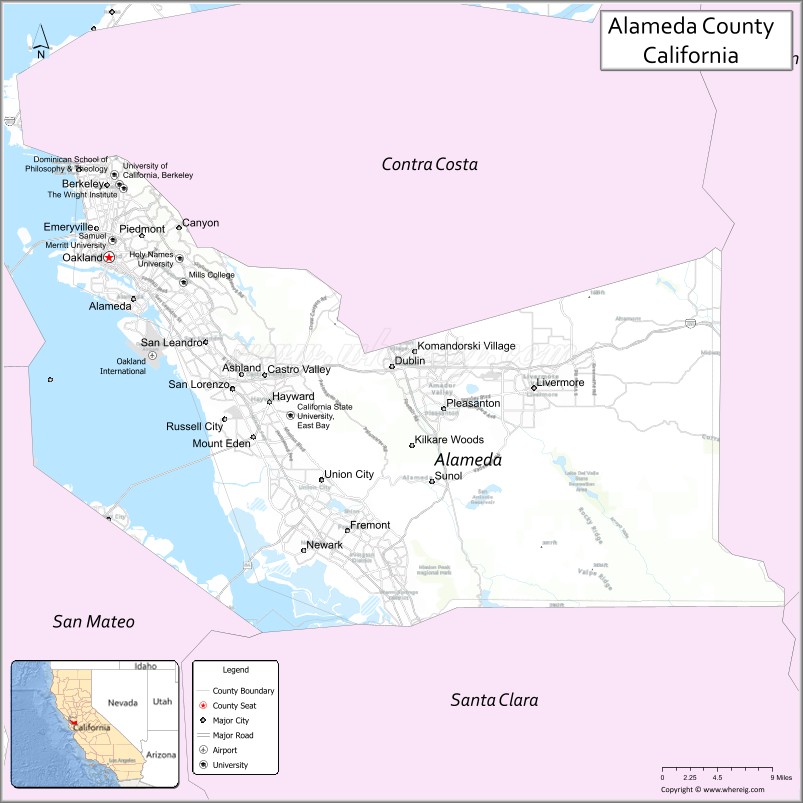
The Superior Court of Alameda County operates across multiple courthouse facilities distributed throughout the East Bay region. Each facility handles specific case types, meaning the Register of Actions for a particular matter corresponds directly to the courthouse where the action was originally filed or transferred.
Understanding the geographic distribution and case-type allocation prevents wasted time when attempting to inspect physical files or submit local forms. The primary judicial facilities include:
- Rene C. Davidson Alameda County Courthouse: Located at 1225 Fallon Street, Oakland, CA 94612. This facility primarily handles felony criminal trials, civil jury trials, and civil grand jury records.
- Administration Building Courthouse: Located at 121 Fallon Street, Oakland, CA 94612. This location manages various administrative court functions and specialized dockets.
- George E. McDonald Hall of Justice: Located at 2233 Shoreline Drive, Alameda, CA 94501. Dedicated primarily to traffic and minor infraction matters.
- Berkeley Courthouse: Located at 2120 Martin Luther King Jr. Way, Berkeley, CA 94704. Handles limited civil, small claims, and unlawful detainer (eviction) proceedings for the northern region of the county.
- Hayward Hall of Justice: Located at 24405 Amador Street, Hayward, CA 94544. A comprehensive facility managing criminal, family law, juvenile, and civil cases for the central and southern portions of the county.
- Dublin-Pleasanton Courthouse: Located at 5151 Gleason Drive, Dublin, CA 94568. Services the East County region, handling criminal, traffic, family law, and civil matters.
Public Access Versus Confidential Records in the Register of Actions
Not all information contained within the Alameda County Register of Actions is available for public inspection. California state law and California Rules of Court govern which records are open to general viewing and which are sealed or restricted to protect privacy, national security, or the integrity of ongoing investigations.
Publicly accessible records typically include general civil lawsuits, probate petitions, small claims actions, and standard family law dissolution filings (though financial disclosures and medical evaluations within family cases may be redacted or restricted). Conversely, strict statutory exemptions apply to juvenile dependency and delinquency files, mental health commitment proceedings, adoption records, and criminal records that have been formally expunged or sealed pursuant to Penal Code provisions.
When searching the register, users frequently encounter varying levels of access:
- Public Online Access: Basic case summaries, party names, hearing schedules, and minute orders for unrestricted civil and probate cases.
- On-Site Terminal Access: Deep-dive document viewing available via dedicated computer terminals located inside Alameda County courthouse clerk offices.
- Restricted Access: Requires formal motion, a court order, or verified party status (such as counsel of record or named litigants) to view confidential exhibits, sealed psychological evaluations, or protected victim information.
Step-by-Step Guide to Searching the Alameda County Register of Actions
Conducting an effective search within the court's database requires specific identifiers to narrow down results among millions of historical and active entries. Follow this procedural workflow to locate a specific case register:
- Gather Case Identifiers: Collect as much preliminary data as possible before searching. Essential details include the full legal name of the plaintiff, petitioner, defendant, or respondent; the exact case number (if known); or the approximate filing date range.
- Access the Official Portal: Navigate to the official website of the Superior Court of California, County of Alameda. Locate the online services or case lookup portal specifically designated for public case searches.
- Select the Search Criterion: Choose the appropriate search parameter from the portal menu, such as "Search by Case Number" or "Search by Party Name." For name searches, enter the last name followed by the first name, ensuring proper spelling to avoid missing records.
- Review the Case Summary: Once the matching record appears, click on the case number to open the electronic Register of Actions. This displays a chronological listing of every document filed, fee paid, and hearing conducted.
- Examine Minute Orders and Filings: Scroll through the docket entries to read minute orders generated by the court clerk or judge. Pay close attention to future hearing dates, department assignments, and mandatory compliance deadlines.
- Request Certified Copies: If official, certified physical or electronic copies of specific judgments or filings are required, submit an online records request or visit the appropriate courthouse clerk's office to pay the requisite statutory copying and certification fees.
Comparing Search Methods: Online Portals Versus On-Site Terminals
Litigators and researchers often weigh the convenience of remote electronic access against the comprehensive nature of physical courthouse terminals and clerk assistance.
| Feature / Capability | Official Online Portal | On-Site Courthouse Terminals | Clerk Service Window |
|---|---|---|---|
| Accessibility | 24/7 remote access via internet browser | Available during standard business hours | Limited to designated window operating hours |
| Document Viewing | Limited to public, unsealed electronic documents | Full access to local digital case images | Physical file retrieval for older or archived records |
| Cost | Free basic lookup; nominal fees for document downloads | Free viewing at terminal stations | Statutory per-page copy and certification fees apply |
| Assistance | Self-service navigation with online help guides | Self-service with occasional clerk supervision | Direct, in-person staff guidance for complex requests |
| Historical Depth | Varies; older archived files may require manual requests | Extensive historical database integration | Complete physical archives stored off-site if inactive |
Common Challenges and Troubleshooting When Searching Court Records
Even with precise search inputs, users frequently encounter obstacles when navigating court dockets. Anticipating these hurdles saves time and ensures accurate data retrieval.
- Common Names and Result Overload: Searching for common surnames (e.g., Smith, Garcia, Johnson) often yields hundreds of potential matches. Mitigate this by utilizing middle initials, date of birth parameters, or narrowing the search by case type (e.g., Probate versus Civil Unlimited).
- Typographical Errors in Case Numbers: A single misplaced digit in a case number (such as confusing a civil prefix like RG with a family law prefix like UF) will result in a "No Records Found" notification. Verify the prefix structure used by Alameda County courts.
- Archived or Microfilmed Files: Cases initiated prior to the widespread adoption of electronic case management systems may not appear on the modern web portal. These require physical archiving requests through the clerk's office, often involving retrieval delays.
- System Maintenance Windows: Online court portals undergo routine backend maintenance, typically during weekends or late-night hours. If the portal fails to load, verify maintenance notices on the primary court homepage.
Expert Insight on Court Research: Always verify whether a case has been transferred between courthouse departments or appealed to a higher appellate district. An active Register of Actions in Alameda County Superior Court will reflect intra-court transfers, but appellate proceedings are tracked separately through the California Courts First Appellate District.
Frequently Asked Questions About Alameda County Court Records
How can I find a case number if I only know the name of the parties involved?
You can search the Alameda County court's online public portal using the plaintiff's or defendant's full legal name. Entering the exact spelling along with a date range or case category will populate a matching index list containing the corresponding case numbers.
Are all documents listed in the Register of Actions available for free download?
No. While viewing basic docket history and minute orders is typically free, downloading complete electronic copies of filed documents, exhibits, or transcripts often requires paying statutory electronic access or per-page document fees.
What is the difference between Limited Civil and Unlimited Civil cases in Alameda County?
Limited Civil cases involve financial disputes valued at $35,000 or less, whereas Unlimited Civil cases involve disputes exceeding $35,000, equitable relief, or specialized legal remedies. Each division maintains a separate tracking docket within the register.
How do I obtain a certified copy of a court judgment from Alameda County?
You can request certified copies online through the court's document services page, by mail with a written request and check covering fees, or in person at the specific courthouse location where the judgment was entered.
Can I access Alameda County Register of Actions records from outside of California?
Yes. The online case portal is accessible globally via the internet, allowing attorneys, researchers, and out-of-state litigants to review public docket entries remotely without needing to travel to an East Bay courthouse.
Optimizing Your Legal Research Workflow
Effectively utilizing the Alameda County Register of Actions requires patience, strict attention to naming conventions, and an understanding of local court jurisdiction. By leveraging online lookup tools for preliminary docket reviews and visiting courthouse terminals or clerk offices for certified document retrieval, researchers can maintain accurate oversight of any civil, criminal, or family proceeding within the county.
Actionable Recommendation: Bookmark the official Superior Court of California, County of Alameda portal, verify your case prefix designations before initiating searches, and always cross-reference hearing dates directly with the assigned courtroom department to account for last-minute calendar adjustments.
Image Gallery