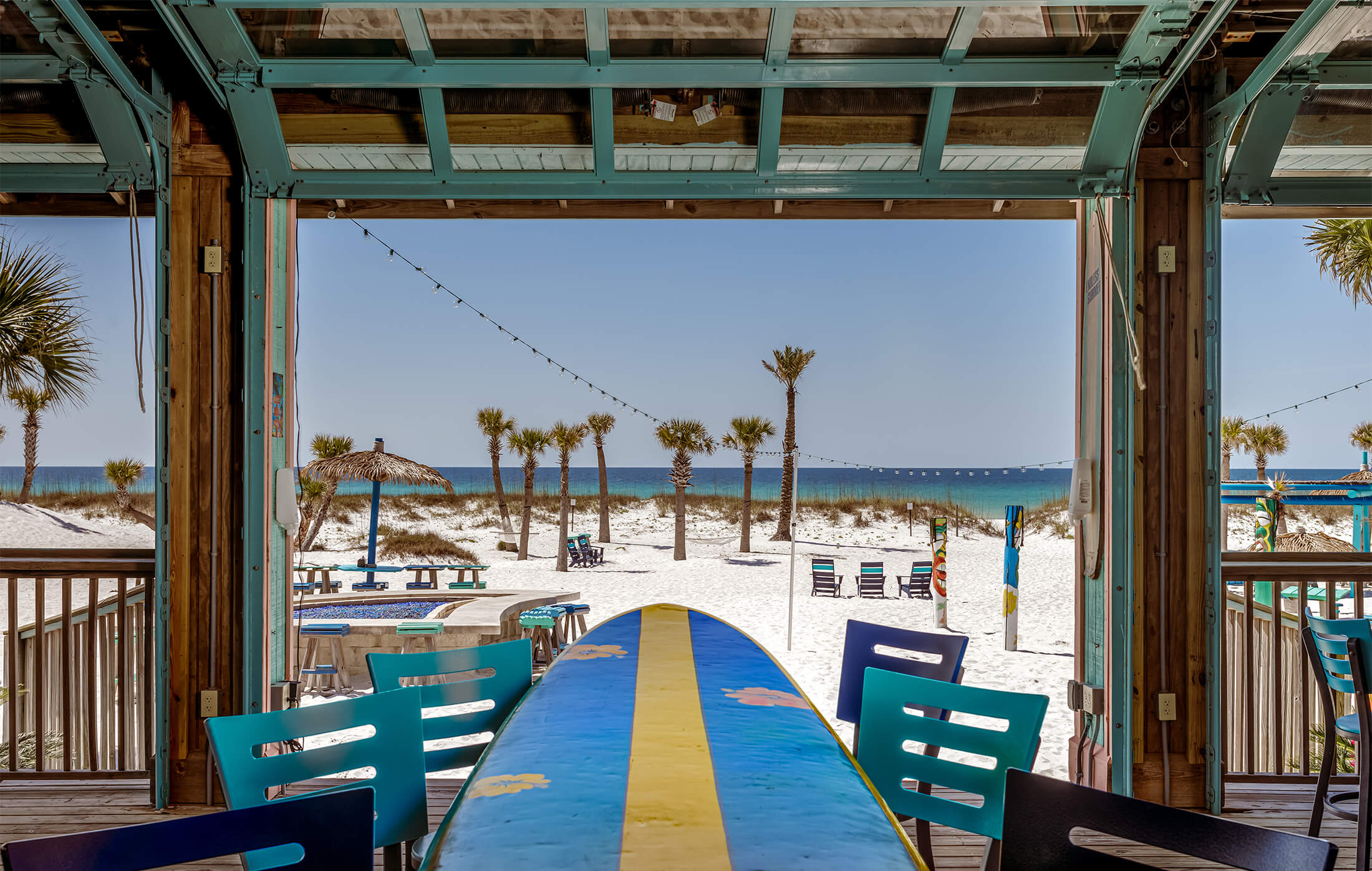
How to Watch the Pensacola Beach Camera Live
To watch the Pensacola Beach camera live, visit official tourism websites such as Visit Pensacola or the Santa Rosa Island Authority, or access live feeds on local news platforms like WEAR News and surf aggregators like Surfline. Open...
To watch the Pensacola Beach camera live, visit official tourism websites such as Visit Pensacola or the Santa Rosa Island Authority, or access live feeds on local news platforms like WEAR News and surf aggregators like Surfline. Open the feed in any modern web browser on a smartphone, tablet, or desktop to view real-time video of the beach, pier, and Gulf waters.
Contents
Key Live Camera Locations Across Pensacola Beach
Pensacola Beach, located on Santa Rosa Island in Northwest Florida, features multiple HD live streaming camera angles along the Gulf of Mexico and Santa Rosa Sound. Understanding where each camera is positioned helps you choose the exact view you need, whether you are checking surf conditions, monitoring beach crowds, or viewing current marine weather.
Casino Beach and Pensacola Beach Gulf Pier
Casino Beach serves as the central hub of activity on Pensacola Beach. The primary live camera stationed at Casino Beach offers an expansive wide-angle view of the iconic Pensacola Beach Gulf Pier, the white quartz sands, and the shoreline waters.
The Pensacola Beach Gulf Pier camera provides critical visual information for anglers, surfers, and beachgoers:
- Wave and Swell Heights: Directly monitors surf breaking against the pier pilings.
- Crowd Density: Captures beach seating availability and lifeguard tower presence.
- Water Clarity: Displays real-time turquoise water transparency and seaweed accumulation along the shoreline.
Because Casino Beach hosts major events and central parking areas, this camera feed is frequently accessed by visitors planning arrival times during busy holiday weekends or summer mornings.
Pensacola Beach Boardwalk and Quietwater Beach
Facing north toward Santa Rosa Sound, Quietwater Beach and the Pensacola Beach Boardwalk feature dedicated camera streams optimized for calm-water activities. Unlike the Gulf-facing cameras that showcase ocean waves, the Sound-side live feeds capture shallow, tranquil water conditions.
These feeds are particularly useful for water sports enthusiasts monitoring conditions for paddleboarding, kayaking, and jet-skiing. The Boardwalk camera also offers visibility into the commercial district, showing outdoor dining areas, pedestrian traffic, and boat dockage along the soundside marina.
Fort Pickens and Gulf Islands National Seashore
Located on the western end of Santa Rosa Island, the Gulf Islands National Seashore area offers more secluded coastal views. Feeds overlooking the Fort Pickens area capture undisturbed dunes, undeveloped shorelines, and vessel traffic entering Pensacola Pass. Oceanographers, birdwatchers, and anglers monitoring the pass for tidal current movement frequently utilize these feeds to observe natural weather patterns away from high-density resort infrastructure.
Top Platforms and Web Portals for Streaming Pensacola Beach Live
Several public and private organizations host, maintain, and aggregate live video feeds across Pensacola Beach. Selecting the right platform depends on your specific needs, such as video quality, load speed, ad density, or additional environmental data overlay.
- Pensacola Beach Live Streams
- Official Tourism (Visit Pensacola & SRIA Feeds)
- Local News Outlets (WEAR Channel 3, PNJ / Weather)
- Coastal Aggregators (Surfline, EarthCam & BeachCams.com)
Visit Pensacola and Santa Rosa Island Authority (SRIA) Official Feeds
The official destination marketing organization, Visit Pensacola, alongside the local governing agency, the Santa Rosa Island Authority (SRIA), provides direct access to high-definition live streams.
- Stream Quality: High-definition (1080p) streams operating continuously 24/7.
- User Interface: Clean interface with minimal ad interruptions and embedded local weather statistics.
- Reliability: Direct municipal and commercial sponsorship ensures high uptime and rapid maintenance during network disruptions.
Accessing cameras directly through Visit Pensacola provides an uncorrupted, real-time feed integrated with official beach safety information.
Local News Outlets and Weather Networks
Local news stations, including WEAR Channel 3 (ABC) and the Pensacola News Journal (pnj.com), maintain coastal skycams installed on coastal high-rises and commercial structures.
- Broad Angle Views: These feeds are often mounted higher on resort buildings, giving a elevated perspective of atmospheric weather fronts, dark clouds, tropical squalls, and fog banks.
- Integrated Forecasting: Local news platforms often overlay radar data, wind velocity, air temperature, and uv index readings directly alongside or beneath the live video player.
Specialized Surf and Coastal Camera Aggregators
For recreational surfers, marine navigators, and coastal weather enthusiasts, specialized platforms host feeds embedded with marine data:
- Surfline: Operates high-framerate feeds overlooking key break zones near the pier. Provides paid subscribers with pan-tilt-zoom (PTZ) controls, stream rewind capabilities, and wave height analysis.
- EarthCam: Offers stable, high-bitrate streaming of high-traffic beach corridors, ideal for viewing broad scenic panoramas.
- BeachCams.com & Florida Cams: Simple web portals aggregating multiple Panhandle beach cameras into a single, low-bandwidth browser window.
Step-by-Step Instructions to Access Live Feeds
Watching the Pensacola Beach live camera requires no specialized software or paid subscriptions for standard public viewing. Follow these steps on desktop or mobile devices to launch a reliable stream.
Viewing via Desktop Web Browser
- Open a Modern Web Browser: Launch Google Chrome, Mozilla Firefox, Apple Safari, or Microsoft Edge. Ensure your browser is updated to support HTML5 native video players (HLS/dash streaming).
- Navigate to an Official Source: Type
visitpensacola.comor access the official SRIA web page in the address bar. - Locate the Webcams Section: Hover over the main menu navigation bar (typically under "Explore," "Things to Do," or "Beach Info") and click on Beach Webcams or Live Cams.
- Select Your Desired View: Choose between Casino Beach, Pensacola Beach Gulf Pier, Portofino, or Quietwater Beach.
- Initiate Stream Playback: Click the central play icon on the embedded media player. If the stream does not start automatically, verify that ad-blocking extensions are temporarily paused for the host site, as some players require script execution for video delivery.
Viewing on Mobile Devices and Smart TVs
- iOS and Android Smartphones: Access the camera directly via your mobile web browser. Modern webcams automatically adapt stream resolution via HTTP Live Streaming (HLS) to conserve mobile data while maintaining smooth playback.
- Smart TVs and Streaming Devices: To watch live feeds on a television screen, open the integrated YouTube app on Apple TV, Roku, Amazon Fire TV, or Smart TV operating systems. Search for
"Pensacola Beach Live Camera 4K"or"Casino Beach Live Stream"to find official continuous live broadcasts hosted on video streaming networks. Alternatively, use screen-mirroring (AirPlay or Chromecast) from your smartphone directly to your television display.
Technical Specifications and Troubleshooting
While live feeds are designed for seamless viewing, hardware configurations, web browser settings, and network bandwidth can affect video playback performance.
Recommended Connection Speeds and Video Formats
To stream HD coastal cameras without stuttering or buffering, ensure your internet connection meets minimum operational baselines:
| Stream Quality | Minimum Download Bandwidth | Recommended Format | Native Resolution |
|---|---|---|---|
| Standard Definition (480p) | 1.5 Mbps | HTML5 MP4 / H.264 | 854 x 480 |
| High Definition (1080p) | 5.0 Mbps | HLS (m3u8) / WebM | 1920 x 1080 |
| Ultra High Definition (4K) | 25.0 Mbps | HLS / VP9 / AV1 | 3840 x 2160 |
Resolving Black Screens, Buffering, and Offline Feeds
If a Pensacola Beach live stream fails to load, displays a continuous spinning circle, or shows a black screen, apply the following diagnostic steps:
- Clear Browser Cache and Cookies: Outdated cached media files can corrupt stream token handshakes. Clear site data for the host domain and reload the web page.
- Disable Hardware Acceleration: In browser advanced settings, toggling hardware acceleration off can resolve black frame bugs on older graphics cards.
- Check Ad-Blocker and Script Settings: Video players used by news channels and aggregators often load essential telemetry scripts. Add the web page to your ad-blocker's whitelist.
- Account for Weather Outages: Severe coastal storms, lightning strikes, or regional power interruptions on Santa Rosa Island can temporarily disable camera hardware or optical fiber connection nodes. If an official camera goes offline during severe weather, try an alternative camera location on the island.
Practical Uses for Pensacola Beach Live Feeds
Monitoring live cameras provides actionable, real-time visual information beyond standard text-based weather reports.
- Practical Live Cam Applications
- Water Safety & Flag Color
- Marine Sports & Fishing
- Parking & Crowd Control
Monitoring Beach Safety and Warning Flags
Escambia County Marine Rescue flies physical warning flags on lifeguard towers along Pensacola Beach. Live high-definition cameras allow users to view these flags remotely before traveling to the shore:
- Double Red Flag: Water is closed to the public due to severe hazards, high surf, or extreme rip currents.
- Single Red Flag: High hazard level (knee-deep water restriction; rough surf and strong currents).
- Yellow Flag: Medium hazard level (moderate surf and current; exercise caution).
- Green Flag: Low hazard level (calm conditions; exercise normal safety precautions).
- Purple Flag: Stinging marine life present (jellyfish, Portuguese man-of-war).
Seeing a red flag flying on the Casino Beach camera signals that swimming is restricted or dangerous, helping families avoid unsafe water trips.
Marine Sports, Surf Evaluation, and Boating
Surfers and boaters rely heavily on live camera visibility to confirm offshore buoy reports:
- Surf Forecasting: Buoys report wave height and frequency, but live cameras reveal wave shape, surface chop, wind drift, and break cleanlines across sandbars near the pier.
- Inlet Navigation: Boaters monitoring the Pensacola Pass can observe wave stacking, water clarity, tide movements, and fog density before launching from local ramps.
Parking Availability and Crowd Management
During peak season (March through September), parking lots near Casino Beach and the Pensacola Beach Gulf Pier fill up early. Accessing the live feeds between 9:00 AM and 11:00 AM reveals:
- Traffic flow across the Bob Sikes Bridge toll plaza corridor.
- Open space in the central paved parking area.
- Umbrella and canopy density along the primary lifeguard zones.
Comparison of Top Pensacola Beach Live Camera Feeds
To help you choose the best live stream for your visual needs, the table below compares major public feeds operating on Santa Rosa Island.
| Camera Location | Primary View Angle | Main Provider / Host | Best For | Stream Feature |
|---|---|---|---|---|
| Casino Beach Central | Gulf coastline & lifeguard stations | Visit Pensacola / SRIA | Overall beach conditions, crowd tracking | HD continuous stream, responsive mobile support |
| Pensacola Beach Gulf Pier | East/West ocean breaks & pier structure | Surfline / Pensacola Pier | Wave checking, fishing activity, surf analysis | Pan-Tilt-Zoom (PTZ), stream rewind (paid option) |
| Quietwater Beach | Santa Rosa Sound & Boardwalk docks | Local Commercial / SRIA | Paddleboarding, calm waters, weather fronts | Low-wave noise, clear sound-side view |
| Portofino Island Resort | High-altitude Gulf-to-Sound panorama | Portofino / Local Skycams | Atmospheric weather monitoring, storm tracking | Wide elevation angle, broad storm coverage |
| Fort Pickens / Pass | Western tip, Pensacola Pass inlet | Gulf Islands Nat. Seashore / Weather aggregators | Boat traffic monitoring, marine wildlife | Scenic, low crowd density view |
Frequently Asked Questions
Are Pensacola Beach live camera feeds free to watch?
Yes, standard public feeds provided by Visit Pensacola, local media stations, and regional camera networks are completely free to stream online. Some specialized platforms, such as Surfline, offer basic access for free while reserving HD pan-tilt-zoom controls, extended history, and multi-camera split views for paid subscribers.
Can I view Pensacola Beach live cameras at night?
Most beach cameras remain operational 24/7, but standard optical lenses require ambient illumination. Feeds facing Casino Beach, the Gulf Pier, and the Boardwalk capture light from street lamps, commercial signage, and pier illuminations, providing partial visibility after dark. However, dark stretches of open beach facing the ocean will appear pitch black without low-light or infrared capabilities.
Why is the Pensacola Beach live stream buffering or frozen?
Stream buffering usually occurs due to insufficient local network bandwidth, browser cache conflicts, or high concurrent server traffic during major storm events or holiday weekends. Try lowering the stream playback resolution, clearing your web browser cache, turning off active VPN services, or switching to an alternative feed host.
How do I check surf conditions on Pensacola Beach using webcams?
Access a Gulf-facing camera, such as the Pensacola Beach Gulf Pier feed on Surfline or Visit Pensacola. Look at where the waves break relative to the pier pilings, observe whether wind chop is creating messy conditions, and evaluate wave height against known structures like lifeguard stands. Combining this visual check with local NOAA marine buoy reports offers an accurate picture of current ocean surf conditions.
Is there a live camera showing traffic crossing the Bob Sikes Bridge into Pensacola Beach?
Yes, the Florida Department of Transportation (FDOT) through its Florida 511 system, alongside local news channels, provides live traffic monitoring cameras positioned along Gulf Breeze Parkway and approaching the Bob Sikes Bridge toll gantry. Checking these feeds allows drivers to identify traffic delays prior to crossing onto Santa Rosa Island.
Recommended Next Steps
Before heading out to Santa Rosa Island, open the Casino Beach Live Stream via official channels to verify real-time flag warnings and weather conditions. Save the camera links on your smartphone home screen for one-tap access to parking availability and surf conditions whenever you plan a coastal trip.
Image Gallery