How to Check Your Ageas Federal Life Insurance Policy Status
To check your Ageas Federal Life Insurance policy status, log into the official Ageas Federal customer portal using your policy number and date of birth. You can also track your policy using the official WhatsApp service, sending an SM...
To check your Ageas Federal Life Insurance policy status, log into the official Ageas Federal customer portal using your policy number and date of birth. You can also track your policy using the official WhatsApp service, sending an SMS from your registered mobile number, calling customer support at 1800 209 0500, or visiting a local Federal Bank or Ageas Federal branch office.
Contents
Keeping track of your life insurance policy status ensures your coverage remains active, premiums are paid on time, and your beneficiaries remain protected. Ageas Federal Life Insurance (formerly IDBI Federal Life Insurance) offers multiple digital and offline channels for policyholders to monitor their policy details, check fund values, download premium receipts, and verify maturity dates.
This guide outlines every available method for checking your policy status, explains key policy terms, and helps you troubleshoot access issues.
Prerequisites for Checking Your Policy Status
Before attempting to access your policy details through any official channel, gather the required credentials to complete authentication successfully:
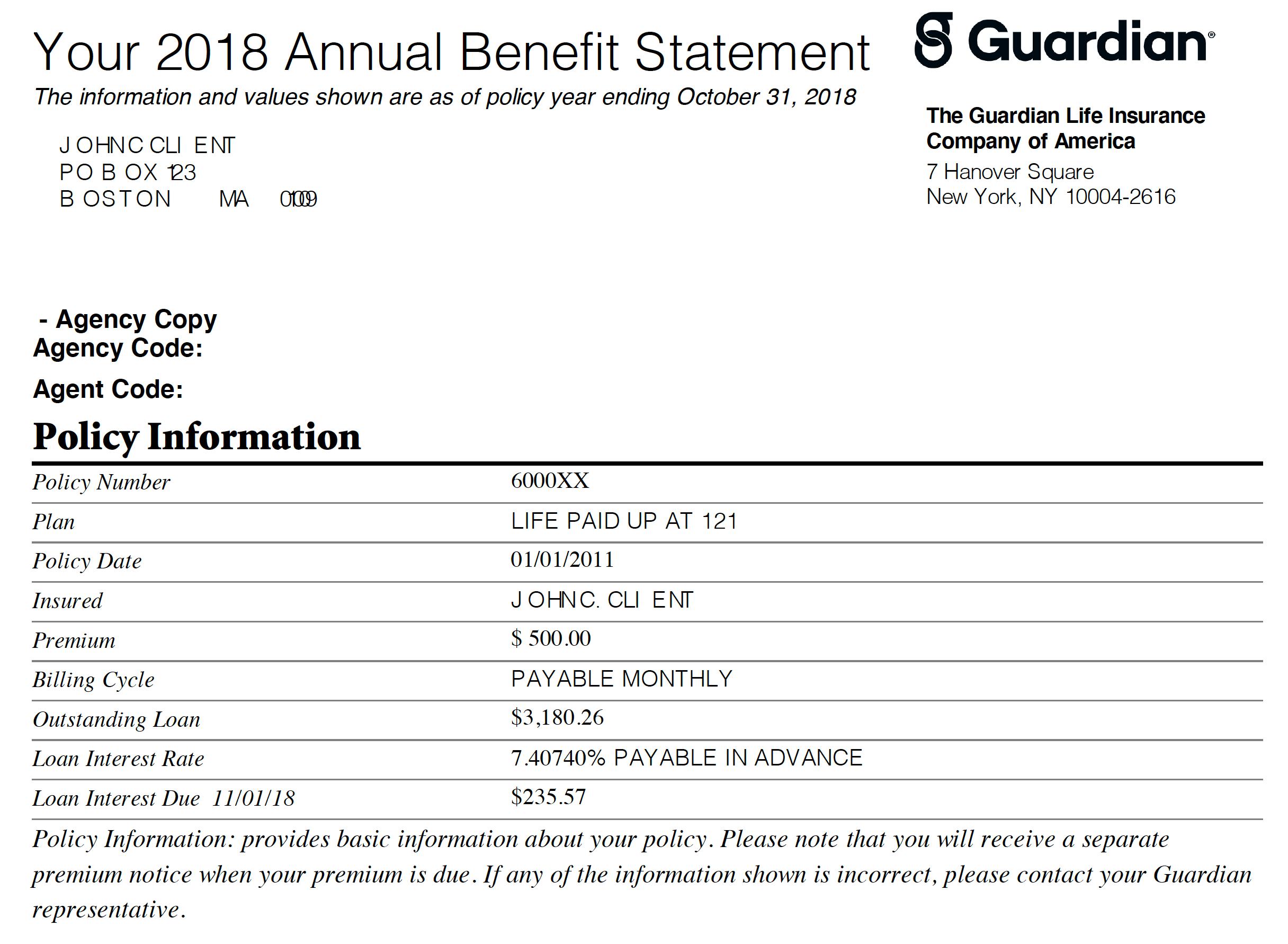
- Policy Number: The 9- to 10-digit unique identification number listed on your original policy document, welcome letter, or annual account statement.
- Date of Birth: The policyholder’s date of birth in the official format (
DD/MM/YYYY), matching the records provided during underwriting. - Registered Mobile Number: The phone number linked to your insurance profile, necessary for receiving One-Time Passwords (OTPs).
- Permanent Account Number (PAN) or Aadhaar: Required for identity verification when accessing support via phone or in-person branch visits.
Note: Life insurance contracts contain strict confidentiality rules. Ensure that you enter details exactly as stated in your official policy pack to avoid temporary account locks.
5 Ways to Check Your Ageas Federal Life Insurance Policy Status
Ageas Federal Life Insurance provides several service routes catering to online users, mobile app users, and individuals who prefer phone or in-person assistance.
Method 1: Via the Ageas Federal Customer Web Portal
The online customer portal is the most comprehensive tool for tracking policy progress, downloading statements, and managing coverage.
- Visit the Official Website: Go to the official Ageas Federal Life Insurance website (
ageasfederal.com). - Navigate to Customer Portal: Click on the Customer Login or Portal option located at the top right of the homepage.
- Enter Credentials: Input your registered Policy Number (or Client ID) alongside your Date of Birth.
- OTP Verification: Click Generate OTP. A single-use verification code will be dispatched to your registered mobile number and email address.
- Access Dashboard: Enter the OTP to access your personalized customer dashboard.
- View Status: Select your policy from the portfolio list to view its current standing (e.g., Active, Lapsed, Paid-Up), next premium due date, accumulated bonus, and total sum assured.
Method 2: Via Official WhatsApp Services
For fast updates without navigating a full website portal, Ageas Federal provides automated WhatsApp support.
- Save the official Ageas Federal WhatsApp customer care number (available on the official website contact page) to your mobile contacts.
- Open WhatsApp and initiate a conversation by messaging "Hi" to the official account.
- Select Policy Status or Policy Details from the automated menu options.
- When prompted, submit your 9-digit policy number and confirm your identity via the OTP sent to your registered mobile device.
- The virtual assistant will display your current policy status, fund value (if applicable), and next payment due date.
Method 3: Via SMS Service
If you lack internet access, you can retrieve instant details by sending a text message from your registered mobile number to the official Ageas Federal SMS service.
- Check Policy Status: Send
POLSTATUSto the designated carrier number specified on your policy document (such as56070or9820888888). - Check Premium Due Date: Send
PREMDUEto the same number. - Check Fund Value (ULIPs): Send
FVto request your unit-linked policy balance.
You will receive an automated text response within minutes containing your policy status and next payment obligation.
Method 4: Via Customer Care Helpline & Email
Policyholders who prefer speaking with a customer support representative can reach out directly via phone or email.
- Toll-Free Phone Number: Call 1800 209 0500 (Available Monday through Saturday during standard business hours).
- Email Support: Send an inquiry from your registered email address to support@ageasfederal.com. Include your full name, policy number, and date of birth in the email body.
- IVR System: If calling outside standard agent operating hours, use the Interactive Voice Response (IVR) service by following the voice prompts and entering your policy number using the phone keypad.
Method 5: Offline via Branch Visit
If you acquired your policy through Federal Bank or need physical verification, you can visit a physical branch.
- Federal Bank Branches: Because Federal Bank is a core partner in the joint venture, selected branches offer customer service assistance for Ageas Federal policyholders. Bring your policy document and a government ID.
- Ageas Federal Branch Offices: Visit an official standalone Ageas Federal branch. Present your original policy document or policy number to the customer service desk to receive a printed status summary, unit statement, or premium renewal receipt.
Comparison of Policy Status Checking Methods
| Method | Required Inputs | Availability | Instant Output? | Best For |
|---|---|---|---|---|
| Web Customer Portal | Policy Number, Date of Birth, Mobile OTP | 24/7 Access | Yes | Full management, statements, & payments |
| WhatsApp Banking | Registered Phone Number, Policy Number | 24/7 Access | Yes | Quick updates & mobile convenience |
| SMS Inquiry | Registered Phone Number, SMS Command | 24/7 Access | Yes | Offline mobile updates without data |
| Toll-Free Helpline | Policy Number, Identity Verification | Mon–Sat (Business Hours) | No (Queue times vary) | Complex queries & verbal guidance |
| Branch Visit | Policy Document, Government Photo ID | Standard Branch Hours | Yes (In-person) | Official printed certificates & offline help |
Understanding Policy Status Terminology
When reviewing your Ageas Federal policy dashboard or statement, you will encounter specific terms describing the health and status of your policy.
Active / In-Force
Your policy is active, all premiums are paid up to date, and the life insurance cover is fully operational. Beneficiaries remain eligible for full death benefits, and riders remain valid.
Grace Period
The premium due date has passed, but your policy remains temporarily active during an allowable grace period (typically 15 days for monthly payment modes and 30 days for annual, semi-annual, or quarterly modes). If a claim arises during this window, the insurer pays the benefit after deducting the unpaid premium.
Lapsed
The premium was not paid within the grace period. The life insurance cover ceases, and benefits become inactive. A lapsed policy can generally be revived within a specific window (typically 2 to 5 years, depending on the product rules and regulatory guidelines set by the Insurance Regulatory and Development Authority of India - IRDAI), subject to paying back-premiums, interest, and submitting updated health declarations.
Paid-Up
If you stop paying premiums after completing a mandatory minimum period (typically 2 or 3 years, depending on the policy terms), traditional policies may convert to a reduced "Paid-Up" status instead of lapsing entirely. The sum assured is reduced proportionally to the number of premiums paid relative to the original terms.
Surrendered
The policyholder voluntarily terminated the insurance contract before its natural maturity date. Surrendering a policy cancels all future insurance protection in exchange for a calculated surrender value (if eligible).
What Key Details Should You Monitor Regularity?
Regularly checking your policy status helps prevent unintentional policy lapses and allows you to track long-term financial goals. Key details to monitor include:
- Next Premium Due Date and Frequency: Ensures payments are scheduled before grace periods expire.
- Fund Value and NAV (Unit-Linked Policies): For ULIPs, monitor how your allocated equity, debt, or balanced funds perform over time.
- Accrued Bonuses: For participating traditional plans, monitor simple or compound reversionary bonuses added to the guaranteed sum assured.
- Nominee and Beneficiary Details: Verify that legal heir/nominee records, contact details, and allocation percentages remain accurate over time.
- Tax Certificates: Retrieve annual premium paid certificates required for filing income tax returns (under Section 80C and Section 10(10D) of the Indian Income Tax Act).
Troubleshooting Common Policy Status Access Issues
1. Mobile Number Not Registered or Changed
If your phone number has changed, you will not receive OTP authentication codes. To update your mobile number:
- Submit a written request along with self-attested ID proof (Aadhaar or PAN) at the nearest Ageas Federal or Federal Bank branch.
- Alternatively, download the customer request form from the official website, fill it out, and email it to
support@ageasfederal.com.
2. Policy Number Forgotten or Lost
If you cannot locate your policy pack:
- Check past bank statements for direct debit transactions or ECS entries credited to Ageas Federal Life Insurance.
- Search your email inbox for welcome messages sent upon policy issuance.
- Call customer support (1800 209 0500) and provide your PAN, full name, and date of birth for assistance in retrieving your policy number.
3. Portal Shows Incorrect Policy Details
If your address, rider details, or premium amounts show errors on your online portal dashboard:
- Contact Ageas Federal support immediately via email with supporting documentary evidence (such as a utility bill for address corrections or bank proof for mandate corrections).
Frequently Asked Questions
Can I check my Ageas Federal policy status without registering on the portal?
Yes. You can use the quick-access SMS facility, contact the WhatsApp channel, or call the toll-free helpline (1800 209 0500). However, full policy documentation and detailed financial statements require portal login or identity verification.
What should I do if my policy status shows as "Lapsed"?
If your policy has lapsed, contact customer service or visit a branch to request a revival quote. You will need to pay all outstanding premiums along with applicable late payment interest. Depending on how long the policy has been lapsed, you may also need to submit a declaration of good health or undergo medical tests.
How long does it take for policy status to update after paying a premium?
Online payments made through the Ageas Federal web portal or mobile link usually update the policy status within 24 to 48 hours. Payments made via offline cheques or demand drafts may take 3 to 5 business days to clear and reflect in the system.
Can Federal Bank account holders check Ageas Federal policies via net banking?
Yes. If you purchased your policy through a Federal Bank branch and linked your accounts, certain bank net-banking and mobile banking platforms display your linked life insurance policy summary under the investments or third-party products section.
How do I download my premium paid certificate after checking status?
Log in to the Ageas Federal web portal, select your active policy, navigate to the Statements & Downloads section, and select Tax Certificate or Premium Paid Certificate for the desired financial year.
Practical Next Steps
To keep your Ageas Federal life insurance coverage seamless and secure:
- Register on the Customer Portal: If you have not done so already, create your login credentials on the official Ageas Federal portal to gain immediate access to policy management tools.
- Set Up Premium Reminders: Enable auto-debit (NACH/ECS) through your bank or set calendar reminders ahead of your premium due dates to avoid entering the grace period.
- Keep Contact Information Updated: Ensure your registered phone number, mailing address, and email address are current so you receive timely statements, bonus declarations, and renewal notices.
Disclaimer: This guide is intended for informational and educational purposes. Policy terms, online portal interfaces, and customer service contact channels may be updated by the insurer over time. For legally binding policy definitions, official terms, and specific contract conditions, refer directly to your Ageas Federal policy bond or consult an authorized representative.
Image Gallery