Comprehensive Guide to Xbox Series S Water Damage Repair
To address Xbox Series S water damage, you must immediately disconnect the power cable and any peripherals to prevent electrical shorts. Do not attempt to turn the console on or use rice to dry it. Instead, disassemble the console, cle...
To address Xbox Series S water damage, you must immediately disconnect the power cable and any peripherals to prevent electrical shorts. Do not attempt to turn the console on or use rice to dry it. Instead, disassemble the console, clean the internal components—especially the motherboard—with 90% or higher isopropyl alcohol to remove minerals and corrosion, and allow it to air-dry for at least 48 hours before reassembly.
Contents
Immediate Emergency Actions: The First 60 Seconds
The moments immediately following a liquid spill are the most critical for the survival of your Xbox Series S. Because the Series S features an internal power supply unit (PSU), the risk of a catastrophic short circuit is significantly higher than in devices with external "power bricks."
- Kill the Power: Pull the power cord directly from the back of the console. Do not use the software "Shut Down" command. You need to break the electrical circuit instantly.
- Disconnect Peripherals: Remove HDMI cables, Ethernet cords, and expansion cards. These ports can act as conduits for liquid to seep deeper into the logic board.
- Positioning: Tilt the console so the vents where the liquid entered are facing downward. This uses gravity to pull the liquid out rather than letting it settle on the motherboard or the heat sink.
- Surface Drying: Use a lint-free microfiber cloth to wipe the exterior. Avoid paper towels, as they can leave fibers in the mesh cooling vents.
Warning: Never attempt to "test" if the console still works by plugging it in shortly after a spill. This is the most common cause of permanent board failure. Even if the console seems dry externally, moisture trapped under Integrated Circuits (ICs) can cause an immediate short when current is introduced.
Why the "Rice Trick" is a Myth in 2026
Despite decades of anecdotal advice, placing your Xbox Series S in a bag of rice is ineffective and potentially harmful. Rice is a poor desiccant for enclosed electronics; it does not have the "pulling power" to extract moisture from deep within the layered PCB (Printed Circuit Board) of a modern console.
Furthermore, rice introduces starch dust and small particles into the Xbox's cooling fan and optical sensors. In 2026, repair professionals emphasize that airflow is far superior to submersion in grains. A better alternative is using silica gel packets or simply placing the disassembled components in a room with a dehumidifier and active fan circulation.
Tools and Materials Required for Repair
Before attempting a DIY repair, ensure you have the correct precision tools. The Xbox Series S uses specific security screws designed to discourage tampering.
- Torx T8 and T10 Security Screwdrivers: You will need these to remove the outer casing and the inner metal shielding.
- Plastic Spudgers or Prying Tools: To avoid marring the plastic casing or snapping the delicate internal clips.
- 90% or Higher Isopropyl Alcohol (IPA): Lower percentages contain more water, which defeats the purpose of the cleaning. 99% IPA is the gold standard for electronics.
- Soft-Bristled Toothbrush: Used for gently scrubbing corrosion off the motherboard.
- Compressed Air: To clear out debris and help evaporate the alcohol in tight spaces.
Deep-Cleaning the Motherboard and Components
Water itself isn't the primary enemy; it is the minerals and impurities (electrolytes) in the water that cause conductivity and, eventually, corrosion. If the spill involved soda, coffee, or juice, the sugar and acids will eat through the copper traces on the board if not neutralized.
Disassembly Sequence
To access the damage, you must remove the white plastic outer shell by popping the rear screw covers and unscrewing the T8 screws. Once inside, you will encounter a secondary metal "cage." This cage acts as an EMI (Electromagnetic Interference) shield. Removing this exposes the motherboard, the fan, and the internal power supply.
Identifying Corrosion
Look for a white, green, or crusty residue. This is oxidation. Even if the board looks dry, this residue can bridge two electrical points, causing a short.
The Cleaning Process
- Douse the Area: Apply isopropyl alcohol directly to the affected areas of the motherboard. IPA is non-conductive and evaporates quickly.
- Scrub Gently: Use the toothbrush to scrub away any visible residue. Pay close attention to the pins on the SSD slot and the HDMI port.
- The "Bath" Method: If the spill was extensive (e.g., a full glass of water), some technicians submerge the entire motherboard in an ultrasonic cleaner or a shallow bath of 99% IPA to ensure liquid is displaced from underneath the APU (Accelerated Processing Unit).
- Cleaning the Fan: If liquid entered the top vent, the fan bearings may be compromised. Clean the blades individually, but do not submerge the fan motor in liquid.
Assessing the Internal Power Supply (PSU)
The Xbox Series S power supply is a compact, high-voltage component located inside the chassis. If liquid entered the PSU, do not attempt to open the PSU housing. Capacitors inside can hold a lethal electrical charge for days after being unplugged.
If the PSU shows signs of liquid entry (staining or dampness), the safest course of action in 2026 is to replace the unit entirely. Replacement PSUs for the Series S are widely available and relatively inexpensive compared to the cost of a full console replacement. Attempting to clean the inside of a power supply is a high-risk activity that often leads to fire hazards or total board failure upon re-powering.
Replacement Costs and Component Availability (2026 Estimates)
If cleaning does not resolve the issue, you may need to replace specific modules. The modular nature of the Series S makes some repairs straightforward, while others (like the APU) are impossible without specialized micro-soldering equipment.
| Component | Estimated Cost (2026) | Difficulty Level | Note |
|---|---|---|---|
| Internal Power Supply | $45 - $60 | Medium | Requires full disassembly of the shell. |
| Cooling Fan | $20 - $30 | Easy | Often fails if sugary liquids gum up the bearings. |
| Replacement Motherboard | $120 - $160 | Hard | Must match the original board revision for compatibility. |
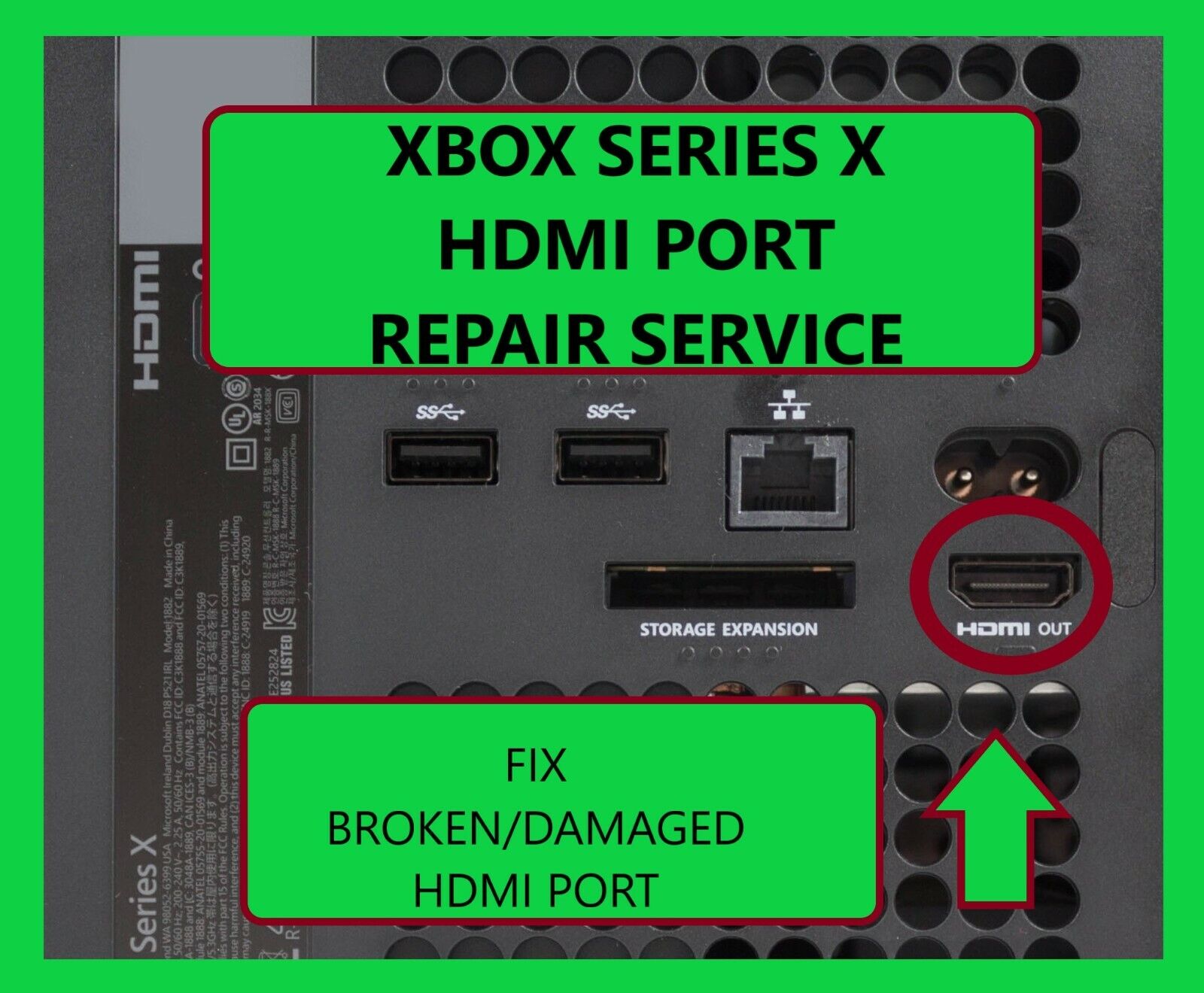
| HDMI Port Repair | $60 - $90 | Professional | Requires hot-air soldering tools. |
| SSD (1TB/512GB) | $70 - $130 | Medium | Must be the specific M.2 2230 NVMe form factor. |
Professional Repair vs. DIY
Microsoft’s standard manufacturer warranty does not cover liquid damage. If the "Liquid Contact Indicators" (small white stickers that turn red or pink when wet) are triggered, you will be charged an out-of-warranty service fee.
As of 2026, Microsoft's out-of-warranty repair fee for an Xbox Series S typically ranges from $150 to $200. In many cases, this is close to the market value of a used console. However, choosing official service guarantees that the internal SSD (which is cryptographically paired to the original motherboard) is handled correctly. If you replace the motherboard yourself, you may face issues with software licensing and system updates unless you have the tools to migrate the original security keys.
Common Symptoms of Permanent Damage
Even after a thorough cleaning, some consoles may exhibit "zombie" symptoms. These indicate that the liquid caused a microscopic break in a trace or damaged a specific IC.
- The "One-Second" Shut Off: The console starts to chime, the light blinks, and it immediately dies. This usually indicates a short on the "power rails" of the motherboard.
- No Video Output: Liquid often settles in the HDMI retimer chip. If the console turns on but shows no image, this chip likely needs replacement.
- Fan Revving: If the thermal sensors are damaged by corrosion, the fan may spin at 100% speed constantly to prevent a perceived (but non-existent) overheat.
- Connectivity Drops: Water damage to the Wi-Fi/Bluetooth module (located on a daughterboard in some revisions) will cause controllers to disconnect frequently.
Frequently Asked Questions
Can I use a hairdryer to speed up the drying process?
No. Using a hairdryer is dangerous for two reasons: it can melt the plastic housing and, more importantly, it can blow moisture deeper into the gaps between the chips and the PCB. The heat can also accelerate the corrosion process by warming the minerals in the water. Use a room-temperature fan instead.
How long should I wait before turning it back on?
The absolute minimum is 48 hours in a dry, ventilated environment. If you did not disassemble the console, you should wait at least 5 to 7 days. Moisture can remain trapped under the large BGA (Ball Grid Array) chips for a long time.
My Xbox works but the fan is making a grinding noise. What happened?
The liquid likely reached the fan's lubricant or bearings. As the liquid dries, it leaves behind residue that creates friction. In this case, you should replace the fan immediately. A failing fan can lead to the APU overheating, which can cause permanent hardware failure (the "Red Light of Death" equivalent for the Series S).
Does insurance cover water damage for game consoles?
Many "All-State" or "SquareTrade" electronic protection plans, often purchased at the point of sale, do cover accidental liquid damage. Additionally, some high-end renters or homeowners insurance policies have "personal property" endorsements that cover such accidents. Check your policy before attempting a DIY repair, as opening the console will likely void these third-party protections.
What if I spilled something sticky like soda or energy drinks?
Sticky spills are much more dangerous than water. You must disassemble the console. The sugar will not evaporate; it will remain on the board as a conductive, acidic film that will eventually destroy the circuits. You must use Isopropyl Alcohol to dissolve the sugars completely.
Final Recommendation
If you have spilled liquid on your Xbox Series S, prioritize safety over recovery. If you see smoke, smell a sharp ozone scent, or hear a popping sound, the console is likely non-repairable and may pose a fire risk. If the spill was minor, your best chance of success lies in total disassembly and a meticulous cleaning with 99% isopropyl alcohol. If you are not comfortable working with small electronics, seek out a local reputable repair shop that specializes in micro-soldering; they often have the ultrasonic cleaning equipment necessary to save a board that looks beyond help to the naked eye.
Image Gallery