How to Fix a Samsung Microwave That Is Not Turning On
A Samsung microwave that will not turn on is typically caused by a tripped GFCI outlet, a blown line fuse, a tripped thermal cut-off, a failed door interlock switch, or an active Control Lock setting. Start by verifying that the wall o...
A Samsung microwave that will not turn on is typically caused by a tripped GFCI outlet, a blown line fuse, a tripped thermal cut-off, a failed door interlock switch, or an active Control Lock setting. Start by verifying that the wall outlet receives adequate voltage and resetting the home circuit breaker before opening the unit or replacing internal components.
Contents
Critical Safety Warning: High Voltage Danger
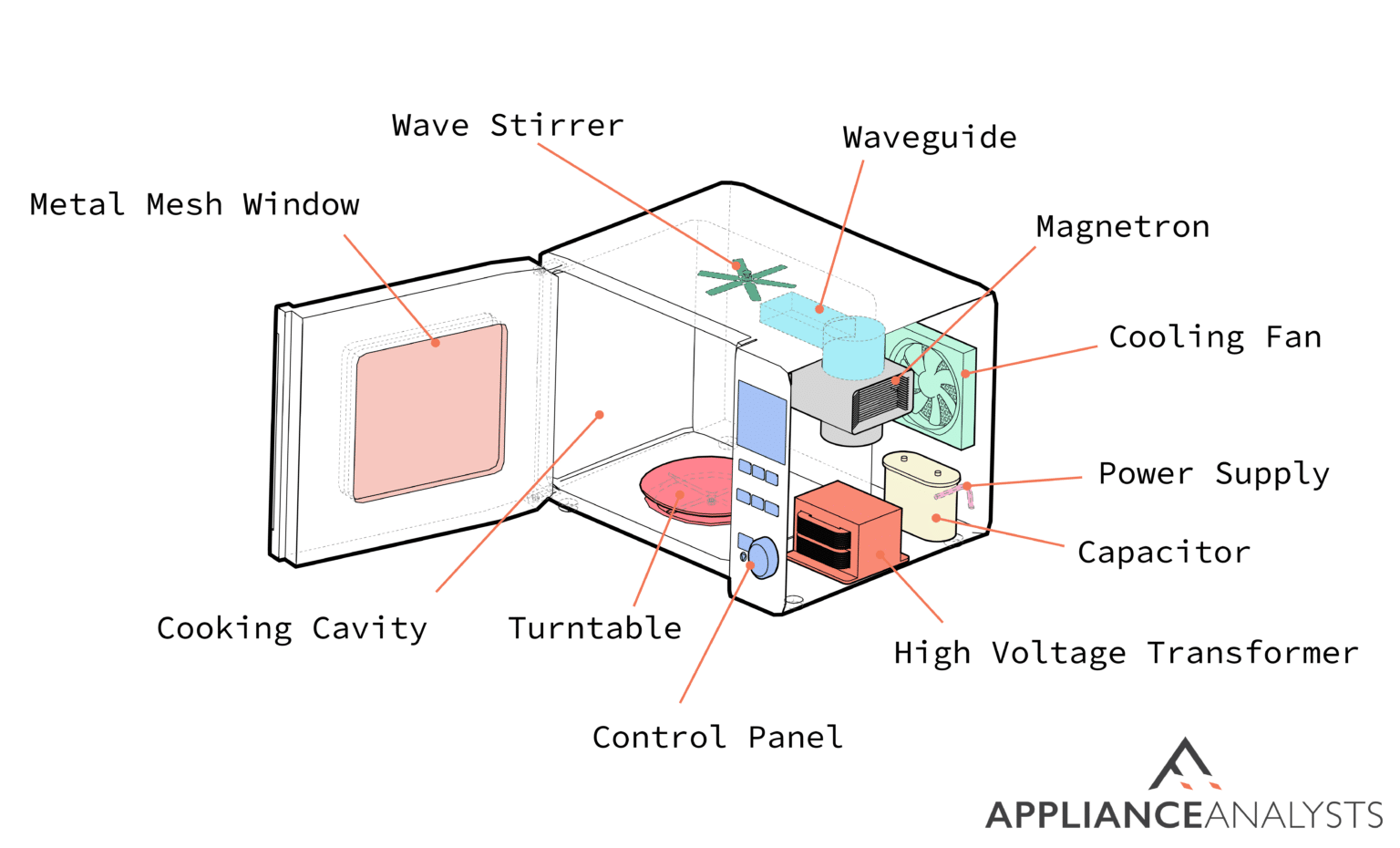
Before attempting any diagnostics or physical repairs on a microwave, you must understand the severe electrical hazards involved. Unlike standard home appliances, microwaves utilize a high-voltage transformer and a high-voltage capacitor capable of storing lethal amounts of electricity—often between 2,000 and 4,000 volts—even after the appliance has been completely unplugged from the wall.
Never touch internal electrical components without first disconnecting the unit from its power source and safely discharging the high-voltage capacitor using an insulated capacitor discharge tool or high-resistance resistor rated for high voltage. If you are uncomfortable working with high-voltage electronics, confine your troubleshooting to external checks (such as power outlets, breakers, and user settings) and contact a certified appliance repair technician or Samsung service agent for internal component testing.
Step 1: External Power and Installation Diagnostics
When a Samsung microwave displays no signs of life—no display lights, no key tones, and no interior light when opening the door—the issue often lies outside the unit itself.
Checking the Power Outlet and Circuit Breaker
Microwaves draw substantial electrical currents, often between 10 and 15 amps during operational cycles. This heavy load can trip circuit breakers or Ground Fault Circuit Interrupter (GFCI) outlets without visible damage to the cord.
- Test the Outlet: Unplug the microwave and plug a high-draw device (like a hair dryer or lamp) into the exact same outlet to verify functional power delivery.
- Inspect the GFCI: If your microwave is plugged into a GFCI outlet—common in kitchens and near sinks—press the Reset button firmly until it clicks.
- Examine the Main Breaker Panel: Locate your household circuit breaker box. Look for a tripped breaker serving the kitchen circuit. Even if a switch does not appear fully tripped, turn it completely off and back to the On position to reset the internal spring mechanism.
- Avoid Extension Cords: Extension cords and power strips are not rated for the continuous amperage demands of a microwave. Using them can cause voltage drops, triggering internal thermal safety cut-offs or causing the appliance to shut down. Always plug the microwave directly into a grounded 120-volt wall receptacle.
Step 2: Display, Eco Mode, and System Settings
In some instances, a Samsung microwave appears dead when it is actually receiving power but operating in a power-saving mode or locked safety state.
Eco Mode (Power Saving)
Many contemporary Samsung models feature an Eco Mode or Energy Saver feature designed to turn off the digital clock display and control panel backlights after a period of inactivity.
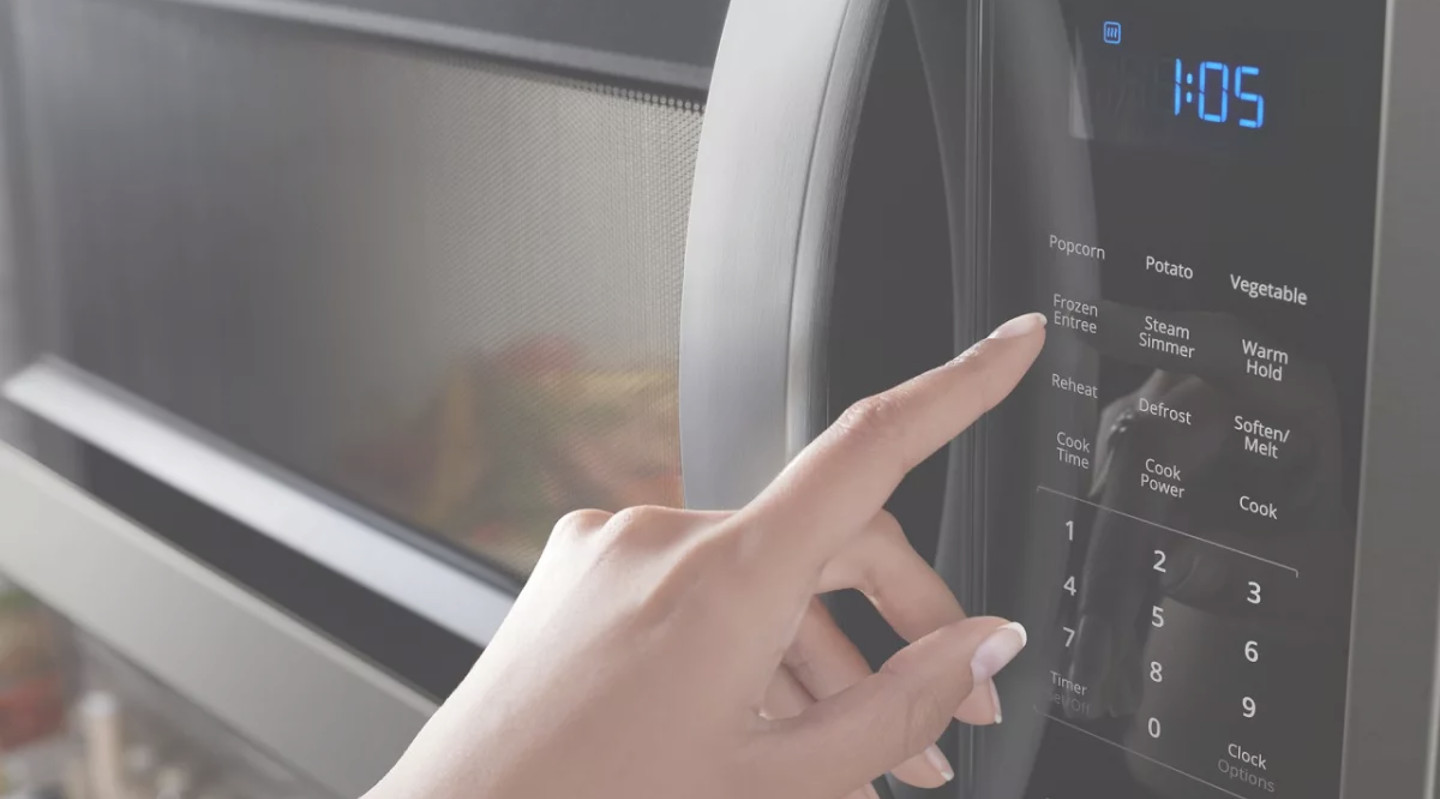
- Press any button on the touchpad, such as Stop/Clear or Cancel, or open and close the door to wake the machine.
- If your model has a dedicated Eco button, press it once to toggle the display back on continuously.
Control Lock (Child Lock)
The Control Lock feature disables all touchpad buttons to prevent unintended operation or child tampering. While this usually leaves the clock display active, some software revisions turn off backlight functions or lock out all user input, leading users to believe the control board has failed.
- Locate the Control Lock button (often shared with the Stop/Clear button or represented by a lock icon).
- Press and hold the designated button for 3 seconds until the lock icon disappears or a confirmation beep sounds.
Step 3: Door Interlock Switch Assembly
Samsung microwaves utilize a triple door switch safety interlock system designed to prevent microwave energy from emitting when the door is open. The assembly consists of three microswitches: the primary switch, the secondary switch, and the monitor switch.
Door Interlock System Flow
- Door Closed:
- Switches Closed
- Circuit Complete (Power to Controls/Mag)
- Door Misaligned / Switch Failed:
- Monitor Switch Fails to Actuate
- Short Circuit Trips Line Fuse (Total Power Loss)
How Door Switches Cause Total Power Loss
If any of the door latches break, or if the microswitches shift out of physical alignment, the microwave will not register that the door is closed. Furthermore, the monitor switch acts as an intentional dead-short safety mechanism: if the door opens while the unit is running, or if the primary switches fail to actuate in the correct chronological sequence, the monitor switch intentionally shorts the line voltage to blow the main fuse immediately. This prevents accidental microwave radiation leakage.
Testing Microswitches with a Multimeter
To test the microswitches, unplug the unit, remove the outer cabinet frame, and disconnect the wire leads attached to each microswitch on the door frame.
- Set a digital multimeter to the Ohms (Ω) or Continuity setting.
- Measure resistance across the terminals of the normally open (NO) and normally closed (NC) switches while manually depressing the switch button.
- A healthy switch should read infinite resistance (open) in its unactuated state and near zero resistance (0.1–0.5 Ω) when fully depressed. If a switch shows inconsistent resistance or physical charring, replace the entire switch set.
Step 4: Internal Fuses and Thermal Protection Components
If external power is verified and the door assembly is intact, a dead unit typically points to a blown internal fuse or a tripped thermal cut-off (TCO).
The Main Line Fuse (Ceramic Fuse)
The main line fuse is a high-amperage ceramic fuse (usually rated at 20 amps, 250 volts) located near the power cord entry point on the noise filter board. Unlike glass automotive fuses, ceramic fuses are designed to withstand high arc currents.
- Function: Protects the home electrical circuit from catastrophic short circuits caused by internal component failures (such as a shorted high-voltage diode, magnetron, or door interlock fault).
- Testing: Unplug the microwave, remove the main fuse from its retaining clip, and test continuity across both end caps using a multimeter. If the meter reads open circuit (no continuity), the fuse is blown and must be replaced with an identical ceramic fuse of identical amperage and voltage ratings. Never substitute a glass fuse or a higher-amperage rating.
Cavity and Magnetron Thermal Cut-Offs (TCOs)
Samsung microwaves contain thermal cut-offs (thermostats) mounted to the exterior of the cooking cavity wall and the magnetron cooling shroud. These bi-metallic switches act as thermal safety limiters.
| Thermal Cut-Off (TCO) Diagnosis | Details |
|---|---|
| Normal State | Closed circuit (0 Ω resistance) |
| Overheated / Failed | Open circuit (Infinite resistance) |
| Action Required | Replace TCO + investigate cooling fan/airflow |
If the interior cavity overheats due to blocked ventilation, a failed cooling fan motor, or running the unit empty, the TCO opens its internal contacts, completely cutting power to the main control board to prevent a fire. Most high-side microwave TCOs are non-resettable single-use thermal fuses. If tested with a multimeter at room temperature and reading infinite resistance (open circuit), the thermal cut-off must be replaced.
Step 5: Noise Filter Board and Main PCB Failures
If the ceramic line fuse and thermal cut-offs are functioning, the issue may originate within the power distribution hardware.
Noise Filter Board
The power cord connects directly to the noise filter board, which smooths electrical line noise and surges. This board contains power inductors, capacitors, and the main fuse holder. Visual inspection may reveal burned trace lines, swollen capacitors, or heat discoloration around solder joints following a power surge or lightning event.
Main Electronic Control Board (PCB)
A low-voltage transformer on the main control board converts 120V AC household current down to low-voltage DC (typically 5V or 12V) to power the display microcontroller and relay coils. If a voltage spike damages this step-down transformer or the board's onboard switch-mode power supply, the microcontroller dies, rendering the entire display and touchpad unresponsive even though 120V line voltage is reaching the board.
Comprehensive Troubleshooting & Component Diagnostic Matrix
Use this reference table to systematic diagnose power failures in Samsung countertop and over-the-range (OTR) microwaves:
| Component | Common Failure Cause | Diagnostic Test Method | Expected Normal Value | Recommended Action |
|---|---|---|---|---|
| Wall Outlet / GFCI | Tripped breaker, loose wiring, overload | Plug in a known working lamp or test with a multimeter | 115V – 120V AC | Reset breaker or GFCI; call an electrician if voltage is zero. |
| Main Line Fuse | Shorted switch, shorted magnetron/diode | Test continuity across fuse caps with a multimeter | < 1 Ω (Continuity present) | Replace with identical 20A 250V ceramic fuse; locate underlying short. |
| Cavity Thermal Fuse | Airflow blockage, cooling fan failure, empty run | Test resistance across terminals at room temperature | < 1 Ω (Closed circuit) | Replace TCO; inspect cooling fan motor and ventilation ducts. |
| Magnetron Thermostat | Sustained high-power usage, fan motor failure | Test resistance across terminals at room temperature | < 1 Ω (Closed circuit) | Replace thermostat; check fan blade rotation and airflow clearance. |
| Primary Door Switch | Latch wear, plastic housing deflection | Test switch continuity depressed vs. unactuated | Closed when door shut; open when door open | Replace switch and realign door interlock bracket. |
| Monitor Door Switch | Door opening while operating, frame misalignment | Test switch continuity depressed vs. unactuated | Open when door shut; closed when door open | Replace switch; verify line fuse condition before restoration. |
| Main Control PCB | Power surge, step-down transformer short | Verify 120V input to board; check for 5V DC output | 120V AC input present; secondary DC rails operational | Replace main PCB assembly if input voltage exists but display is dead. |
Repair vs. Replacement Guidelines
Deciding whether to repair or replace a non-functioning Samsung microwave depends largely on the appliance's age, installation style (countertop vs. over-the-range), and the specific cause of the failure.
Repair vs. Replace Decision Tree
- Age < 3 Years? Repair (Low-cost parts like fuses/switches)
- Countertop Model? Replace if repair exceeds 50% purchase price
- OTR Model? Repair preferred (Saves mounting/duct labor)
- Shorted Magnetron/HV? Replace unit (High parts cost + high risk)
Over-the-Range (OTR) vs. Countertop Models
- Countertop Models: Modern countertop units generally cost between $100 and $250. If the repair requires replacing a main control board ($80–$150) or involves diagnostic labor from a professional technician ($100–$200 service call fee), replacing the entire microwave is financially practical.
- Over-the-Range (OTR) Models: Integrated built-in or over-the-range microwaves cost significantly more ($300–$800+) and often involve custom mounting hardware and venting configurations. In these units, replacing a $15 thermal cut-off, a $10 door switch, or a $20 line fuse is cost-effective compared to buying and installing a new unit.
Component Failure Severity
- Low-Cost Repairs (DIY Friendly if Qualified): Line fuses, thermal cut-offs, and microswitches are inexpensive. Replacing them yields high return on investment if you possess electrical testing knowledge and adhere to proper high-voltage safety procedures.
- High-Cost Failures: If diagnostics reveal a shorted high-voltage transformer, a failed magnetron, or a fried main control board concurrently, part costs combined with labor will often approach or exceed the price of a brand-new unit.
Frequently Asked Questions
Why did my Samsung microwave turn off suddenly while cooking and won't turn back on?
This symptom usually indicates that a thermal cut-off (TCO) tripped due to overheating or that the main line fuse blew mid-cycle. Overheating occurs when internal airflow is restricted by clogged grease filters (on OTR models), blocked side vents, or a failing cooling fan motor. If the unit shut off with a loud pop or tripped the household circuit breaker at the same time, an internal high-voltage component or door switch shorted, blowing the line fuse.
Where is the fuse located on a Samsung microwave?
In most Samsung microwaves, the main ceramic line fuse is located inside the outer metal cabinet near the back right or top right corner. It is mounted directly onto or adjacent to the small noise filter circuit board where the main black power cord enters the unit. Accessing this fuse requires removing the cabinet shroud screws and pulling off the outer metal cover. Always unplug the unit before removing any housing panels.
Can a faulty door switch cause a microwave to have no power?
Yes. Samsung microwaves utilize a safety interlock system that includes a monitor switch designed to create an intentional short circuit if the door latches do not actuate correctly. If a microswitch fails or if the door hinges sag, attempting to open or close the door while operating—or simply closing it forcefully—can trigger the monitor switch, immediately blowing the main internal ceramic fuse and cutting all power to the appliance.
How do I reset a Samsung microwave that won't turn on?
To perform a hard system reset on a Samsung microwave:
- Unplug the main power cord from the wall outlet (or turn off the dedicated breaker at the home service panel).
- Leave the unit completely unpowered for 60 to 90 seconds to allow all internal capacitors on the control board to drain fully.
- Plug the microwave back into the wall outlet or restore power at the breaker box.
If the display remains completely blank after restoring power, the issue is not a software crash and requires physical component inspection (fuses, thermal cut-offs, door switches, or control board).
Why does the clock display work, but the microwave won't start when I hit Start?
If the clock and touchpad illuminate but the microwave refuses to start a cooking cycle, the problem is usually caused by an unengaged door switch, an active Child Lock / Control Lock setting, or a defective Start button contact on the touchpad assembly. Check the display for a small lock icon. If no lock icon is present, test the primary and secondary door interlock switches; if the control board does not receive a signal confirming the door is shut, it will inhibit all heating functions.
Recommended Action Plan
If your Samsung microwave has no power, follow this step-by-step diagnostic sequence to safely isolate the issue:
- Verify Wall Power: Unplug the appliance and test the outlet using a separate device. Reset the GFCI outlet or home circuit breaker if necessary.
- Check Control Settings: Ensure the unit is not locked in Control Lock mode or experiencing a display shutdown via Eco Mode.
- Perform a Hard Power Reset: Disconnect power for 90 seconds, then reconnect to clear potential control board logic freezes.
- Isolate Internal Hardware (Safety Mandatory): If external power is verified, disconnect the unit from electrical outlets. If qualified to work on high-voltage electronics, remove the outer cover, safely discharge the high-voltage capacitor, and use a digital multimeter to test component continuity in the following order:
- Main ceramic line fuse (20A 250V)
- High-side cavity and magnetron thermal cut-offs
- Primary, secondary, and monitor door interlock switches
- Component Replacement or Professional Repair: Replace failed low-voltage switches, fuses, or thermal cut-offs with exact manufacturer-specified replacement parts. If diagnostics reveal a damaged main control PCB, damaged wiring harnesses, or a shorted high-voltage system, consult an authorized Samsung appliance technician or evaluate the unit for complete replacement.
Image Gallery