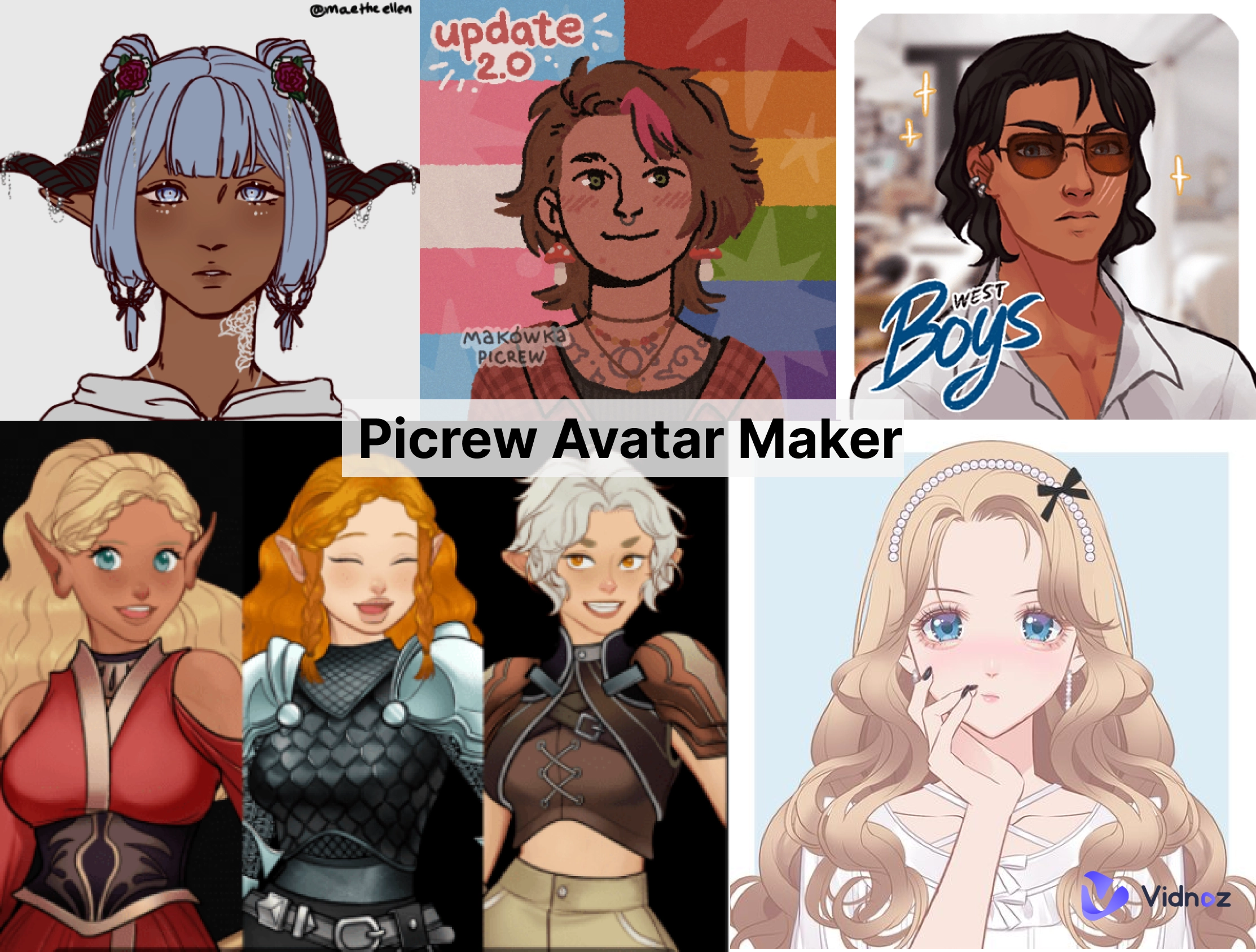
Picrew Character Maker 2026: Complete Guide to Custom Avatar Design
Picrew character maker is a popular Japanese web-based avatar generator platform that allows users to design, customize, and share unique 2D artwork using modular asset packs created by independent artists. Originally launched by the J...
Picrew character maker is a popular Japanese web-based avatar generator platform that allows users to design, customize, and share unique 2D artwork using modular asset packs created by independent artists. Originally launched by the Japanese company Tetra Kaleidoscope, the platform functions as an open creator ecosystem where individual illustrators upload templates, enabling fans and creators to mix and match hairstyles, facial features, clothing, and accessories.
Contents
Understanding the underlying mechanics, licensing rules, and creation workflow of Picrew is essential for anyone looking to design custom avatars for social media, roleplay profiles, or personal projects in 2026. This guide breaks down everything you need to know about navigating the platform, creating distinct characters, and adhering to artist terms of use.
Core Concepts and Platform Architecture
Picrew operates on a creator-to-user model. Unlike traditional single-artist character creators, the platform hosts thousands of distinct individual applications, known officially as image makers. Each image maker represents a unique art style curated by a specific illustrator or design studio.
When you select a character maker, you enter a localized user interface built around layers. The original creator defines the boundaries of customization by uploading distinct graphical assets into categorized slots.
- Base Layer: The foundational anatomy, skin tone palette, and body proportions defined by the artist.
- Feature Layers: Modular selections for eyes, eyebrows, mouths, noses, and facial markings.
- Styling Layers: Hair components split into front bangs, back length, side locks, and color gradients.
- Wardrobe Layers: Outfits, collars, accessories, glasses, hats, and background elements.
The platform relies on HTML5 and web vector rendering, ensuring fast load times and responsive design across desktop and mobile browsers without requiring dedicated application downloads or plugin installations.
Step-by-Step Guide to Creating Your First Avatar
Navigating the Picrew ecosystem requires a structured approach to find the right visual style and manipulate the interface effectively. Follow these technical steps to build your custom character:
- Access and Search: Navigate to the official Picrew website. Use the search bar or filter tags to locate specific art styles, keeping in mind that most descriptive tags are written in Japanese (e.g., using terms like "oc" for original characters or specific aesthetic keywords).
- Select an Image Maker: Click on a thumbnail that matches your desired visual aesthetic. Review the creator's terms of use displayed on the landing page before proceeding.
- Initialize the Editor: Click the pink creation button to load the asset layers into the active workspace.
- Customize Base Features: Adjust skin tone, facial structure, and foundational attributes using the thumbnail selector menu on the right side of the interface.
- Layer and Fine-Tune: Progress through hair, eyes, and clothing menus. Utilize coordinate shifting or color-picker tools if the specific image maker supports dynamic hue adjustments.
- Finalize and Export: Once satisfied, click the completion button to render the final image. Save the high-resolution PNG file directly to your device storage.
Copyright and Commercial Notice: Every image maker on the platform operates under independent licensing rules set by the individual creator. Always check the designated symbol icons on the creator's profile page to verify if commercial use, video streaming integration, or profile picture utilization is permitted.
Understanding Picrew Licensing and Usage Rights
A critical aspect of using Picrew character makers involves respecting intellectual property rights. Because independent artists supply all the artwork, rules vary dramatically from one creator to another.
| License Category | Standard Permission | Restriction Details |
|---|---|---|
| Personal Profile Use | Generally Permitted | Most creators allow finished avatars to be used as profile pictures on Discord, X (formerly Twitter), and personal gaming accounts. |
| Commercial Monetization | Strictly Prohibited (Default) | Using avatars for merchandise, commercial YouTube monetization, or corporate branding requires explicit written artist permission. |
| Image Modification | Prohibited | Cropping is usually fine, but editing facial features, drawing over the asset, or removing watermarks violates creator terms. |
| AI Training Data | Strictly Prohibited | Scraping Picrew generated assets for generative artificial intelligence training sets breaches platform terms of service and copyright law. |
Failing to adhere to these guidelines can result in copyright strikes, forced removal of social media assets, and potential blacklisting from specific creator communities. When in doubt, link back to the original image maker URL in your profile bio to credit the artist properly.
Comparing Picrew with Standalone Avatar Creators
Choosing the right tool for digital identity creation depends heavily on your technical requirements, desired art styles, and intended use cases.
- Artistic Diversity: Picrew offers thousands of distinct, hand-drawn anime and stylized art styles, whereas standard standalone apps rely on a single, uniform corporate art style.
- Customization Depth: Standalone apps often feature slider-based facial sculpting, while Picrew is strictly limited to the pre-rendered asset packs provided by the individual creator.
- Ownership and Portability: Picrew provides flat PNG exports with strict licensing, while some modern 3D avatar systems export universal file formats suitable for cross-platform virtual reality integration.
- Accessibility: Picrew requires zero installation and runs entirely in a web browser, making it faster to access than heavy desktop character creation suites.
Advanced Tips and Troubleshooting Common Issues
Working with web-based image makers can sometimes present technical hurdles or creative limitations. Implement these expert strategies to optimize your workflow:
- Overcoming Language Barriers: Use browser translation extensions to read creator rules and color-selection tooltips, as many popular image makers lack English localization.
- Handling Layer Glitches: If overlapping accessories cause visual clipping, cycle backward through the menu layers to reset the rendering stack order.
- Preserving Image Quality: Always use the final render button rather than right-clicking and saving low-resolution preview thumbnails to ensure maximum clarity for your saved avatar.
- Bookmark Your Favorites: Keep a running list of image maker URLs. Popular creators frequently update their assets, and broken search algorithms can make finding a specific art style difficult later.
By understanding the community-driven nature of the platform, respecting individual artist licenses, and following structured creation workflows, you can leverage Picrew character makers to design standout, high-quality digital avatars.
Image Gallery