Tracking Your Financial Health with the GnuCash Net Worth Report
The GnuCash Net Worth Report is a comprehensive financial summary tool that calculates the difference between your total assets and total liabilities. By aggregating data from your categorized accounts, this report provides a real-time...
The GnuCash Net Worth Report is a comprehensive financial summary tool that calculates the difference between your total assets and total liabilities. By aggregating data from your categorized accounts, this report provides a real-time snapshot of your fiscal position, allowing you to track long-term growth and identify areas where debt reduction or asset allocation requires adjustment.
Contents
Understanding the GnuCash Net Worth Report Structure
GnuCash is a double-entry accounting software designed for both personal and small business use. Unlike simple budget trackers that focus exclusively on cash flow, GnuCash maintains a balanced ledger where every transaction affects at least two accounts. The Net Worth report leverages this underlying structure to provide a precise calculation.
In the context of GnuCash, your "Net Worth" is mathematically derived from the accounting equation: Assets - Liabilities = Equity/Net Worth.
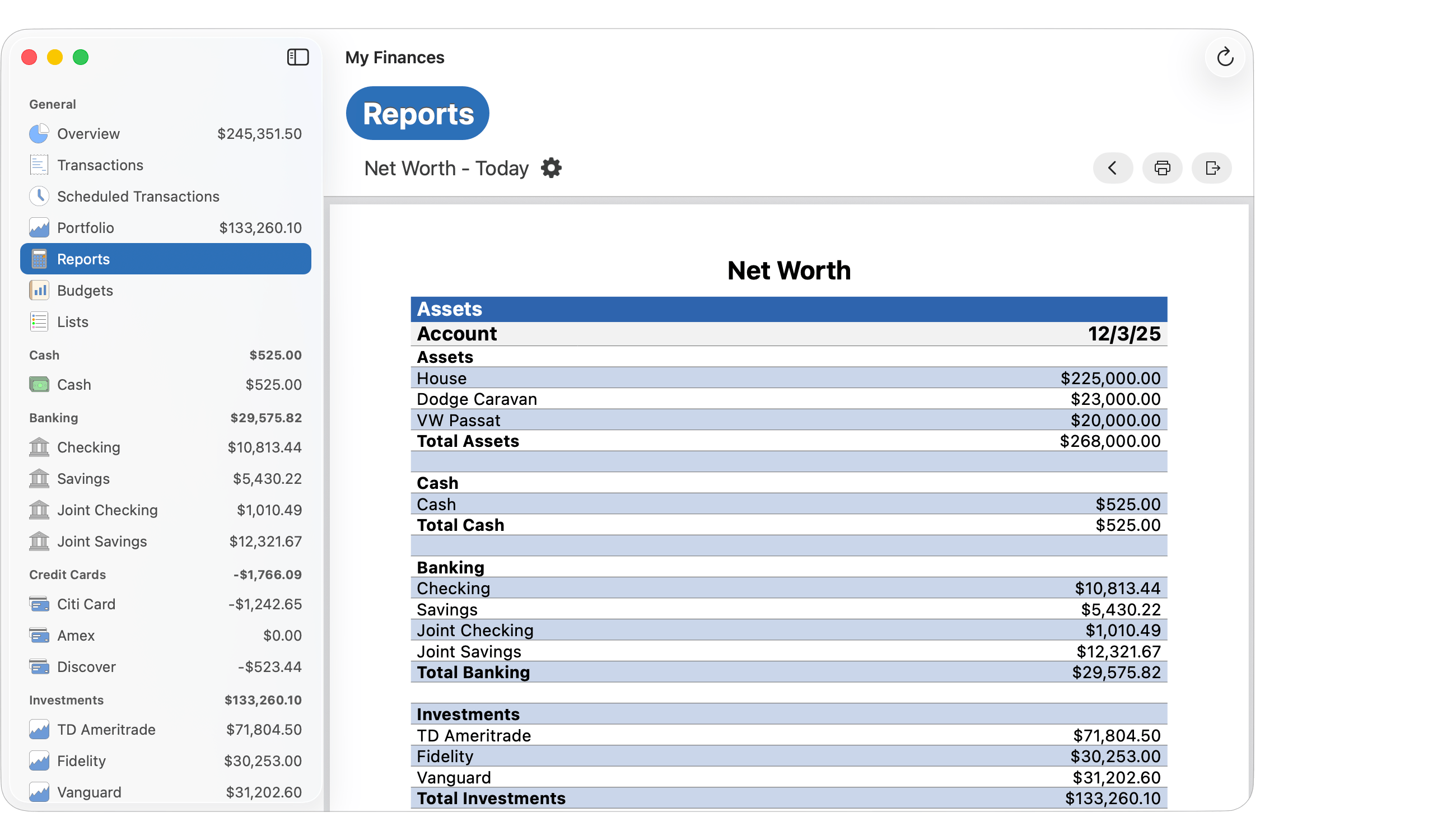
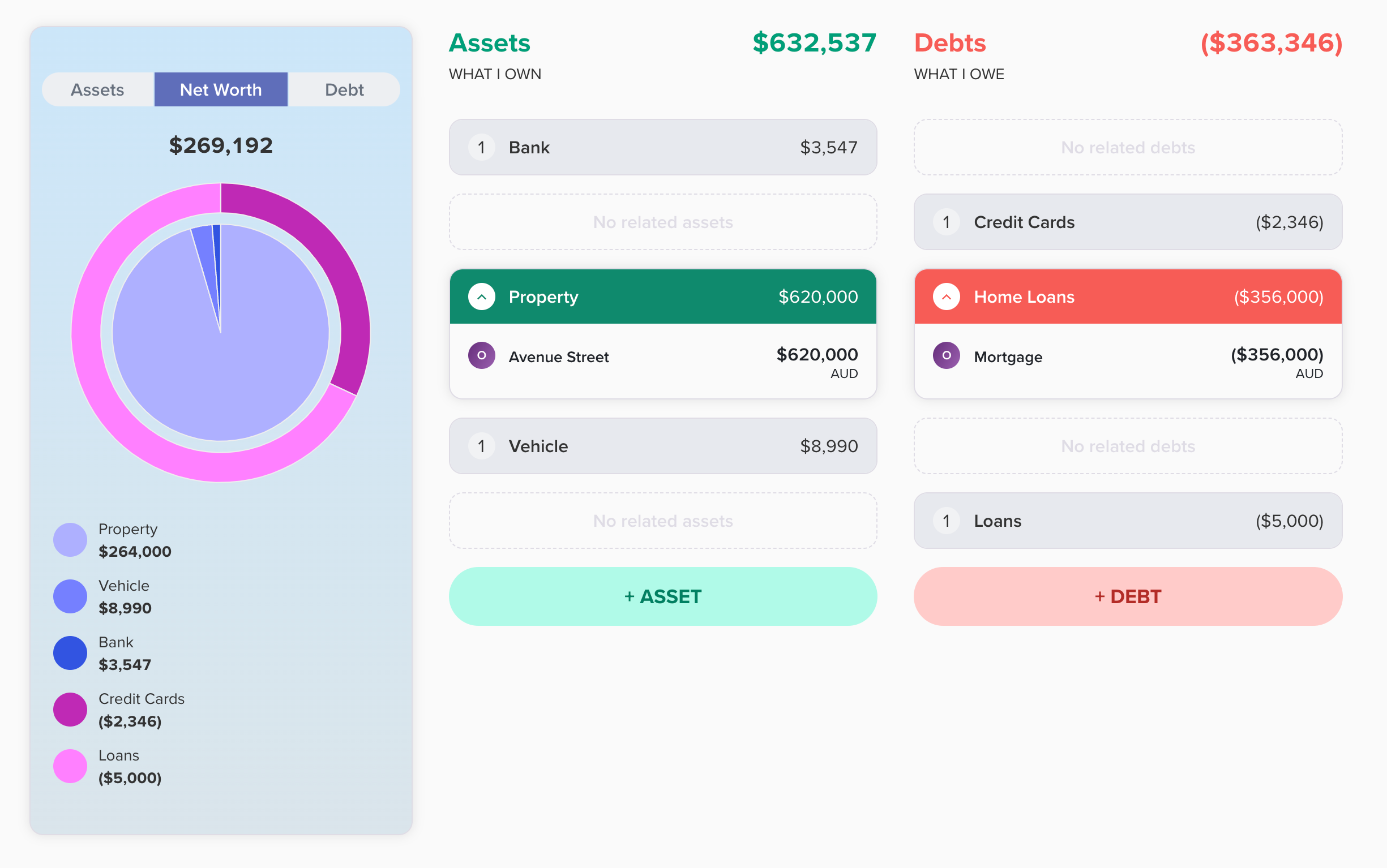
When you run this report, the software scans all accounts marked as "Asset" (such as checking, savings, investments, or physical property) and "Liability" (such as credit card balances, mortgages, or personal loans). By subtracting the sum of your liabilities from the sum of your assets, GnuCash renders a single, powerful figure that represents your current financial standing.
Prerequisites for Accurate Reporting
The accuracy of your Net Worth report depends entirely on the integrity of your ledger. If your accounts are not reconciled, or if you have failed to categorize your accounts correctly within the GnuCash account tree, the report will yield misleading results.
- Account Tree Integrity: Ensure that all financial accounts are assigned the correct "Account Type." For instance, a mortgage must be classified as a "Liability" and a house as an "Asset" for them to appear correctly in the report.
- Regular Reconciliation: GnuCash requires manual entry or imported transaction synchronization. To ensure the Net Worth report reflects reality, you must periodically reconcile your electronic records against actual bank statements.
- Complete Data Entry: The report only counts what you have recorded. If you hold significant assets—such as a 401(k) or a vehicle—but have not created asset accounts for them in GnuCash, your Net Worth report will significantly undervalue your position.
How to Generate the Report
To generate the report in GnuCash, follow these steps:
- Navigate the Menu: Go to the top menu bar and select Reports.
- Select Asset & Liability: Choose Assets & Liabilities from the dropdown menu, then select Net Worth.
- Customize the Report: Once the report renders, you may click the Report Options (the icon resembling a gear or a wrench) to customize parameters. You can choose which accounts to include, the reporting date, and whether to include zero-balance accounts.
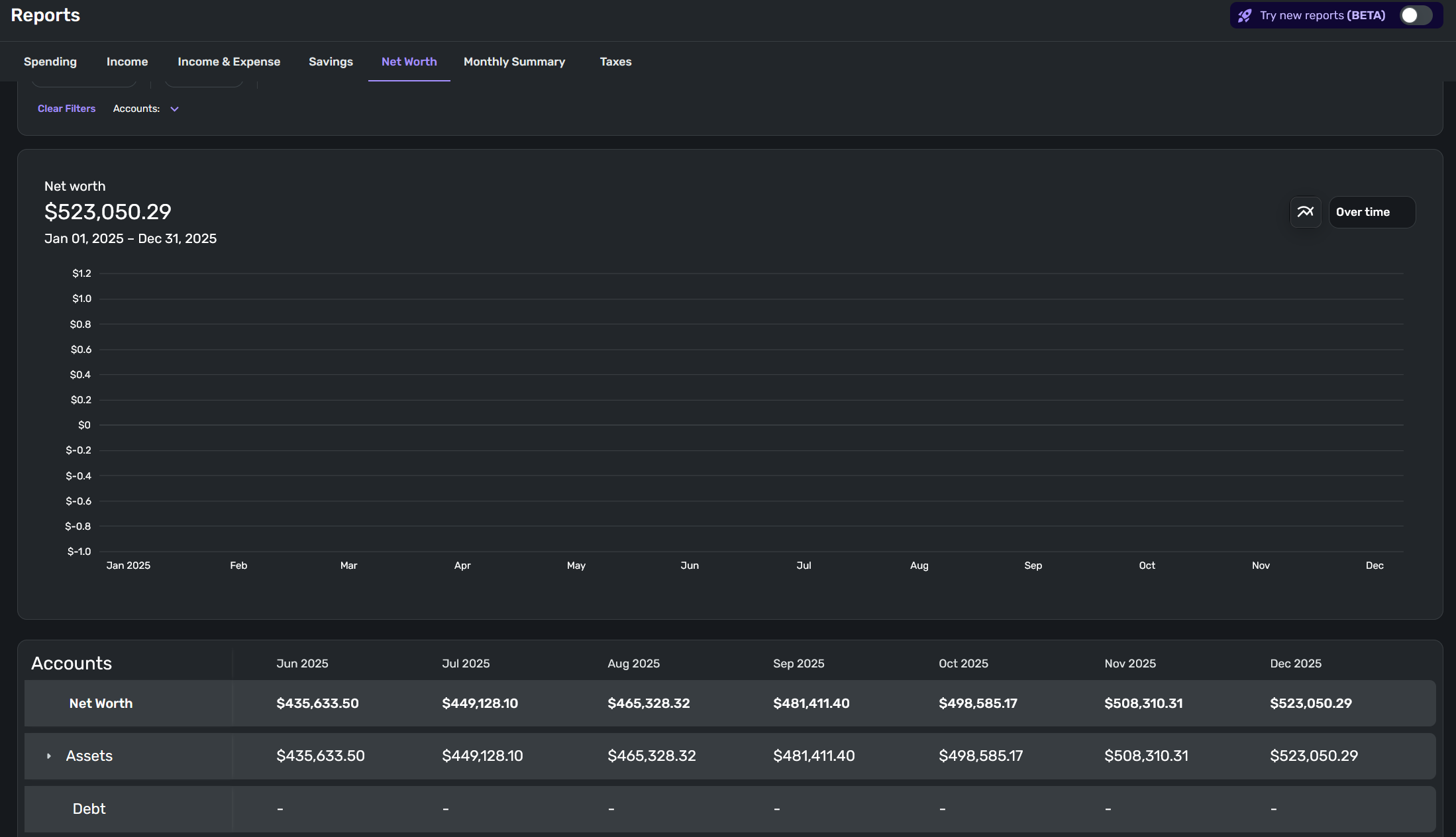
- Display Settings: You can toggle the display of charts versus tables. A pie chart is often useful for visualizing the composition of your assets, while a bar chart can show the trend of your net worth over a specific fiscal period.
Analyzing Your Financial Data
Once the report is visible, look beyond the final number. The true value of the GnuCash Net Worth report lies in the breakdown of categories.
- Asset Liquidity: Evaluate what percentage of your net worth is tied up in illiquid assets (like real estate) versus liquid assets (like high-yield savings). If your net worth is high but your liquidity is low, you might face challenges during unexpected financial emergencies.
- Liability Ratios: Identify if your debt is growing faster than your assets. A common mistake is to ignore the "interest cost" of liabilities. Use the report periodically to ensure your debt-to-asset ratio is trending downward over time.
- Historical Comparison: By saving report configurations or running the report for multiple specific dates, you can visualize your progress toward financial goals, such as total debt elimination or reaching a specific retirement savings threshold.
Comparison of Financial Reporting Features
GnuCash provides several ways to view your data. Understanding the difference between these reports is essential for advanced financial planning.
| Report Type | Primary Focus | Best Used For |
|---|---|---|
| Net Worth | Stock (Snapshot) | Long-term wealth tracking |
| Cash Flow | Flow (Change over time) | Budgeting and expense control |
| Income Statement | Profitability | Business income vs. expenses |
| Account Report | Specific Activity | Auditing individual account registers |
Troubleshooting Common Discrepancies
If your GnuCash Net Worth report shows a figure that does not match your expectations, consider these common technical hurdles:
- Unbalanced Transactions: If you manually force transactions without balancing the ledger, GnuCash may create "Imbalance" or "Orphan" accounts. These accounts will skew your Net Worth report. Check the account tree for any "Imbalance" accounts and reconcile them to zero.
- Incorrect Date Range: If you have run the report for a specific period (e.g., last month) rather than "Today," your report will only show your net worth as of that historical date. Always verify the date parameters in the report options if the balance looks outdated.
- Missing Historical Data: GnuCash reports rely on historical transaction data. If you have deleted old transactions or moved them into a separate file, the current report will not accurately reflect your long-term growth.
Limitations of GnuCash Reporting
While GnuCash is powerful, it is a local, desktop-based accounting tool. Unlike modern "fintech" apps, it does not automatically pull market prices for all assets unless you have configured the Finance::Quote Perl module. If you track investment portfolios, ensure that your stock prices are updated regularly through the "Price Editor" feature. Without current market pricing for stocks or mutual funds, your asset valuation will remain stagnant at the original purchase price, leading to an inaccurate net worth calculation.
Frequently Asked Questions
1. Does the Net Worth report include my monthly expenses? No. The Net Worth report focuses on your "balance sheet" (Assets and Liabilities). Your expenses are tracked in the Income and Expense reports. However, reducing expenses is the primary way to increase your net worth over time.
2. How often should I check my Net Worth in GnuCash? Monthly is generally recommended. Checking too frequently, such as daily, can lead to "financial anxiety" due to market volatility. Monthly check-ins allow you to reconcile your accounts and see meaningful trends.
3. Why is my "Equity" account showing up in the report? In double-entry accounting, Equity represents your claim on the assets. If you are using GnuCash for personal finance, your "Opening Balances" are usually recorded in an Equity account. This is normal and serves as the baseline for your net worth.
4. Can I export the Net Worth report to Excel? Yes. You can export the report data to a file by selecting the file icon or using the "Export" function. This allows you to perform custom calculations or merge your GnuCash data with other financial modeling software.
Professional Advice Limitation
The GnuCash Net Worth report is a data aggregation tool, not a financial advisor. While it provides an accurate mathematical representation of your ledger, it does not account for external factors such as tax liabilities, future inflation, or complex investment vehicles. For comprehensive financial planning, investment strategies, or tax-related decisions, consult with a certified financial planner or a tax professional familiar with your specific jurisdiction and fiscal objectives.
Recommended Next Action
To gain the most utility from GnuCash, ensure your "Price Editor" is synchronized with current market data for any investment accounts. Once your data is up-to-date, generate your Net Worth report and save it as a "Custom Report" configuration. By standardizing your view, you can perform a side-by-side comparison of your financial position every month, providing you with the clarity needed to make informed decisions about debt reduction and asset growth.
Image Gallery