Complete Guide to Claiming Your T-Mobile Rebate in 2026
Navigating a T-Mobile rebate successfully requires understanding the official submission platform, tracking your unique Submission ID, and meeting strict promotional deadlines. Whether you are switching carriers via Keep and Switch, tr...
Navigating a T-Mobile rebate successfully requires understanding the official submission platform, tracking your unique Submission ID, and meeting strict promotional deadlines. Whether you are switching carriers via Keep and Switch, trading in an eligible device, or claiming a seasonal promotion, submitting your documentation correctly ensures your virtual prepaid Mastercard or account credit arrives without delay.
Contents
Understanding T-Mobile Promotions and Rebate Eligibility
T-Mobile frequently runs promotional campaigns designed to incentivize new customer acquisitions, device upgrades, and carrier switches. To qualify for any T-Mobile rebate, participants must meet specific foundational requirements established by the carrier's promotional terms and conditions.
Most consumer-facing promotions require maintaining an active, eligible voice line on qualifying rate plans. Customers who downgrade their plans or cancel lines before the rebate is fully processed and fulfilled frequently face disqualification. Furthermore, purchasing devices through authorized channels—such as corporate retail stores, authorized dealers, or the official T-Mobile website—is mandatory. Devices purchased through unauthorized third-party marketplaces or peer-to-peer platforms generally fail IMEI validation checks during the rebate processing phase.
Keeping a meticulous record of your purchase documentation is the single most important step in safeguarding your eligibility. When you purchase a qualifying device or initiate a carrier switch, you must retain the original purchase receipt, carrier contract buyout balance details (if applicable), and the physical packaging containing the device's International Mobile Equipment Identity (IMEI) number.
Essential Prerequisites Before Submitting Your Claim
Before visiting the T-Mobile Promotions portal, you must gather and verify several critical pieces of information. Missing even a single prerequisite will stall your submission and risk expiration if the promotional window closes.
- T-Mobile Phone Number and Account PIN: Your primary ten-digit mobile number and account security passcode are required to authenticate your identity within the rewards portal.
- Proof of Purchase or Lease Agreement: A clear, legible copy of your sales receipt showing the purchase date, qualifying device model, and store details.
- Final Bill from Previous Carrier: Required specifically for switchers utilizing programs like Keep and Switch, showing the exact early termination fee (ETF) or device balance remaining.
- Device IMEI Number: Found by dialing star-pound-zero-six-pound (*#06#) on your device or locating it within your phone settings under About Phone.
Adhering strictly to these preparation steps eliminates the friction points that cause automated rejection by T-Mobile's validation algorithms. Ensuring your bill and receipts show matching names and billing addresses prevents identity mismatch flags.
Step-by-Step Guide to Submitting Your T-Mobile Rebate Online
The submission process is handled almost entirely online through the dedicated T-Mobile Promotions platform. Follow this procedural workflow to complete your claim accurately.
- Navigate to the official T-Mobile Promotions portal at promotions.t-mobile.com using a secure web browser.
- Enter the specific numeric Promotion Code associated with your offer. This code is typically provided on your receipt or listed on the official T-Mobile promotional landing page for your specific deal (e.g., a specific code for 2026 device trade-in offers).
- Log in using your T-Mobile ID credentials or enter your primary mobile number to receive a one-time verification passcode (OTP).
- Input your personal contact information, ensuring it matches your billing profile exactly.
- Upload digital copies or clear photographs of your required documentation, such as purchase receipts or prior carrier bills.
- Submit the claim and immediately record the Tracking ID or Submission ID generated upon completion.
Important Submission Window Warning: T-Mobile enforces strict submission deadlines, typically requiring claims to be filed within 30 days of device purchase or service activation. Failing to submit within this window permanently voids your eligibility, regardless of whether you meet all other criteria.
Comparison of Popular T-Mobile Rebate Programs
Different promotional programs carry distinct requirements, reward mechanisms, and payout timelines. Understanding these differences helps set accurate expectations for when and how you will receive your funds.
| Rebate Program Name | Primary Requirement | Reward Type | Typical Processing Time |
|---|---|---|---|
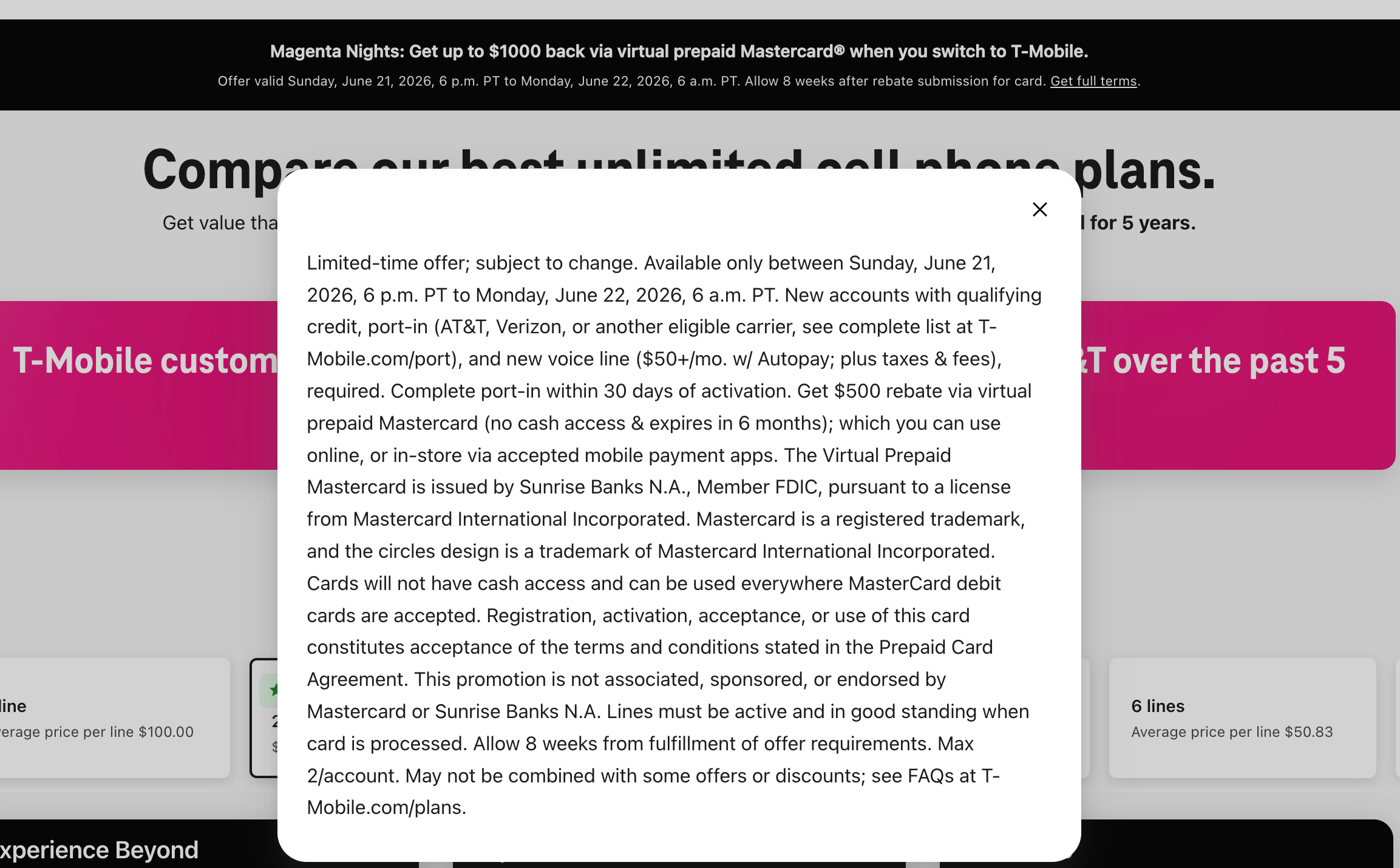
| Keep and Switch | Switch from eligible carrier, port number, submit final bill showing device balance. | Virtual Prepaid Mastercard | 6 to 8 weeks from approval |
| Carrier Trade-In Promo | Trade in eligible old device in good condition, buy new device on EIP. | 24-36 Monthly Bill Credits | Applied starting 1-2 billing cycles |
| Add-a-Line / BOGO | Add a new qualifying voice line and purchase select devices. | 24 Monthly Bill Credits | Applied starting 2 billing cycles |
| Aal Access / Insider Deals | Use valid employee or seasonal promo code during plan signup. | Account Credit / Virtual Card | 4 to 6 weeks from validation |
Tracking Your Rebate Status and Managing Payouts
Once your claim is submitted, checking its progress is straightforward. You do not need to call customer service to check on updates; you can use the self-service tracking tool on the promotions portal.
To check your status, return to promotions.t-mobile.com and select the "Check Status" option. You will need to input either your T-Mobile phone number and billing ZIP code or the specific Tracking ID you saved during submission.
Statuses generally progress through the following stages:
- Received: T-Mobile has your documentation and is queuing it for review.
- Processing: System algorithms or human auditors are verifying your IMEI, purchase date, and prior carrier bills.
- Approved: Your submission meets all criteria, and your reward is scheduled for generation.
- Fulfilled: Your virtual prepaid card has been issued or your monthly bill credits have been applied to your billing cycle.
When your virtual prepaid Mastercard is issued, T-Mobile sends an SMS notification with a link to activate the card. You can add this digital card to Apple Pay or Google Wallet for contactless spending, or use the card details for online purchases anywhere Mastercard is accepted.
Troubleshooting Common Rebate Rejections and Solutions
Rejections are frustrating, but most are caused by easily correctable administrative errors. If you receive a denial notice via text or email, review the specific reason code provided and take immediate corrective action.
- Unreadable Documentation: If your receipt or prior bill upload was blurry, resubmit a high-resolution PDF or clean photograph through the tracking portal before the promotional deadline expires.
- IMEI Mismatch: Ensure the IMEI number entered during submission matches the exact device currently active on your T-Mobile line. Avoid swapping SIM cards or eSIM profiles to different handsets before the rebate is fully approved.
- Late Submission: If your claim was rejected due to missing the 30-day window, contact T-Mobile Customer Care (dial 611 from your handset) to explain extenuating circumstances, though exceptions are rarely granted.
- Plan Ineligibility: Verify that your current rate plan meets the baseline feature requirements of the promotion. Upgrading to a qualifying Magenta, Go5G, or Business Unlimited plan often resolves plan-tier rejections.
Frequently Asked Questions
How long does it take to receive a T-Mobile virtual prepaid card?
Most virtual prepaid cards are processed, approved, and delivered via text message within 6 to 8 weeks after successfully submitting all required documentation through the T-Mobile Promotions portal. Delays can occur if submitted documents require manual auditing.
Can I get a physical card instead of a virtual Mastercard?
T-Mobile primarily issues virtual prepaid Mastercards for digital flexibility, but you can typically log into the issuing bank's portal via the link provided in your approval text and request a physical plastic card to be mailed to your home address for a nominal fee or standard delivery timeline.
What should I do if my rebate status says "Denied"?
Review the specific denial reason provided on the status tracking page, gather the corrected paperwork or verify your plan compliance, and utilize the resubmission tool within the promotions portal or call T-Mobile support to dispute the rejection.
Do I need my old carrier's final bill for a trade-in promotion?
Standard device trade-in promotions generally only require the purchase receipt from T-Mobile and the trade-in device itself, whereas carrier buyout programs like Keep and Switch strictly require the final bill showing your device payoff balance.
What happens if I cancel my T-Mobile service before receiving the rebate?
Canceling your service or disconnecting the qualifying line before the rebate is fully processed and fulfilled will result in immediate disqualification, and any pending virtual cards or remaining monthly bill credits will be permanently forfeited.
Secure Your T-Mobile Savings Today
Maximizing your savings with T-Mobile depends entirely on meticulous attention to promotional timelines and precise documentation. Visit the official T-Mobile Promotions portal today with your account details, purchase receipts, and tracking codes ready to complete your submission and secure your funds.
Image Gallery