Best Invoice Software for Mac: Top Solutions for Freelancers and SMBs
Selecting the best invoice software for Mac depends on whether your workflow requires a native desktop application with local data storage or a cloud-based platform accessible across multiple operating systems. Dedicated native macOS s...
Selecting the best invoice software for Mac depends on whether your workflow requires a native desktop application with local data storage or a cloud-based platform accessible across multiple operating systems. Dedicated native macOS solutions provide high-speed performance, data privacy, and one-time licensing, while cloud invoicing services deliver automated payment processing, client portals, and multi-device synchronization.
Contents
Native Mac Apps vs. Cloud-Based Invoicing: Architecture and Workflow Differences
When evaluating invoicing software for macOS, the core technical architecture dictates how your data is managed, how invoices are delivered, and what ongoing costs you incur. Software designed for the Mac ecosystem generally falls into two distinct categories: native macOS applications and web-based cloud platforms.
- Mac Invoicing Architecture
- Native Apps (GrandTotal, Moon)
- Local SQLite/Core Data
- One-time license model
- Full offline capability
- Native PDF rendering engine
- Cloud Web Platforms (FreshBooks, Zoho, Xero)
- Remote Multi-Tenant DB
- Monthly subscription SaaS
- Requires internet connection
- Server-side PDF rendering
- Native Apps (GrandTotal, Moon)
Native macOS Applications
Native Mac applications are compiled specifically for Apple hardware and macOS system frameworks. These apps take direct advantage of Apple Silicon (M1 through M4 series chips), leveraging unified memory architectures for near-instantaneous search, window management, and PDF rendering.
- Data Storage and Privacy: Native tools store records locally using SQLite or Core Data databases. Your financial records, client email lists, and revenue histories remain on your local drive or private iCloud storage, eliminating third-party cloud data-mining concerns.
- Offline Functionality: Because native apps execute code locally, you can create invoices, log billable hours, and adjust estimates without an active internet connection. Transactional payloads queue up and sync or send when network connectivity is restored.
- Licensing Model: Native Mac billing utilities frequently utilize perpetual one-time licenses or low-cost major version upgrade paths, bypassing the recurring subscription fees associated with cloud SaaS platforms.
Web-Based Cloud Platforms
Cloud-based invoicing applications operate within modern web browsers like Safari or Chrome, or run as desktop wrappers (Electron apps). The software logic and database reside on remote multi-tenant servers.
- Client Interactivity: Web platforms excel at interactive client management. Clients receive links to hosted payment portals where they can view invoices, pay via credit card or ACH, download historical statements, and leave line-item feedback.
- Automated Payment Gateways: Web apps maintain continuous API connections to payment processors like Stripe, PayPal, and Square. When a client pays online, the system automatically records the transaction, updates ledger accounts, and marks the invoice as settled without manual intervention.
- Multi-Device Synchronization: Cloud software maintains state across web interfaces, native iOS apps, Android devices, and Windows PCs simultaneously, making it suitable for teams using diverse hardware environments.
Top Native macOS Invoicing Applications
Native Mac apps cater to users who value deep system integration, speed, custom template design, and data ownership. Below are the leading native applications engineered for macOS.
GrandTotal: Best Dedicated Native Mac Invoicing Software
GrandTotal is a purpose-built desktop billing application designed exclusively for macOS. Developed to leverage native Mac User Interface (UI) conventions, it seamlessly integrates into Apple desktop workflows.
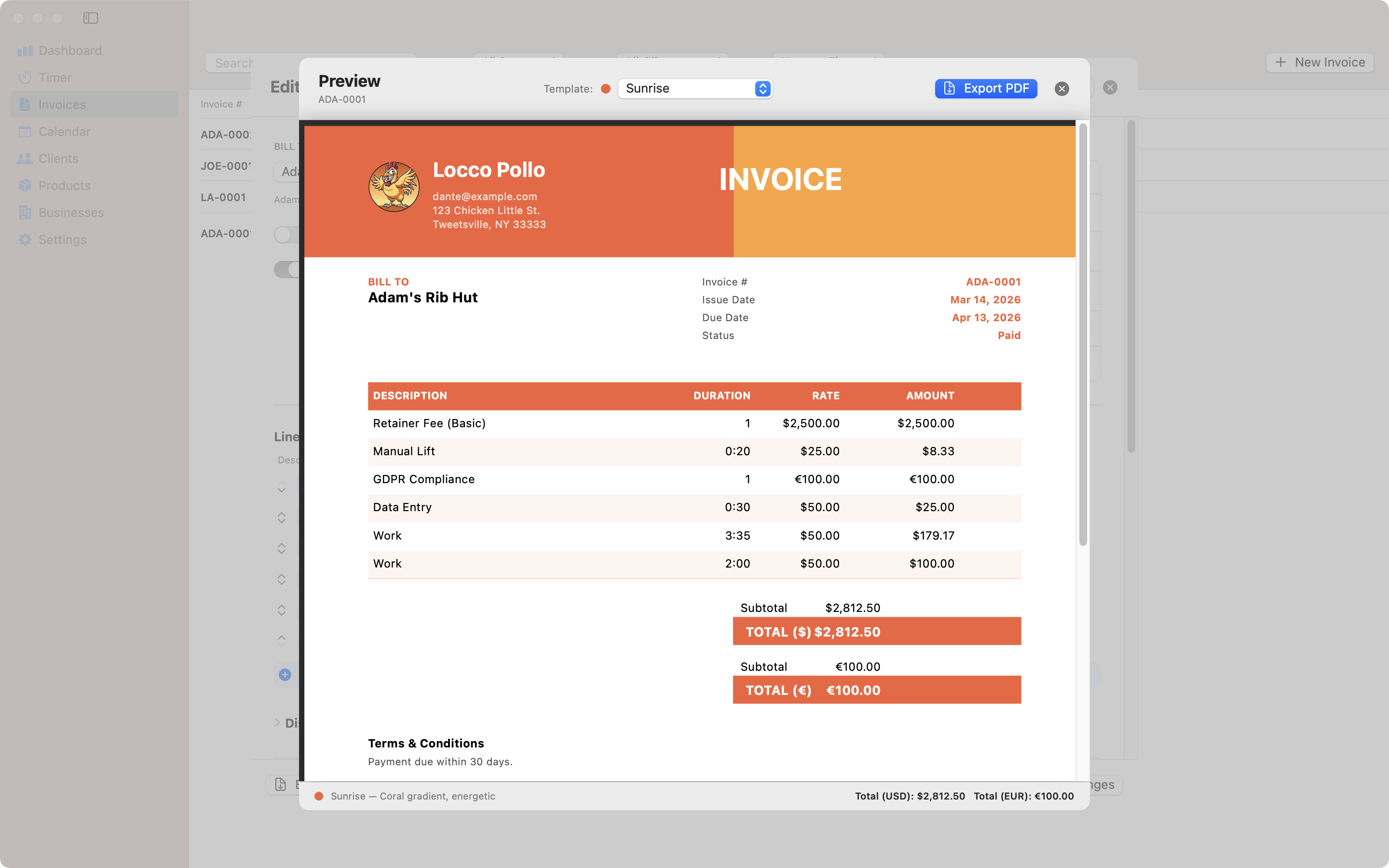
- Layout and Template Design: GrandTotal features a built-in layout editor that functions like a canvas-based design tool. Users can drop vector graphics, business logos, custom data fields, and dynamic variables into layout grids. It supports high-DPI rendering, ensuring printed or emailed PDFs maintain typography and brand integrity.
- macOS Ecosystem Integration: The application connects directly to Apple Contacts to pull client address data without manual entry. It also interfaces with third-party time-tracking utilities (such as Timing, Billings Pro, and Tyme) to convert logged billable hours directly into line-item invoices.
- E-Invoicing and Tax Compliance: GrandTotal supports global electronic invoicing protocols, including European ZUGFeRD and Factur-X standards, enabling structured XML data to be embedded directly into vector PDF documents for compliance with international business-to-government (B2G) requirements.
- Pricing Architecture: GrandTotal relies on a single-perpetual-license purchase per major version, making it cost-effective for solopreneurs looking to eliminate monthly SaaS fees.
Moon Invoice: Best Cross-Platform Native Synchronization
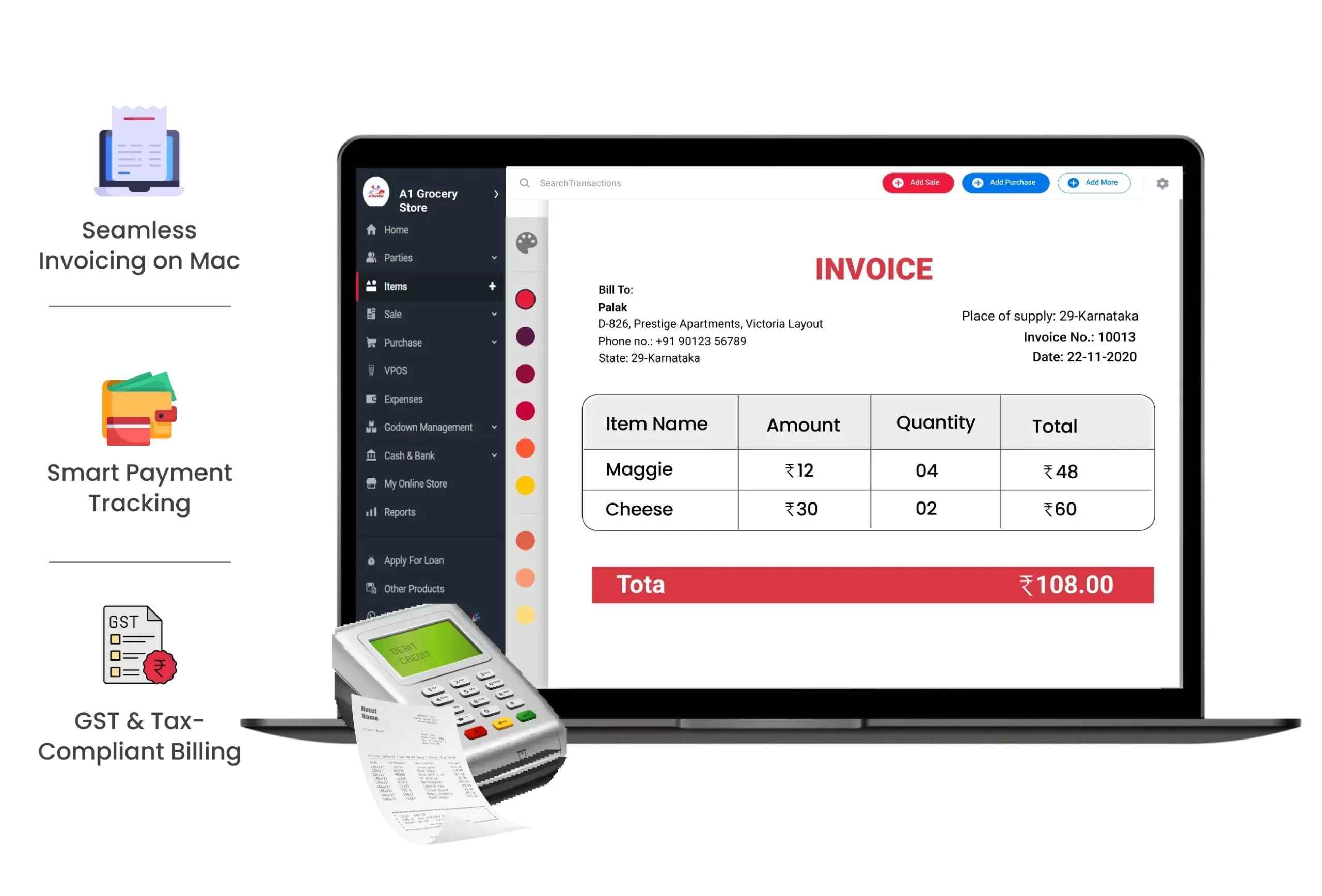
Moon Invoice provides a native desktop interface for macOS alongside native builds for iOS, iPadOS, watchOS, Windows, and Android, relying on cloud or private server backend sync.
- Offline First Engine: Moon Invoice allows full invoice generation, expense tracking, and purchase order creation while entirely offline. Once connected to a network, data streams sync across registered devices using end-to-end encryption.
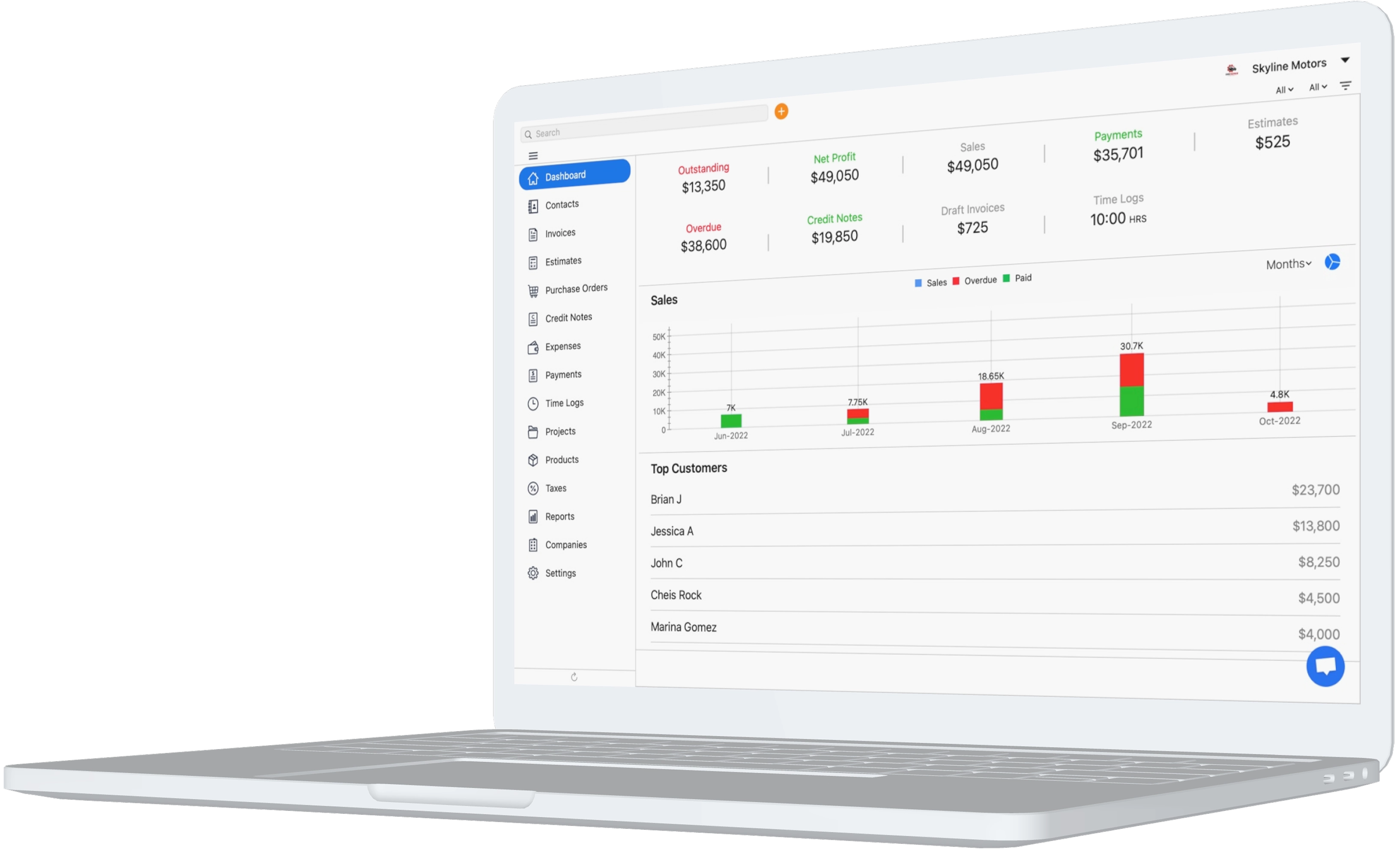
- Comprehensive Financial Tracking: Beyond basic billing, Moon Invoice incorporates inventory level tracking, stock alerts, purchase orders, credit notes, and multi-currency exchange rate adjustments.
- Payment Gateway Hooks: Although it functions as a native application, Moon Invoice bridges online workflows by integrating with Stripe, PayPal, Authorize.Net, and Braintree, allowing users to send payment links directly within native PDF invoices.
Express Invoice by NCH Software: Best for High-Volume Traditional Billing
Express Invoice is a lightweight native desktop tool structured around traditional bookkeeping paradigms.
- Core Mechanics: It allows users to build quotes, orders, and invoices, track accounts receivable, and run aging reports directly from a native window.
- Direct Mail Engine: Express Invoice includes a built-in SMTP engine, enabling the app to transmit PDF invoices directly through your configured email server without launching external mail clients.
- Cost Management: It offers a lower one-time purchase price, appealing to small businesses that need simple, no-frills administrative tools without design-heavy templates.
Top Cloud-Based Invoicing Platforms Optimized for Mac Users
For businesses that require automated payment reconciliation, collaborative workflows, and seamless client portals, web-based SaaS platforms offer modern feature sets accessible via macOS browsers.
FreshBooks: Best All-in-One Cloud Billing and Time Tracking
FreshBooks delivers an intuitive cloud billing experience. It is widely favored by Mac-oriented creative agencies, freelancers, and professional service providers.
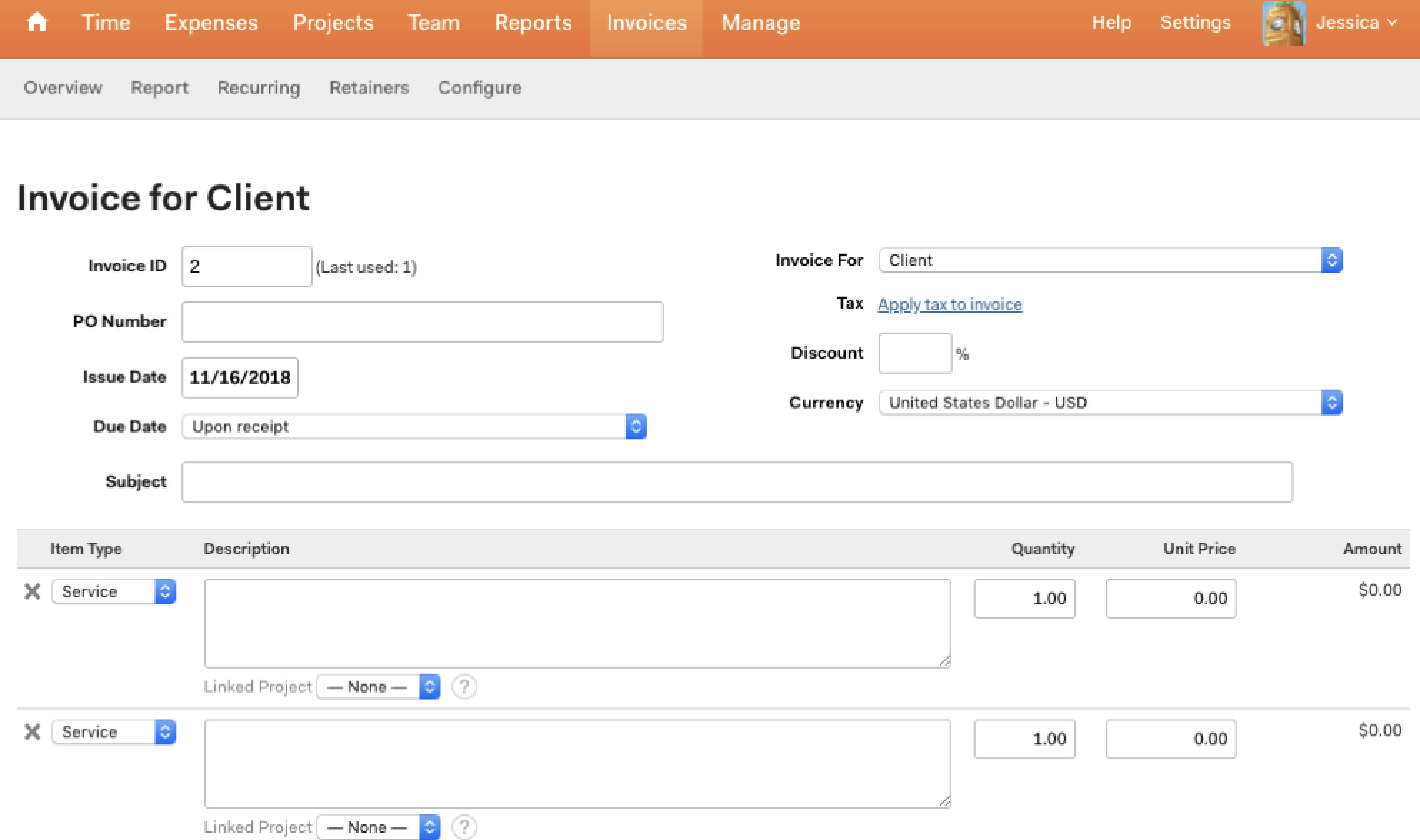
- Client Management and Retainers: FreshBooks simplifies recurring billings, automated retainer allocations, and proposal sign-offs. Users can convert approved client estimates into active projects and subsequent invoices with a single click.
- Built-in Time and Expense Tracking: Users can track time spent on client tasks directly from the macOS browser interface or via the companion menu bar app. Expenses can be logged by uploading photos of receipts, which FreshBooks automatically categorizes using optical character recognition (OCR).
- Automated Payment Collections: Through FreshBooks Payments and Stripe integrations, business owners can offer clients automatic recurring credit card charges, late-fee assessments, and automated payment reminder sequences.
Zoho Invoice: Best Free Cloud Invoicing Solution
Zoho Invoice is a completely free cloud billing platform offered by Zoho as part of its software ecosystem for small businesses.
- Feature Completeness: Unlike restricted freemium software, Zoho Invoice includes custom invoice design, multi-currency conversion, online payment collection, portal messaging, time tracking, and expense logging without monthly plan costs.
- Automation Engine: Users can configure workflow rules to trigger emails, calculate recurring tax estimates, apply client discounts, and schedule periodic billing statements automatically.
- Apple Ecosystem Extensions: Zoho provides native iOS, iPadOS, and macOS web wrappers, alongside Apple Watch notification widgets for real-time tracking of invoice approvals and payment receipt alerts.
QuickBooks Online & Xero: Best for Scalable SMB Accounting
For growing teams whose billing requirements overlap with complex double-entry bookkeeping, tax compliance, and payroll, comprehensive cloud suites like QuickBooks Online and Xero provide robust invoicing modules within complete financial software ecosystems.
- Bank Feed Reconciliation: Both platforms pull direct bank and credit card feeds, matching incoming client invoice payments against underlying ledger entries.
- Advanced Tax Engines: They calculate localized sales taxes, VAT, and GST in real time based on geographic shipping or service delivery rules.
- Ecosystem Integrations: With open REST APIs, Xero and QuickBooks connect to hundreds of Mac-friendly third-party apps, CRM systems, and e-commerce platforms like Shopify and WooCommerce.
Technical Comparison Matrix
The following table summarizes key operational, architectural, and financial differences between the top Mac-compatible invoicing solutions:
| Software Name | Primary Architecture | Best For | Offline Capabilities | Pricing Structure | Native macOS / Apple Ecosystem Integration | Supported Payment Gateways |
|---|---|---|---|---|---|---|
| GrandTotal | Native macOS Desktop App | Freelancers & Small Agencies | Full offline creation and database access | One-time license per major version | Apple Contacts, Mail, Apple Silicon Native, Vector Canvas | Stripe, PayPal, Direct Bank Info |
| Moon Invoice | Native App (Multi-platform) | Mobile professionals & cross-device users | Full offline sync queueing | Monthly or annual subscription / One-time options | macOS, iOS, Apple Watch, iCloud Sync | Stripe, PayPal, Authorize.Net, Braintree |
| FreshBooks | Web-based SaaS / Mobile App | Service agencies & consultants | Limited (Requires active web connection) | Tiered monthly subscription | Browser optimized, macOS Menu Bar Tracker | FreshBooks Payments, Stripe, Apple Pay |
| Zoho Invoice | Web-based SaaS / Native Client | Solopreneurs & Micro-businesses | Basic mobile offline actions | Free (No recurring subscription fee) | iOS/macOS web wrappers, Apple Watch alerts | Stripe, PayPal, Authorize.Net, 2Checkout |
| Xero | Web-based SaaS Platform | Growing SMBs requiring full ledger | None (Cloud dependant) | Tiered monthly subscription | Safari/Chrome optimized, open API integration | Stripe, GoCardless, PayPal |
| QuickBooks Online | Web-based SaaS Platform | Businesses needing full accounting & payroll | None (Cloud dependant) | Tiered monthly subscription | Safari/Chrome optimized, vast app store | QuickBooks Payments, Card Processors |
Key Technical Factors to Consider Before Choosing
Selecting invoice software requires analyzing your operating environment, security policies, and client interactions. Evaluating these core criteria ensures your chosen software fits your workflow.
1. Hardware and OS Compatibility
If you prefer native Mac apps, confirm that the vendor provides binaries compiled natively for Universal 2 or Apple Silicon ARM architectures. Native execution ensures low memory usage and prevents battery drain on MacBook Air and MacBook Pro devices compared to unoptimized x86 apps running under Rosetta translation or heavy Electron wrappers.
2. Payment Gateway and e-Commerce Integrations
Evaluating how clients pay is essential for reducing Accounts Receivable (AR) turnaround times:
- Client Friction: Cloud apps sending raw HTML web links or native PDFs embedded with clickable payment buttons (linking to Stripe Checkout or PayPal) reduce client payment friction.
- Apple Pay Integration: Modern payment gateways allow end clients viewing invoices on Apple devices to pay instantly via Apple Pay, speeding up settlement cycles.
- Generates PDF / Web Link: Mac Invoicing Software to Client Receives Invoice Document
- Selects Payment (Apple Pay/Stripe): Client Receives Invoice Document to Online Payment Processing Engine
- Automated Webhook Reconciliation Sync: Mac Invoicing Software to Bank / Accounting Ledger
- Settles Funds Transferred: Online Payment Processing Engine to Bank / Accounting Ledger
3. e-Invoicing Regulations and Tax Automation
Depending on your geographic location, tax compliance rules require specific document structures:
- Cross-Border Transactions: If you invoice clients in the European Union, UK, or Latin America, verify support for electronic invoicing formats such as ZUGFeRD, Factur-X, or Peppol network standards.
- Tax Code Calculations: Software must accurately handle complex tax structures, such as compound taxes, reverse-charge VAT for cross-border services, and state-by-state sales tax calculations in North America.
4. Data Backup, Exportability, and Vendor Lock-in
Your business data must remain accessible regardless of software vendor updates:
- Native Apps: Verify that SQLite database files can be easily backed up via Time Machine or exported into standardized JSON, CSV, or XML files.
- Cloud Services: Ensure the platform offers full database export capabilities so you can retrieve transaction logs, client rosters, and revenue ledgers if you decide to migrate to a different platform in the future.
Step-by-Step Implementation and Workflow Setup
Once you select your invoicing software, setting up your workspace correctly prevents accounting errors and streamlines financial tracking.
- Step 1: Base Currencies & System Preferences
- Step 2: Brand Identity & Layout Customization
- Step 3: Payment Gateway API Credentials
- Step 4: Client Accounts & Tax Mapping
Step 1: Base Currencies and System Preferences
- Open your invoicing application's system preferences.
- Select your primary functional currency (e.g., USD, EUR, CAD, GBP).
- Set default payment terms (e.g., Net 15, Net 30, Due upon Receipt).
- Define your fiscal year parameters and default invoice numbering formats (e.g.,
INV-2026-001). Maintaining sequential, non-repeating numbering systems is critical for tax audit compliance.
Step 2: Brand Identity and Layout Customization
- Upload high-resolution vector logos (SVG or PDF vector format preferred for native apps; high-DPI PNG for cloud web apps).
- Configure typography guidelines matching your corporate brand.
- Define layout fields: include legal entity names, registered addresses, tax registration numbers (e.g., EIN, VAT ID, GSTIN), payment instructions, and direct bank routing details (IBAN/SWIFT).
Step 3: Payment Gateway API Configuration
- Navigate to the Integrations or Payment Gateway section.
- Connect your payment processing account (e.g., Stripe, PayPal, Square) using OAuth authentication or API secret keys.
- Enable webhook notifications so the invoicing application receives real-time transaction confirmation callbacks when clients clear balances.
Step 4: Client Accounts and Tax Code Mapping
- Import existing client records via CSV or sync directly from Apple Contacts.
- Assign localized tax rules per client profile based on jurisdiction (e.g., tax-exempt status for out-of-state services vs. standard local sales tax rates).
- Specify preferred client delivery methods (direct email transmission via local mail clients, direct SMTP, or web portal link generation).
Frequently Asked Questions
Is there a completely free native invoicing application for macOS?
While most dedicated native macOS applications operate on paid, one-time license models, platforms like Zoho Invoice provide cloud-based invoicing with full feature access free of charge. Users seeking zero-cost native setups often use custom-designed templates inside Apple Pages or Numbers, though these lack automated tracking databases, recurring invoice scheduling, and payment gateway webhooks.
Can Apple Pages or Numbers replace dedicated invoicing software?
Apple Pages and Numbers can render well-designed invoice templates, but they lack database management functionality. They cannot automatically track outstanding Accounts Receivable, process client credit cards via webhooks, generate multi-currency aging reports, or integrate with e-invoicing formats like ZUGFeRD. Dedicated invoice software is recommended for managing recurring billing records efficiently.
How do native Mac invoicing applications back up transactional data?
Native macOS applications store data locally in defined directory paths (typically within ~/Library/Application Support/). These database files (usually SQLite or Core Data containers) are automatically included in standard macOS Time Machine backups. Many native apps also feature built-in auto-backup toggles that write encrypted database snapshots to user-specified iCloud Drive, Dropbox, or local storage locations upon quitting the app.
What is the core difference between simple invoicing software and full double-entry accounting software?
Invoicing software focuses primarily on Accounts Receivable workflows: creating estimates, generating invoices, sending payment links, tracking client balances, and logging project time. Full double-entry accounting software (such as Xero or QuickBooks) manages the complete financial ledger, including Accounts Payable, bank feed reconciliation, asset depreciation, inventory tracking, balance sheet generation, and tax filings.
Does native Mac invoicing software support international payments and multi-currency billing?
Yes, high-tier native Mac invoicing applications like GrandTotal and Moon Invoice fully support multi-currency billing. They allow users to set specific currencies per client profile, manually input or dynamically fetch real-time foreign exchange conversion rates, and issue localized tax receipts compliant with international commerce rules.
Final Recommendation: Selecting the Right Software
To select the ideal invoicing solution for your Mac setup, match the software architecture to your administrative needs:
- Choose GrandTotal if you are a freelancer, independent contractor, or small agency owner on macOS who wants a one-time perpetual software license, values strict data privacy, requires custom design control over PDF layouts, and wants to avoid monthly subscriptions.
- Choose Moon Invoice if you operate across multiple Apple devices (macOS, iPadOS, iOS, watchOS) and require robust offline data entry combined with multi-device background synchronization.
- Choose FreshBooks if you manage a service agency or consulting firm that relies heavily on continuous time tracking, client proposals, retainers, and automated online payment collection through a client portal.
- Choose Zoho Invoice if you need a cost-effective solution for a micro-business or sole proprietorship that provides web access, automated payment reminders, and payment gateway connectivity without recurring fees.
Evaluating your preferred payment workflow, client portal requirements, data storage preferences, and software budget will lead to the optimal Mac invoicing solution for your business.
EDITORIAL CATEGORY METADATA:
Image Gallery