Navigating Remote Work Dynamics: How Living with a Cat Affects Productivity and Well-Being
Living with a cat while working remotely introduces a unique balance of comfort, unexpected distractions, and psychological benefits that directly influence daily productivity, stress levels, and workspace management. While feline comp...
Living with a cat while working remotely introduces a unique balance of comfort, unexpected distractions, and psychological benefits that directly influence daily productivity, stress levels, and workspace management. While feline companionship provides emotional stability and reduces isolation during long hours at home, felines also introduce logistical challenges like keyboard interruptions, video call disruptions, and environmental adjustments that require deliberate spatial organization and routine management.
Contents
The Psychological and Emotional Impact of Feline Companionship
For many remote professionals, the transition from a traditional office to a home environment can trigger feelings of isolation. Sharing this space with a cat mitigates loneliness through a consistent, low-demand physical presence. Unlike dogs, which often require high-intensity interruptions for walks and intensive play, cats generally maintain an independent rhythm that aligns well with focused work sessions.
The psychological benefits of pet ownership during work hours are well-documented. Interacting with a cat—such as petting them during a break—can lower cortisol levels and reduce blood pressure. This biochemical response helps remote workers navigate high-stress deadlines or difficult client communications. However, this dynamic requires boundaries. If a cat demands constant attention or vocalizes loudly during deep-focus tasks, the psychological benefit can quickly turn into a source of frustration, breaking concentration and increasing cognitive fatigue.
Physical Workspace Challenges and Solutions
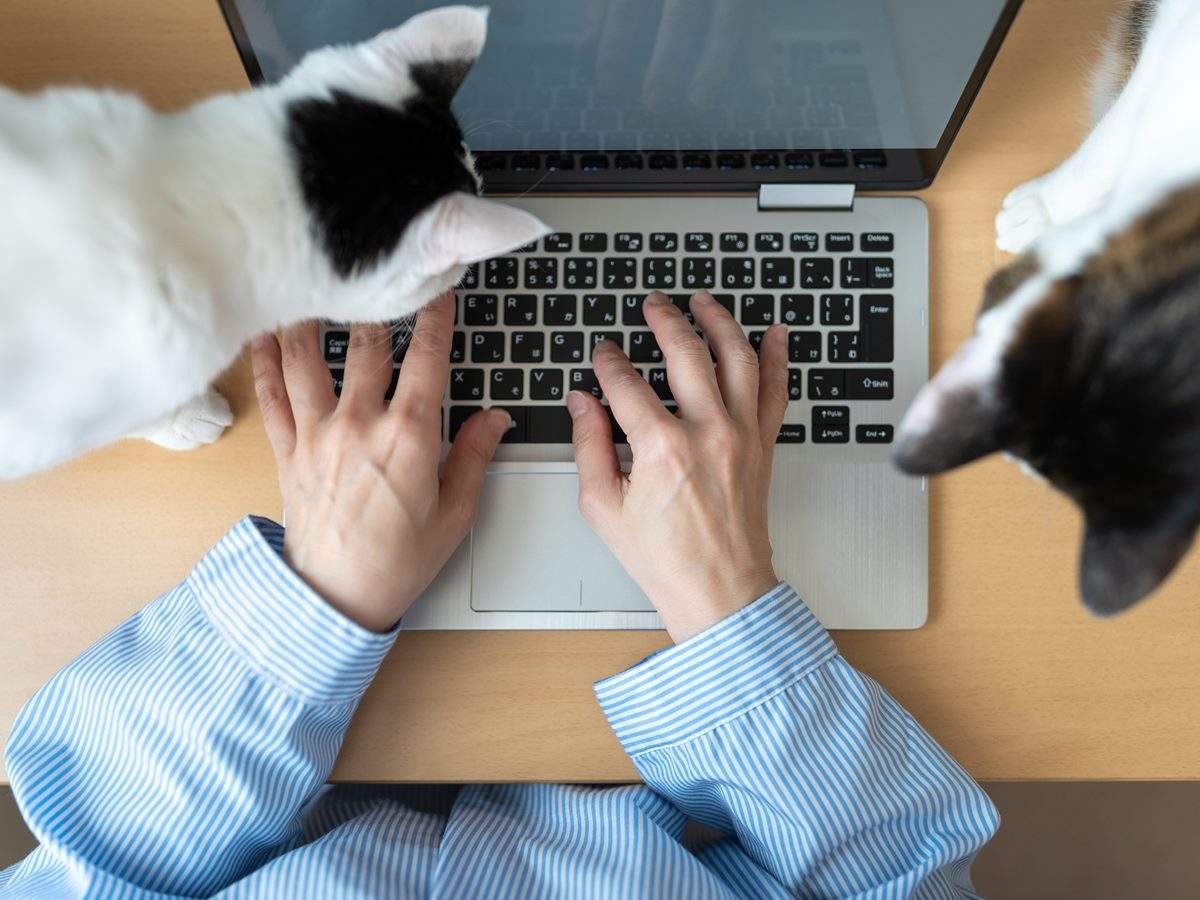
A cat's natural curiosity often draws them directly to the tools of remote work, most notably laptops, keyboards, and secondary monitors. This behavior is driven by several factors: computers emit warmth, keyboards offer tactile stimulation and mimic prey movement, and sitting on a desk places the cat in close proximity to their human.
To maintain professional output, remote workers must implement structural changes to their workspaces:
- Alternative Desk Surfaces: Providing a designated cat bed, shelf, or heated pad immediately adjacent to the desk diverts the animal's attention away from expensive equipment.
- Cable Management: Remote setups involve numerous power cords and peripheral wires. Cats can chew on or tangle these wires, creating safety hazards and technical disruptions. Enclosing cables in protective sleeves is essential.
- Keyboard Barriers: Acrylic keyboard covers or decoy keyboards allow professionals to continue typing while satisfying a cat's desire to occupy the same physical space.
| Distraction Type | Typical Impact on Work | Preventive Strategy |
|---|---|---|
| Keyboard Walking | Accidental text deletion, unsent emails | Use acrylic covers, provide a decoy keyboard |
| Video Call Intrusions | Professional embarrassment, lost train of thought | Close office doors, use virtual backgrounds |
| Vocalizations | Interrupted audio recordings, broken concentration | Establish strict feeding schedules before meetings |
| Hardware Interference | Overheated vents, unplugged cables | Secure cables, elevate computer hardware |
Managing Video Conferences and Professional Boundaries
One of the most visible intersections of remote work and cat ownership occurs during video calls on platforms like Zoom, Microsoft Teams, or Google Meet. While modern corporate culture has largely embraced accidental pet appearances, maintaining a professional image requires preparation, especially during high-stakes presentations or external client meetings.
Managing these interactions effectively involves a mix of physical barriers and digital etiquette:
- Spatial Segregation: Closing a home office door is the most reliable method to prevent unexpected appearances during critical presentations. If a dedicated office room is unavailable, utilizing baby gates or pet pens can create a secure boundary.
- Scheduled Distractions: Feeding or engaging in an active play session with the cat immediately before a heavy meeting schedule exhausts their energy, encouraging them to sleep while the worker is occupied.
- Audio Management: Cat vocalizations can bleed into open microphones. Utilizing directional microphones with advanced background noise suppression helps filter out meows during remote discussions.
Ergonomics, Health, and Environmental Adjustments
Integrating a cat into a home office environment also affects physical ergonomics and workspace hygiene. Litter boxes located too close to a desk can introduce unpleasant odors and distractions, while wandering cats can compromise ergonomic postures if a worker adjusts their seating position to accommodate a sleeping animal on their lap.
Maintaining physical comfort requires specific adjustments. If a cat regularly sleeps across a worker's lap, it can restrict leg movement, leading to poor circulation or awkward spinal alignment over an eight-hour shift. Workers must consciously prioritize their own ergonomic health by utilizing adjustable standing desks, ergonomic chairs that do not invite cat perches, and taking regular movement breaks independent of their pet's schedule. Furthermore, keeping air purifiers nearby helps manage dander and litter dust, ensuring a clean and healthy indoor air quality within enclosed home offices.
Frequently Asked Questions
How can I stop my cat from walking on my keyboard during work hours?
Cats are attracted to keyboards because of the warmth, the sound of typing, and the desire for attention. You can deter this behavior by placing a decoy keyboard or a warm cat bed right next to your primary workspace, redirecting their attention away from your active equipment.
Are cats better than dogs for remote work environments?
Neither is universally better, but they present different challenges. Cats are generally more independent and do not require midday walks, making them easier to manage during structured work hours. However, their agility allows them to access desks and high shelves, frequently interrupting video calls and computer tasks.
How do I handle unexpected cat interruptions during client video calls?
Acknowledge the interruption briefly and professionally if it occurs, then gently remove the cat from the camera view. To prevent future occurrences, close your office door before important calls or feed your cat right before the meeting to encourage them to sleep.
Does having a cat in a home office negatively impact indoor air quality?
It can, due to pet dander, fur, and litter box proximity. To maintain a healthy remote work environment, place your cat's litter box away from your immediate workspace and use a HEPA air purifier to capture allergens and dust.
How can I keep my cat entertained while I work a full shift?
Provide vertical territory such as cat trees, interactive puzzle feeders, and window perches with views of the outdoors. These environmental enrichments keep cats mentally stimulated and reduce the likelihood that they will demand attention during your core working hours.
Practical Recommendations for Remote Workers with Cats
Balancing remote employment with pet ownership requires proactive planning rather than reactive discipline. Establish a predictable daily routine that includes dedicated feeding and playtime before your workday begins, satisfying your cat's social and physical needs early. Invest in robust workspace organization, such as cable protectors and dedicated pet furniture, to protect your technology and maintain a professional environment. By setting clear physical and temporal boundaries, you can enjoy the mental health benefits of feline companionship without sacrificing professional productivity.
Image Gallery