System Center Virtual Machine Manager: Architecture, Deployment, and Fabric Management Guide
Microsoft System Center Virtual Machine Manager (SCVMM) is an enterprise virtualization management platform designed to configure, manage, and transform distributed compute, storage, and networking infrastructure into a unified softwar...
Microsoft System Center Virtual Machine Manager (SCVMM) is an enterprise virtualization management platform designed to configure, manage, and transform distributed compute, storage, and networking infrastructure into a unified software-defined fabric. SCVMM centralizes administrative control across Hyper-V hosts, VMware vCenter clusters, storage arrays, and software-defined networks, enabling automated virtual machine provisioning, service deployment templates, and automated workload balancing.
Contents
Understanding System Center Virtual Machine Manager
Modern IT infrastructures rely on virtualization to maximize hardware utilization, but managing isolated hypervisors across separate physical host groups introduces administrative complexity. System Center Virtual Machine Manager (SCVMM) addresses this challenge by providing a single, centralized management console that abstracts underlying physical infrastructure into cohesive enterprise fabrics.
Rather than managing individual Hyper-V host servers or storage pools independently, administrators use SCVMM to organize compute resources into Host Groups, assign centralized storage classifications, and build standardized network fabrics. SCVMM orchestrates virtual machine (VM) lifecycles, automates guest OS deployment, and facilitates self-service cloud abstractions for private and hybrid cloud operations.
By integrating deeply with the broader Microsoft System Center suite—including Operations Manager (SCOM) and Orchestrator—SCVMM allows organizations to automate operational workflows, maintain compliance, and optimize host cluster utilization through intelligent workload migration.
Key Architecture and System Components
SCVMM relies on a distributed architecture composed of several interconnected services, databases, and host-level agents. Understanding how these components communicate is essential for effective deployment, scaling, and operational troubleshooting.
- VMM Console / SDK
- VMM Management Server (Job Engine, PowerShell Engine, Software-Defined Networking)
- VMM Database (SQL Server)
- VMM Library (ISOs, VHDXs, OS)
- VMM Agents (Hyper-V Hosts)
- VMM Management Server (Job Engine, PowerShell Engine, Software-Defined Networking)
1. VMM Management Server
The VMM Management Server serves as the core orchestration engine. It processes administrative commands, executes PowerShell scripts, runs background jobs, and maintains communication with hypervisor hosts, storage providers, and network controllers. It converts user actions from the console into administrative commands sent directly to host hypervisors and storage interfaces.
2. VMM Database
The backend database runs on Microsoft SQL Server and maintains the state of the managed fabric. It stores physical host configurations, host group hierarchies, network profiles, storage mapping tables, virtual machine metadata, template definitions, and historical job logs. Because the management server is stateless relative to operational configurations, database health and performance directly govern system stability.
3. VMM Library Server
The VMM Library is a dedicated file share repository that houses physical and virtual assets used throughout the virtualization lifecycle. Key items stored in the library include:
- Virtual hard disk files (
.vhdand.vhdx). - ISO optical disk images.
- Virtual machine templates and service templates.
- PowerShell scripts and unattended installation files.
- Guest operating system profiles and hardware configuration profiles.
4. VMM Console
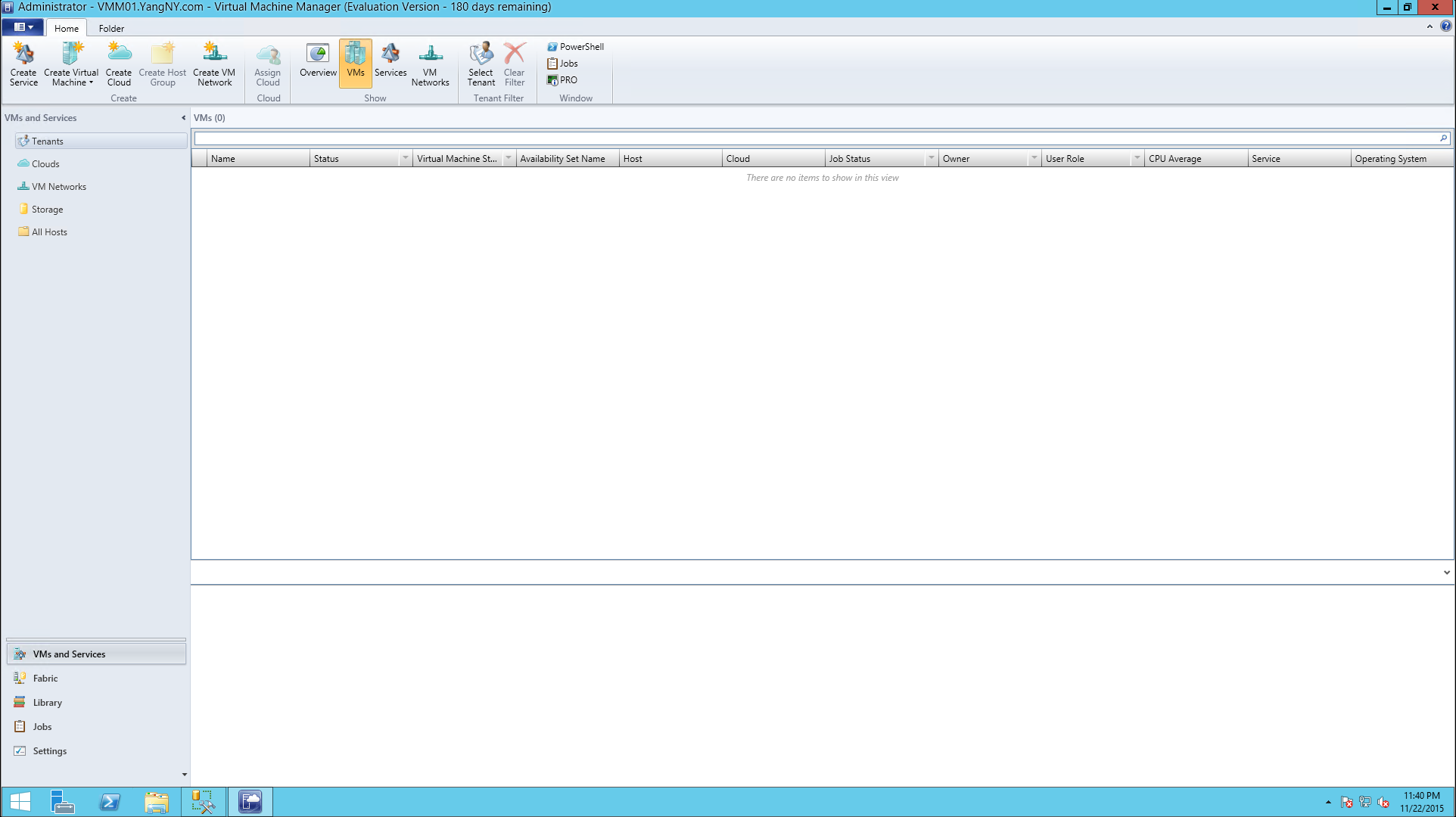
The VMM Console provides the graphical user interface (GUI) for system administrators. It communicates with the management server through the Windows Communication Foundation (WCF) layer and can be installed on remote administrative workstations. Everything exposed within the console maps directly to underlying VMM PowerShell cmdlets.
5. VMM Host Agents
To manage physical servers, SCVMM installs lightweight host agents on target systems. The VMM Agent runs on Hyper-V hosts, Windows Server Library Servers, and bare-metal targets. It listens for commands from the management server, gathers performance telemetry, and manages physical host configurations via Windows Management Instrumentation (WMI) and Windows Remote Management (WinRM).
Infrastructure Prerequisites and System Requirements
Deploying SCVMM in production requires strict adherence to operating system, database, and software dependency requirements. Software updates and support cadences are tied to long-term servicing channels, including System Center 2022 and System Center 2025 releases.
Hardware Requirements
- VMM Management Server: Minimum 16 GB RAM (32 GB recommended for large environments), 4 CPU cores (8 cores recommended), and at least 150 GB of dedicated SSD storage for operating system and application binaries.
- VMM Database Server: Dedicated SQL Server instance with low-latency storage access, formatted with 64 KB block sizes for SQL data files.
Operating System and Software Dependencies
- Supported OS: Windows Server 2022 or Windows Server 2025 (Datacenter or Standard Edition with Desktop Experience).
- Database Support: Microsoft SQL Server 2019, SQL Server 2022 Standard or Enterprise Editions. SQL Server Express is not supported for production deployments due to database size and thread limitations.
- Windows Assessment and Deployment Kit (Windows ADK): The Windows ADK version corresponding to the host operating system must be installed prior to VMM setup. Specifically, the Deployment Tools and Windows Preinstallation Environment (Windows PE) features must be installed to support bare-metal host deployment and guest OS customization.
- Active Directory Domain: The VMM Management Server must be a member of an Active Directory domain. SCVMM requires Active Directory for account authentication, Service Principal Name (SPN) creation, and Distributed Key Management (DKM).
Managing Fabric Resources: Compute, Storage, and Networking
The defining capability of SCVMM is its ability to aggregate physical infrastructure into a unified, software-defined operational fabric divided into compute, storage, and networking layers.
- SCVMM UNIFIED FABRIC
- Compute Fabric
- Host Groups
- Failover Clust.
- Bare-Metal PXE
- Storage Fabric
- SMI-S / SMP
- SAN / S2D / NAS
- Classifications
- Networking Fabric
- Logical Net/VMs
- Logical Switch
- SDN Controller
- Compute Fabric
Compute Fabric
SCVMM organizes compute resources logically using Host Groups. Administrators create hierarchical tree structures representing geographic sites, organizational units, or environment tiers (e.g., Production/US-East/Cluster-01).
Key compute management capabilities include:
- Automated Bare-Metal Deployment: SCVMM can provision bare-metal physical servers into fully configured Hyper-V hosts or Failover Clusters using Preboot Execution Environment (PXE) boot and Out-of-Band management interfaces like IPMI, iLO, or iDRAC via Baseboard Management Controllers (BMC).
- Cluster Creation and Management: SCVMM orchestrates the creation of Windows Server Failover Clusters, manages cluster shared volumes (CSV), and provisions rolling cluster updates with zero workload downtime.
Storage Fabric
SCVMM abstracts heterogeneous physical storage devices into logical Storage Classifications (e.g., Gold-NVMe, Silver-SAS, Archive-SATA). Storage integration relies on two primary standards:
- SMI-S (Storage Management Initiative - Specification): Connects external SAN arrays (Fiber Channel and iSCSI) directly to SCVMM.
- SMP (Storage Management Provider): Interacts natively with Windows Storage Spaces Direct (S2D) and SMB 3.0 network shares.
Once storage arrays are registered, administrators allocate storage pools and Logical Unit Numbers (LUNs) directly to host groups, allowing VM disk files to be provisioned dynamically without requiring manual SAN zone configuration.
Networking Fabric
SCVMM introduces an abstraction layer over physical network adapters to enforce consistency across entire hypervisor fleets.
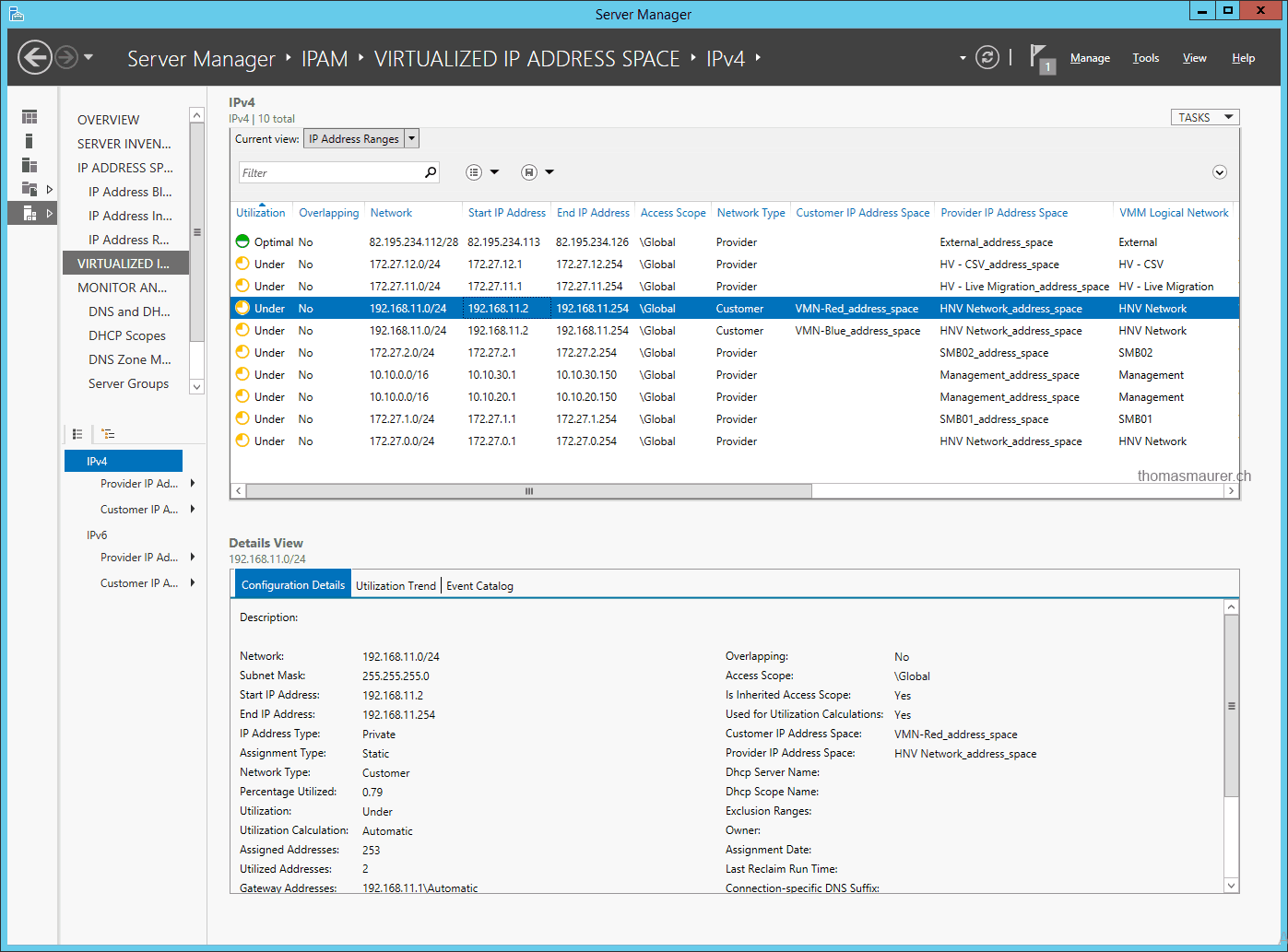
- Logical Networks: Model physical network topologies based on business function or VLAN assignments (e.g., Management, Live Migration, Tenant Traffic).
- VM Networks: Isolated network interfaces assigned directly to virtual machines. When using network virtualization (such as NVGRE or VXLAN), multiple isolated VM Networks can run on top of a single Logical Network.
- Logical Switches: Standardized virtual switch definitions that store port profiles, security policies, and uplink team configurations. Deploying a Logical Switch ensures that every Hyper-V host added to a cluster receives an identical virtual switch implementation.
- Software Defined Networking (SDN) Integration: Integrates directly with the Microsoft SDN Network Controller to manage virtual firewalls, Software Load Balancers (SLB), and RAS Gateways at scale.
Provisioning and Virtual Machine Lifecycle Management
SCVMM streamlines virtual machine creation through policy-driven profiles and standardized templates, moving administrators away from manual VM configuration.
Standardization via Profiles
Administrators configure reusable build blocks that define system attributes:
- Hardware Profiles: Specify vCPU allocation, memory reservations (Static or Dynamic Memory), virtual network adapters, and synthetic SCSI controllers.
- Guest OS Profiles: Define administrative credentials, domain joining information, product keys, time zone settings, and custom unattend scripts.
- Application Profiles: Standardize the deployment of web applications, SQL databases, and custom scripts using Microsoft Web Deploy and Data-Tier Application Framework (DACFX) tools.
VM and Service Templates
Combining Hardware Profiles and Guest OS Profiles yields VM Templates. When a user provisions a VM, SCVMM pulls the source .vhdx image from the VMM Library, applies the OS customization settings, binds the VM network interfaces, and assigns it to an appropriate host based on intelligent placement algorithms.
For multi-tier architectures, SCVMM supports Service Templates. A Service Template models interconnected application tiers (e.g., a 3-tier layout with Web, Application, and Database nodes), allowing administrators to deploy, scale, and update complex environments as a single managed entity.
Automated Optimization Features
SCVMM includes automated runtime optimization tools designed to maintain cluster health:
- Dynamic Optimization (DO): Automatically live-migrates VMs across nodes within a cluster when host resource consumption (CPU, Memory, Disk I/O, Network I/O) exceeds defined threshold percentages.
- Power Optimization: A subset of Dynamic Optimization that consolidates workloads onto fewer host nodes during off-peak hours and powers down unused physical hosts via BMC interfaces to conserve electricity.
- Performance and Resource Optimization (PRO): Integrates with System Center Operations Manager (SCOM) to trigger corrective actions based on health indicators gathered from hardware sensors and host agents.
Multi-Hypervisor Management: Hyper-V and VMware Integration
While SCVMM is primarily optimized for Microsoft Hyper-V environments, it provides single-pane-of-glass management across mixed virtual environments by integrating directly with VMware vCenter Server.
- VMM Management Server / Console
- Native Agent
- Hyper-V Clusters & Bare-Metal
- vCenter API
- VMware vCenter Infrastructure
- VMware ESXi Hosts
- VMware vCenter Infrastructure
- Native Agent
How vCenter Integration Works
SCVMM connects to VMware vCenter Server using vCenter web service APIs. It does not install software agents directly onto standalone ESXi hosts; instead, it issues management commands through vCenter.
Supported Cross-Platform Features
- Discovering and organizing VMware ESXi clusters, hosts, and resource pools within SCVMM Host Groups.
- Provisioning virtual machines onto ESXi hosts using standardized VMM templates.
- Performing live migrations (vMotion) and storage migrations (Storage vMotion) across VMware infrastructure from within the SCVMM console.
- Converting VMware virtual machines to Hyper-V virtual machines via Virtual-to-Virtual (V2V) conversion workflows.
Operational Limitations
While SCVMM provides administrative aggregation, advanced vSphere features—such as vSphere Distributed Switches (vDS), native vSAN management, and advanced NSX networking profiles—must still be managed through VMware vCenter. Administrators should treat SCVMM as an operational orchestration layer for mixed workloads rather than a complete replacement for vCenter.
Architectural Comparison: SCVMM vs. Alternative Management Paradigms
Selecting the appropriate virtualization management model depends on fleet size, infrastructure diversity, and hybrid cloud integration goals.
| Feature / Capability | System Center Virtual Machine Manager | Hyper-V Manager (Native tool) | VMware vCenter Server | Azure Arc / Azure Stack HCI |
|---|---|---|---|---|
| Primary Target Environment | Large-scale Hyper-V and Mixed Fleets | Single-host or Small Hyper-V Nodes | VMware vSphere & ESXi Fleets | Hybrid Cloud & Software-Defined HCI |
| Multi-Host Management | Centralized cross-cluster management | Single host selection at a time | Centralized vSphere management | Cloud-managed multi-cluster |
| Fabric Abstraction | Compute, SMI-S/S2D Storage, SDN Networking | Basic local virtual switch & storage | Compute, vSAN Storage, NSX Networking | Cloud-plane abstraction & Azure control |
| Template Capabilities | VM Templates & Multi-tier Service Templates | Basic export/import of VMs | VM Templates & Content Libraries | Azure Resource Manager (ARM) / Bicep |
| Dynamic Workload Migration | Dynamic Optimization & Power Optimization | Manual Live Migration / Failover Cluster | vSphere DRS & DPM | Cloud-driven cluster balancing |
| Infrastructure Deployment | Bare-metal PXE deployment to host | Manual OS install required | Auto Deploy / Host Profiles | Automated cloud-provisioned nodes |
| Licensing Model | System Center Suite Licensing | Free Windows Server built-in feature | VMware vSphere / Cloud Foundation | Pay-as-you-go subscription model |
Operational Best Practices and Troubleshooting
Maintaining stability in an SCVMM infrastructure requires adhering to operational best practices and systematically addressing agent or database issues.
Production Best Practices
- Configure Distributed Key Management (DKM): During SCVMM installation, configure DKM in Active Directory rather than storing encryption keys locally on the management server. This ensures seamless recovery if the VMM Management Server needs to be rebuilt.
- Separate VMM Library Storage: Host VMM Library shares on dedicated, high-performance SMB shares or Cluster Shared Volumes (CSV) with adequate bandwidth to prevent file transfers from saturating cluster network interfaces during VM deployment.
- Optimize SQL Server Settings: Set the SQL Server
tempdbfile count to match physical processor cores (up to 8 files), cap maximum SQL memory allocation, and pre-allocate VMM database growth sizes to avoid auto-growth performance penalties. - Implement High Availability: Deploy the VMM Management Server as a highly available clustered service within a Windows Server Failover Cluster to prevent single points of failure.
Troubleshooting Common SCVMM Errors
Error: Host Status "Needs Attention" or "Not Responding"
This error typically points to network connectivity failures, expired credentials, or WinRM transport failures between the VMM Management Server and the target host.
- Step 1: Test WinRM communication from the VMM server to the host using PowerShell:
Test-WSMan -ComputerName "HyperVHost01.domain.local" - Step 2: Verify that ports TCP 5985 (HTTP) and TCP 5986 (HTTPS) are open through host firewalls.
- Step 3: Restart the
System Center Virtual Machine Manager Agentservice on the target host and execute a Refresh Host action in the SCVMM console.
Error: Job Failures During Storage Migration or VM Provisioning
Storage operations frequently fail due to insufficient permissions or SMI-S provider communication timeouts.
- Step 1: Verify that the VMM service account has administrative access to the underlying storage array or SMB share.
- Step 2: Force a storage provider rescan under Fabric -> Storage -> Providers by selecting Rescan.
- Step 3: Inspect the VMM job history by navigating to the Jobs pane, selecting the failed job, and reviewing the detailed task trace for underlying WMI or storage error codes.
Frequently Asked Questions
Can System Center Virtual Machine Manager manage standalone Hyper-V hosts without Active Directory?
No. SCVMM requires all managed Hyper-V hosts to be members of an Active Directory domain that has a two-way trust relationship with the domain hosting the VMM Management Server. Standalone or workgroup-joined Hyper-V hosts cannot be fully managed by SCVMM due to security context and Kerberos authentication requirements.
What is the primary difference between a Logical Network and a VM Network in SCVMM?
A Logical Network models the underlying physical network topology, VLAN structure, and IP subnets present in your data center. A VM Network is an isolated network abstraction exposed directly to virtual machines. When using software-defined networking or network virtualization, multiple isolated VM Networks can reside on a single Logical Network without requiring additional physical VLANs.
How does Dynamic Optimization in SCVMM differ from VMware DRS?
Dynamic Optimization (DO) performs a similar function to VMware Distributed Resource Scheduler (DRS) by evaluating host utilization across a cluster and automatically live-migrating VMs to balance resource usage. However, while VMware DRS operates directly inside vCenter, SCVMM DO can evaluate metrics across both Hyper-V and managed ESXi hosts, executing migrations based on configurable polling intervals and aggressiveness thresholds set by administrators.
Is SQL Server Express supported for production SCVMM deployments?
No. SQL Server Express is not supported for production SCVMM environments due to hard constraints on memory, CPU usage, and database size (capped at 10 GB). Production deployments require dedicated instances of SQL Server Standard or Enterprise Edition to accommodate continuous state updates, complex job tracking, and high transaction volumes.
How does SCVMM handle software-defined networking (SDN)?
SCVMM acts as the administrative management layer for Microsoft SDN. It deploys and configures the SDN Network Controller infrastructure, provisions Software Load Balancer (SLB) multiplexers, establishes RAS Multitenant Gateways, and exposes network policy creation through its unified console, eliminating the need to configure network policies host by host.
Summary and Next Steps
System Center Virtual Machine Manager remains a core enterprise platform for orchestrating large-scale virtualization, abstracting hardware complexities, and establishing standard software-defined fabrics across compute, storage, and networking layers.
Recommended Next Steps:
- Audit Infrastructure Prerequisites: Ensure target hosts, Active Directory accounts, and SQL Server instances meet current release guidelines detailed in the official Microsoft System Center VMM Documentation.
- Standardize Fabric Assets: Group physical hosts into structured Host Groups and consolidate standalone switches into standardized Logical Switches.
- Implement Automation: Leverage the built-in VMM PowerShell Module to automate routine provisioning tasks and integrate VMM with broader datacenter management toolsets.
Image Gallery