Essential Guide to Finding and Managing Free Apps on iOS in 2026
Navigating the Apple App Store to find genuinely free apps on iOS requires understanding monetization models, privacy settings, and hidden subscription traps. This comprehensive resource outlines how to safely discover, download, and m...
Navigating the Apple App Store to find genuinely free apps on iOS requires understanding monetization models, privacy settings, and hidden subscription traps. This comprehensive resource outlines how to safely discover, download, and manage applications that cost nothing upfront while protecting your personal data and storage space.
Contents
Understanding Free Apps on iOS and Their Monetization Models
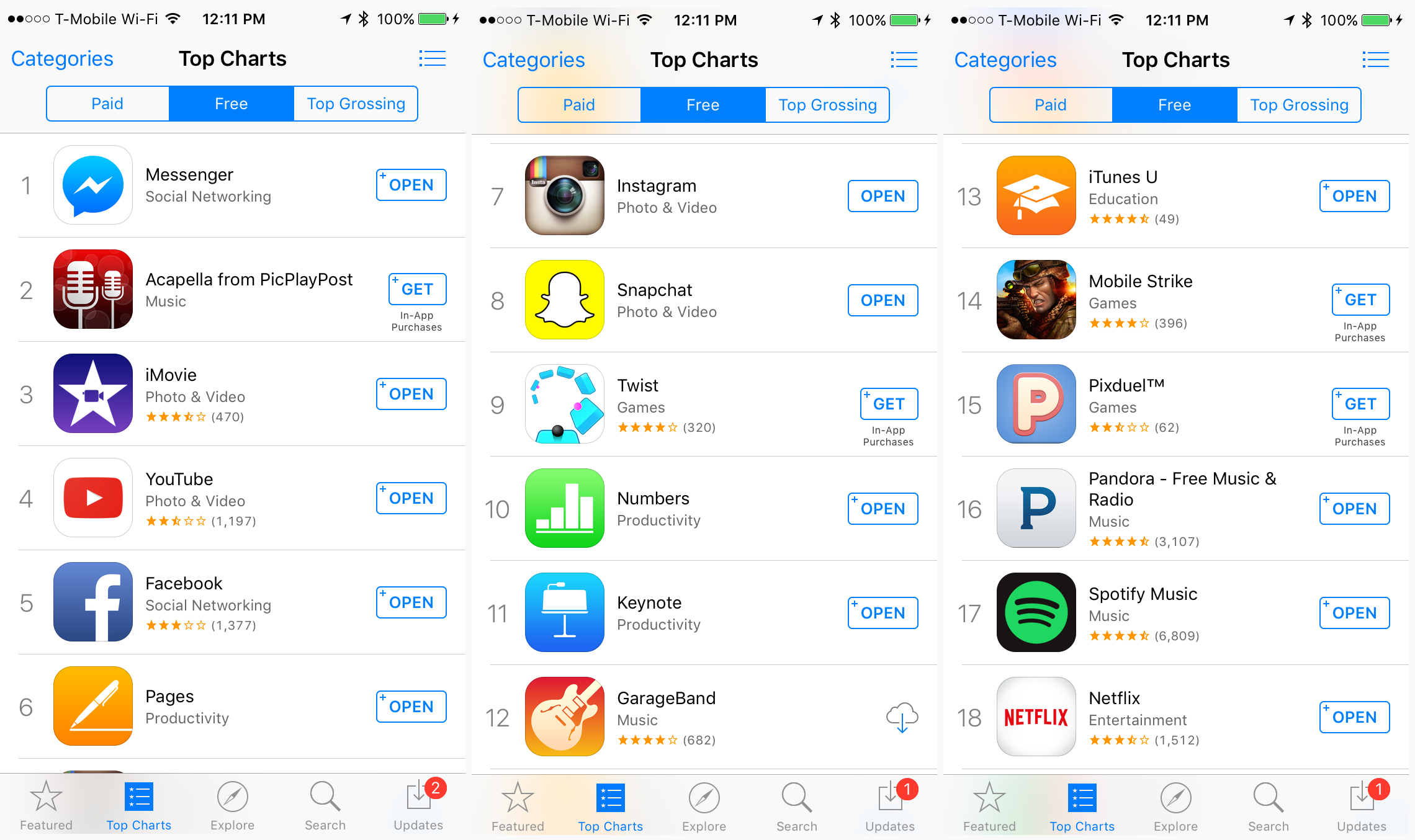
The App Store ecosystem categorizes software under the "Get" button for free downloads, but developers utilize various strategies to monetize these offerings. Recognizing these monetization vectors helps users evaluate whether a free app aligns with their expectations for privacy, usability, and cost.
Many developers adopt a freemium model, providing core features at no charge while gating advanced tools behind in-app purchases (IAP) or recurring subscriptions. Other applications rely on ad-supported frameworks, displaying banner ads, interstitial video interruptions, or native sponsored content. Understanding these mechanics ensures you can distinguish between truly free utilities and software designed to nickel-and-diming users through continuous microtransactions.
- Freemium Software: Core functionality is open, but power features require an upgrade or subscription.
- Ad-Supported Apps: Completely free to use, but subsidized by third-party advertising networks.
- Data-Monetization Apps: Free upfront, though the business model relies on aggregating and anonymizing user telemetry and behavior analytics.
- Open-Source and Non-Profit Utilities: Truly free applications built by community developers or institutions without commercial intent.
How to Discover Safe, High-Quality Free Applications
Finding reliable software on iOS goes beyond browsing the top charts. Apple's curation teams frequently highlight exceptional applications through Today tabs, Design Award winners, and editorial collections, but power users utilize targeted search habits to find niche utilities.
When exploring the App Store, always inspect the App Privacy section on the product page before downloading. This details what data points the developer collects and whether those metrics link to your identity. Checking user reviews sorted by "Most Recent" rather than "Most Helpful" also reveals if a formerly free app recently transitioned into an aggressive subscription model.
Evaluation Best Practices Always verify the developer name and check their portfolio. Reputable publishers maintain dedicated support websites, transparent privacy policies, and consistent update logs. If an app has not been updated in over two years, it may break under newer iOS iterations or present security vulnerabilities.
Step-by-Step Guide to Managing Your iOS Downloads and Subscriptions
Managing your free app ecosystem ensures your device stays secure, organized, and free of accidental charges from free trials that auto-renew.
- Open the App Store: Tap your profile icon in the upper-right corner of the Today tab to access your account settings.
- Audit Active Subscriptions: Navigate to the Subscriptions menu to review any free trials you have active. Cancel upcoming renewals immediately if you do not intend to pay after the trial period expires.
- Configure App Updates: Go to Settings on your iPhone, select App Store, and toggle on App Updates under Automatic Downloads to ensure your free apps receive crucial security patches.
- Manage Offloading: Enable "Offload Unused Apps" in your iPhone Storage settings to automatically remove applications you rarely open while preserving their local documents and data.
- Review App Permissions: Open Settings, scroll down to individual app entries, and revoke unnecessary permissions such as precise location tracking, microphone access, or local network discovery.
Comparing App Monetization Types on iOS
| Monetization Type | Upfront Cost | Ongoing Financial Risk | Privacy Impact | Best Used For |
|---|---|---|---|---|
| Freemium | $0.00 | Low to Moderate (IAPs) | Low to Medium | Productivity tools, editing suites, and games |
| Ad-Supported | $0.00 | None | High (Ad tracking) | Casual games, utility calculators, news readers |
| Open-Source | $0.00 | None | Minimal | Privacy-focused tools, authenticator apps, readers |
| Free Trial | $0.00 | High (Auto-renewal) | Varies | Premium software testing (requires immediate cancellation tracking) |
Troubleshooting Common Issues with Free iOS Apps
Even simple downloads can sometimes present hurdles. Addressing these technical roadblocks quickly restores normal App Store functionality.
- Pending Download Loops: If a free app download stalls with a spinning wheel, sign out of your Apple ID within App Store settings, restart your iPhone, and sign back in to refresh token authentication.
- Payment Method Verification Errors: Even for zero-cost downloads, Apple requires a valid payment method on file if your account has unresolved billing issues or regional mismatches. Update your payment details in Apple ID settings to clear the block.
- Storage Space False Positives: iOS sometimes requires more free headroom than the app file size to unpack and install packages. Clear browser caches or offload heavy media files if an installation fails repeatedly.
- Region-Locked Free Apps: Certain free utilities are restricted to specific country storefronts. Changing your Apple ID region requires clearing active balances and canceling subscriptions, so use this workaround cautiously.
Strategic Recommendations for an Optimized iOS Experience
Maintaining a clean iPhone requires curating your software library intentionally. Delete free apps you have not used within the last 30 days to reduce background battery drain and telemetry collection. Utilize Apple's built-in Screen Time controls to monitor app usage patterns, and regularly check your purchase history to ensure no unexpected charges post to your account. Prioritize applications that respect user privacy and offer robust offline functionality without constant cloud connectivity requirements.
Frequently Asked Questions
Can I download free apps on iOS without entering a credit card?
Yes, you can download free apps without a payment method if you create or configure an Apple ID that bypasses adding credit card or PayPal information. However, attempting to download paid software or subscribe to services will prompt you to add a valid billing method.
Do free apps on iOS contain hidden malware?
Apple vets all submissions through strict automated and human review processes via App Review guidelines, making malware rare on the official App Store. Nevertheless, sketchy ad-supported utilities can still employ aggressive adware, phishing links, or excessive data harvesting.
How do I stop free trials from charging my card automatically?
You must cancel the free trial at least 24 hours before the billing cycle begins through your Apple ID Subscriptions settings page. Deleting the app from your home screen does not cancel the recurring subscription.
Are open-source apps on iOS truly free?
Yes, open-source apps available on the App Store are generally free, ad-free, and do not track user data for commercial advertising. Many are developed by independent contributors and funded through voluntary donations or user sponsorships.
Why do some free apps require an account creation?
Developers often require account sign-ups to sync data across multiple devices, enforce freemium licensing rules, or collect user telemetry for targeted marketing and analytics purposes.
Image Gallery