Comprehensive Guide to the Comcast Payment Center: Options, Locations, and 2026 Account Management
Navigating the Comcast payment center landscape requires understanding the various options available to settle your Xfinity broadband, television, and mobile bills. Comcast Xfinity provides multiple payment methods, ranging from automa...
Navigating the Comcast payment center landscape requires understanding the various options available to settle your Xfinity broadband, television, and mobile bills. Comcast Xfinity provides multiple payment methods, ranging from automated digital portals and mobile applications to physical retail store payment kiosks, physical customer service centers, and mailed check options.
Contents
Understanding Your Account Structure and Billing Prerequisites
Before initiating a payment through any Comcast payment center channel, you must have your account prerequisites in order. Knowing your account details ensures that your payment is credited accurately and immediately to your service balance, preventing potential service interruptions or late fees.
To successfully process a payment, ensure you have the following information prepared:
- Xfinity Account Number: A 12-digit number located at the top of your paper or digital bill.
- Registered Phone Number: The primary phone number associated with your Comcast account profile.
- Secure Login Credentials: Your Xfinity ID and password for digital self-service portals.
- Payment Instrument: A valid checking account routing and account number, debit card, or credit card.
Comcast issues billing statements on a monthly recurring cycle based on your service activation date. Reviewing your billing statement details prior to payment helps identify any unexpected overages, equipment rental charges, or promotional expiration dates that may impact your total balance due.
Digital and Automated Payment Center Channels
The most efficient methods for settling your Comcast bill involve digital self-service tools. These options process transactions instantly and eliminate the need to travel to a physical location or pay processing fees associated with over-the-phone agent assistance.
The Xfinity App and Online Portal
The official Xfinity app, available for iOS and Android devices, along with the browser-based account management portal, serves as the primary virtual payment center.
- Log in securely using your Xfinity ID and password.
- Navigate to the Billing or Balance tab to view your current statement breakdown.
- Select Make a Payment and choose your preferred saved payment method or add a new credit card, debit card, or bank account.
- Review the transaction amount and click Submit Payment to receive an instant digital confirmation receipt.
Setting Up Automatic Payments (EcoBill)
Enrolling in automatic payments ensures your bill is paid on time every month without manual intervention. Comcast frequently offers paperless billing and automatic payment discounts for customers who enroll in these features.
- Navigate to the billing section in your online account.
- Select Auto-Pay and toggle the feature to active status.
- Link your preferred funding source (bank account or card).
- Verify your enrollment status to ensure active discounts apply to your next billing cycle.
Physical Comcast Payment Center Locations and Kiosks
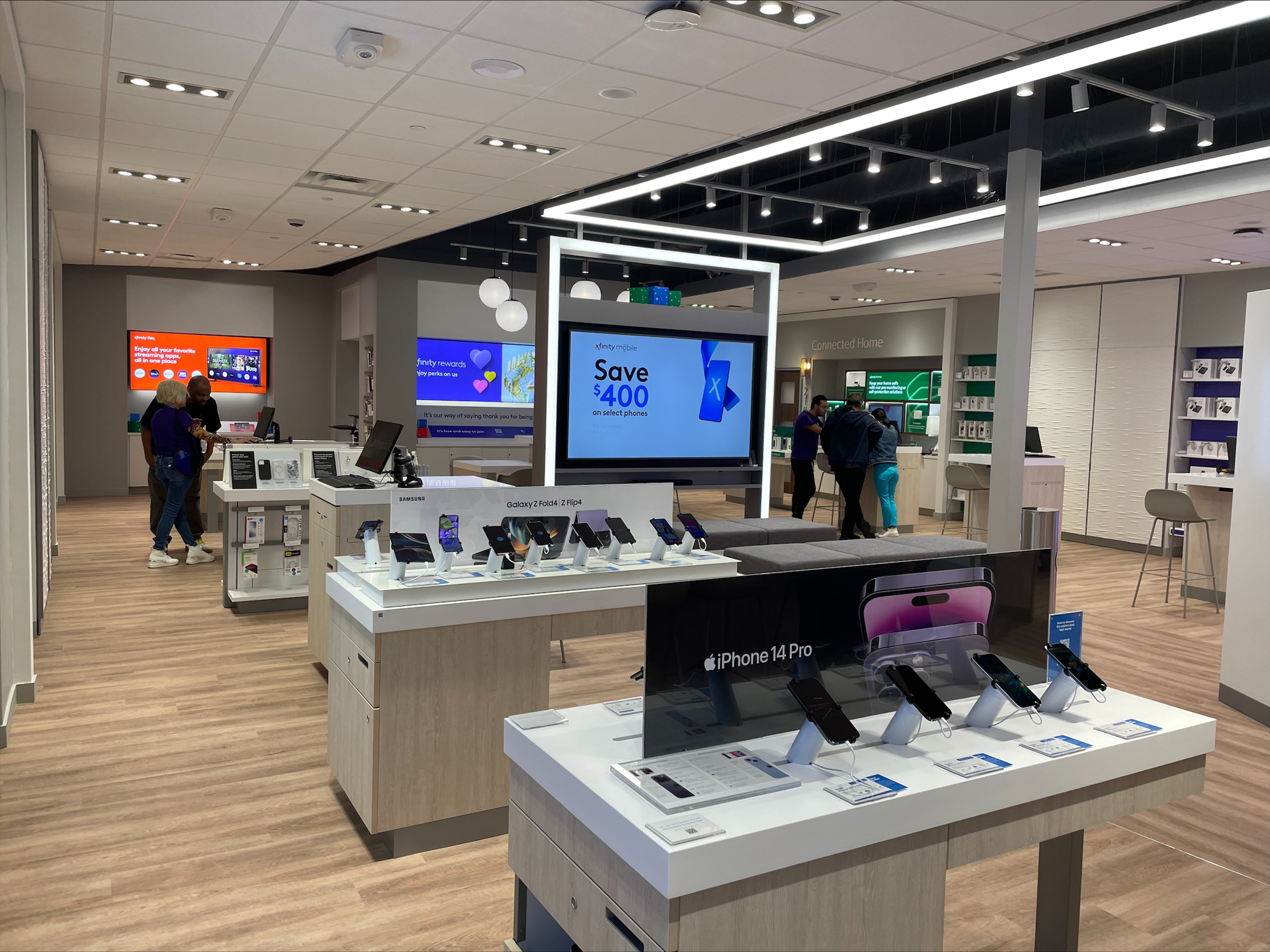
For customers who prefer handling transactions in person, Comcast maintains physical retail stores, authorized payment locations, and self-service kiosks. These facilities allow cash, check, and card payments.
Xfinity Retail Stores and Self-Service Kiosks
Xfinity retail stores feature standalone self-service payment kiosks. These touch-screen terminals are designed for rapid bill processing and account management.
- Kiosk Capabilities: Accept cash, checks, debit cards, and credit cards. Provide immediate on-screen confirmation and printed paper receipts.
- Store Services: Beyond bill payment, retail locations allow you to return cable boxes, modems, and remote controls, upgrade your internet tiers, and troubleshoot equipment issues with customer service representatives.
- Finding a Location: Use the official Xfinity Store Locator online to input your ZIP code and find the nearest brick-and-mortar facility, operating hours, and available appointment scheduling.
| Payment Method | Processing Speed | Convenience Factor | Associated Fees | Best Used For |
|---|---|---|---|---|
| Xfinity App / Online | Instant | High (Accessible 24/7) | None | Standard recurring monthly payments |
| Retail Store Kiosk | Instant | Moderate (Requires travel) | None | Cash/check deposits, equipment returns |
| Phone (Automated IVR) | Instant | High | None | Quick card payments via phone prompt |
| Phone (Live Agent) | Instant | Moderate | Possible assisted fee | Complex billing inquiries requiring staff |
| Mail-In Check | 7-10 Business Days | Low | Cost of stamp / Check fees | Traditional banking preferences |
Alternative Payment Methods
If digital portals or physical stores are unavailable, Comcast provides several alternative channels to clear your account balance.
Phone-Based Payments
You can pay your bill over the phone using the automated interactive voice response (IVR) system or by speaking with a live customer service representative.
- Dial the primary Xfinity customer service number (1-800-XFINITY).
- Follow the automated prompts to check your balance and execute a payment using a debit card, credit card, or electronic check.
- Note: Utilizing live agents for payment processing may incur a telephone assistance fee in certain regions, whereas automated IVR payments remain free of charge.
Mail-In Payments
Traditional paper check payments can be mailed directly to Comcast processing centers.
- Write your Xfinity account number clearly on the face of the check or money order.
- Include the remittance slip attached to the bottom of your paper billing statement.
- Mail the payment to the specific lockbox address listed on your bill.
- Warning: Mail processing typically takes 7 to 10 business days. To avoid late fees and service shutoffs, mail your payment well in advance of your actual due date.
Pros and Cons of Different Comcast Payment Methods
Choosing the right payment channel depends on your personal preferences regarding speed, security, and convenience.
- Digital Portals (App & Web)
- Pros: Instant credit, accessible from anywhere, no travel required, supports auto-pay discounts.
- Cons: Requires internet access and technical literacy; vulnerability to phishing scams if not using official URLs.
- Retail Kiosks and Stores
- Pros: Accepts cash and physical checks; allows simultaneous equipment returns and face-to-face support.
- Cons: Subject to store operating hours, potential travel time, and possible wait lines during peak hours.
- Mail-In Check
- Pros: Familiar traditional method requiring no digital technology.
- Cons: Slowest processing time (high risk of late fees if delayed in transit), risk of mail theft or loss.
Troubleshooting Common Comcast Payment Center Issues
Encountering a payment error can be stressful, particularly if your service is already suspended for non-payment. Applying systematic troubleshooting steps resolves most transaction roadblocks quickly.
Payment Not Reflecting on Account Balance
If you paid via a third-party banking app or mail-in check, confirmation may take several business days. If you paid via the Xfinity app and the balance remains unpaid after 24 hours:
- Verify that funds successfully cleared your personal bank or credit card account.
- Check your registered email for an official Xfinity payment confirmation receipt containing a transaction ID.
- Contact Xfinity support via online chat and provide the transaction ID to manually trace the ledger entry.
Credit Card or Bank Account Declined
- Confirm that your billing address matches the address on file with your financial institution.
- Verify that your card has not expired and that you have sufficient funds or credit limit available.
- Contact your bank to ensure they have not flagged the Comcast transaction as unauthorized or suspicious.
Service Reconnection After Disconnection
If your services were disconnected due to non-payment:
- Pay your past-due balance in full using an instant digital method or an in-store kiosk.
- Services typically automatically reconnect within 10 to 15 minutes following a successful electronic payment.
- If services do not restore automatically within an hour, power cycle (unplug and plug back in) your modem, gateway, and cable boxes to force a fresh network handshake.
Frequently Asked Questions About Comcast Payments
How can I locate the nearest physical Comcast payment center?
You can find the closest Xfinity retail store or authorized payment kiosk by utilizing the official Xfinity Store Locator tool on their website, entering your ZIP code to view addresses, operating hours, and available amenities.
Does Comcast charge extra fees for paying my bill online?
No, Comcast does not charge convenience fees for paying your bill online through the official Xfinity app, website, or automated phone system.
How quickly does an online payment post to my Xfinity account?
Payments made through the Xfinity app, online portal, or retail store kiosks are applied to your account balance instantly, usually reflecting within seconds of transaction completion.
Can I pay my Comcast bill with cash?
Yes, you can pay with cash by visiting an official Xfinity retail store location and utilizing their self-service payment kiosks or speaking with a retail customer service representative.
What should I do if my payment was applied to the wrong account?
If you suspect a payment misapplication, contact Xfinity customer support immediately with your transaction receipt, bank statement proof of payment, and correct account number to request a manual ledger correction.
Are there any discounts for setting up auto-pay with Comcast?
Comcast frequently offers specific monthly billing discounts for customers who enroll in both paperless billing and automatic payments using an eligible bank account or debit card. Check your current online account billing offers to see active promotions.
Conclusion and Recommendations for Account Management
Managing your Comcast account efficiently ensures uninterrupted broadband and entertainment services while protecting you from avoidable late fees. Prioritize digital methods like the Xfinity app or automatic payments for the fastest processing times and zero hassle. For cash transactions or hardware returns, utilize official Xfinity retail stores and their on-site payment kiosks. Always retain your transaction confirmation numbers or printed receipts to safeguard against rare billing discrepancies.
Image Gallery