Optimizing Your Rainbow Stat Tracker Performance in 2026
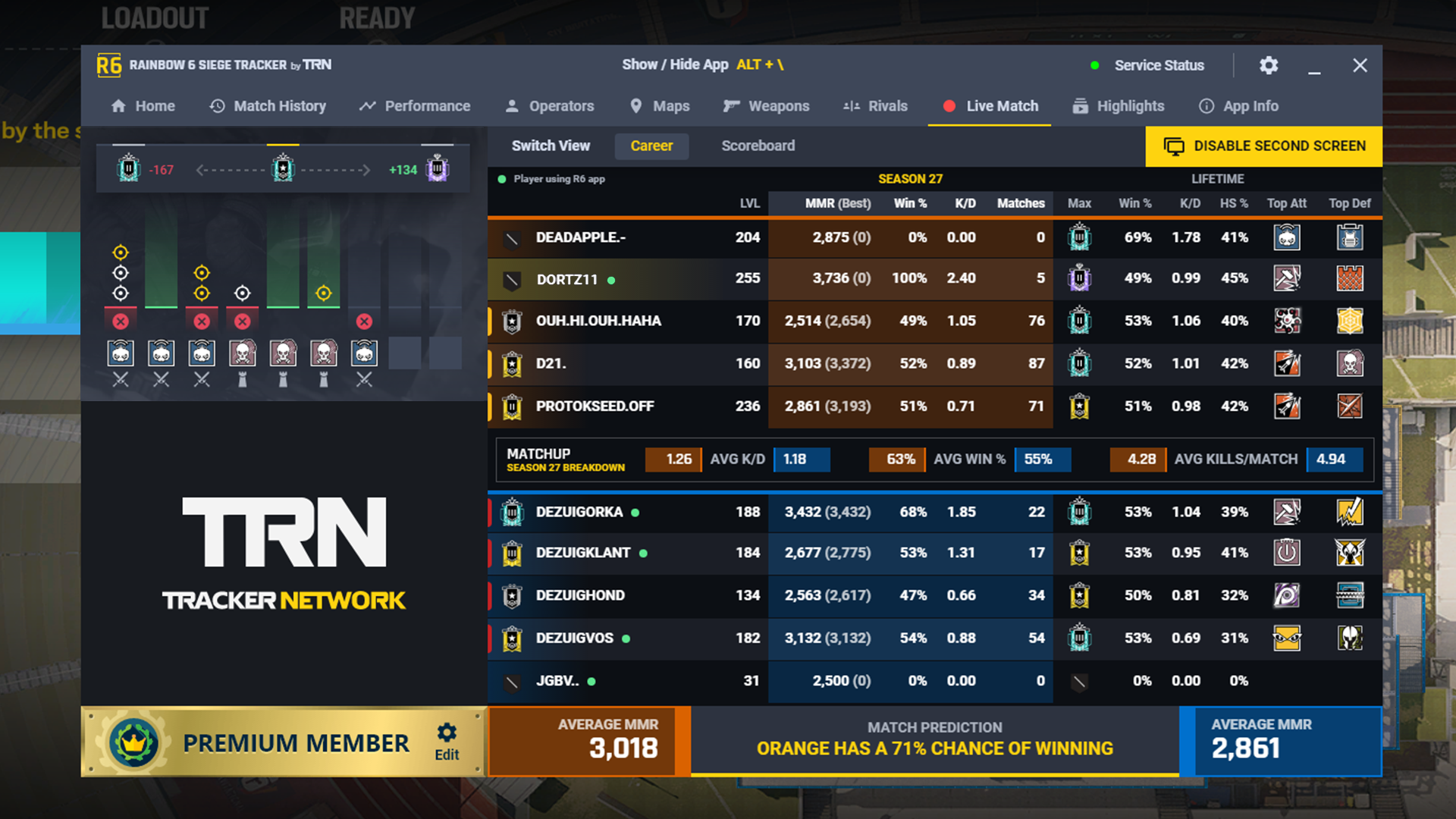
The Rainbow stat tracker is a third-party analytical tool designed for players of Ubisoft’s tactical shooter, Rainbow Six Siege, to monitor K/D ratios, win rates, and seasonal progression. By syncing your Ubisoft account with the track...
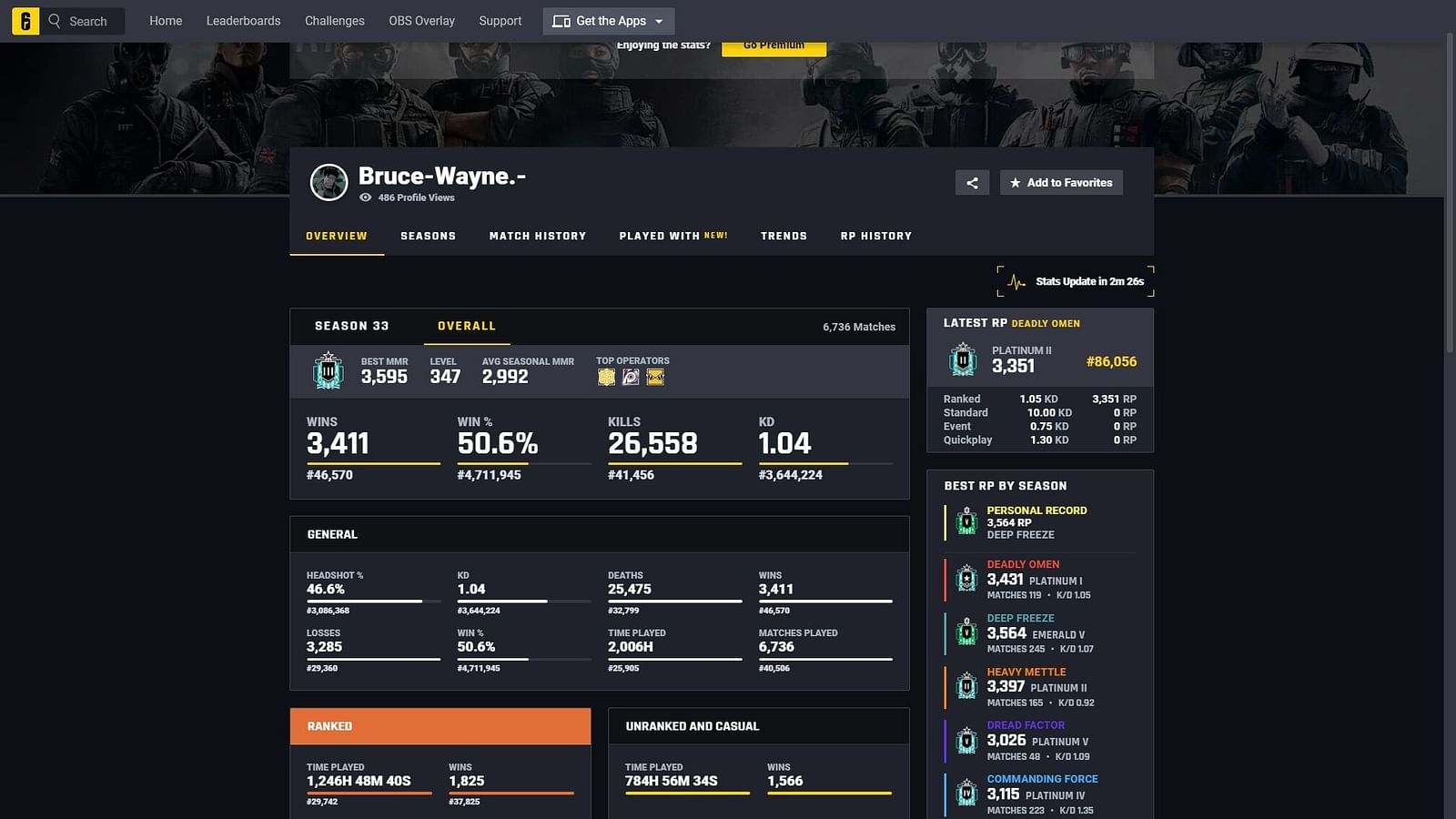
The Rainbow stat tracker is a third-party analytical tool designed for players of Ubisoft’s tactical shooter, Rainbow Six Siege, to monitor K/D ratios, win rates, and seasonal progression. By syncing your Ubisoft account with the tracker’s API, you gain granular insights into operator performance, map efficiency, and comparative ranking statistics against the broader player base during the 2026 competitive season.
Contents
Understanding the Mechanics of Stat Tracking in Siege
Stat trackers operate by interfacing with the official Ubisoft API, which broadcasts real-time match data once a session concludes. In 2026, these platforms have evolved from simple K/D displays to complex predictive engines. They aggregate your performance metrics to calculate your "Elo" trend, identifying whether you are trending toward a higher rank or plateauing based on specific gameplay behaviors.
The core of a stat tracker is its ability to isolate variables. Instead of looking at your overall profile, a high-quality tracker breaks down your impact per round. This includes tracking your utility usage, your success rate in defensive holds, and your efficiency as an entry fragger or support player. By understanding how these metrics correlate with your rank, you can adjust your playstyle to better suit the meta of the current 2026 season.
Key Performance Metrics for Serious Competitors
When analyzing your data, focus on metrics that translate to actual game impact rather than just superficial numbers. A high K/D is often misleading if your entry-death ratio is poor or if you aren't contributing to objective play.
- Entry Success Rate: The frequency at which you win your first engagement of the round.
- Utility Efficiency: The number of defensive gadgets destroyed or utilized effectively relative to your team's success.
- Map-Specific Win Rate: Data showing which maps you excel on and which ones require further study in custom matches.
- Seasonal MMR Progression: A longitudinal look at your rank movement, helping you identify if your improvement efforts are yielding tangible results.
Comparative Analysis of Tracking Tools
In 2026, several platforms dominate the space. Choosing the right one depends on whether you prioritize desktop integration or mobile accessibility.
| Feature | R6 Tracker (Official API) | In-Game Overlay Trackers | Mobile-Based Analytics |
|---|---|---|---|
| Real-time Updates | High (Post-match) | Instant | Delayed |
| Operator Deep-Dive | Excellent | Limited | Moderate |
| System Impact | Negligible | Moderate (GPU load) | None |
| Ease of Use | High | High | Moderate |
Step-by-Step Integration for Your Profile
To ensure your stats are captured accurately, you must verify your account privacy settings. If your profile is set to private, the tracker will fail to pull the necessary data, leading to incomplete reports.
- Navigate to your Ubisoft Connect privacy settings.
- Ensure that your game data is set to "Public" or "Visible to Others."
- Visit your preferred tracker website and select the "Login with Ubisoft" button to authorize the API connection.
- Once connected, play at least one Ranked or Standard match to trigger the initial data sync.
- Check your dashboard after approximately 15 minutes to confirm that the platform is accurately logging your most recent kills, deaths, and win/loss records.
Troubleshooting Common Sync Errors
Users often encounter issues where matches do not appear on their tracker. This is rarely a fault of your own hardware but rather an API handshake failure between Ubisoft’s servers and the third-party platform.
API Latency and Data Gaps
When your stats fail to update, it is frequently due to high traffic on Ubisoft’s servers during peak competitive hours. Wait for a cooling-off period of two hours before attempting a manual refresh. If the data remains stagnant, disconnect and reconnect your Ubisoft account through the tracker settings to reset the authorization token.
If your stats are still missing, verify that you are playing the correct game mode. Many trackers only ingest data from ranked playlists and ignore casual or custom game modes. Furthermore, ensure you are not using a VPN that might be blocking the API request from the tracker’s domain.
Maximizing Your Growth Using Historical Data
The true power of a stat tracker lies in its longitudinal data. In 2026, many professionals use their year-over-year stats to diagnose performance slumps. If your win rate has dropped, look at your "Operator Win Rate" over the last 90 days. If you find that your win rate with a specific operator has plummeted, it may indicate that the current meta or balance changes have rendered your previous strategy obsolete.
Use the trends tab to compare your performance during the start of a season versus the end. Players often find that their performance dips as they approach their "peak" rank, suggesting they are reaching the limit of their current skill set and need to incorporate more advanced tactics like vertical play or complex roam clearing.
Frequently Asked Questions
Does using a stat tracker result in a ban? No, using reputable web-based trackers that rely on the public-facing Ubisoft API is safe and compliant with the Terms of Service. They do not inject code into the game, so they are not considered unauthorized software.
Why is my K/D different on the tracker compared to in-game? Trackers often differentiate between "Seasonal" K/D and "All-Time" K/D. Ensure you are comparing the same timeframes, as the in-game UI might be showing a lifetime average, whereas your tracker is likely highlighting your current 2026 season performance.
How often should I review my statistics? It is recommended to review your statistics every 10-15 ranked matches. Reviewing too frequently leads to "stats anxiety," where you might play overly cautious to protect your rating rather than playing to win.
Can trackers help me choose which operator to master? Yes, use the "Operator" tab to see which characters yield your highest win rate. Often, players have a "hidden" main—an operator they perform exceptionally well with statistically but rarely pick.
Do these trackers track my teammates' performance? Most trackers allow you to look up other players' profiles. This is useful for competitive squads looking to identify the strengths and weaknesses of their opponents before a match starts.
Achieving Consistency Through Data-Driven Play
To master your role, use the data to move away from subjective feelings about your gameplay. If you feel you are an "entry fragger" but your stats show that you have a 0.8 K/D and a low first-death percentage, the data is telling you that your actual role is closer to a "Support/Anchor." Aligning your perception with your actual performance is the first step toward climbing the ranks in 2026. Audit your habits, refine your operator pool based on win-rate data, and continue to monitor your progression through your tracker dashboard for sustained improvement.
Image Gallery