How to Protect Yourself from Ransomware: A Comprehensive Defense Strategy
Protecting yourself from ransomware requires a multi-layered approach combining technical safeguards, disciplined data management, and rigorous cybersecurity awareness. By implementing robust backup protocols, maintaining updated softw...
Protecting yourself from ransomware requires a multi-layered approach combining technical safeguards, disciplined data management, and rigorous cybersecurity awareness. By implementing robust backup protocols, maintaining updated software, and applying the principle of least privilege, you can significantly mitigate the risk of data loss and system compromise resulting from malicious encryption attacks.
Contents
Understanding the Ransomware Lifecycle
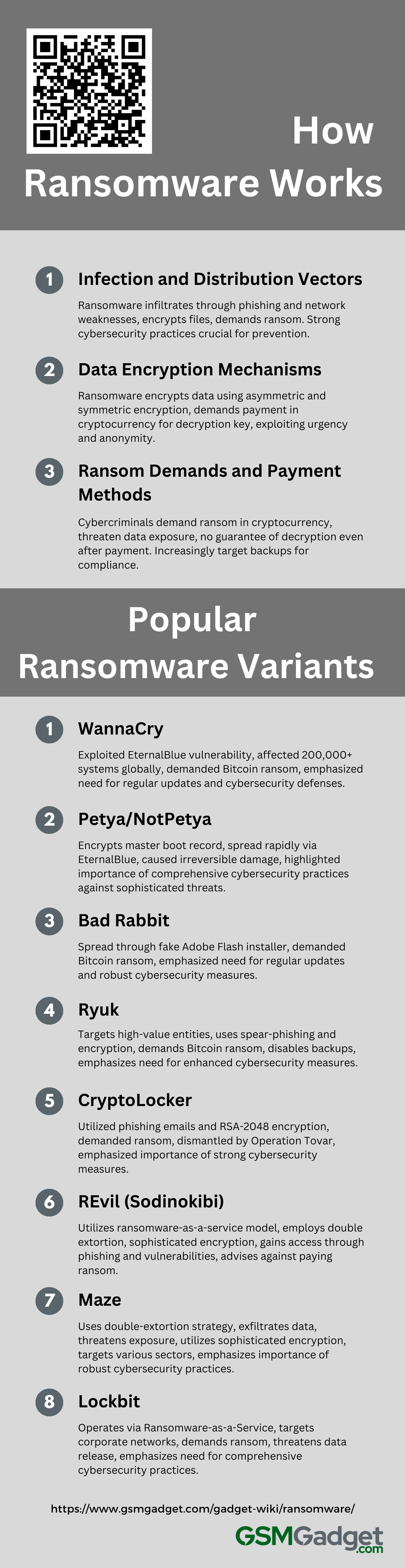
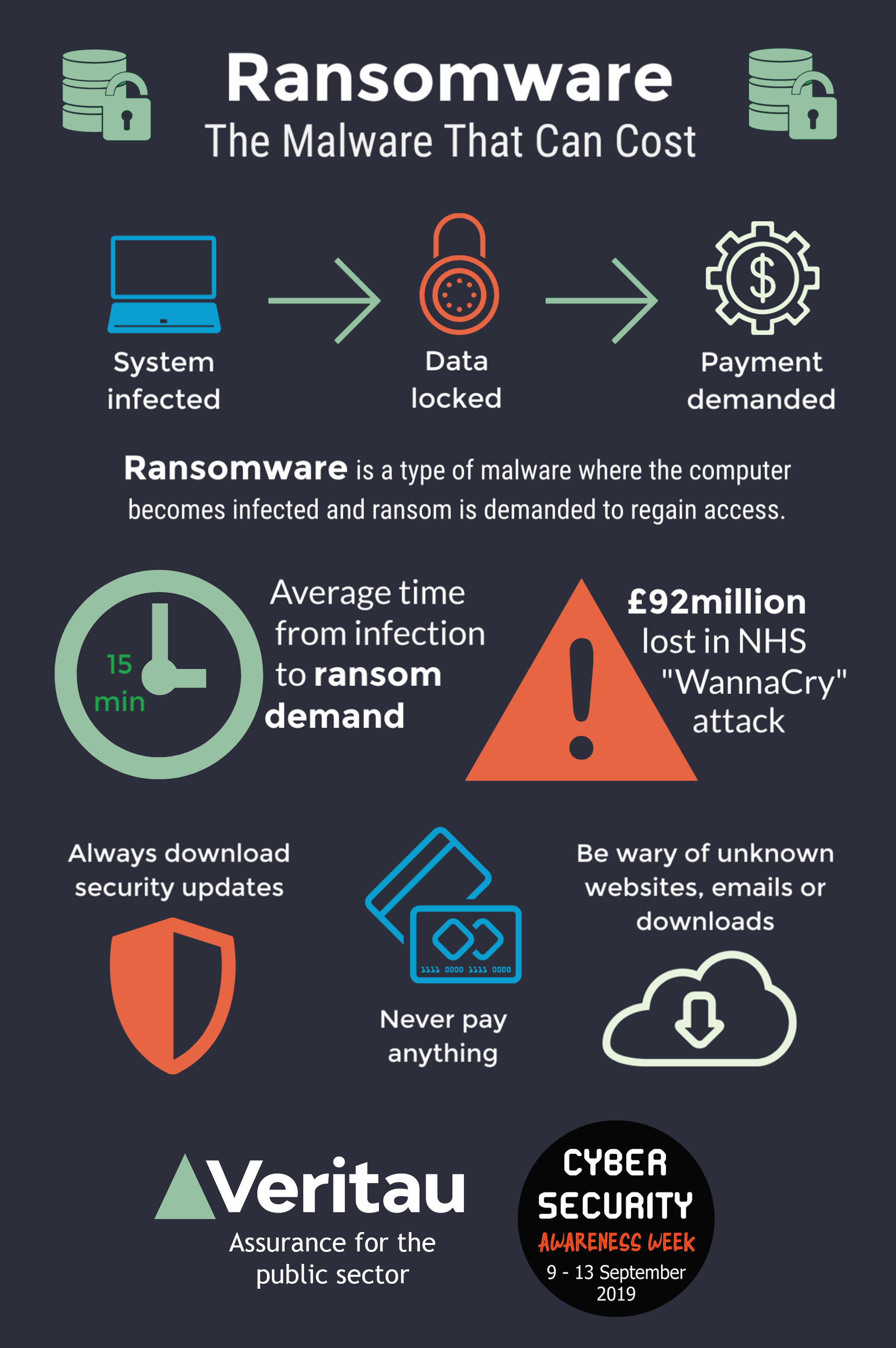
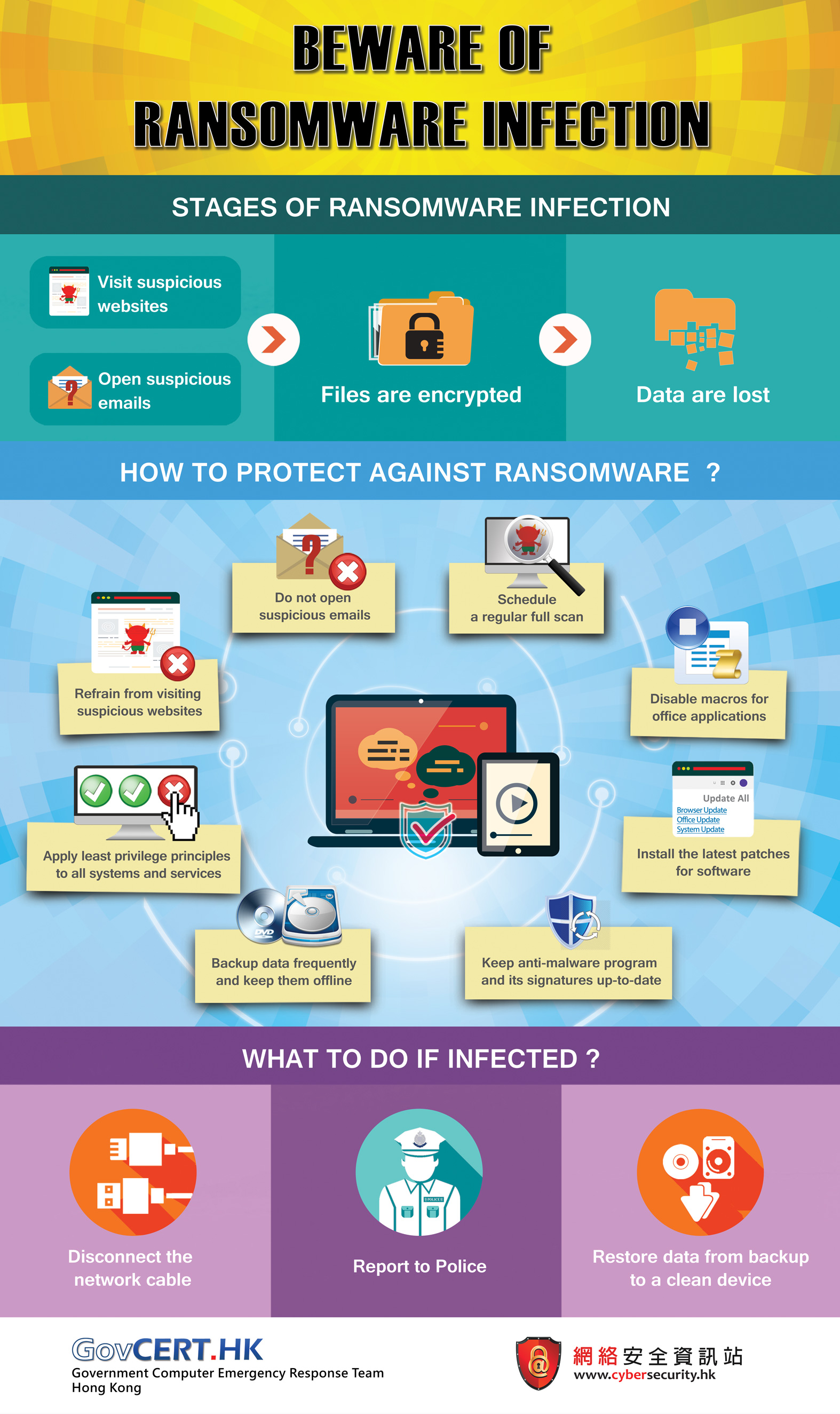
Ransomware is a subset of malware that denies access to a computer system or data until a ransom is paid. Understanding how it operates is the first step toward effective defense. Most attacks follow a predictable pattern: infiltration, communication with a command-and-control server, encryption of user files, and finally, the delivery of a ransom note.
Attackers typically gain entry via phishing emails containing malicious attachments, exploiting unpatched software vulnerabilities, or using compromised Remote Desktop Protocol (RDP) credentials. Once inside, the ransomware scans for locally stored files and mapped network drives. Protecting yourself requires disrupting this lifecycle at its most vulnerable points: the moment of entry and the moment of attempted data access.
The Foundation: Immutable Backup Strategies
The most effective recovery method is a reliable backup. However, modern ransomware is designed to seek out and encrypt backups if they remain connected to the host system. To protect your data, you must adopt the "3-2-1-1-0" rule:
- 3 copies of your data.
- 2 different types of media (e.g., local disk and cloud).
- 1 copy stored off-site.
- 1 copy stored offline or as an immutable (read-only) snapshot.
- 0 errors after automated recovery testing.
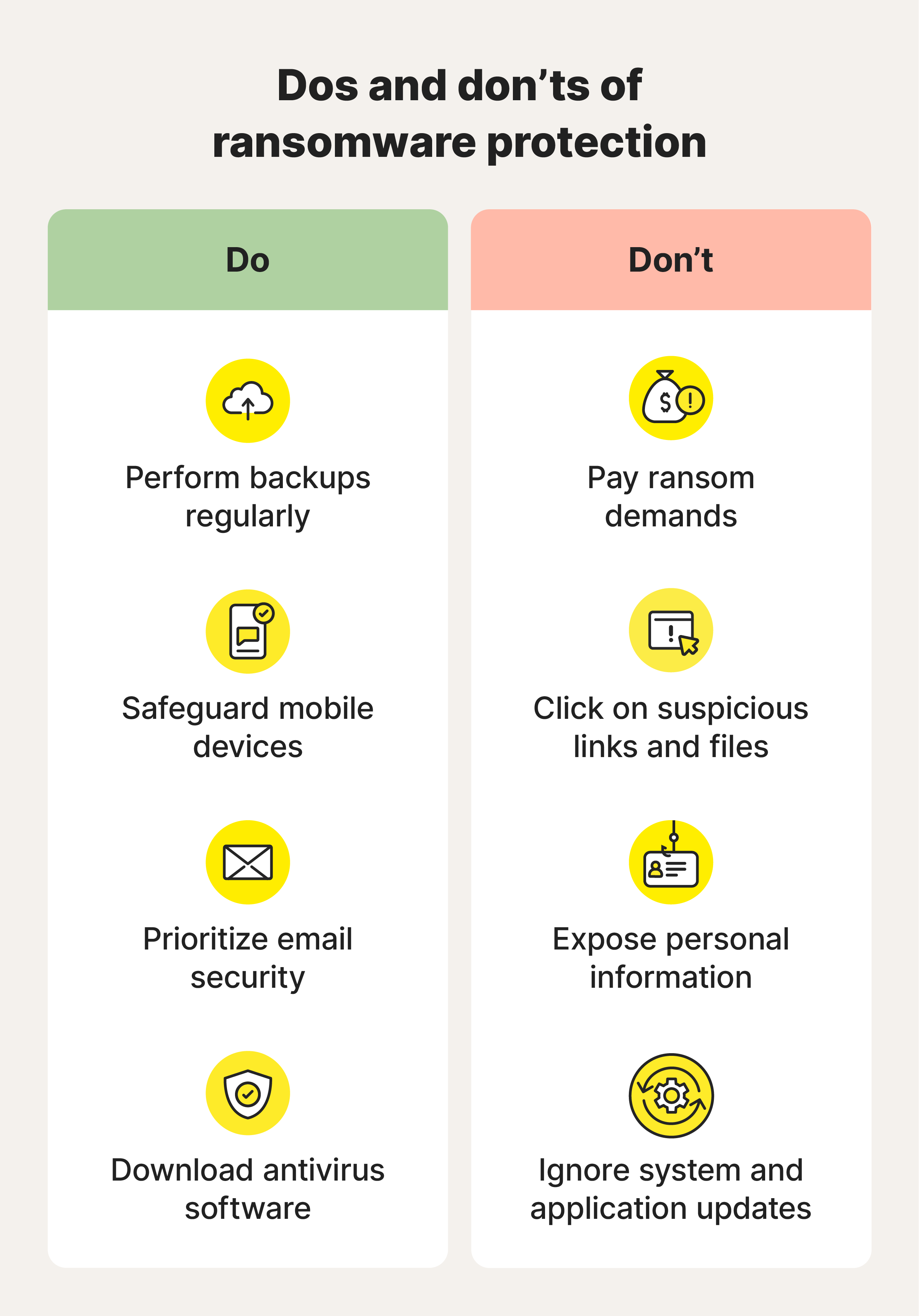
Immutable backups are particularly critical in 2026, as they prevent any modification or deletion of data for a set duration, even if the primary account credentials are compromised.
Strengthening Technical Defenses
Security software acts as a gatekeeper, but its effectiveness depends on proper configuration. You should prioritize the following technical measures to harden your environment.
1. Software Patching and Lifecycle Management
Vulnerability exploitation remains a primary vector for ransomware. Always enable automatic updates for your operating system and applications. Developers frequently release security patches to close gaps that ransomware gangs use for initial access. If you are running legacy software that no longer receives updates, you are significantly more susceptible to automated exploits.
2. Endpoint Detection and Response (EDR)
Standard antivirus software is often insufficient against sophisticated, "living-off-the-land" attacks. Consider deploying EDR tools that monitor system behavior rather than just matching file signatures. These tools detect anomalous patterns, such as mass file renaming or unauthorized administrative script execution, and can isolate infected machines before the encryption process spreads across your network.
3. Access Control and Principle of Least Privilege
Many users operate their computers with administrative privileges by default. If a ransomware process executes under an admin account, it gains full control over the system. Create a standard user account for daily activities, such as web browsing and email. Only switch to an administrative account when performing specific system maintenance tasks.
Practical Security Measures Comparison
| Strategy | Primary Defense Mechanism | Maintenance Level | Cost Impact |
|---|---|---|---|
| Offline Backups | Data Recovery | Periodic | Low |
| EDR Software | Behavioral Monitoring | High | Moderate/High |
| User Training | Risk Reduction | Continuous | Low |
| Network Segmentation | Damage Containment | Moderate | Moderate |
| Patch Management | Vulnerability Removal | Automatic | Low |
Identifying and Mitigating Phishing Risks
Phishing remains the most common delivery vehicle for ransomware. Modern phishing attempts in 2026 are increasingly personalized and often bypass simple spam filters. You must treat every unsolicited communication with skepticism.
- Verify the Sender: Check the actual email address, not just the display name. Attackers often use look-alike domains (e.g.,
company-support.cominstead ofcompany.com). - Inspect Links: Hover your cursor over links to see the true destination URL before clicking.
- Macro Caution: Never enable macros in downloaded documents. Many ransomware payloads are embedded in malicious Word or Excel macros that execute upon opening.
Network and Device Configuration
The way you connect to the internet significantly impacts your exposure. If you use remote access tools, you must secure them properly. Ensure that all RDP connections are protected by Multi-Factor Authentication (MFA). MFA serves as a critical barrier; even if an attacker acquires your password, they cannot access your system without the secondary authentication token.
Furthermore, segment your network. If you operate multiple devices in a home or office environment, keep your Internet of Things (IoT) devices, such as smart cameras or printers, on a separate VLAN (Virtual Local Area Network). This prevents ransomware from moving laterally from a compromised smart device to your primary workstation or server.
Frequently Asked Questions
What should I do if my system is infected with ransomware? Immediately isolate the device by disconnecting it from the network (Wi-Fi and Ethernet). Do not power off the machine immediately, as some ransomware may clear encryption keys stored in volatile memory. Contact a cybersecurity professional to assess whether a decryption tool is available for that specific strain.
Should I ever pay the ransom? Security organizations and law enforcement agencies generally advise against paying the ransom. Paying does not guarantee that you will receive a functional decryption key, and it signals to cybercriminals that you are a profitable target, which may lead to future attacks.
How do I check if my software is out of date? Check the "Update" or "About" section within your applications. If you are using enterprise systems, use a dedicated patch management console to monitor the status of all networked devices simultaneously.
Does an antivirus program guarantee 100% protection? No. Ransomware is constantly evolving, and some strains are specifically designed to remain dormant until they bypass standard antivirus detection. Always treat your security stack as a layered defense rather than relying on a single tool.
Is cloud storage inherently safe from ransomware? Not necessarily. If your cloud storage is synced to your local machine, a ransomware infection can encrypt your local files, and your computer will automatically sync those encrypted, unusable files to the cloud, overwriting the clean ones. Ensure your cloud provider offers "version history" or "rollback" capabilities to restore previous file states.
Final Next Steps
Start by auditing your current backup situation today. If you do not have an offline or immutable backup copy of your critical data, creating one should be your immediate priority. Once your data is secure, review your administrative accounts and enable MFA on every service that supports it. Cybersecurity is a continuous process of verification and improvement rather than a single setting or installation.
Image Gallery