AARP Games: A Comprehensive Guide to Features, Benefits, and Access for 2026
AARP Games provides a robust collection of free online browser-based puzzles, card games, and arcade-style challenges designed to promote cognitive engagement and social connectivity for adults 50 and older. Users can access these game...
AARP Games provides a robust collection of free online browser-based puzzles, card games, and arcade-style challenges designed to promote cognitive engagement and social connectivity for adults 50 and older. Users can access these games directly through the official AARP website, with optional features for tracking high scores and participating in competitive leaderboards.
Contents
Understanding the Cognitive Value of AARP Games
Engaging in structured play is a scientifically recognized method for maintaining mental acuity. The AARP games portal is curated to offer diverse stimuli, ranging from pattern recognition and memory recall to strategic planning and spatial reasoning. By offering daily challenges, the platform encourages consistent practice, which is essential for neuroplasticity.
In 2026, the platform continues to emphasize a user experience that minimizes technical friction. Unlike high-end gaming platforms that require intensive hardware, AARP games utilize HTML5 architecture, ensuring they are compatible with standard web browsers on both desktop computers and mobile devices.
Categories of Games Available
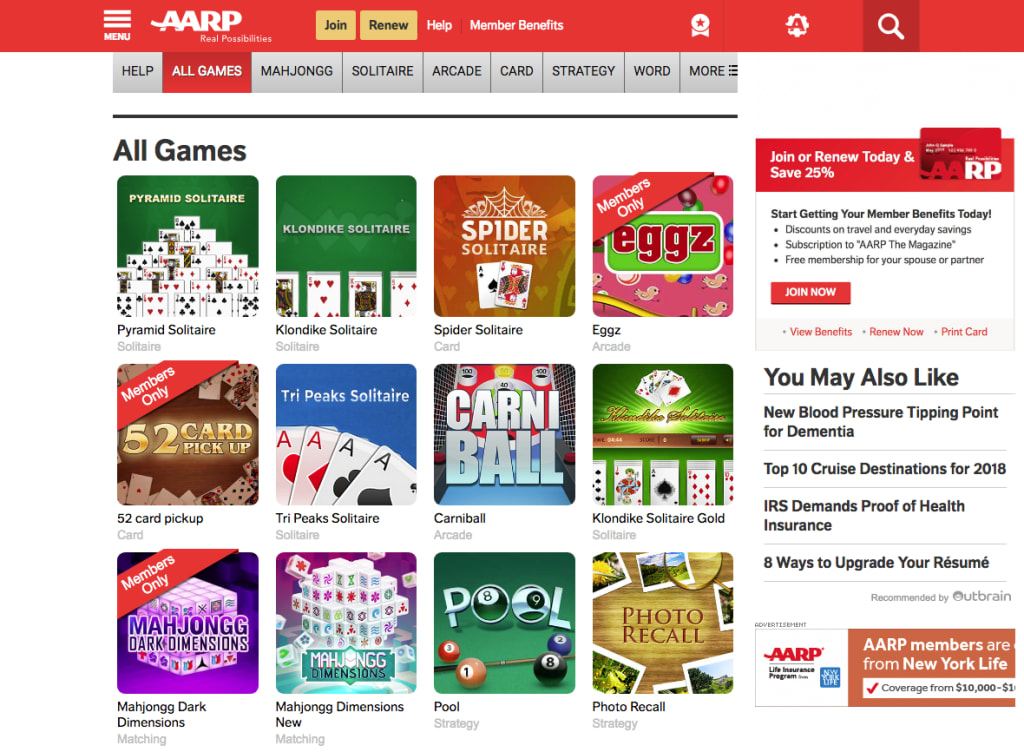
The AARP library is categorized to help users find activities that suit their specific interests and cognitive goals. The following table illustrates the core categories and their primary functional focus.
| Game Category | Primary Cognitive Focus | Example Mechanics |
|---|---|---|
| Word Puzzles | Linguistic recall and vocabulary | Grid-based crosswords, word search |
| Strategy Games | Long-term planning and foresight | Chess, checkers, tactical board games |
| Card Games | Logic, memory, and sequencing | Solitaire, Spider, FreeCell, Bridge |
| Arcade & Action | Reaction time and motor coordination | Endless runners, precision timing |
| Brain Teasers | Pattern recognition and deduction | Sudoku, hidden object, logic grids |
Requirements and Access for 2026
Accessing the AARP games suite does not strictly require an AARP membership, though holding one provides specific benefits. Understanding the technical requirements ensures a seamless experience.
- Browser Requirements: The games are optimized for current versions of Chrome, Firefox, Safari, and Edge. Users should ensure their browser is updated to the latest 2026 release to avoid rendering errors.
- Account Registration: While many games are available to the public, creating a free AARP web account allows users to save progress, participate in daily leaderboards, and personalize their gaming dashboard.
- Membership vs. Non-Membership: AARP members receive ad-free experiences and exclusive access to specific premium tournaments or high-score challenges that are not available to non-registered guests.
Step-by-Step Guide to Getting Started
To begin playing, follow these steps to ensure you are utilizing the platform securely:
- Navigate to the Portal: Access the games directly via the official AARP website. Avoid third-party "gaming" sites that claim to host AARP content, as these may contain malware or aggressive advertising.
- Dashboard Personalization: Log in using your credentials. If you do not have an account, click "Join" or "Sign Up" to create a profile. This step is critical if you wish to track your performance over time.
- Selection and Tutorial: Browse the "Most Popular" or "New" tabs. Most games include a "How to Play" instructional pop-up that explains the control scheme and the objective of the specific game.
- Managing Performance Settings: Adjust your display settings or volume preferences within the game window. For those with visual impairments, most puzzles offer high-contrast modes and adjustable text sizes.
Pros and Cons of the AARP Gaming Platform
Advantages of the Platform
Accessibility and Compatibility The platform is exceptionally low-barrier. It does not require high-speed internet connections or expensive graphics cards, making it ideal for older hardware.
Cognitive Routine The consistency of daily puzzles, such as the Daily Crossword, helps users establish a healthy mental routine.
Safe Digital Environment Unlike open-world gaming communities, AARP games offer a moderated, age-appropriate environment without the risk of toxic player interaction.
Limitations and Considerations
Advertising Reliance For non-members, the platform relies on advertising to remain free. While these ads are filtered, they can interrupt the flow of gameplay.
Internet Dependency As these are browser-based cloud games, they cannot be played offline. A stable, constant connection is required to transmit move data to the servers.
Troubleshooting Common Technical Issues
If you encounter issues while playing, refer to these technical solutions before contacting support:
- Game Loading Stalls: Clear your browser cache and cookies. Often, a corrupted temporary file from a previous 2026 session can prevent new assets from loading.
- Audio/Visual Desync: Ensure your browser is not in "Power Saver" mode, which can throttle JavaScript performance and cause lag in arcade-style games.
- Login Loops: If you are unable to save your score, verify that your browser allows third-party cookies from the AARP domain, as these are required to maintain your login session.
Frequently Asked Questions
Are AARP games truly free for everyone? Yes, the vast majority of the game library is free to play for the public. However, AARP members enjoy additional perks such as ad-free gameplay and member-only leaderboard rankings.
Do these games require a high-end computer? No. AARP games are developed using HTML5, which is designed to run efficiently on virtually any device with a modern web browser, including older laptops and tablets.
Is it safe to enter my personal information to create an account? Yes, AARP maintains strict data privacy standards. Creating an account is secure, and your data is used primarily for leaderboard tracking and personalizing your experience on the AARP website.
Can I play these games on my smartphone? Absolutely. The interface is responsive and designed to scale to touch-screen devices, allowing you to play on mobile phones and tablets without needing a desktop.
Will playing these games improve my memory? While gaming is a recognized tool for cognitive stimulation, it is not a medical treatment. Engaging in these games should be viewed as a healthy mental exercise rather than a cure for memory-related health conditions.
Expert Recommendation
For optimal cognitive benefits, treat your AARP gaming time as a scheduled mental workout. Aim for 15 to 20 minutes daily rather than attempting multi-hour marathons. This approach keeps your engagement high and ensures that the challenge remains fresh. If you find a particular game becomes too easy, transition to a different category, such as switching from card games to logic-based puzzles, to continue challenging your brain with new types of stimuli. Registering for an account is highly recommended in 2026 to take advantage of the progression tracking features, which provide visible evidence of your improvement over time.
Image Gallery