Navigating Life Insurance Forms in PDF Format: A Complete Guide
Navigating life insurance forms in PDF format requires identifying the specific transaction type—such as death claims, beneficiary updates, or cash value surrenders—completing required identity and financial fields, and fulfilling lega...
Navigating life insurance forms in PDF format requires identifying the specific transaction type—such as death claims, beneficiary updates, or cash value surrenders—completing required identity and financial fields, and fulfilling legal validation standards like notarization or digital signatures. Completing these document packages accurately prevents severe administrative delays, claim rejections, and tax complications.
Contents
Disclaimer: This guide is provided for informational purposes only and does not constitute formal legal, financial, or tax advice. Requirements vary by state jurisdiction, policy contract, and insurance carrier.
Types of Life Insurance PDF Forms and Their Purposes
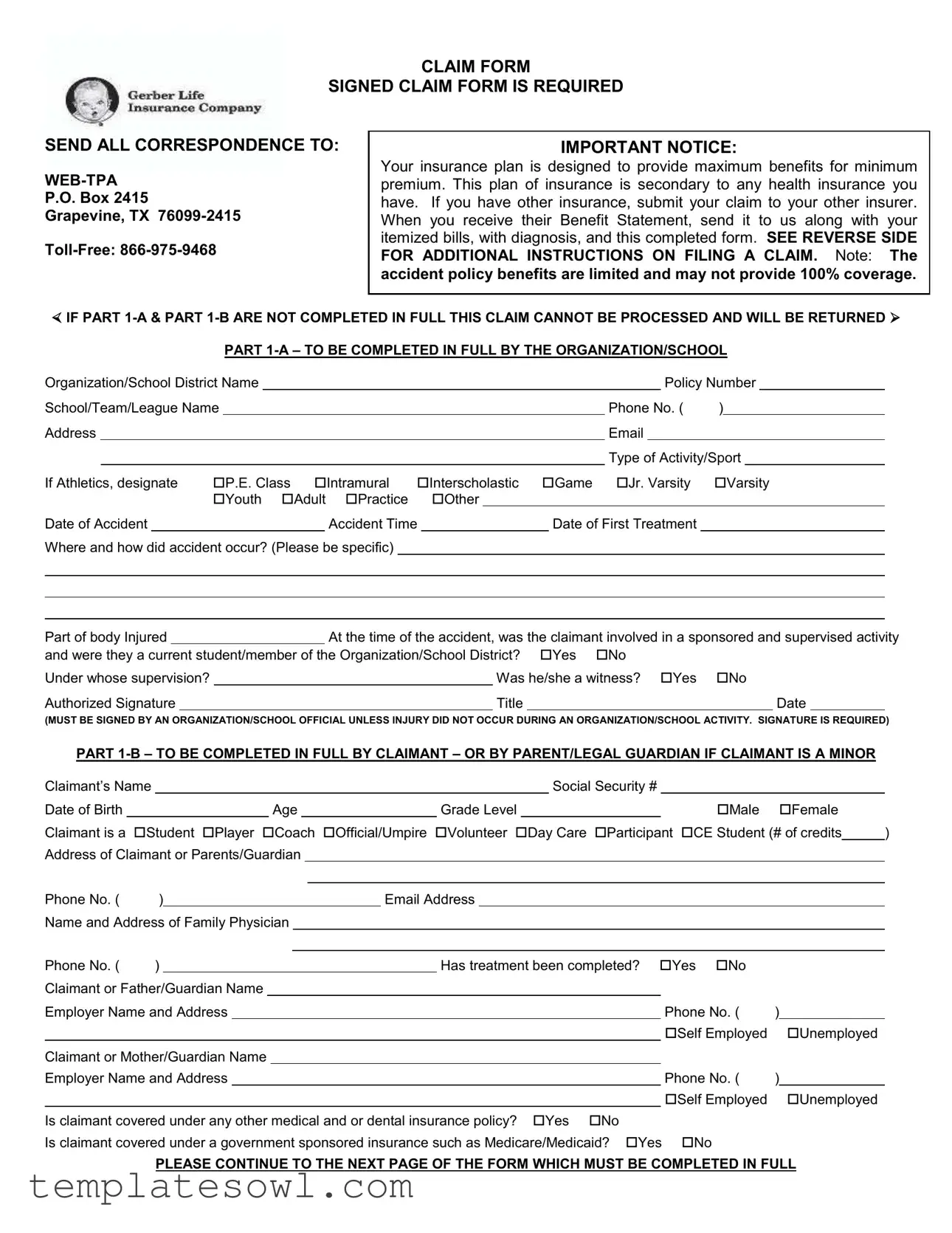
Life insurance companies rely heavily on standardized PDF documents to process policy transactions, record legal changes, and disburse death benefits. While online web portals have expanded across the industry, official PDF forms remain the legal standard for audited signature collection, formal policy alterations, and complex claims processing. Understanding which form corresponds to a specific request is the initial step in managing policy administration.
1. Claimant’s Statement / Proof of Death Form
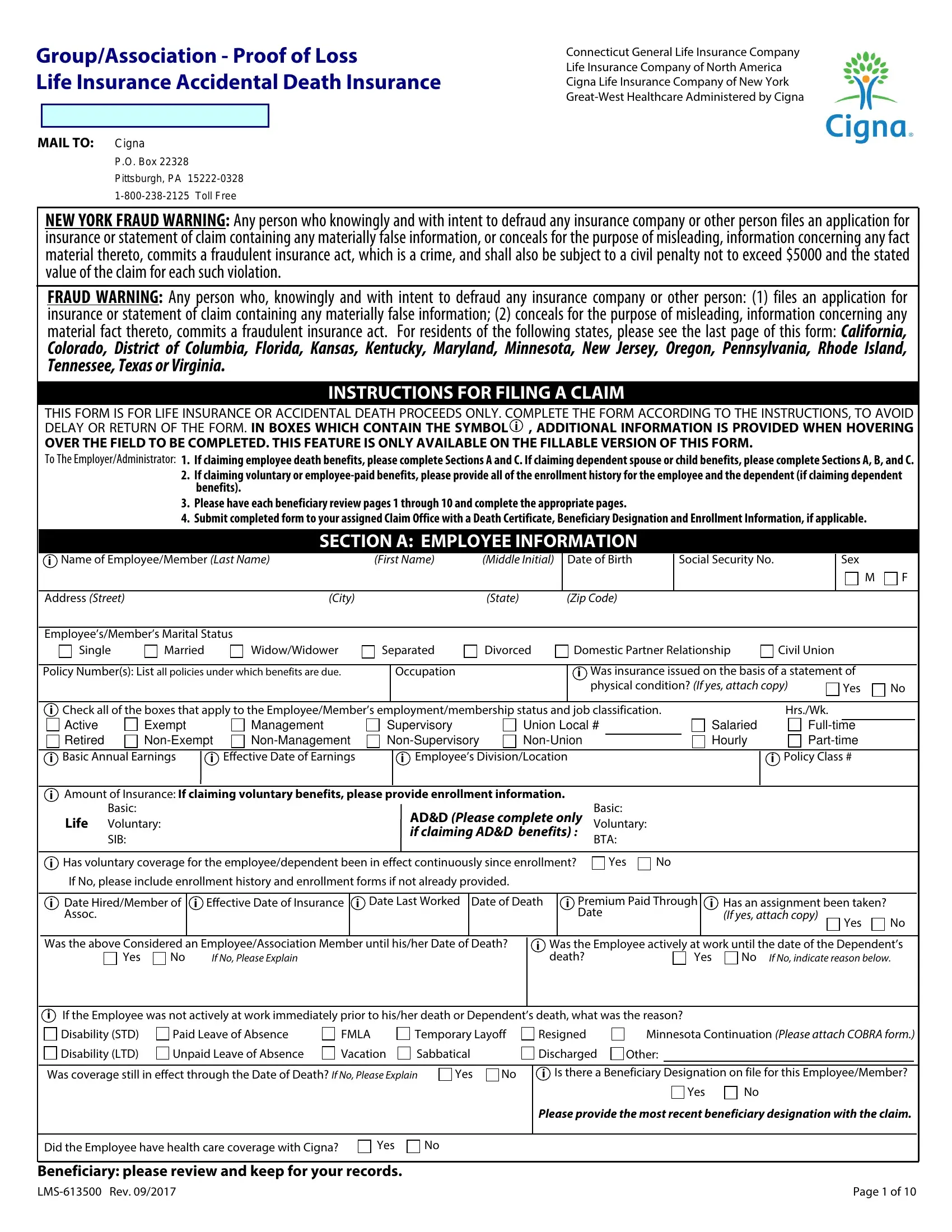
When a policyholder passes away, the named beneficiary must submit a claim package. The core component of this package is the Claimant’s Statement (sometimes designated as a Death Benefit Request Form). This PDF requires detailed personal information about both the deceased policyholder and the claimant, including Social Security numbers, date and cause of death, policy numbers, and the selected payment option (such as a lump-sum payout, structured settlement, or retained asset account).
2. Change of Beneficiary Designation Form
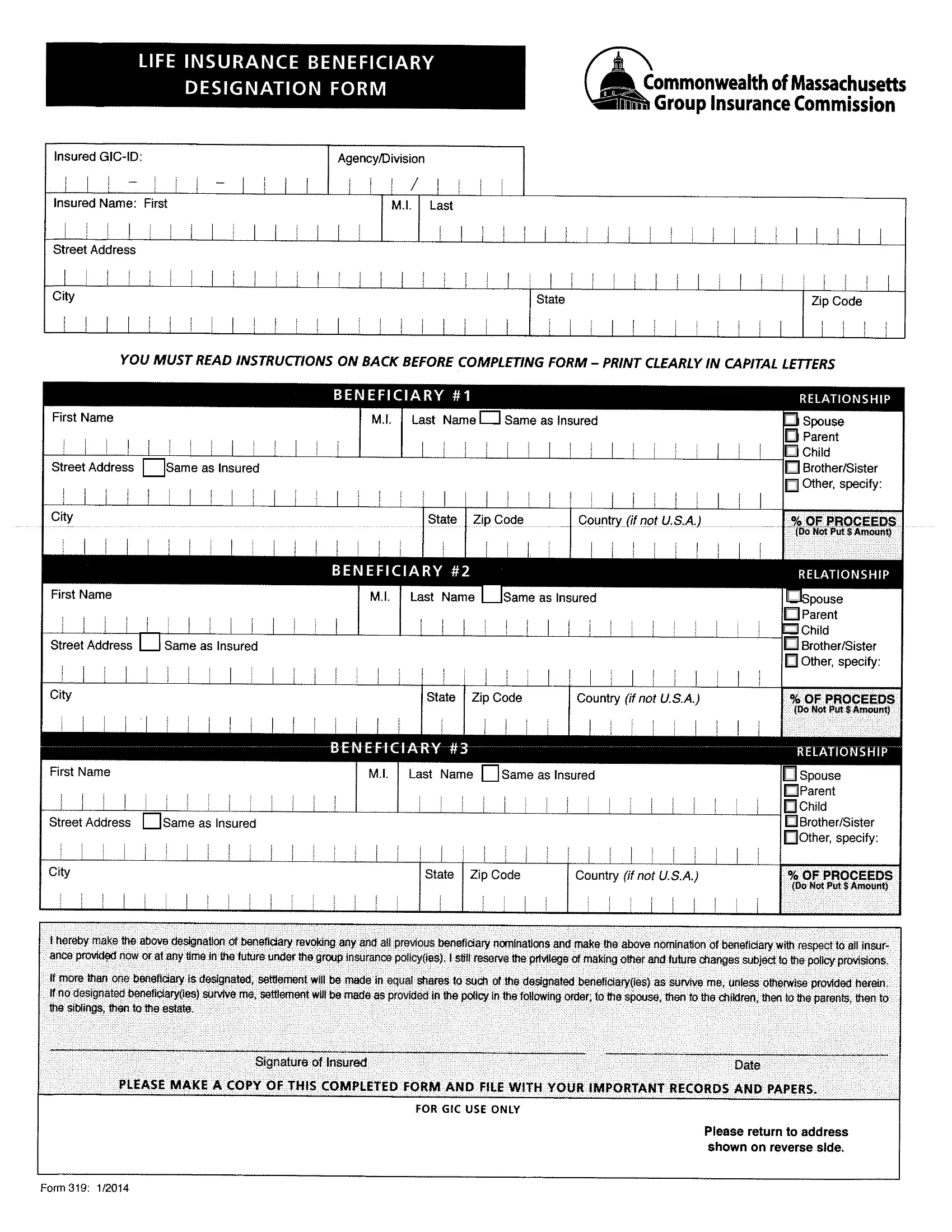
Policyholders frequently need to update who will receive their policy proceeds upon their death. The Change of Beneficiary PDF permits the policy owner to modify primary and contingent beneficiaries, adjust allocation percentages, and define legal distribution structures such as per stirpes or per capita. Because altering beneficiaries changes legal rights to policy proceeds, carriers mandate strict compliance with signature protocols on this form.
3. Policy Service Request / Ownership Transfer Form
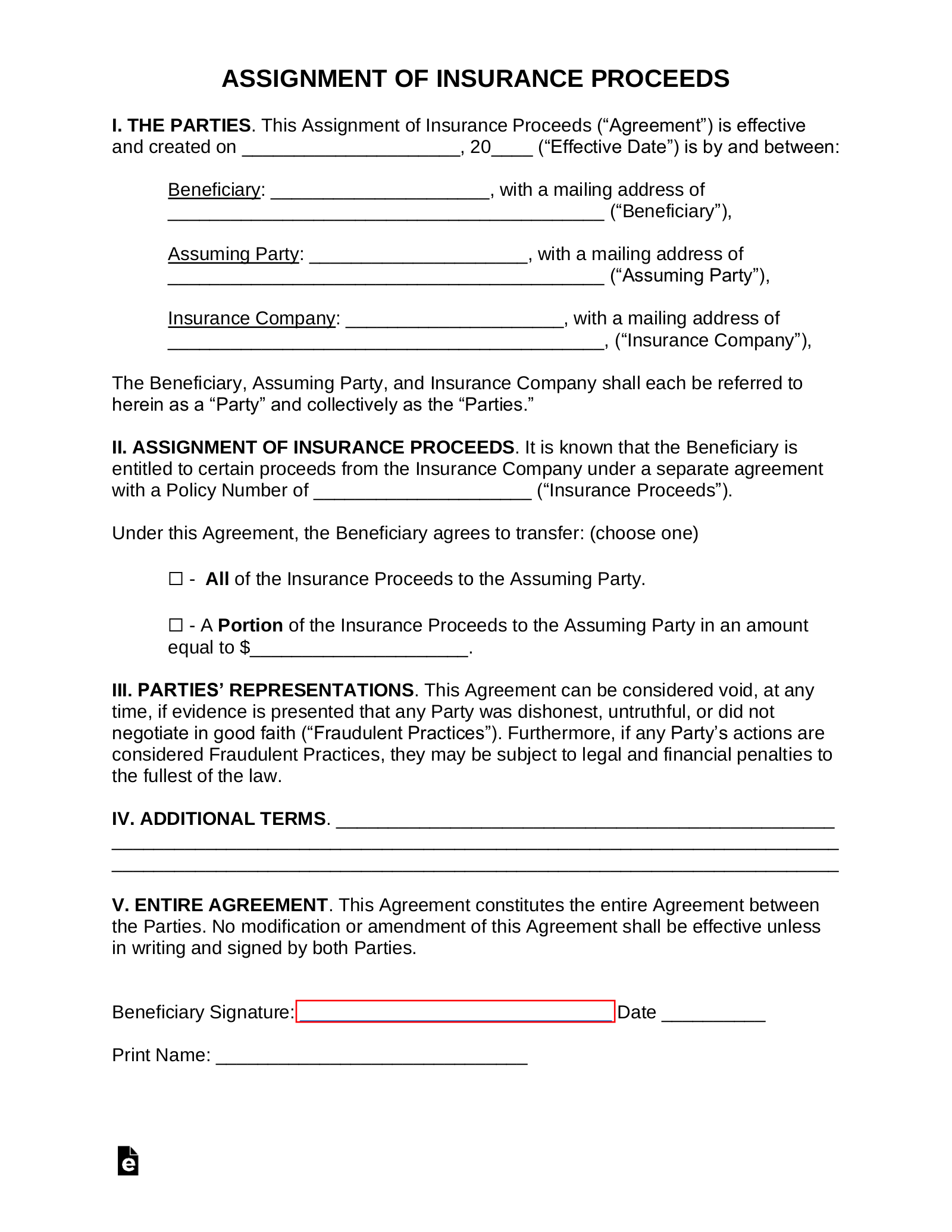
To assign ownership of an existing policy to another person, a trust, or a corporate entity, insurers require an Ownership Transfer PDF (also known as an Absolute Assignment Form). Additionally, routine modifications—such as updating legal names, changing mailing addresses, or altering premium payment frequencies—are executed using broad Policy Service Request forms.
4. Policy Loan or Full/Partial Cash Surrender Form
Owners of permanent life insurance (such as whole life or universal life policies) access accrued cash value via cash surrenders or policy loans. The cash surrender PDF documents the policyholder's formal request to terminate coverage or withdraw equity, acknowledging potential surrender charges, loss of death benefit coverage, and taxable gain liabilities.
5. HIPAA Authorization and Medical Information Release Forms
For underwriting new applications, reinstating lapsed policies, or evaluating contestable death claims (typically claims occurring within two years of policy issuance), insurance carriers require signed HIPAA compliance PDFs. These authorization forms grant the insurer legal permission to request medical history, physician records, and hospital records.
Essential Information and Prerequisites Before Filling Out PDF Forms
Attempting to fill out a life insurance PDF without gathered information frequently leads to expired digital sessions, incomplete paperwork, and processing rejections. Before opening or printing the document, assemble all supporting documentation and verify key identifiers.
Document and Data Checklist
- Policy Number(s): Found on original policy schedules, annual statements, or payment receipts.
- Full Legal Names and Tax Identification Numbers: Full names, addresses, dates of birth, and Social Security Numbers (SSN) or Employer Identification Numbers (EIN) for all policyholders, insured individuals, and designated beneficiaries.
- Certified Copy of the Death Certificate: For claim forms, carriers typically mandate an original or certified copy showing the final cause and manner of death.
- Government-Issued Photo Identification: Valid driver's licenses, passports, or state IDs for claimants or new policy owners.
- Banking Details: Routing and account numbers if requesting direct deposit (ACH) for policy loans, withdrawals, or benefit distributions.
Step-by-Step Guide to Completing Life Insurance PDF Forms
Whether completing a PDF digitally using software or filling out a printed physical copy, following a systematic method ensures accuracy and legibility.
- Gather Required Data & Documents
- Verify PDF Authenticity & Version
- Complete Fields Digitally or via Black Ink
- Review Beneficiary Allocations & Tax Data
- Execute Required Signatures (E-Sign / Notary)
- Attach Required Supporting Documents
- Submit via Secure Carrier Channel
Step 1: Download the Official PDF Version
Always download forms directly from the insurance carrier's official website or customer service portal. Third-party form depositories often host outdated versions that lack current state-mandated regulatory disclosures or updated mailing addresses. Ensure the form's revision date (usually located in the footer) reflects current administrative requirements.
Step 2: Choose Between Digital Input and Manual Completion
- Digital PDF Completion: Fillable PDF forms completed via modern PDF viewers (such as Adobe Acrobat Reader, Apple Preview, or browser-based PDF engines) offer clean legibility and built-in field validation. Ensure that all interactive fields are completely saved before closing the software.
- Manual Completion: If completing by hand, print the document at 100% scale without scaling down page margins. Use black ink exclusively, as automated optical character recognition (OCR) scanners used by insurance operations centers often fail to capture blue, red, or pencil entries clearly. Print legibly in capital block letters.
Step 3: Complete Identification and Policy Sections
Accurately enter the primary insured’s legal name exactly as it appears on the policy contract. If the policyholder’s name has changed due to marriage, divorce, or court order since policy issuance, include supporting legal documentation (such as a marriage certificate or legal name change decree) along with the form.
Step 4: Execute Valid Signatures
Incomplete or improper signatures represent the primary cause of form processing rejection. Insurers establish strict guidelines regarding accepted signature types:
- Wet Signatures: Physical ink signatures on printed paper. Required by many carriers for ownership transfers, total surrenders, and notarized forms.
- Electronic Signatures: Digital signatures captured via compliance-tested e-signature software (e.g., DocuSign, Adobe Sign) featuring audit trails. Generic, non-authenticated typed fonts inside standard PDF text boxes are rarely accepted for legal life insurance transactions.
- Notarization & Medallion Signatures: Certain high-value transactions or claim distributions over specific dollar thresholds (e.g., $100,000) require a formal signature guarantee or a commissioned Notary Public stamp to verify identity.
Decoding Complex Form Sections: Beneficiaries, Taxes, and Authorizations
Certain sections within life insurance PDF forms involve distinct legal and tax mechanics. Misunderstanding these clauses can lead to unintended tax obligations or contested benefit payouts.
- Beneficiary Structure
- Primary Beneficiary (First in line for payout)
- Contingent Beneficiary (Receives payout if Primary is deceased)
- Distribution Method
- Per Stirpes (Passes down bloodline)
- Per Capita (Divided among surviving)
Beneficiary Allocation: Primary vs. Contingent
- Primary Beneficiaries: The first individuals or entities entitled to receive the death benefit. Payout percentages among all listed primary beneficiaries must sum to exactly 100%.
- Contingent Beneficiaries: Secondary beneficiaries who receive proceeds only if all primary beneficiaries are deceased at the time of the insured’s death. Payout percentages among contingent beneficiaries must also sum to 100%.
Distribution Designations: Per Stirpes vs. Per Capita
- Per Stirpes (By Branch): If a named beneficiary predeceases the insured, that beneficiary's share of the death benefit automatically passes to their direct surviving lineal descendants (children/grandchildren).
- Per Capita (By Head): If a named beneficiary predeceases the insured, that beneficiary's share is divided equally among the remaining surviving named beneficiaries.
Tax Withholding and Taxpayer Identification (W-9 / W-8BEN)
Life insurance death benefits are generally received income-tax-free by beneficiaries under Internal Revenue Code Section 101(a). However, any interest accrued on the death benefit between the date of death and the payout date is subject to ordinary income tax.
Consequently, claims forms incorporate standard IRS Form W-9 fields (for U.S. citizens/resident aliens) or Form W-8BEN (for non-U.S. citizens). Beneficiaries must sign the tax certification section to confirm their SSN/TIN and avoid mandatory backup tax withholding on interest payments.
Summary of Life Insurance PDF Forms and Verification Requirements
The table below outlines common life insurance PDF forms, their core operational purposes, standard supporting attachments, and validation requirements.
| Form Type | Primary Purpose | Required Supporting Attachments | Signature Validation Standard |
|---|---|---|---|
| Claimant’s Statement | Initiates death benefit payout to beneficiaries. | Original/Certified Death Certificate, Photo ID, W-9 | Wet signature or verified E-Sign; Notarization often required above thresholds. |
| Change of Beneficiary | Updates primary/contingent payout structure. | None (unless updating to a Trust, requiring Trust Abstracts) | Wet signature or authenticated E-Sign by Policy Owner. |
| Absolute Assignment | Transfers legal ownership of the policy. | Government ID, Trust Agreements (if transferring to trust) | Wet signature; frequently requires Notary Public acknowledgement. |
| Cash Value Surrender | Terminates policy to withdraw accumulated equity. | Returned original policy contract (or Lost Policy Affidavit) | Wet signature or E-Sign; Notarization required for high dollar values. |
| HIPAA Authorization | Permits insurer access to medical histories. | None | Wet signature or compliant electronic signature of Insured/Claimant. |
| Policy Reinstatement | Restores lapsed coverage after missed premiums. | Evidence of Insurability, Payment for back premiums | Wet signature of Insured and Policy Owner. |
Common Mistakes That Delay Processing (and How to Avoid Them)
Processing backlogs at major life insurance companies often stem from minor errors on submitted PDF forms. Reviewing submissions against common failure points ensures rapid turnaround.
1. Incomplete Allocation Percentages
Listing multiple primary beneficiaries without providing explicit percentage splits—or submitting percentages that do not sum to 100%—forces the insurer's legal department to freeze processing while seeking clarification.
2. Mismatched Legal Names
Entering nicknames, abbreviations, or former legal names (without submitting supporting legal name-change documents) creates verification blocks. Names entered on PDF forms must match government-issued identification and existing carrier record files exactly.
3. Outdated Form Versions
Carriers periodically update statutory language, state compliance notices, and processing center addresses on their forms. Submitting an obsolete PDF version often results in immediate form rejection and a request to resubmit on current documentation.
4. Unsigned Modifications or Erasures
If a mistake is made while manually completing a paper PDF, drawing a line through the error, writing the correction clearly, and adding initials alongside the change is required. Using correction fluid (white-out) or leaving un-initialed alterations can invalidate the form due to fraud prevention rules.
Secure Submission Methods and Data Protection
Life insurance PDF forms contain highly sensitive personally identifiable information (PII), including Social Security numbers, residential addresses, financial account details, and medical records. Transmitting these forms carelessly exposes policyholders and beneficiaries to identity theft risks.
- Recommended Submission Channels
- Secure Carrier Web Portal (Best)
- Encrypted Email (TLS Standard)
- Direct Certified Mail / Secure Fax
Recommended Submission Channels
- Authenticated Carrier Portals: Upload completed PDFs directly through the insurance company's encrypted customer portal. This provides instant receipt timestamps and preserves end-to-end security.
- Encrypted Email: If submitting via email, use Transport Layer Security (TLS) or zero-knowledge encrypted messaging services. Avoid sending unencrypted PDF attachments over public Wi-Fi networks.
- Certified Mail or Secure Fax: For documents requiring original physical certificates (such as certified death certificates), send via USPS Certified Mail with Return Receipt Requested or tracked commercial courier services (FedEx/UPS). Alternatively, direct secure faxing to the carrier’s dedicated claims department remains an accepted business standard.
Frequently Asked Questions
Can I fill out and sign a life insurance PDF form on a mobile device?
Yes, modern mobile operating systems and dedicated PDF viewer applications allow users to complete form fields and place saved signatures. However, verify that your software captures a true graphical or cryptographic signature rather than basic body text, as basic text entries are frequently rejected by carrier compliance units.
What happens if I make a mistake on a printed PDF life insurance form?
If you make an error on a hard copy, draw a single neat line through the incorrect information, write the correct data adjacent to it, and initial the correction. Avoid using correction tape or fluid. If the mistake involves key sections like payment structures or beneficiary names, print a fresh copy to prevent processing delays.
Do life insurance beneficiary change forms need to be notarized?
Notarization requirements depend on the carrier's corporate policy and the state governing the contract. While routine beneficiary changes often accept standard policyholder signatures, transactions involving irrevocable beneficiaries, ownership transfers, or high-value policies typically mandate a formal Notary Public seal.
How do I submit a PDF form if the original policy contract is lost?
If a form requires submitting the original policy contract (such as a full surrender request) but the physical policy document cannot be located, complete a "Lost Policy Affidavit" or "Statement of Lost Certificate" PDF. This form is typically included within the standard surrender packet or provided upon request by the carrier.
Why is a W-9 form included inside a life insurance death claim PDF package?
While death benefit proceeds are generally exempt from federal income tax, any interest paid by the insurer between the policyholder's passing and the date of final distribution is considered taxable income. The IRS Form W-9 collects the beneficiary’s tax identification number to ensure accurate reporting of this taxable interest on IRS Form 1099-INT.
Final Action Steps for Policyholders and Beneficiaries
- Verify the Form Version: Contact the insurance carrier or access their official web portal to download the most current PDF iteration for your specific policy type and state of residence.
- Gather Required Supporting Documents: Obtain necessary certified death certificates, government photo IDs, trust documentation, or voided checks before filling out the form.
- Execute Clean Data Input: Use digital PDF entry software or black block letters to complete all required sections. Ensure primary and contingent beneficiary percentages sum precisely to 100%.
- Validate Signatures: Confirm whether your transaction requires standard wet signatures, authenticated electronic signatures, or formal notarization before submitting.
- Transmit Securely: Send the completed form and supporting documentation through the carrier's online secure upload portal or via tracked mail, retaining a complete copy of the signed PDF package for your personal records.
Image Gallery